How to Add Textures with AI Edit Tools
Want to apply new materials to walls, floors, furniture, or facades without re-rendering your entire scene? RunDiffusion’s AI Edit Tools make it easy to add or replace textures using just a prompt and image of your texture.
With tools like Nano Banana Image Edit, SeeDreamV4 Edit, and ChatGPT Image Edit, you can update a design or apply texture variations directly to a finished image.
What You’ll Learn
- How to apply new textures to existing renders or photos
- The best Edit Models for material changes
- How to write effective texture-editing prompts
How do I Replace Textures in an Image?
Here is a step by step approach.
Login to your account
Go to the RunDiffusion Runnit Platform
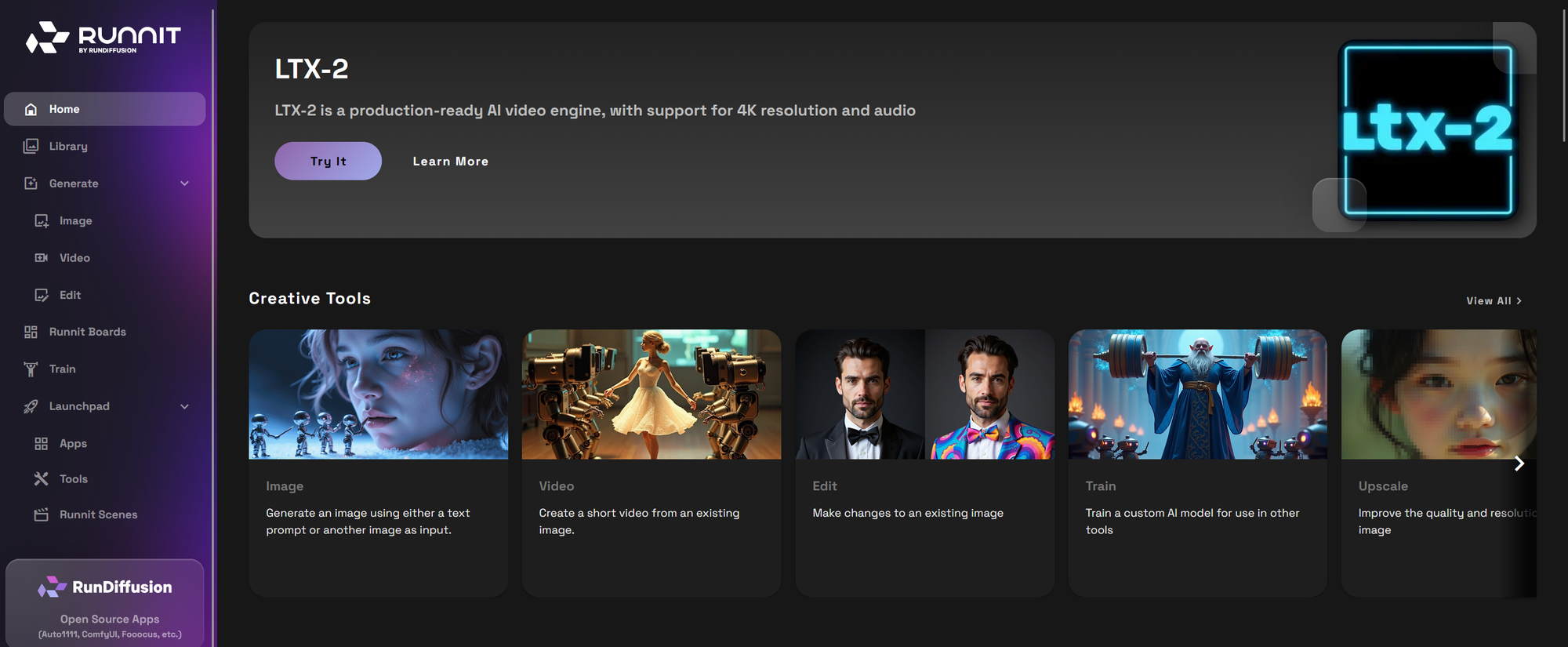
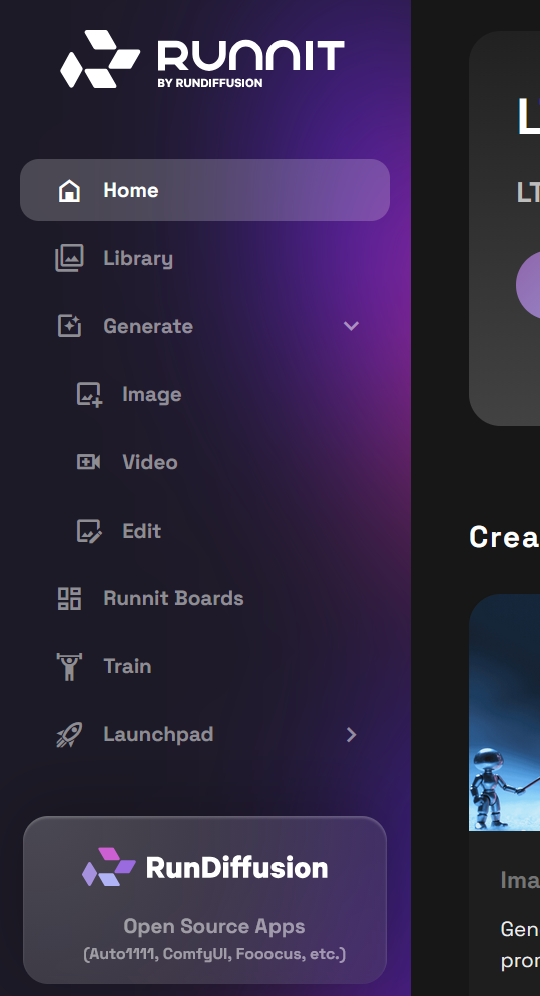
Click on the left side bar click Generate then click Edit.
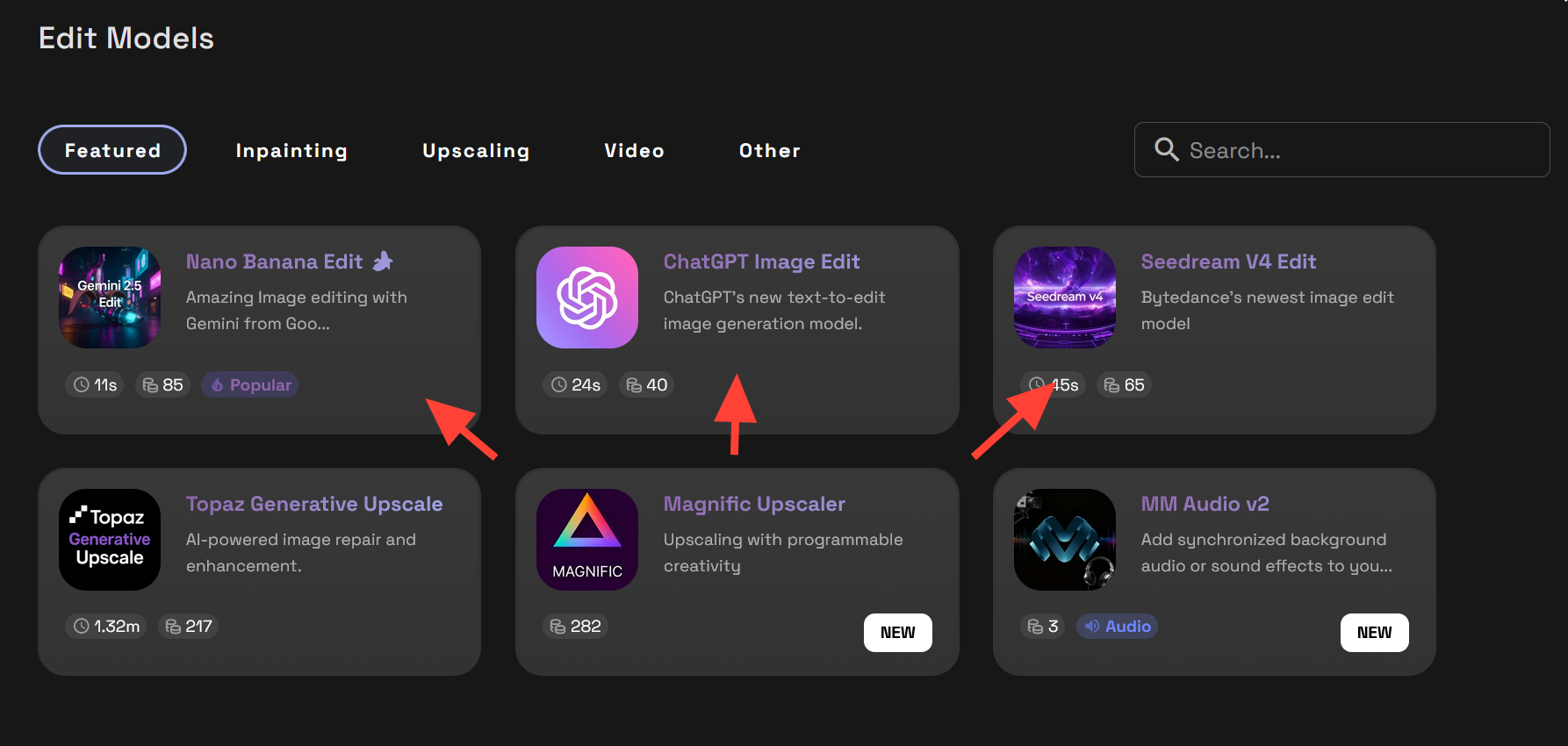
Select an Image Edit Model such as Nano Banana Edit, Seedream V4 Edit, and ChatGPT Image Edit.
Upload or select from your Library your existing image or render of the texture you want to add. Then in the second image add the image you would like to apply the texture to.
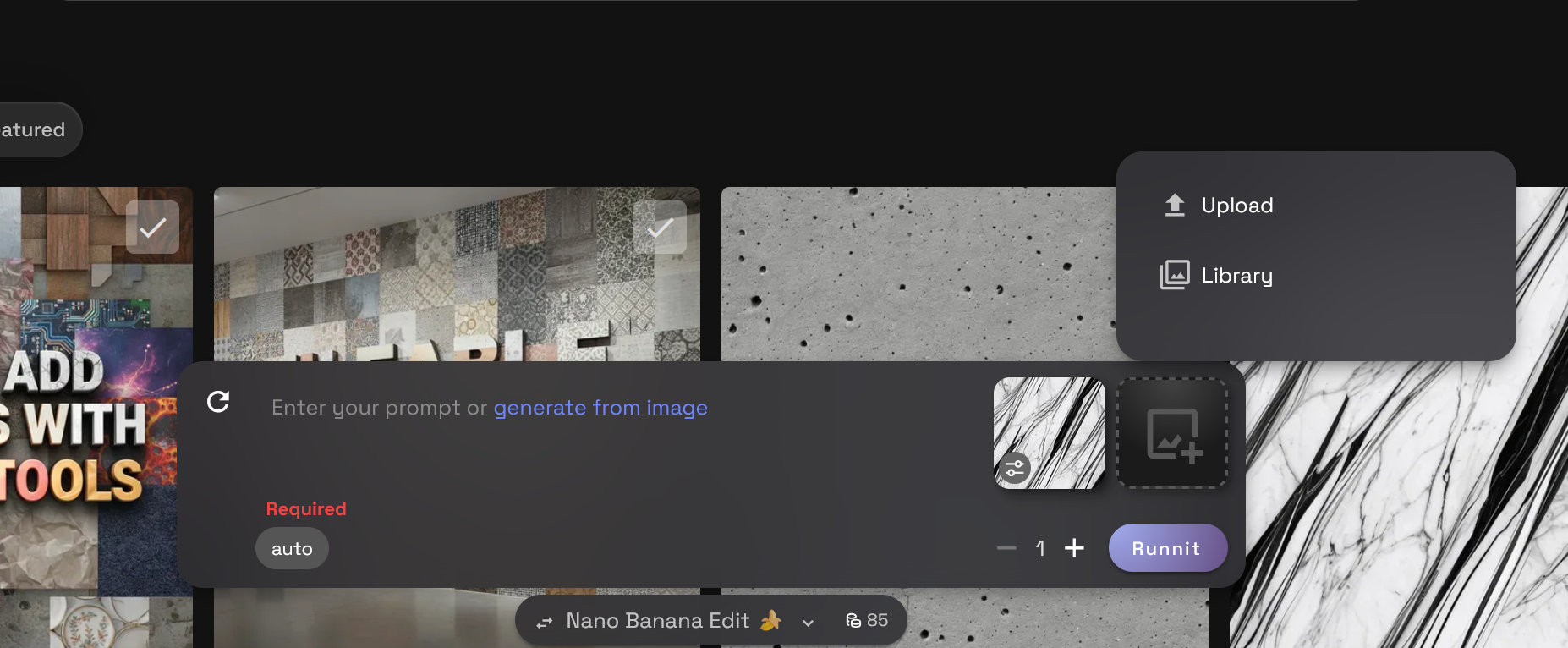
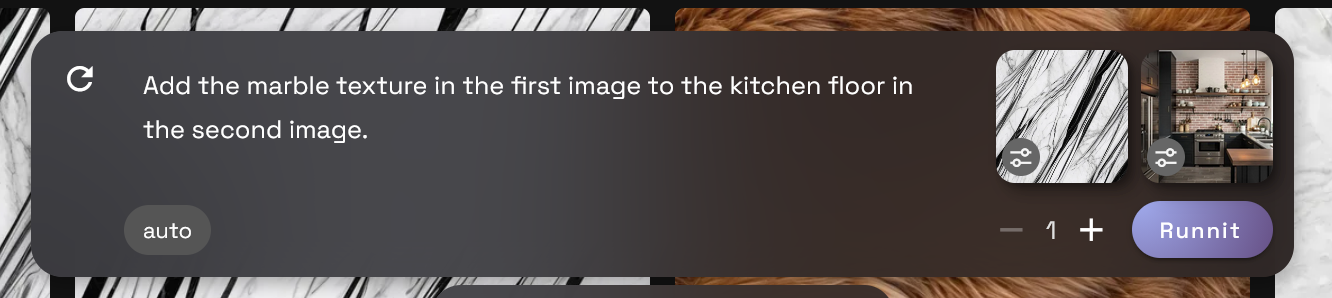
Write a Prompt then click Runnit to render your new image.
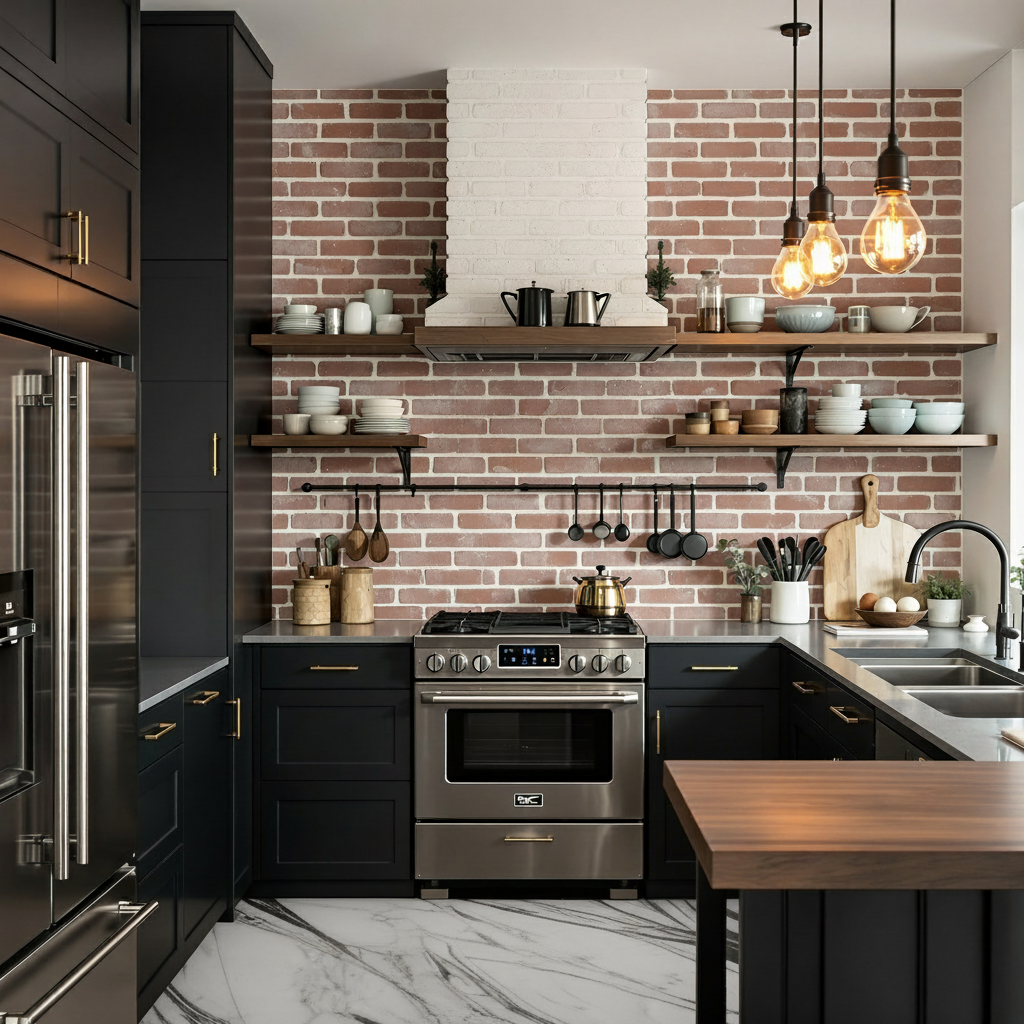
Example Prompt: Add the marble texture in the first image to the kitchen counter and floor in the second image.
How do I add texture to a render without a texture image?
Prompt Examples for Texture Editing
- Replace wall with vertical wood slats, keep lighting and layout
- Change flooring to matte black tile, soft natural shadows
- Swap sofa fabric for deep green velvet, retain rest of scene
- Replace building facade with ribbed concrete, no change to structure
Tips for Best Results
- Keep prompts focused: target one surface or material at a time
- Use terms like "replace," "change," or "apply"
- Avoid structural edits if you want to preserve geometry
- For higher resolution output, use a render enhancer or upscaler after editing
How This Helps Architecture and Interior Design Teams
Texture edits are especially valuable when you are working on client facing imagery.
- Architecture teams can test different facade materials, cladding patterns, or paving finishes without sending a model back through a full render pipeline.
 RunDiffusion Team
- Interior design teams can swap furniture fabrics, flooring, or wall finishes to match client feedback while keeping the same composition, camera angle, and lighting.
 RunDiffusion Team
In many studios, these Edit workflows sit alongside concept generation, mood boards, and final presentation imagery as part of a broader AI assisted pipeline.
If your studio relies on RunDiffusion for broader project workflows, these texture workflows sit alongside concept generation, mood boards, and final presentation imagery inside the same cloud based platform.
Final Thoughts
RunDiffusion’s Edit Tools give you the power to change materials or test new textures with minimal effort. Whether you're refining a client presentation or exploring visual ideas, image editing with AI is now accessible and intuitive.
Start testing material swaps today using your free daily tokens.
 RunDiffusion Team
 RunDiffusion Team
 RunDiffusion Team