


Introduction
AnimateDiff was one of the earliest practical ways to generate AI video using diffusion models. While it helped define early animation workflows, most creators today rely on newer video models that deliver longer clips, better motion consistency, and stronger prompt understanding.
On RunDiffusion, AnimateDiff still exists as a creative option, primarily for users who enjoy its distinctive visual style or prefer hands on control through ComfyUI. This article explains where AnimateDiff fits today, how it compares to modern video models, how to access it on RunDiffusion, and when it still makes sense to use.
What Is AnimateDiff
AnimateDiff is a diffusion based animation method that generates short video clips by maintaining temporal consistency across frames. Instead of treating each frame as a separate image, AnimateDiff injects motion awareness into the diffusion process so that frames relate to each other over time.
AnimateDiff is best known for short looping animations, stylized motion, and deep compatibility with Stable Diffusion checkpoints and ComfyUI workflows.

AnimateDiff’s Role Today
AnimateDiff played an important role in early AI video experimentation, but it is no longer the default choice for most creators. Today, the majority of users prefer newer video models that produce longer, cleaner, and more coherent results with less manual setup.
AnimateDiff is still used by a smaller group of creators who enjoy its distinctive diffusion era aesthetic. Some value its looping motion style, others prefer the level of control it offers inside ComfyUI, and many simply have a nostalgic attachment to the visual character it produces.
In modern workflows, AnimateDiff is a deliberate stylistic choice rather than a practical necessity.

Newer AI Video Models on RunDiffusion
Modern video models available on RunDiffusion expand well beyond what AnimateDiff was designed to do. These models typically support longer video durations, stronger text to video performance, improved temporal stability, and reduced flicker or distortion.
Creators most often choose newer video models for concept videos, architectural walkthroughs, story driven clips, and client ready deliverables. AnimateDiff, by comparison, is usually reserved for experimental visuals or short stylized loops.
If you'd like to try some of the newer models you can start with Kling 1.6 Pro, LTX-2, Seedance 1.5 Pro, Veo3.1 and many more.
AnimateDiff Compared to Newer Video Models
Newer video models are generally preferred for professional or narrative video work. They handle longer clips, maintain visual consistency more reliably, and respond more accurately to text prompts.
AnimateDiff remains useful for short looping animations, experimental motion, and creators who enjoy the nostalgia of older AI styles. The difference is less about which tool is better and more about the creative intent behind the output.
How to Access AnimateDiff on RunDiffusion
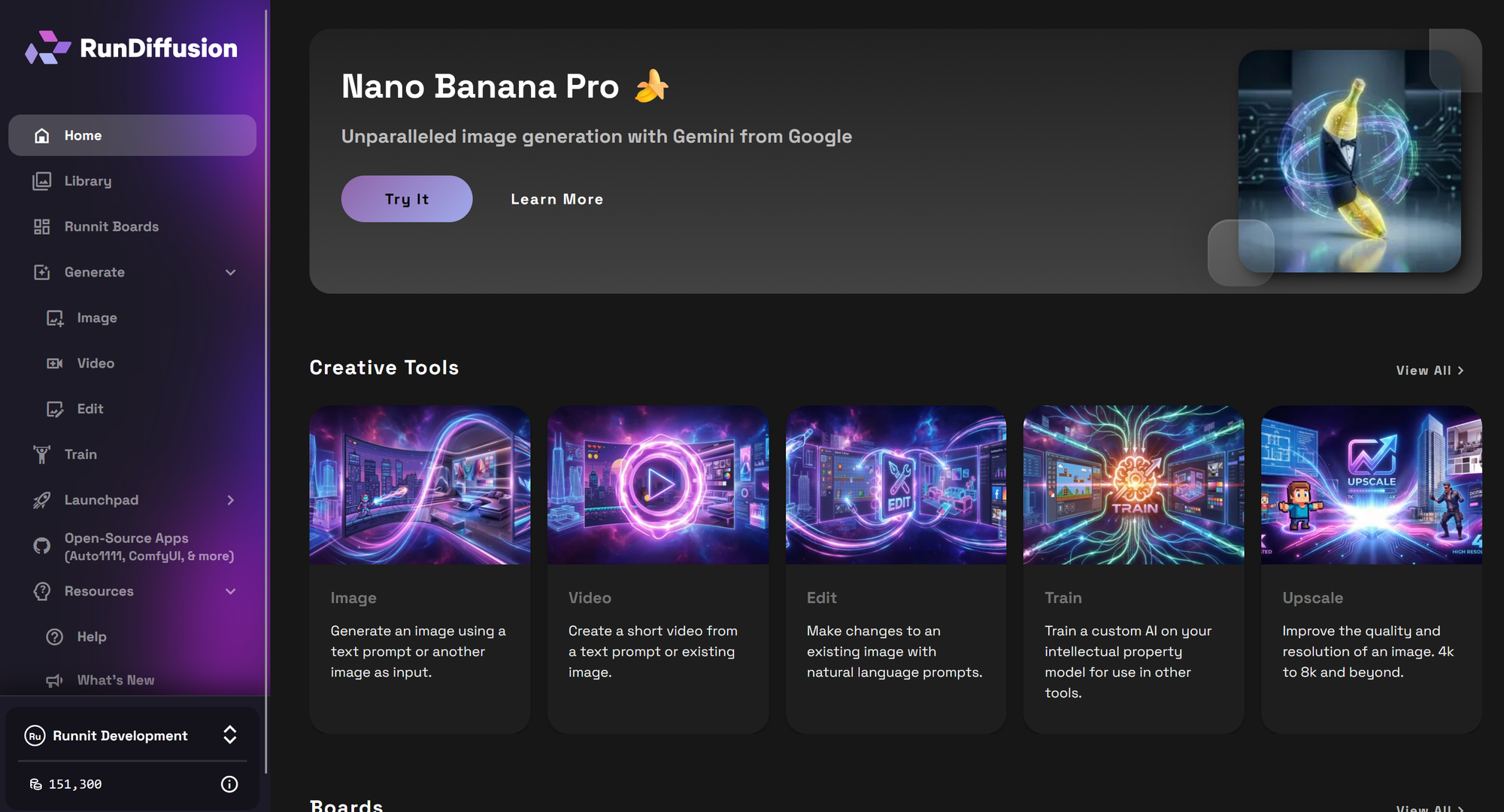
To use AnimateDiff on RunDiffusion, begin by logging into your RunDiffusion account.
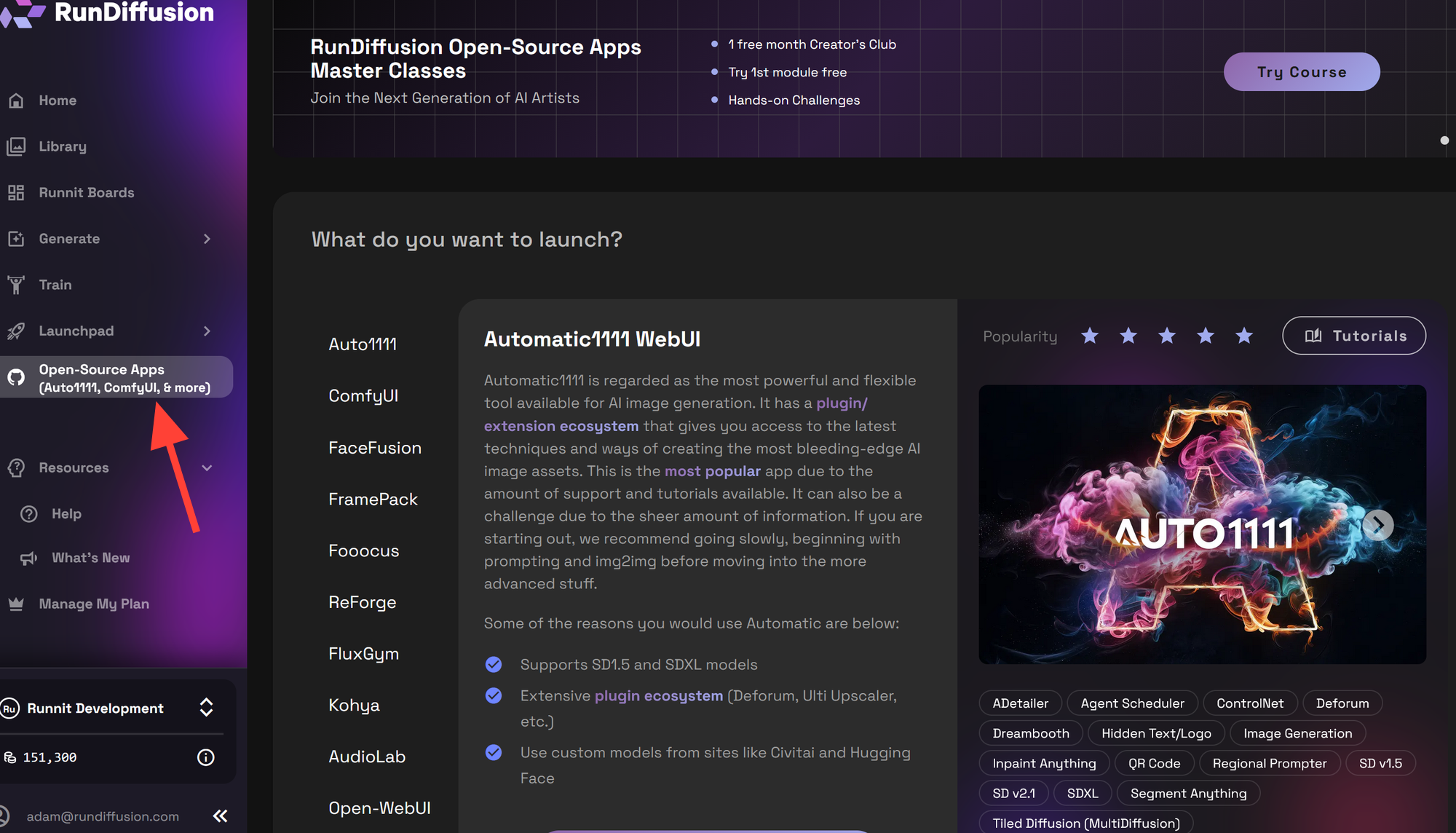
From the main dashboard, use the left sidebar to open Open Source Applications.
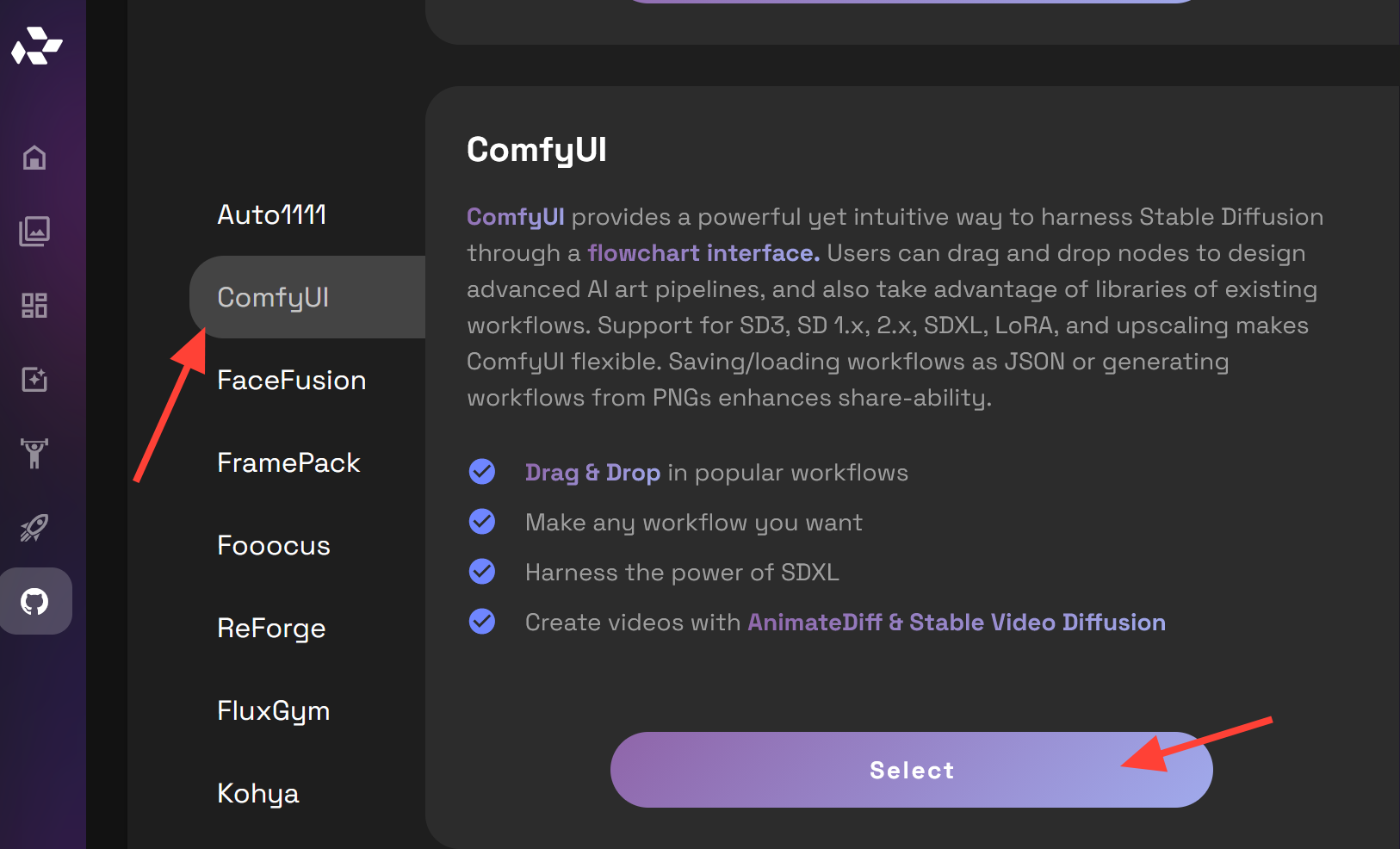
Choose ComfyUI and click Select.
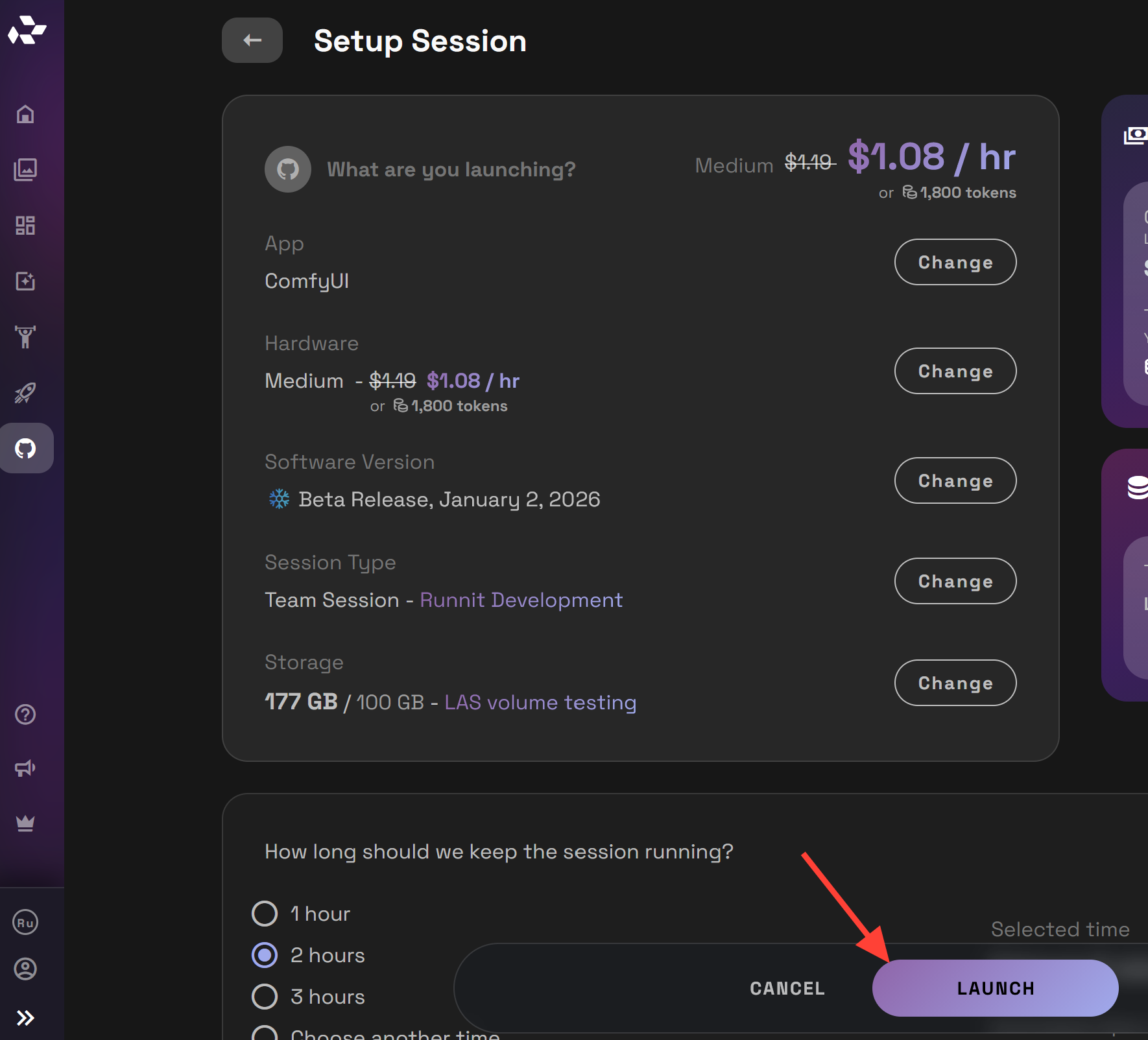
Launch a server using your preferred hardware configuration. For AnimateDiff we recommend a Medium or Large Server. Click the Launch button.
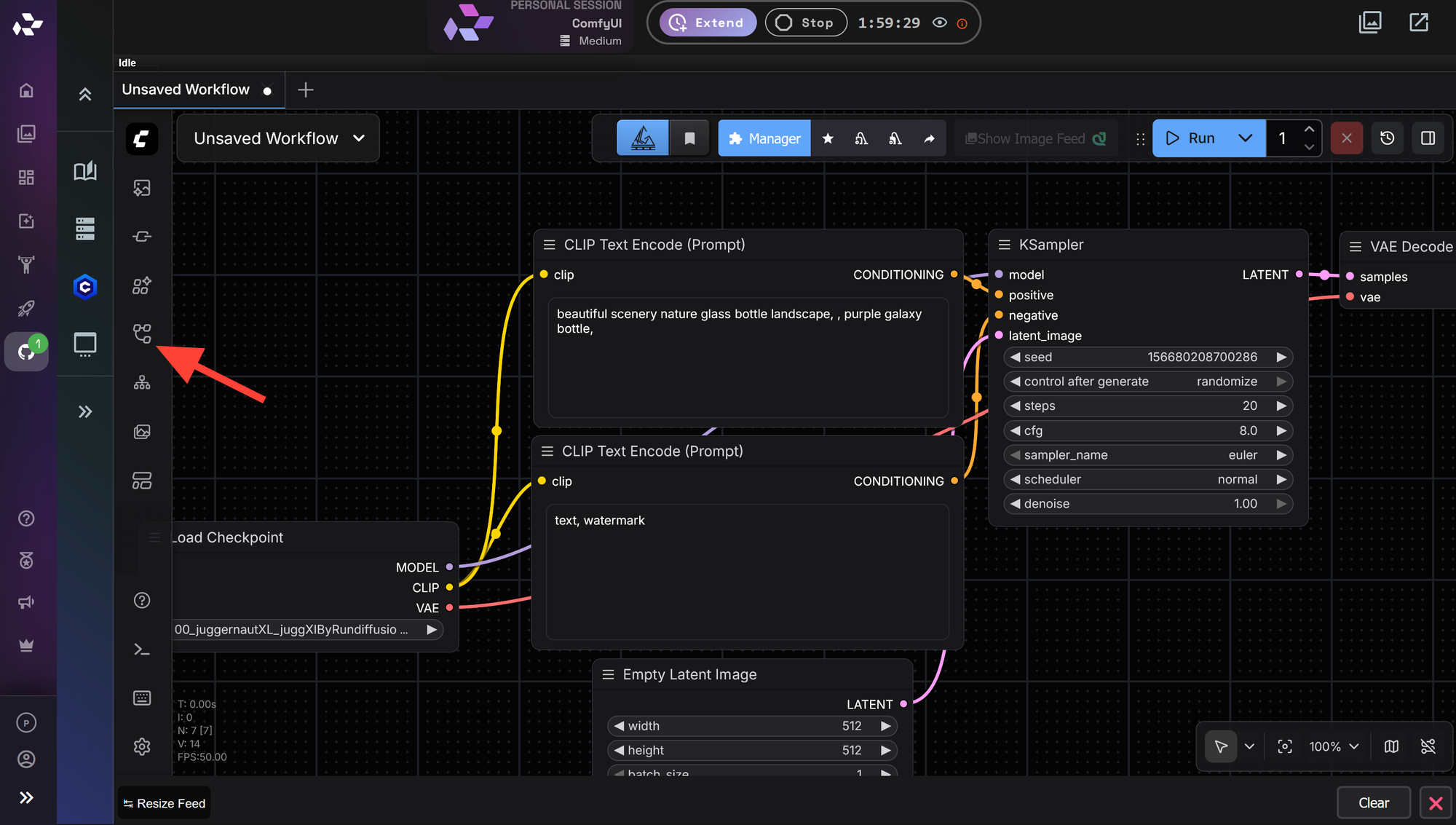
After ComfyUI finishes loading, locate the Workflow icon on the left side of the interface.
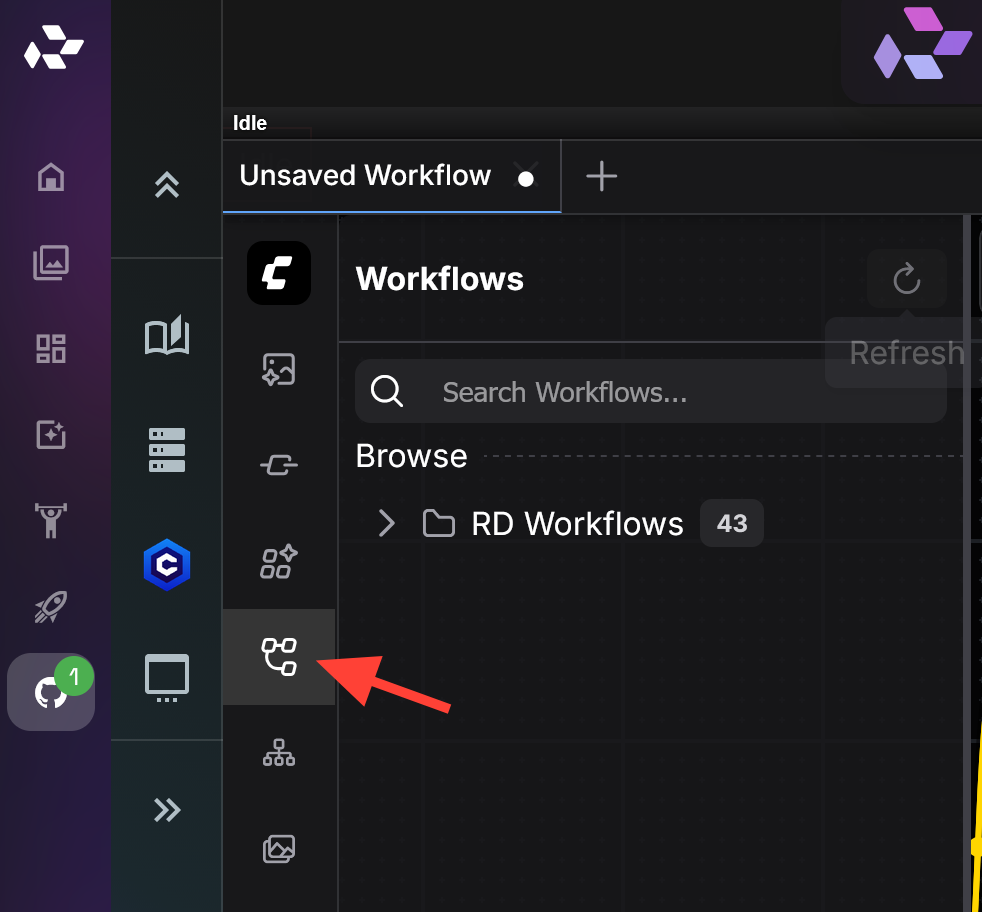
Open the RD Workflow folder.
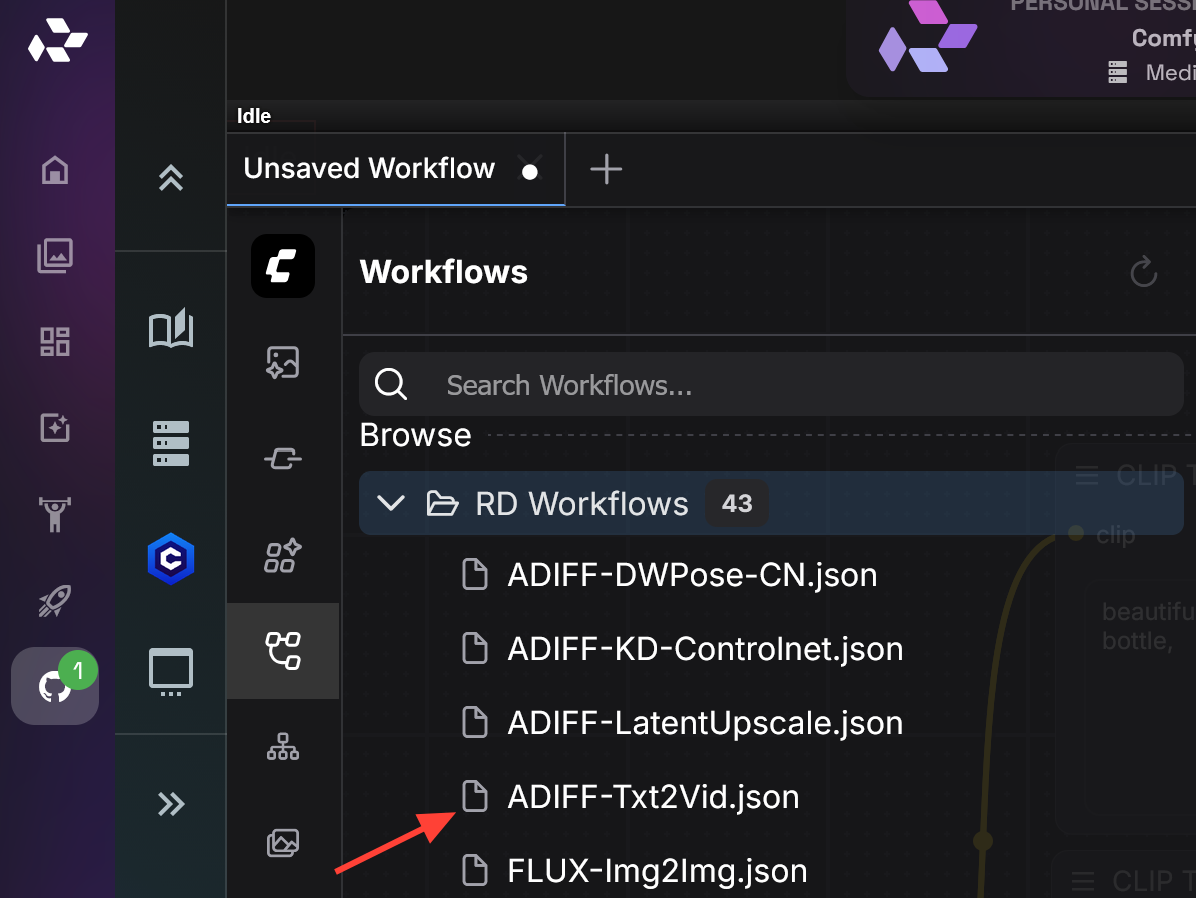
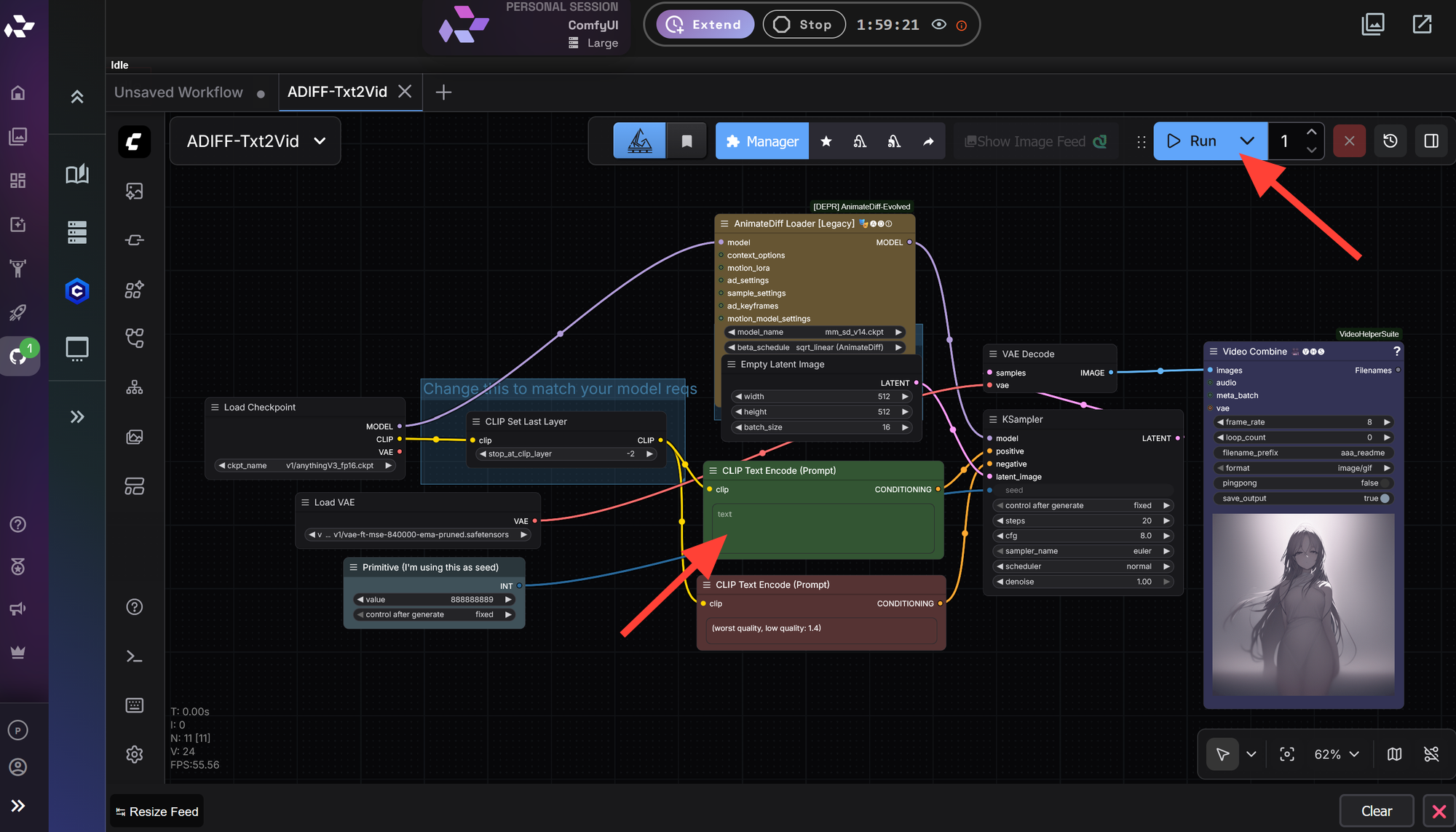
Select AnimateDiff workflow. All the Premade AnimateDiff workflows start with ADIFF.
Write a Prompt and Click Run.
When AnimateDiff Makes Sense
AnimateDiff is best suited for creators who want short looping animations, stylized motion, or fine grained control over how movement is generated. It is also useful for experimentation and for users who enjoy the visual artifacts and character of early diffusion based animation.
For longer scenes, text driven storytelling, or polished output, newer video models are typically the better choice.

Final Thoughts
AnimateDiff represents an important chapter in the evolution of AI video generation. While most creators have moved on to newer models that are faster and more consistent, AnimateDiff still holds value as a stylistic tool with a distinct creative feel.
On RunDiffusion, you can choose the workflow that best fits your goal, whether that is modern text driven video generation or nostalgic diffusion era animation.
Frequently Asked Questions
Is AnimateDiff still relevant
Yes, but in a more focused way. AnimateDiff is no longer the primary tool for most creators, yet it remains relevant for specific stylistic and experimental use cases.
Can AnimateDiff generate long videos
AnimateDiff is designed for short clips and loops. Longer videos usually require stitching multiple generations or using newer video models that are built for extended duration.
Does AnimateDiff require a local GPU
No. AnimateDiff runs entirely in the cloud on RunDiffusion. There is no need for local hardware or manual environment setup.
Is AnimateDiff text to video
AnimateDiff supports text prompts, but it performs best when combined with strong image conditioning. Newer models provide more direct and reliable text to video workflows.
Which option is better for professional projects
For most professional or client facing projects, newer video models are the preferred choice due to their consistency, duration, and ease of use.
