


Introduction
The Architecture Sketch to Render V2 Template helps architects transform hand-drawn sketches into clear architectural visuals using a structured, guided workflow on RunDiffusion and Runnit.
Rather than generating designs from scratch, this template focuses on interpreting architectural sketches. It preserves intent, proportion, and composition while introducing light, depth, and material cues that improve readability.
The workflow is designed for early architectural design phases, where sketches still drive decisions and flexibility is essential.
Architecture Use Cases
The Architecture Sketch to Render V2 Template supports common architectural workflows that begin with hand sketches.
Concept Sketch Development
Develop perspective sketches, diagrammatic drawings, and early design sketches into readable architectural visuals without losing the original drawing language.
Sketch-Based Design Iteration
Explore multiple visual directions from the same base sketch without redrawing or rebuilding geometry.
Client Communication
Convert sketches into clearer architectural images that help clients understand space, scale, and intent earlier in the design process.
Interior and Exterior Sketch Studies
Refine interior and exterior sketch perspectives to better communicate light, enclosure, and spatial relationships.
Academic and Studio Work
Support architectural education by demonstrating the transition from hand sketch to architectural visualization.
What This Template Is Designed For
This template is built specifically for sketch-to-render workflows in architecture.
It is intended to help architects:
- Work directly from hand-drawn sketches
- Preserve original line work and perspective
- Add spatial clarity through light and depth
- Communicate architectural ideas without full photorealistic rendering
The output remains conceptual, making it ideal for design reviews and iteration—not final construction visualization.
How the Architecture Sketch to Render Workflow Works
The template follows a guided sequence that reflects how architects typically evolve sketches into architectural visuals.
Upload Architectural Sketches
Upload hand sketches, scanned drawings, or digital line work. These may include perspectives, interiors, elevations, or sectional views.
The workflow prioritizes maintaining the proportions, hierarchy, and composition of the original sketch.
Interpret Sketches into Architectural Space
The sketch is interpreted into a spatial image that adds depth and structure while keeping the drawing as the visual foundation. Readability improves without replacing the sketch language.
Introduce Light and Material Direction
Light and shadow clarify architectural form and space. Subtle material cues support design intent without locking in final finishes.
Refine Elements Without Restarting
Specific architectural elements such as openings, edges, or spatial transitions—can be adjusted using image editing tools without restarting the workflow.
This enables continued iteration from the same sketch base.
Prepare Visuals for Review
Images can be refined for design reviews, critiques, or presentations while maintaining a sketch-driven architectural appearance.
How to Access the Architecture Sketch to Render V2 Template
The Architecture Sketch to Render V2 Template is available through RunDiffusion’s Featured Templates library.
To access the template:
Login to RunDiffusion this will take you to the RunDiffusion's Runnit Platform.
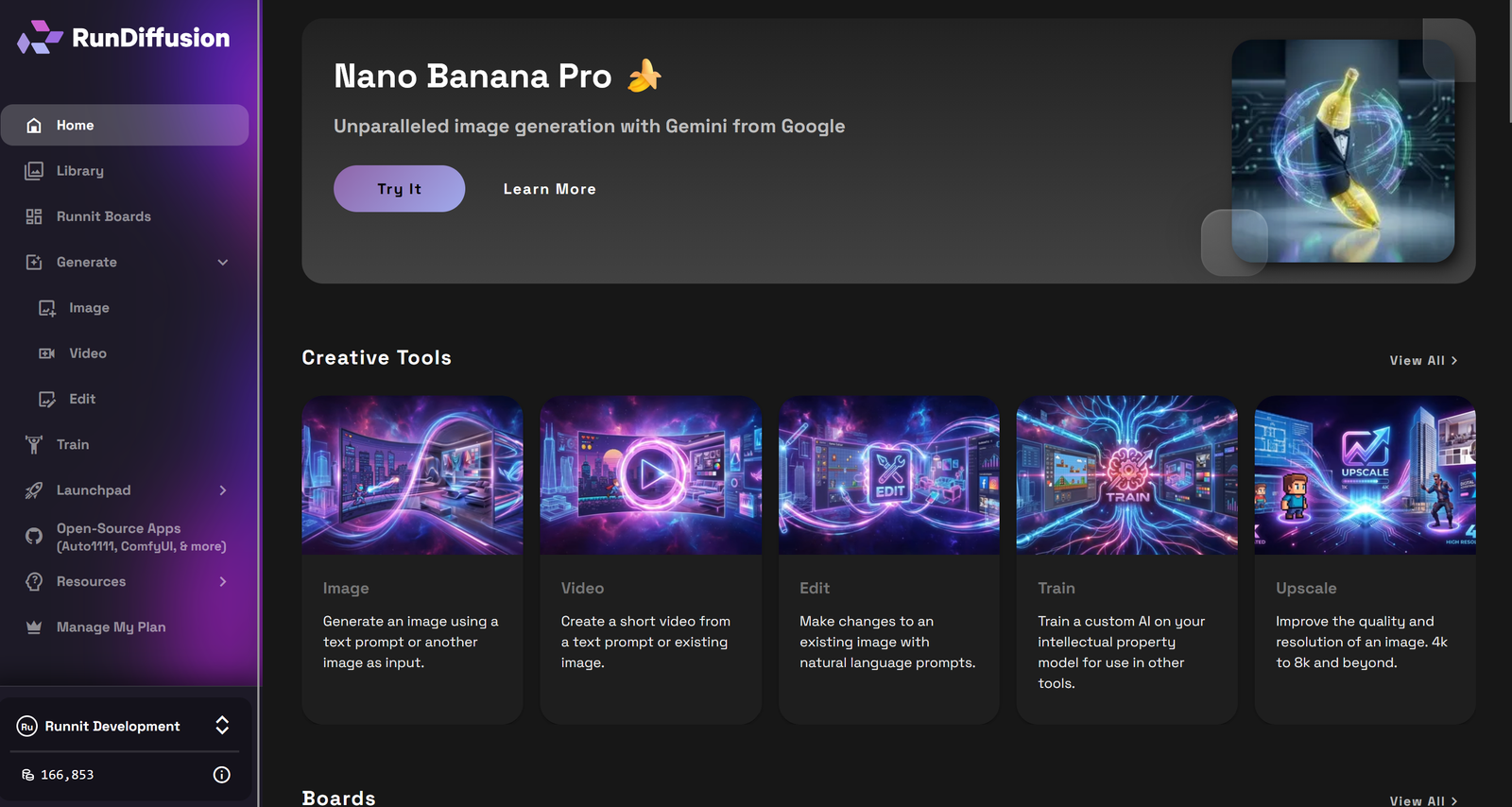
Click Runnit Boards on the left sidebar.
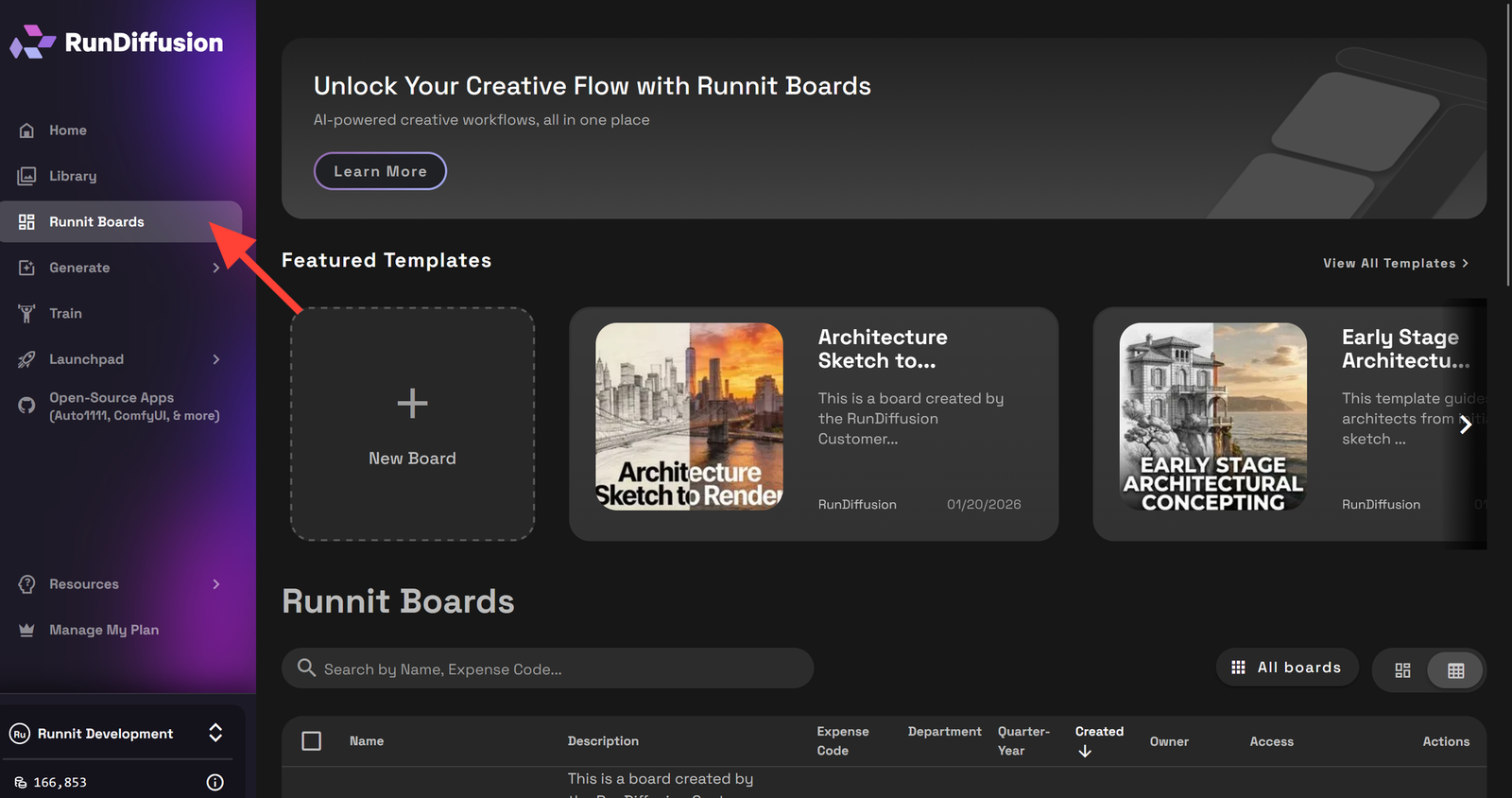
Select Architecture Sketch to Render V2 Template
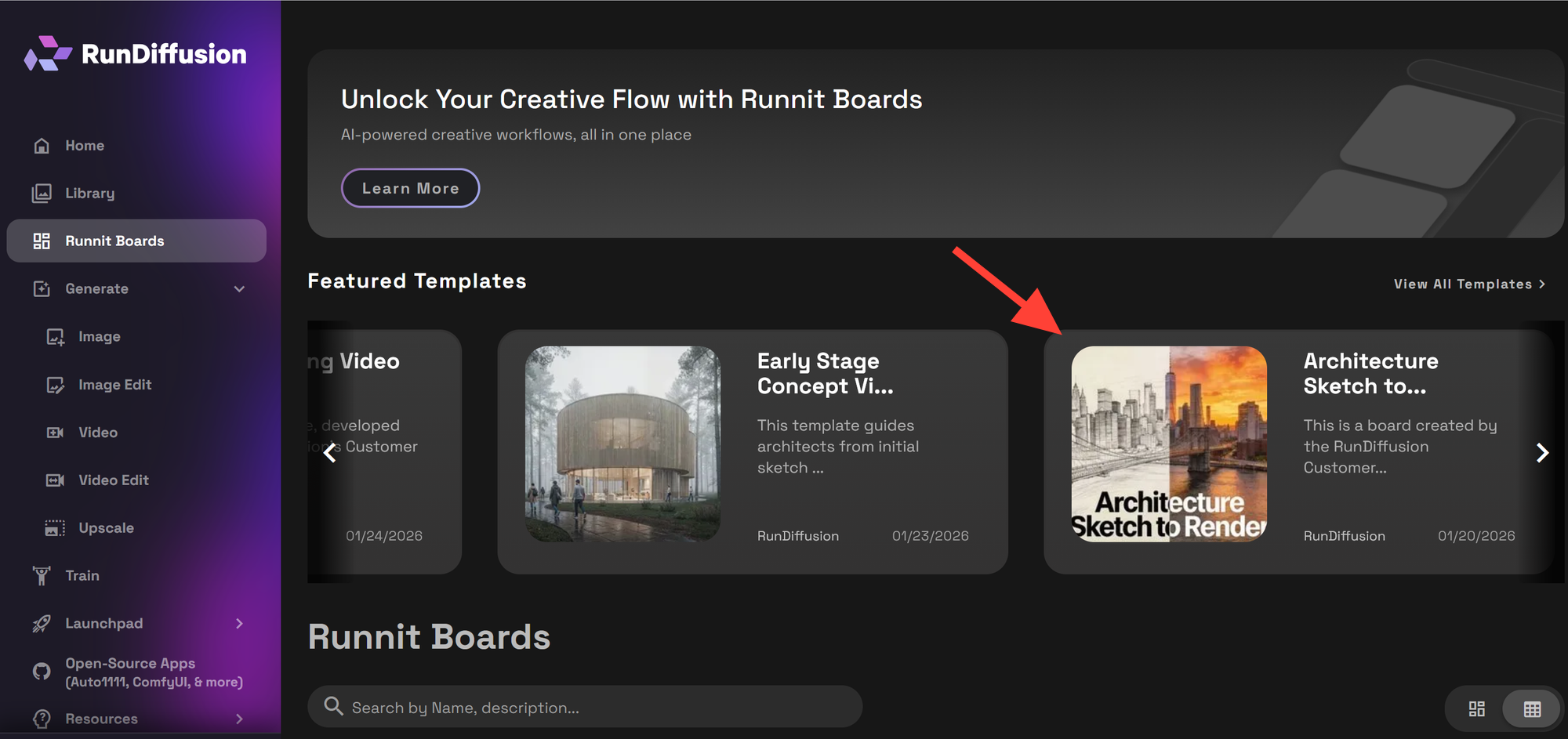
Then click Create board.
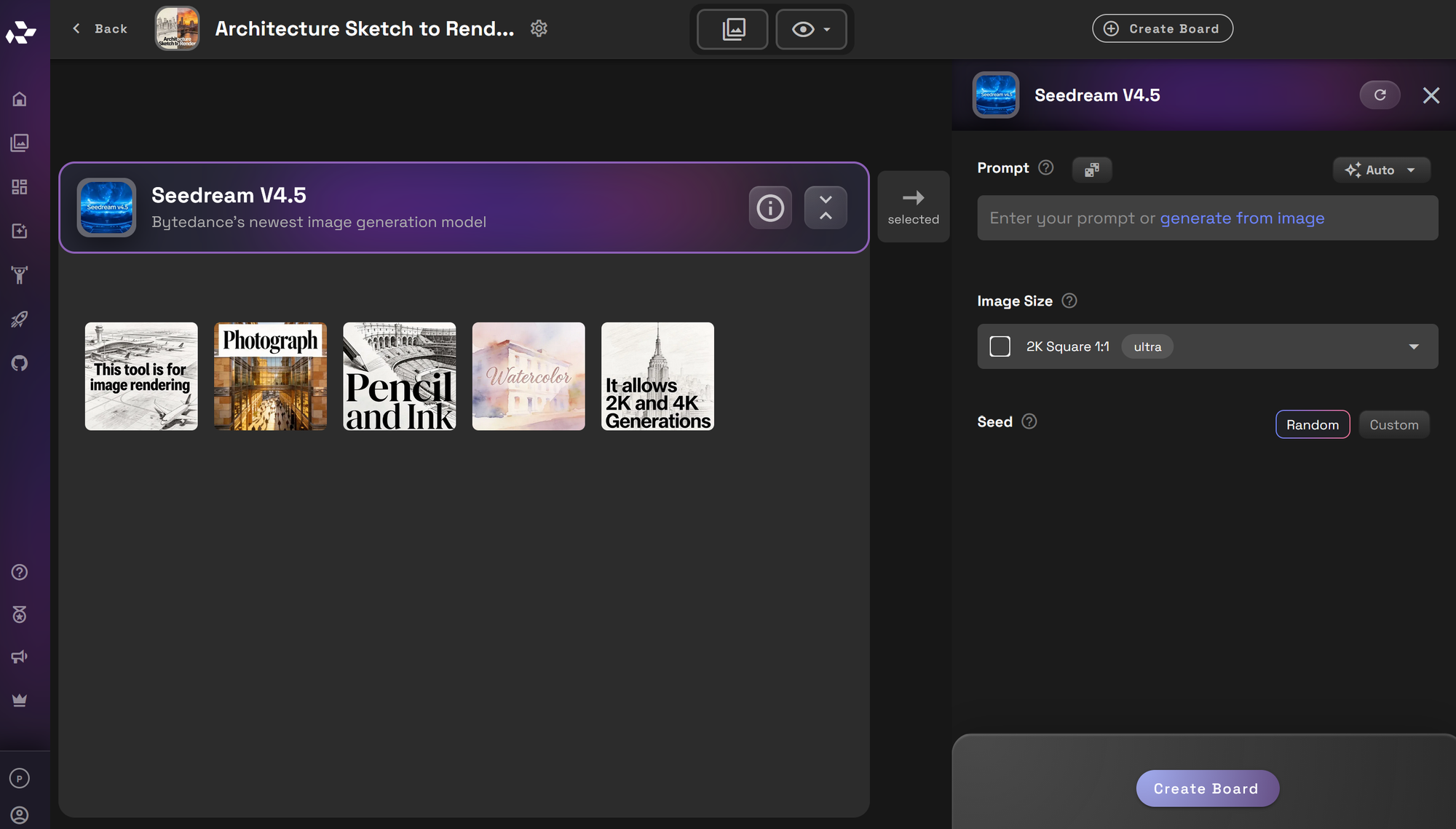
You can upload an image, write a title or description as needed. Then click create.
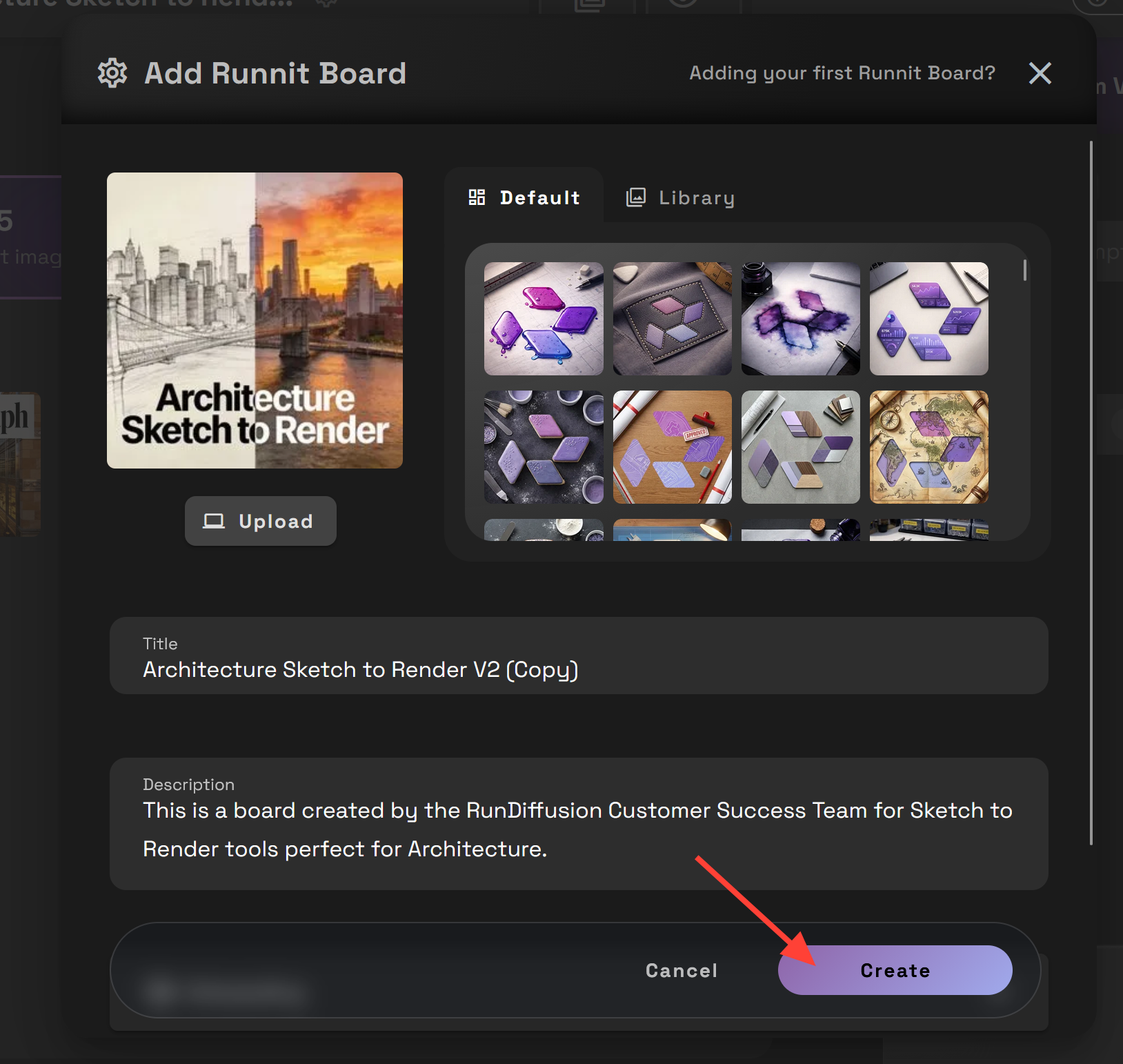
The board opens with all the tools preloaded and arranged in the correct order. No manual setup is required.
Tools Used in the Architecture Sketch to Render V2 Template
The template combines multiple tools to support a sketch-driven architectural workflow. Each tool plays a specific role in interpretation, refinement, and presentation.
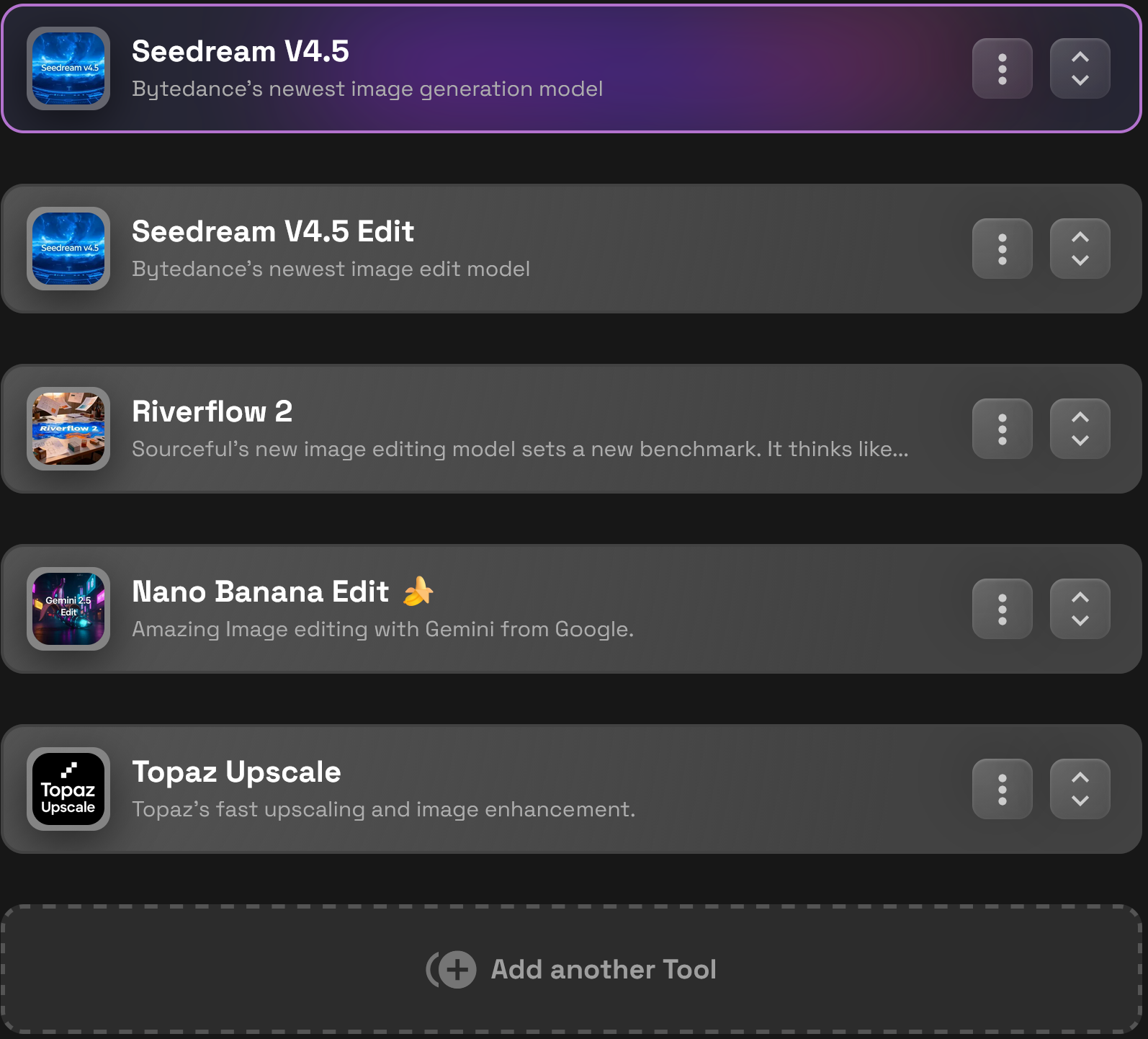
Seedream v4.5
Seedream v4.5 is a high-quality 2K–4K text-to-image tool used to generate architectural visuals from prompts. It can be used to create conceptual sketches, massing studies, textures, and material explorations.
Seedream v4.5 Edit
Seedream v4.5 Edit is a general-purpose image editing tool designed for iterative refinement. It can be used to turn sketches into 2K–4K images and supports reference images to guide materials, lighting, and textures. This makes it ideal for evolving sketch-based visuals while maintaining consistency across iterations.
Riverflow 2
Riverflow 2 is designed for small, precision edits. It allows targeted adjustments to specific areas of an image without affecting the overall composition, making it useful for refining architectural details or correcting localized issues.
Nano Banana Pro
Nano Banana Edit is a powerful image editing tool capable of making major visual changes. It supports 1K–4K image generation and works well with mood boards and reference images to guide style, lighting, and material direction. This tool is useful when larger visual shifts are required while still working from an existing image.
Topaz Upscale
Topaz Upscale is used at the final stage of the workflow when higher resolution is required for presentations, critiques, or client reviews. Upscaling is optional and applied only when additional clarity and sharpness are needed.
Summary
The Architecture Sketch to Render V2 Template provides architects with a structured way to evolve hand sketches into clear architectural visuals.
By keeping sketches at the center of the workflow and guiding users through interpretation and refinement, the template supports better early-stage design communication without forcing premature design decisions.
 RunDiffusion Team
 RunDiffusion Team
Frequently Asked Questions (FAQ)
Is the Architecture Sketch to Render V2 Template meant for final renderings?
No. This template is designed for early-stage and conceptual design workflows. The output is intended to clarify spatial ideas, light, and form—not to replace detailed modeling or final photorealistic renderings.
Do I need clean or finished sketches to use this template?
No. The workflow works well with rough hand sketches, scanned drawings, or digital line work. The tools are designed to interpret proportions and composition even when sketches are loose or diagrammatic.
Will the workflow change the original design of my sketch?
The workflow is focused on interpretation, not invention. It preserves the intent, proportion, and composition of your original sketch while adding depth, light, and material cues for clarity.
Can I explore multiple visual directions from the same sketch?
Yes. One of the strengths of the template is sketch-based iteration. You can explore different lighting conditions, material directions, and atmospheres without redrawing or rebuilding geometry.
Is this template suitable for both interior and exterior sketches?
Yes. The workflow supports interior and exterior perspectives, including conceptual sections and elevations, as long as the sketch communicates basic spatial intent.
Can I make changes without restarting the entire workflow?
Yes. Tools like Seedream Edit, Riverflow 2, and Nano Banana Edit allow you to refine specific elements—such as openings, edges, or focal areas—without restarting from the original sketch.
Do I need experience with AI tools to use this template?
No. The template opens as a prebuilt Runnit Board with tools already arranged in the correct order. It is designed to guide architects through the process without requiring deep technical setup.
What resolution can I expect from the final images?
Most tools in the workflow support 2K–4K output. Higher resolution is optional and typically handled at the final stage using Topaz Upscale when needed for presentations or critiques.
Is Topaz Upscale required for every project?
No. Upscaling is optional. It should only be used when additional resolution or clarity is needed for reviews, presentations, or client-facing materials.
Who is this template best suited for?
The Architecture Sketch to Render V2 Template is ideal for architects, designers, students, and studios who rely on hand sketches during early design phases and want clearer visuals without committing to full render workflows.
