


Flux.2 introduces powerful new ways to guide image generation on RunDiffusion, with JSON prompting and structured prompt controls leading the way. These tools give you precise control over subjects, camera position, lighting, and scene layout far more than what is possible with plain natural-language prompts. Alongside these new prompting features, Flux 2 also supports flexible aspect ratios and high-resolution outputs, making it easier to match your images to downstream workflows on RunDiffusion.
This article focuses primarily on JSON and structured prompting, with a section on choosing resolutions and aspect ratios that work best with Flux.2.
Why Structured Prompting Matters in Flux.2
Traditional prompts describe a scene.
Structured prompts define a scene.
Flux 2 is built to understand hierarchical prompting meaning you can break a scene into components such as:
- Subjects
- Poses
- Positions
- Backgrounds
- Camera settings
- Lighting
- Style and mood
If you're working with complex scenes such as architectural layouts, multi-character illustrations, brand-aligned visuals, or multi-frame sequences structured prompting offers superior consistency.
JSON Prompting: The Most Precise Way to Control Flux 2
JSON prompting is the most advanced level of structured prompting available in Flux 2. Instead of describing an image in prose, you define it with objects and attributes.
Here’s an example JSON prompt demonstrating how much control Flux 2 can interpret:
{
  "industry": "Architecture",
  "scene": "A contemporary parametric museum photographed in overcast light to reveal its flowing computational façade.",
  "subjects": [
    {
      "type": "cultural_building",
      "pose": "static",
      "position": "midground",
      "details": "continuous curved envelope, perforated metal skin, fluid geometry, light-reactive surfaces"
    }
  ],
  "style": "soft editorial architecture photography with subtle material detail",
  "mood": "futuristic, artistic, and elegant",
  "background": "open plaza and diffused sky minimizing contrast for clean visual focus",
  "camera": {
    "angle": "slightly upward",
    "distance": "wide framing",
    "lens": "20mm",
    "fNumber": "f/9",
    "iso": 100
  }
}
Json Prompt for an Ultra Modern Penthouse
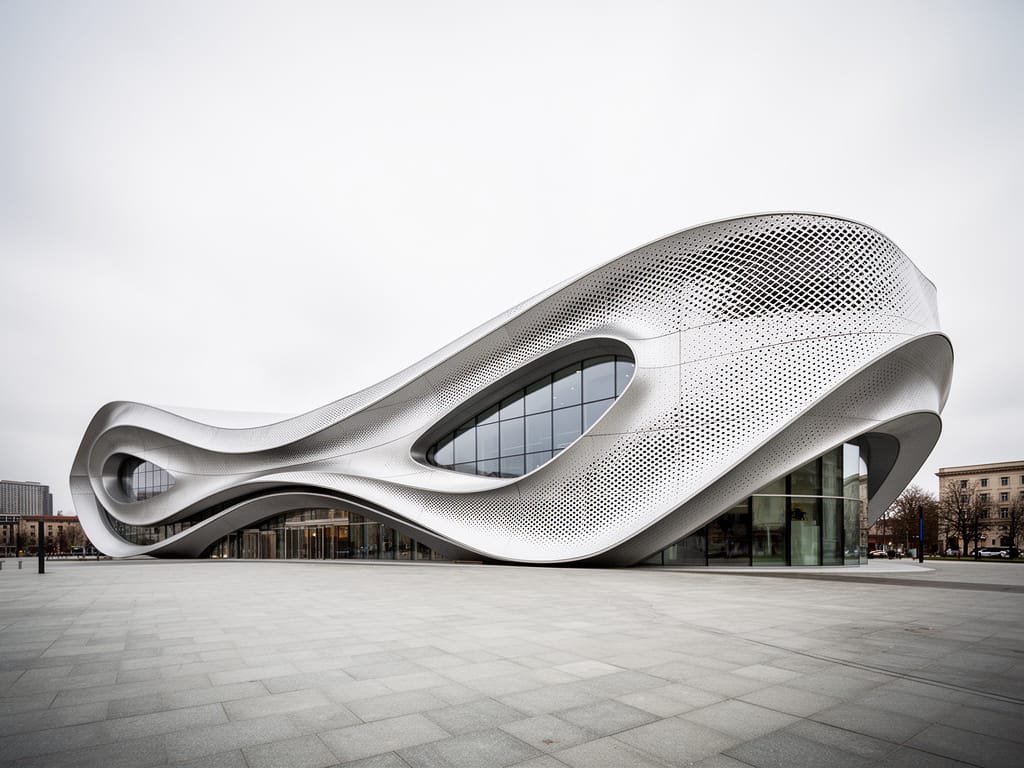
Benefits of JSON prompting on RunDiffusion
- Highly predictable output — ideal for multi-image consistency
- Repeatable layout control — build sequences with consistent framing
- Camera-accurate interpretation — perfect for product renders and architecture
- Exact subject definition — no ambiguity around who or what appears
- Team-friendly — standardized structure for pipelines and shared projects
Flux 2 Flex and Dev interpret JSON prompts with exceptional precision, while Flux 2 Pro performs best with natural-language prompts and internal prompt upsampling.

Structured Prompting Without JSON
If you don’t need full JSON, Flux 2 also responds extremely well to semi-structured prompts, such as:
- Bullet lists
- Declarative scene blocks
- Camera instructions
- Organized style sections
Example:
Scene: Modern kitchen, sunlight from the left
Subject: Chef plating a dish on a marble countertop
Style: Clean, editorial, commercial photography
Camera: 35mm lens, shallow depth of field
Mood: Bright, professional, inviting
Even light formatting helps Flux 2 interpret relationships and hierarchy more clearly.

Resolution & Aspect Ratio (Supporting Concept)
While structured prompting defines what you want, resolution and aspect ratio define how it’s framed. Flux 2 enables flexible formats while maintaining compositional stability, ideal for downstream creative workflows.
Multiples of 16: The Primary Rule
Flux 2 requires both width and height to be divisible by 16 on our Flux.2 tools we have these arranged as presets for you.
We offer:
- Square
- Square HD
- Portrait 3:4
- Portrait 9:16
- Landscape 4:3
- Landscape 16:9
This keeps images consistent and prevents generation issues.
Matching Aspect Ratio to Prompt Intent
Pair structured prompts with purposeful ratios.
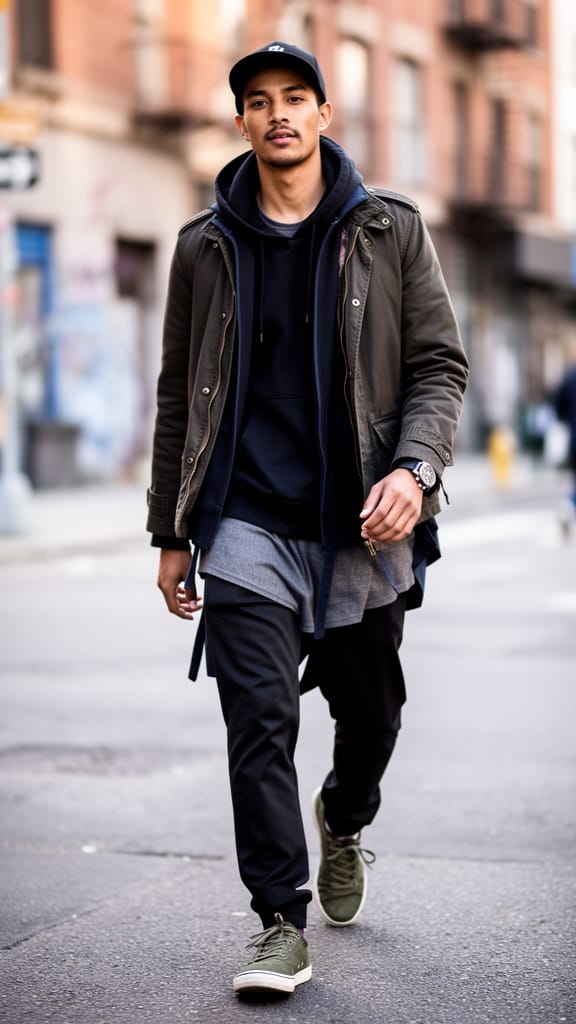
Use tall ratios for:
- Fashion
- Full-body portraits
- Mobile-first content
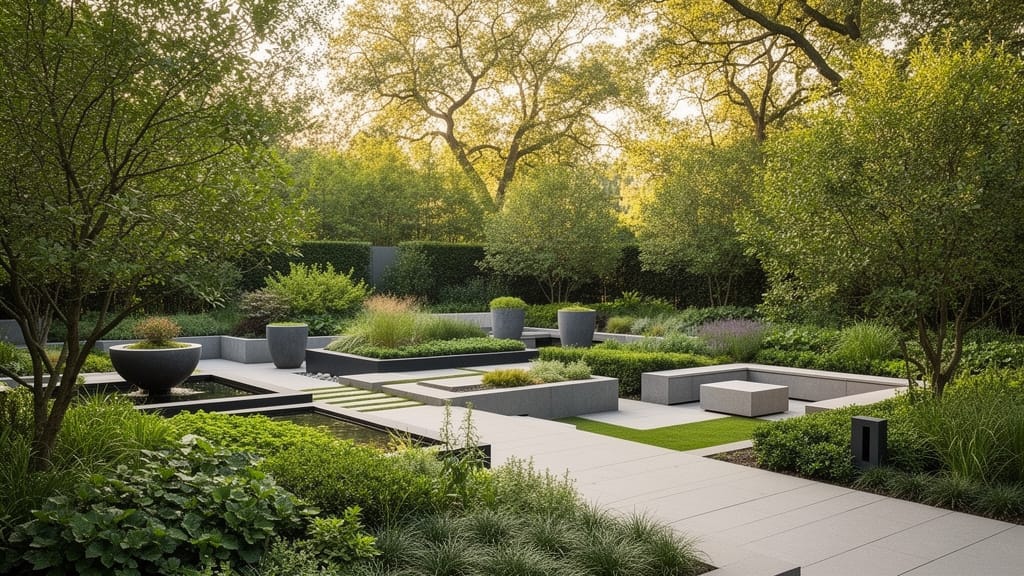
Use wide ratios for:
- Landscapes
- Cinematic frames
- Environmental design
Use square ratios for:
- Product renders
- Brand assets
- Balanced compositions
- Architecture
- Interior Design

Summary
Flux 2’s structured and JSON prompting capabilities represent a major leap in creative control on RunDiffusion. These methods allow you to define scenes with precision, maintain layout consistency, and build assets that align perfectly with production needs. When paired with smart resolution and aspect-ratio choices, Flux 2 becomes a powerful, predictable, and highly customizable engine for cloud-based image creation.
 RunDiffusion Team
