


Introduction
High resolution images for print require clarity, accurate detail, and consistent structure at large sizes. Whether you are producing marketing visuals, presentation boards, editorial layouts, or large-format prints, this High Resolution Image template on RunDiffusion is built to support professional production workflows without relying on local hardware.
This template combines high-resolution generation, precision editing, and professional upscaling tools so you can move from concept to print-ready output efficiently.
Why This Template Works for Print Production
Print workflows quickly reveal issues that are easy to miss on screen. Soft edges, broken textures, and low-detail areas become obvious once images are enlarged.
This template is designed to help you:
- Generate strong base images at higher resolutions
- Refine details without restarting entire generations
- Upscale cleanly for posters, packaging, signage, and large-format output
Example Use Cases Supported by This Template
This high resolution template supports a wide range of professional prints
You can use it to produce:
- Advertising visuals such as posters, billboards, and campaign key art
- Architectural and interior presentation boards with clean materials and structure
- Fashion lookbooks, editorial spreads, and textile concept visuals
- Product and packaging renders for print marketing
- Game and entertainment key art for covers, posters, and event displays
- Creative studio assets including branding visuals and exhibition graphics
Because the workflow combines generation, editing, and upscaling, it adapts easily to different visual styles and production requirements.
Launch the High Resolution Image for Print Template
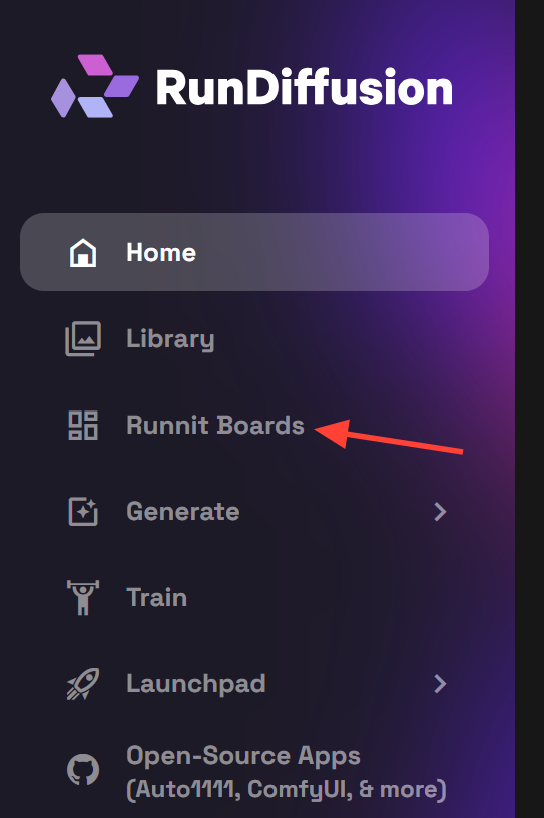
Open the RunDiffusion's Runnit Platform
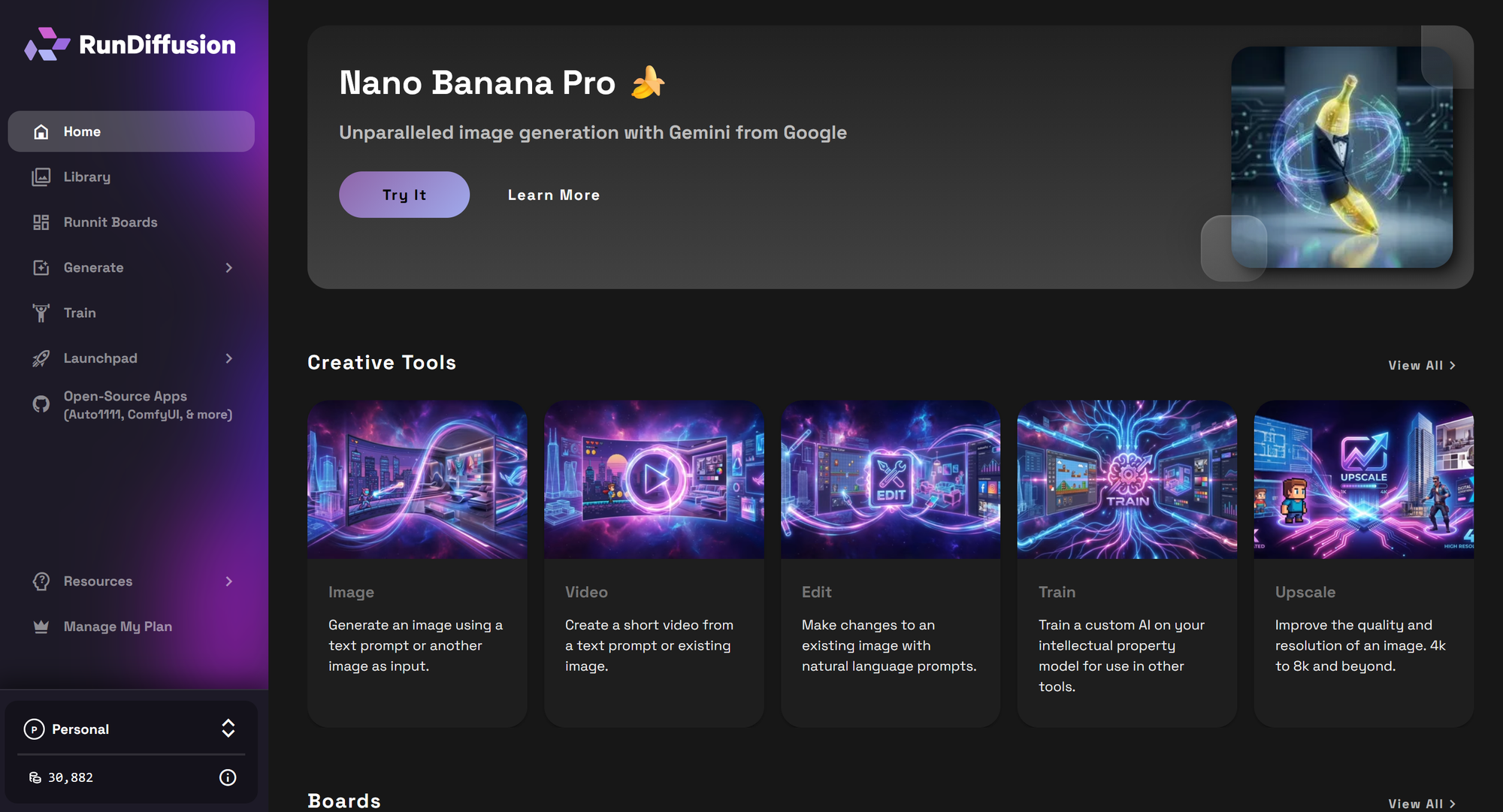
On the left-side panel, select Runnit Boards.
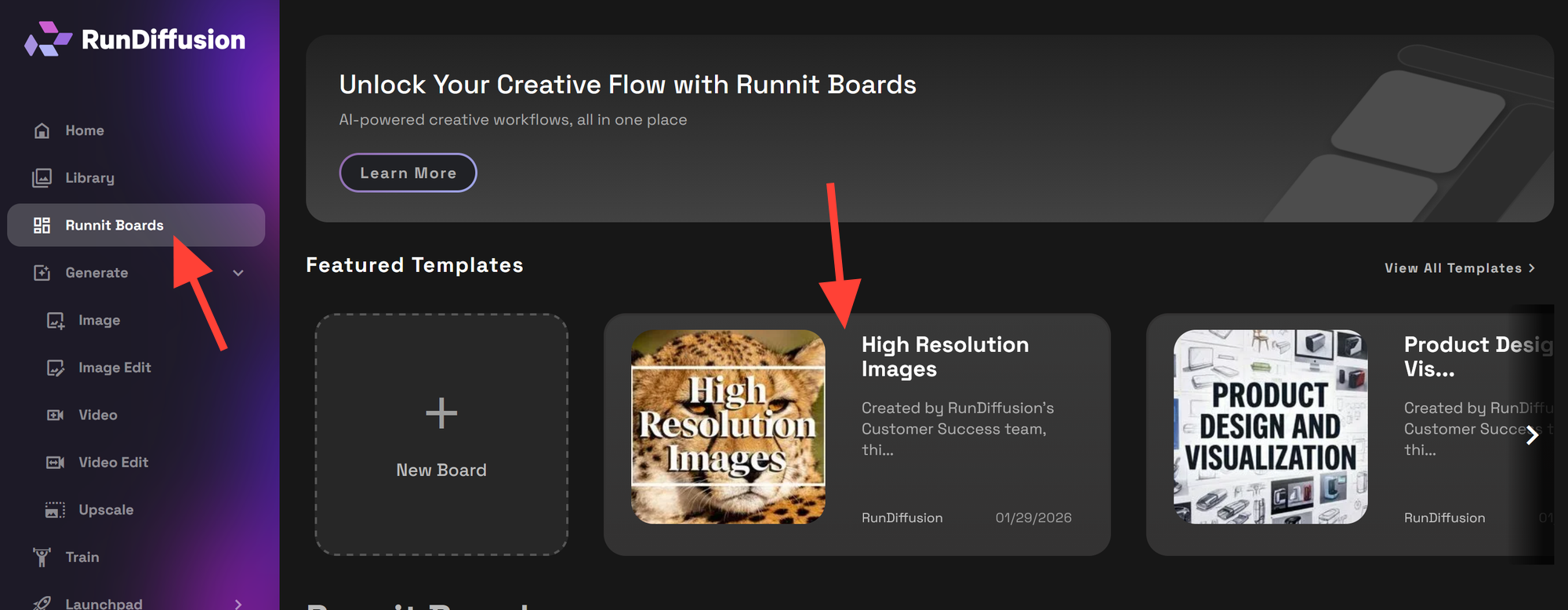
Select the High Resolution Image for Print Template
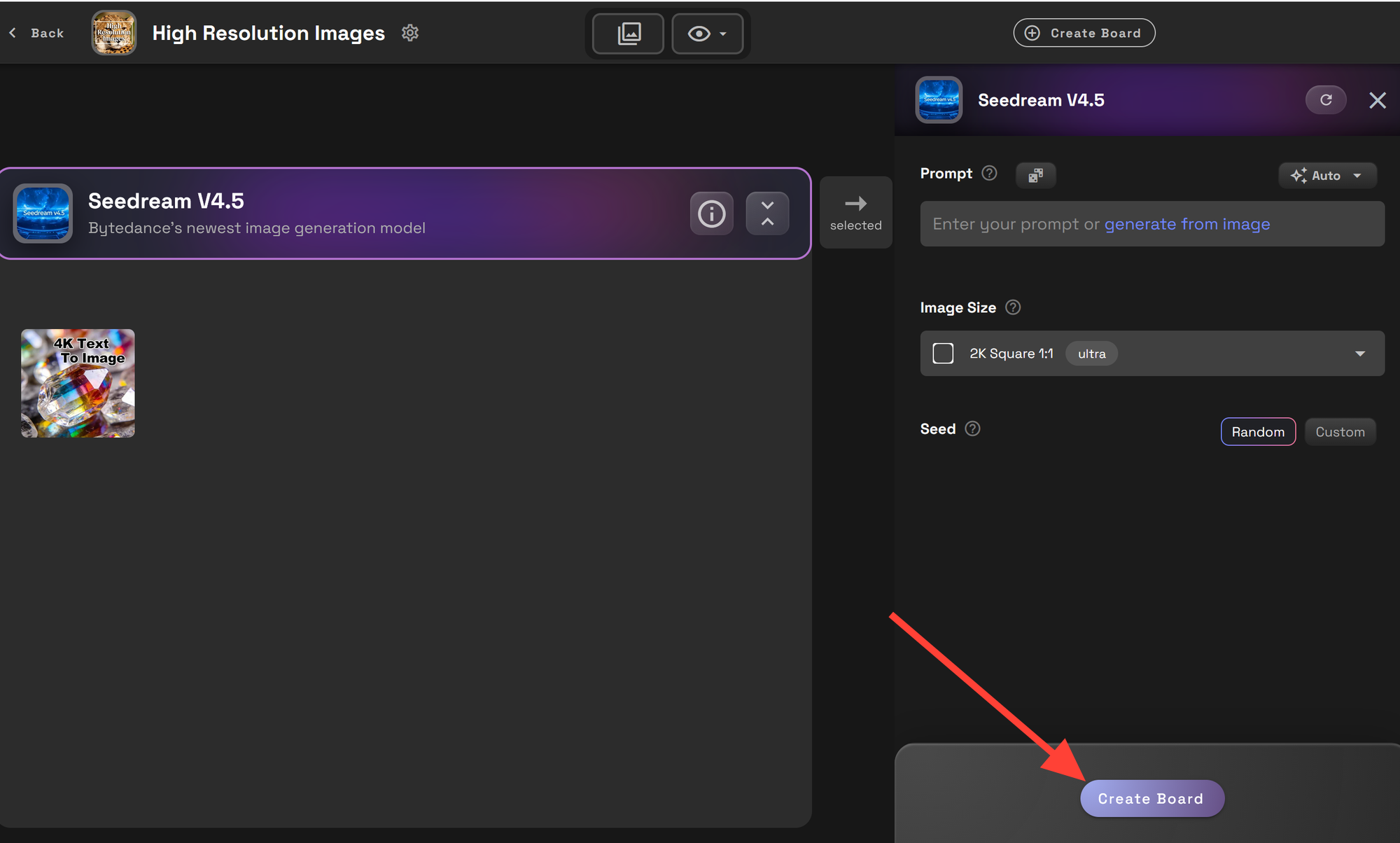
Click Create Board to launch a new workspace.
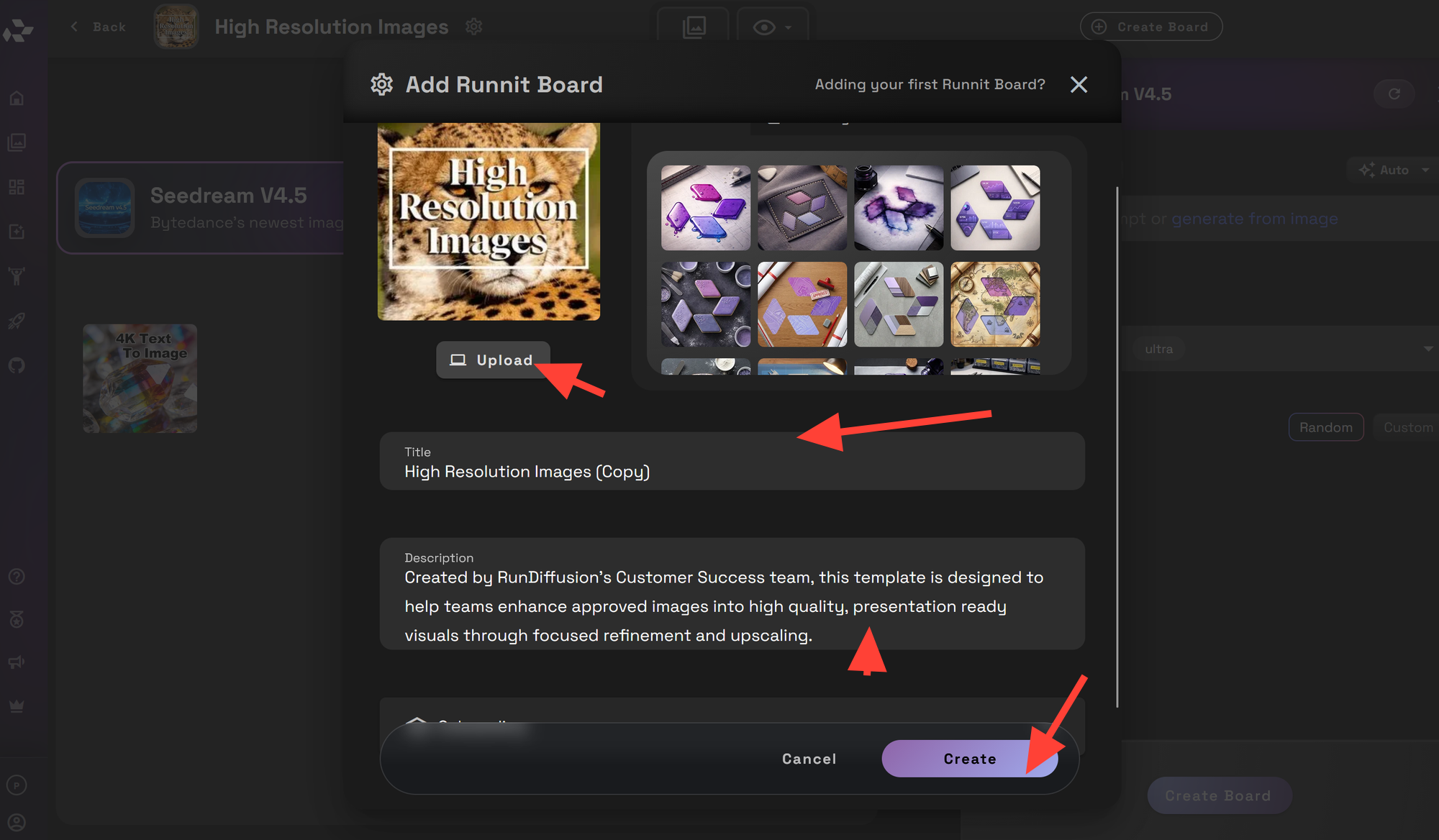
Edit the board name and description as needed. You can also upload an image or select one from your existing library. Once you are satisfied, click Create. You may be prompted to set the board to private, restricted or shared. You can select which and then close.
Once your board is created, you can begin generating and refining high-resolution images immediately. The tools included in this template are designed to guide you through generation, editing, and upscaling, but you may find additional creative uses depending on your workflow.
Tools Included in the High Resolution Print Template
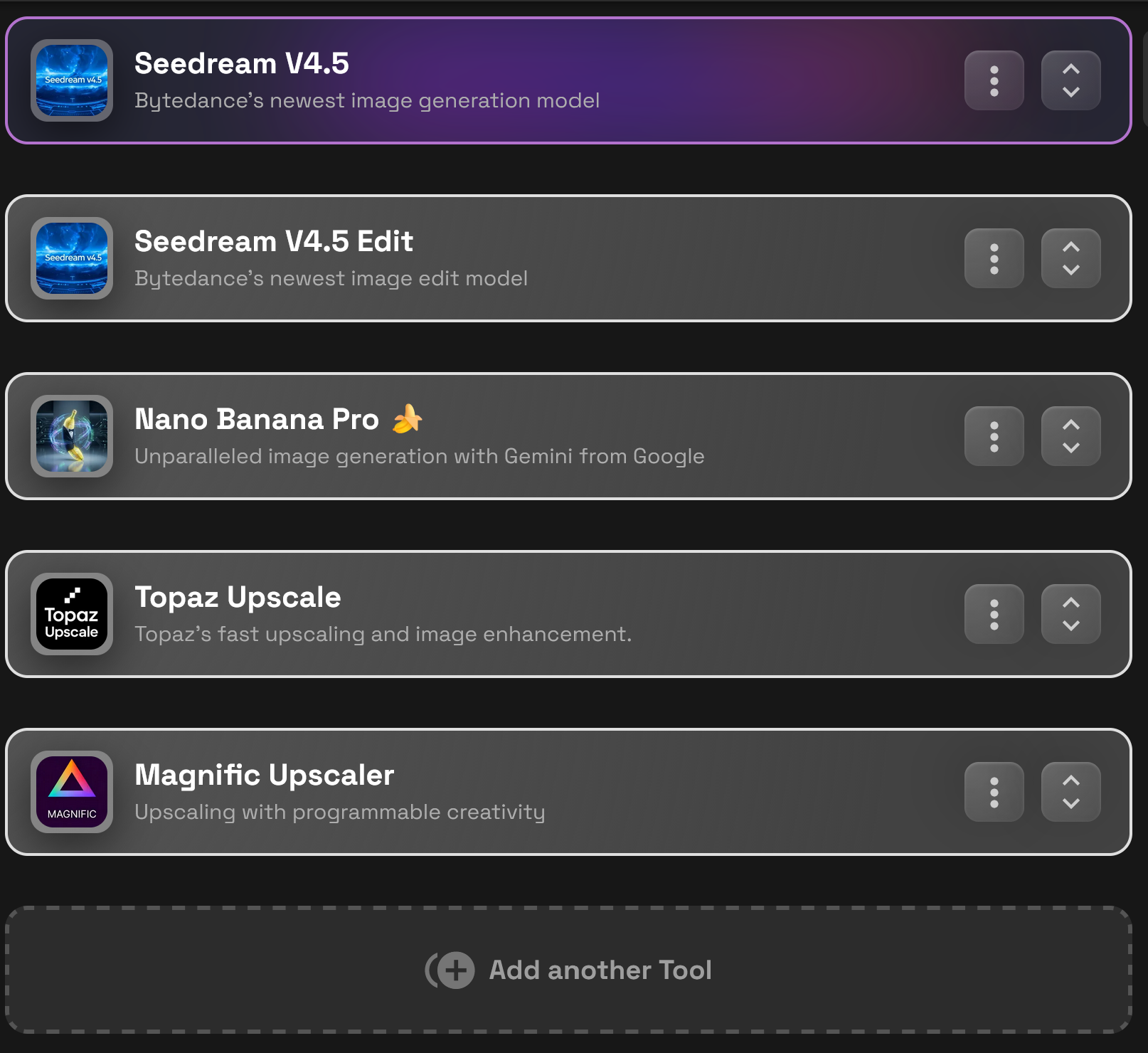
Seedream V4.5 – High Resolution Generation
Seedream V4.5 is the primary text-to-image model in this template. It supports native 2K–4K outputs, making it well suited for print-oriented workflows where structure and clarity matter from the start.
Best used for:
- Initial high-resolution compositions
- Clean lighting and strong form definition
- Reducing the need for aggressive upscaling later
Seedream V4.5 Edit – Targeted Refinement
Seedream Edit allows precise updates to existing images without full regeneration. This is ideal for:
- Adjusting colors or materials
- Correcting small composition issues
- Responding to client feedback efficiently
Nano Banana Pro – Creative Generation and Editing
Nano Banana Pro provides flexibility for both generation and edits. It is useful when:
- Exploring variations before final output
- Refining creative direction
- Making secondary passes prior to upscaling
Topaz Upscale – True Resolution Scaling
Topaz Upscale focuses on increasing resolution while preserving existing detail. It is ideal for:
- Brand-sensitive or technical print assets
- Clean enlargement without stylistic changes
- Finalizing images for press-ready output
Magnific Upscaler – Creative Detail Enhancement
Magnific Upscaler offers both true upscaling and creative enhancement. It can:
- Reintroduce micro-detail
- Enhance textures and surfaces
- Add polish to hero images and large-format prints
Further Reading
 RunDiffusion Team
 RunDiffusion Team
 RunDiffusion Team
Frequently Asked Questions (FAQ)
What is the High Resolution Image for Print template on RunDiffusion?
The High Resolution Image for Print template is a curated Runnit Board that combines high-resolution image generation, editing, and professional upscaling tools. It is designed to help you create print-ready visuals without managing local GPUs or complex software setups.
What image resolutions can this template produce?
This template supports native 2K to 4K image generation, with additional upscaling options available for larger print formats. Using Topaz Upscale or Magnific Upscaler allows you to prepare images suitable for posters, packaging, signage, and large-format prints.
Do I need a local GPU or special hardware?
No. All tools in this template run entirely in the cloud on RunDiffusion. You can generate, edit, and upscale high-resolution images from any modern browser without installing software or maintaining hardware.
When should I use Topaz Upscale versus Magnific Upscaler?
Use Topaz Upscale when you need clean, accurate resolution increases with minimal visual changes, such as brand-sensitive or technical print assets.
Use Magnific Upscaler when you want to enhance textures, add micro-detail, or polish hero images for large-format prints.
Can I edit images after generating them?
Yes. The template includes Seedream V4.5 Edit and Nano Banana Pro, allowing you to adjust colors, materials, composition details, or creative direction without regenerating the entire image.
Is this template suitable for commercial and client work?
Yes. The High Resolution Image for Print template is designed for professional production workflows, including advertising, architecture, fashion, interior design, gaming, and creative studio projects.
Can I collaborate with others using this template?
Yes. When creating a board, you can set it to Private, Restricted, or Shared, making it easy to collaborate with teammates or clients depending on your workflow needs.
What types of print projects is this template best for?
This template works well for:
- Posters and billboards
- Editorial and lookbook layouts
- Packaging and product visuals
- Presentation and exhibition boards
- Large-format marketing and event graphics
Can I use my own images in this template?
Yes. When creating a board, you can upload your own images or select existing assets from your RunDiffusion library, then refine and upscale them using the included tools.
Is this template only for print?
While it is optimized for print-ready output, the high-resolution images created with this template can also be used for digital campaigns, presentations, and high-quality screen displays when needed.
