


A single reference image can become a full campaign-ready image set when your workflow is structured. In this guide, we use Nano Banana 2 in an image-to-image workflow to generate front, side, and back profile coverage, then expand into professional AI headshots, business portraits, and stock-style AI ad campaign images. This is a practical alternative to LoRA training when you need consistent character generation and fast identity-consistent outputs for content and ads.
A single-reference workflow is one of the fastest ways to create a complete commercial image set without breaking identity consistency. You can keep one recognizable character across profile views, professional headshots, and stock campaign scenes while preserving skin texture and facial detail. For production teams, this reduces cleanup, improves continuity, and speeds up iteration from concept to final assets.
Nano Banana 2 can be used by itself as a tool or added to a RunDiffusion Runnit Board.
Reference Image Used
All generated images below use this same reference image as input for consistency.
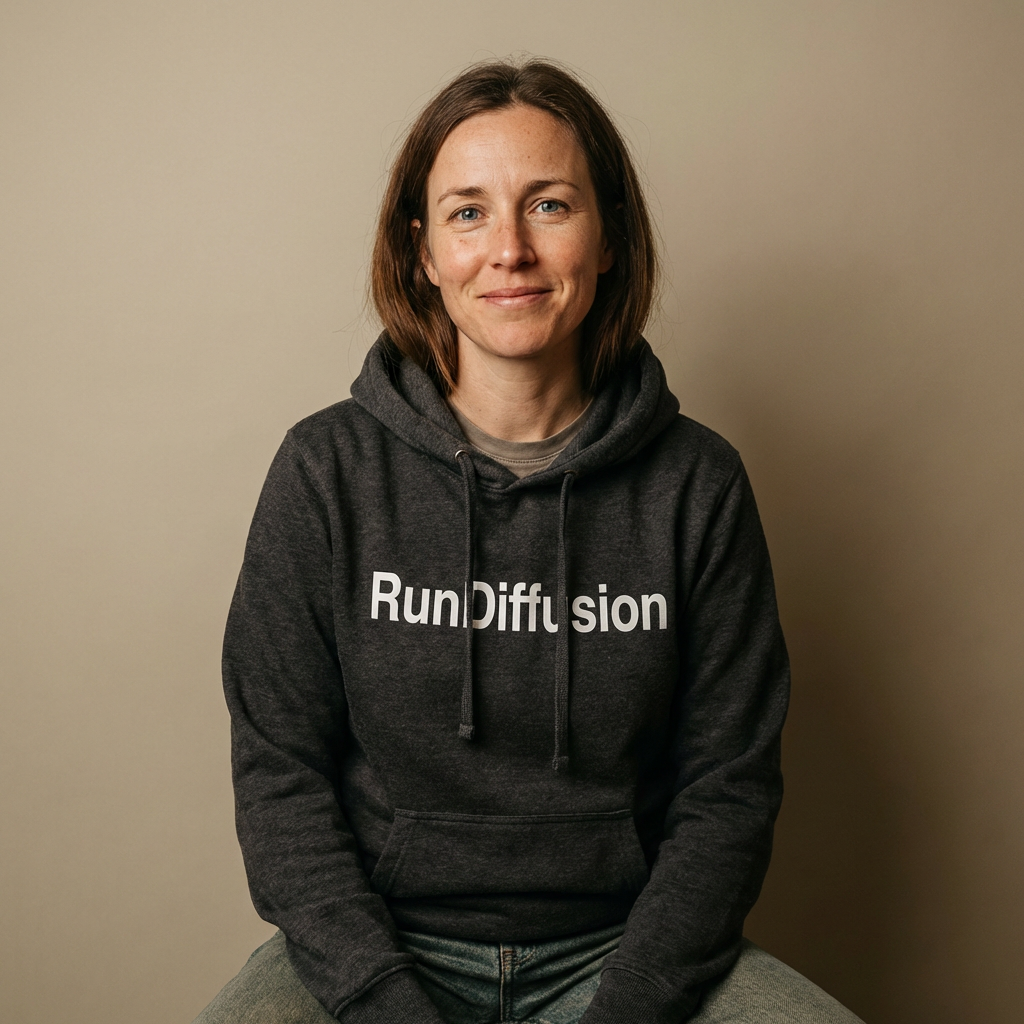
Nano Banana 2 as an Alternative to LoRA Training
Nano Banana 2 can be a practical alternative to LoRA training when you need identity-consistent outputs quickly. Instead of assembling a dataset and waiting on a training cycle, you can use one strong reference image plus prompt constraints to generate portfolio and campaign variants with consistent skin texture and character continuity.
- Faster production: Create deliverables in one session
- Less overhead: No separate LoRA training workflow required
- Flexible iteration: Update outfits, angles, and scenes without retraining
Single-Reference Workflow Framework
- Start with one clean reference image: Use a neutral pose with clear facial visibility.
- Create profile coverage: Generate front, side, and back views first.
- Create professional wardrobe variants: Add interview-ready and business looks.
- Expand to stock-style environments: Place the same character in campaign scenes.
- Preserve skin realism in every prompt: Request natural skin texture and stable facial identity throughout.
1) Front, Side, and Back Views
Front View
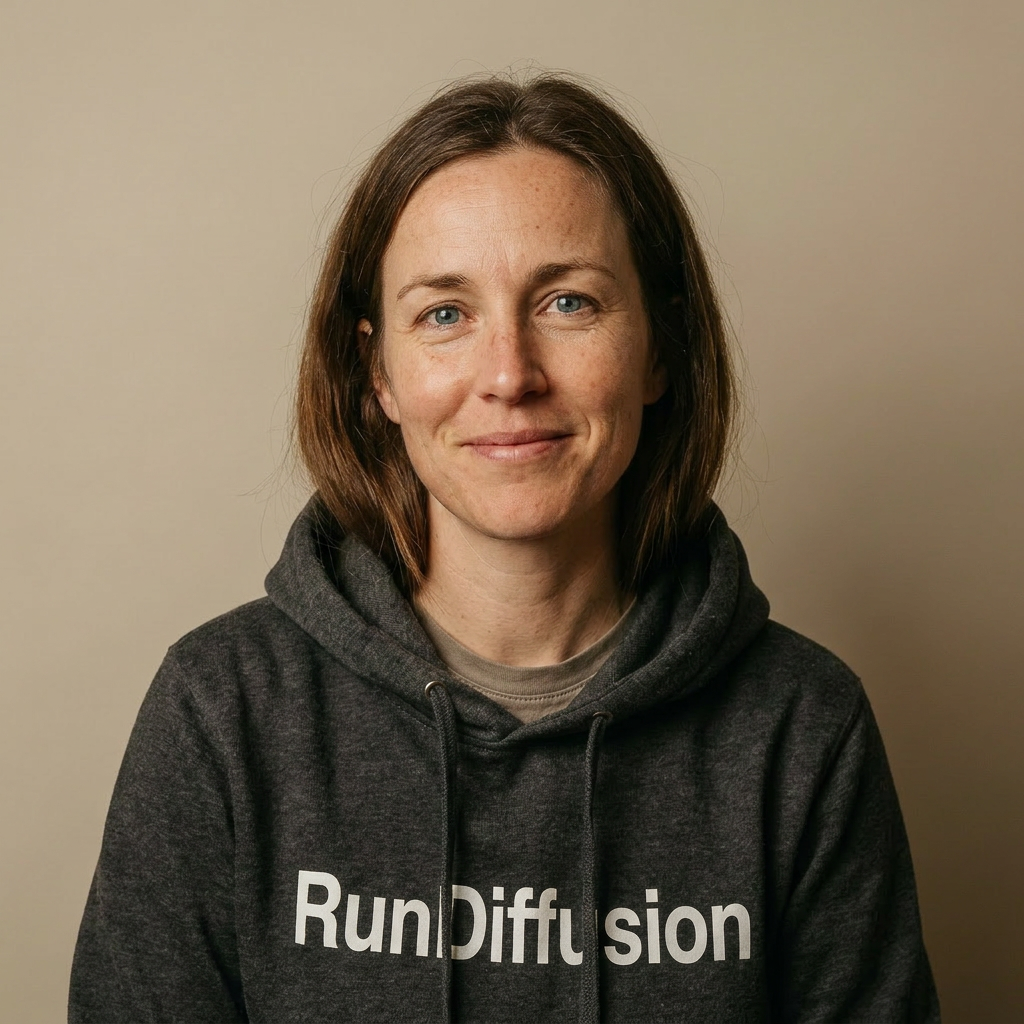
Prompt used: Photorealistic front-facing portrait of the same brunette woman with blue eyes, wearing a casual hoodie with RunDiffusion text visible. Keep identity, facial structure, and realistic skin texture consistent. Neutral studio background.
Side View
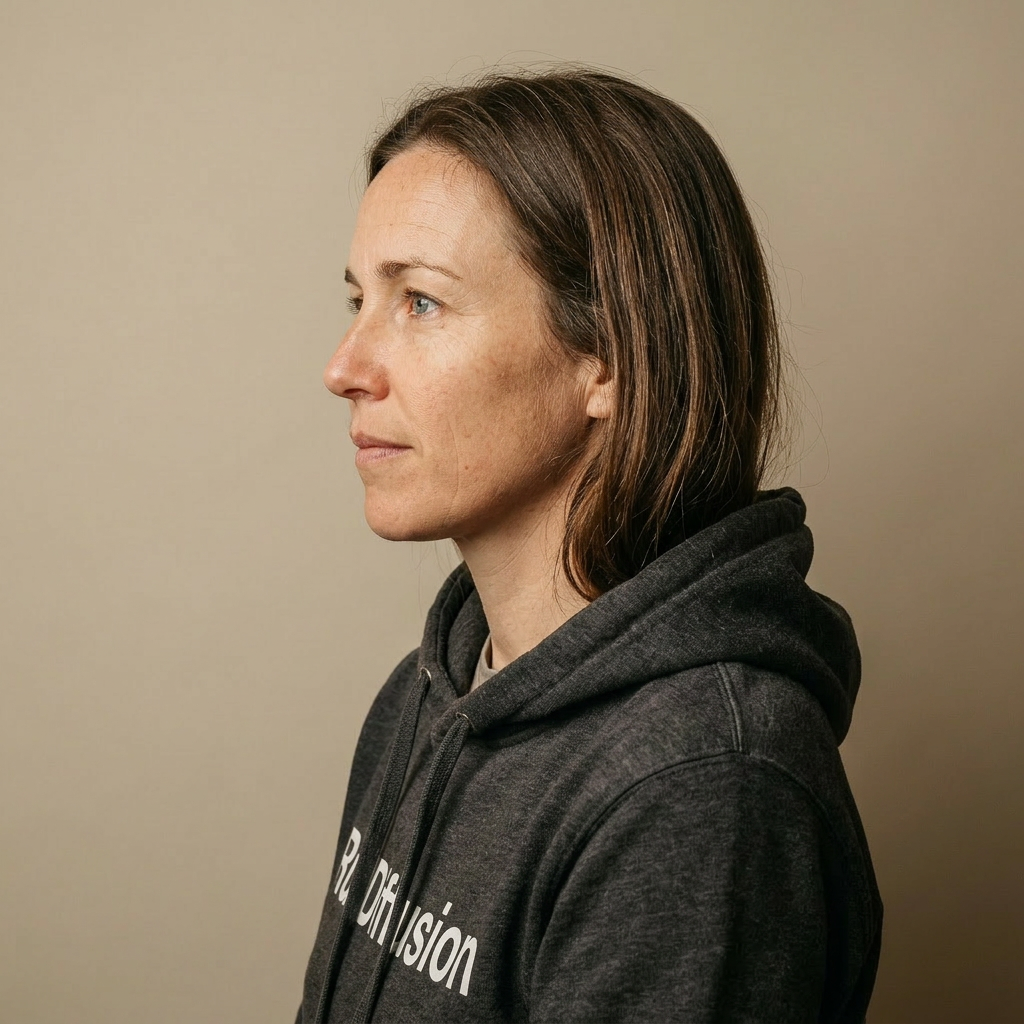
Prompt used: Photorealistic left side profile portrait of the same woman, preserving exact identity, blue eyes, brunette hair, and realistic skin texture. Keep RunDiffusion hoodie visible where natural.
Back View
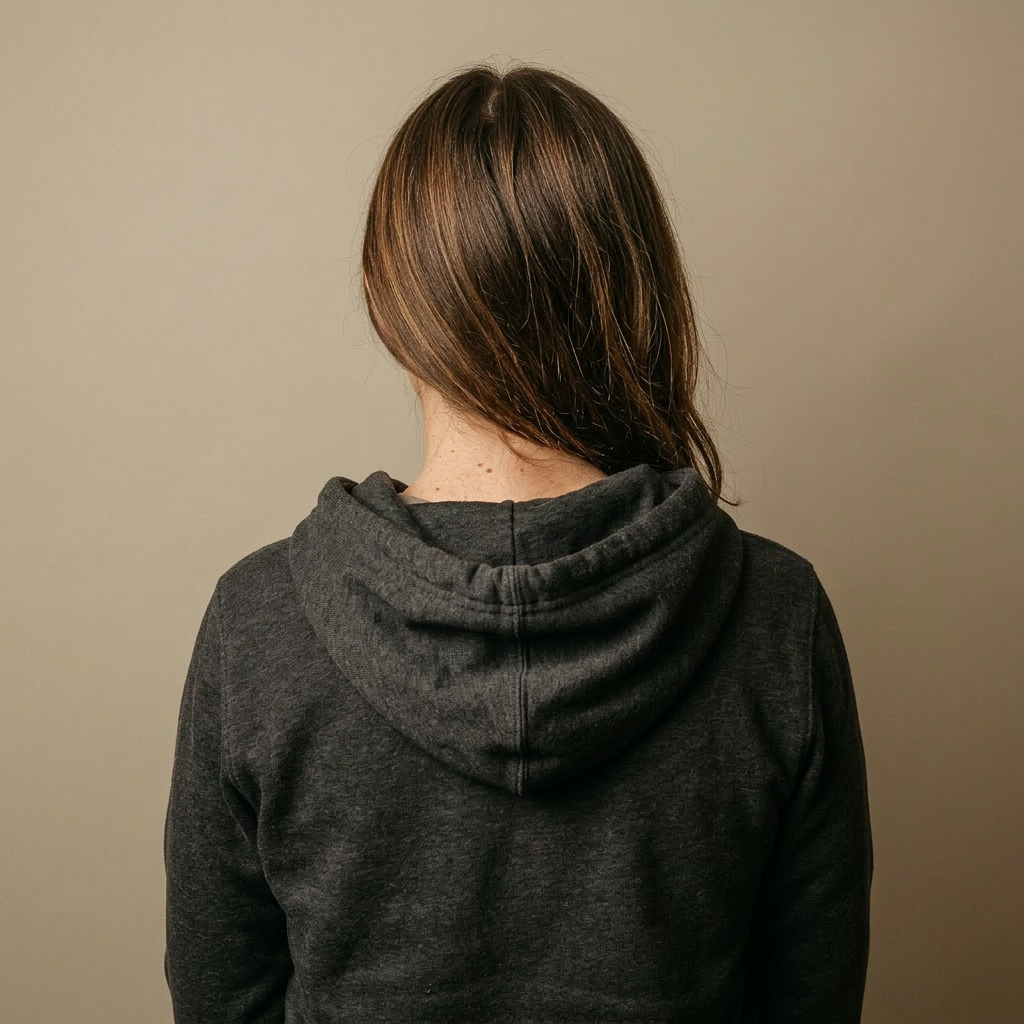
Prompt used: Photorealistic back view portrait of the same woman with natural posture, showing hoodie details and brunette hair from behind. Preserve identity cues and realistic fabric and skin detail.
2) Professional Headshots and Business Attire
Professional Headshot in Business Suit

Prompt used: Professional corporate headshot of the same woman in a tailored navy business suit and white blouse, confident expression, studio lighting, realistic skin pores and facial detail, clean background.
Professional Business Attire 1

Prompt used: Professional portrait of the same woman in modern female business attire: charcoal blazer and blouse, natural pose, premium corporate photography style, realistic skin texture.
Professional Business Attire 2

Prompt used: Professional portrait of the same woman in smart business attire: cream blazer and elegant top, soft studio key light, polished but natural look, preserve facial identity and skin detail.
Professional Business Attire 3

Prompt used: Professional portrait of the same woman in executive business attire: navy blazer dress style, confident stance, realistic skin texture, corporate editorial look.
3) Stock Image Spread
Modern Office

Prompt used: Stock-style commercial photo of the same woman in a modern office workspace using a laptop, business casual attire, natural daylight, advertising campaign composition, preserve identity and skin texture.
City Street Lifestyle

Prompt used: Stock-style commercial photo of the same woman walking in a city street setting in smart casual attire, lifestyle campaign framing, natural movement, preserve identity and realistic skin detail.
Cafe Meeting

Prompt used: Stock-style commercial photo of the same woman in a cafe meeting environment, wearing casual professional attire, candid ad-campaign style, preserve identity and skin texture.
Retail District
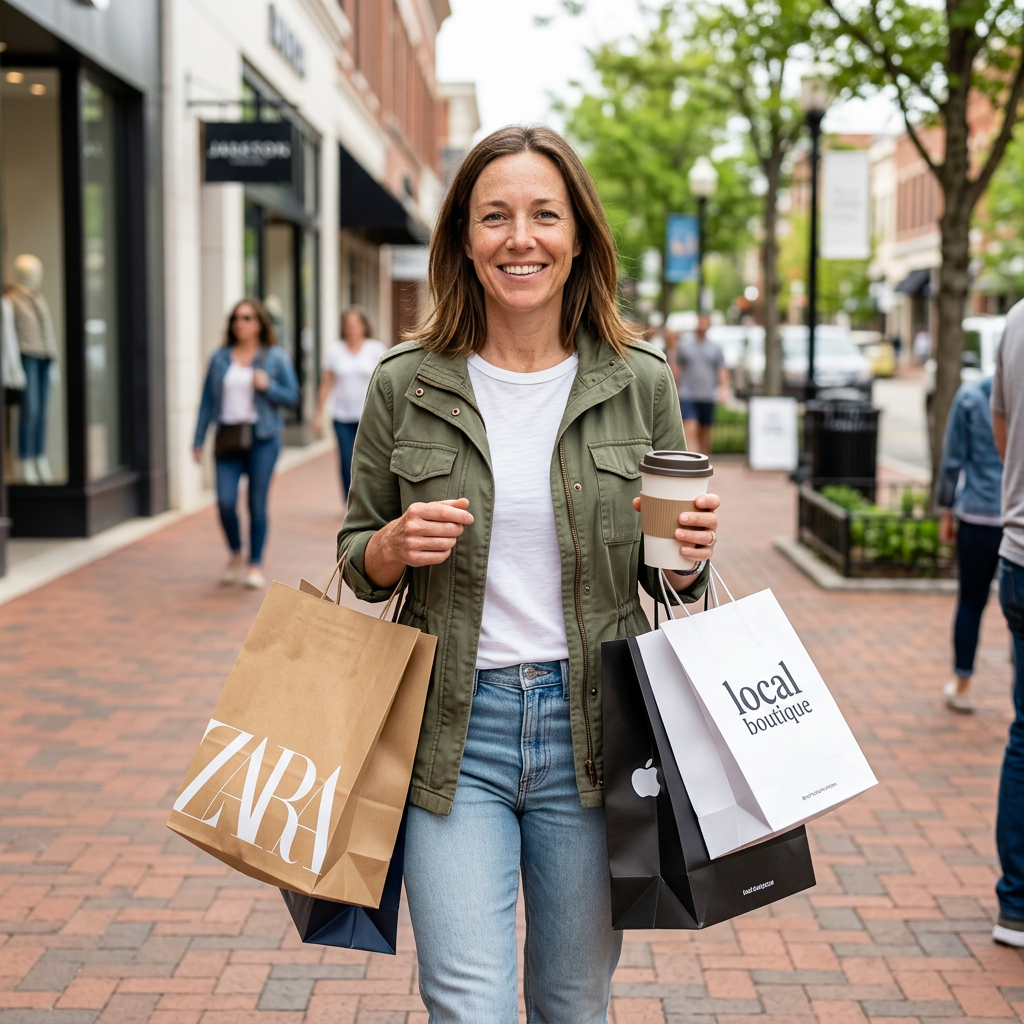
Prompt used: Stock-style commercial photo of the same woman in a retail shopping district scene, stylish casual outfit, bright daytime lighting, polished advertising look, preserve identity and texture.
Why This Workflow Scales
Using one anchor image with consistent prompt constraints gives you identity continuity across profile documentation, professional headshots, and campaign stock scenes. This makes Nano Banana 2 a practical production path for building full advertising assets from one model concept while keeping skin texture and facial detail stable.
For more workflows, explore RunDiffusion Image guides and start in RunDiffusion.
Quality Controls for Texture and Identity Consistency
- Use prompt phrases like preserve facial identity and realistic skin texture.
- Keep lighting direction and quality similar across related shots.
- Generate in structured batches: profiles first, then wardrobe, then environments.
Step-by-Step UI Walkthrough With Screenshots
Use the screenshots below to follow the exact click path in RunDiffusion.
Step 1: Login
- Log in at https://app.rundiffusion.com/login.
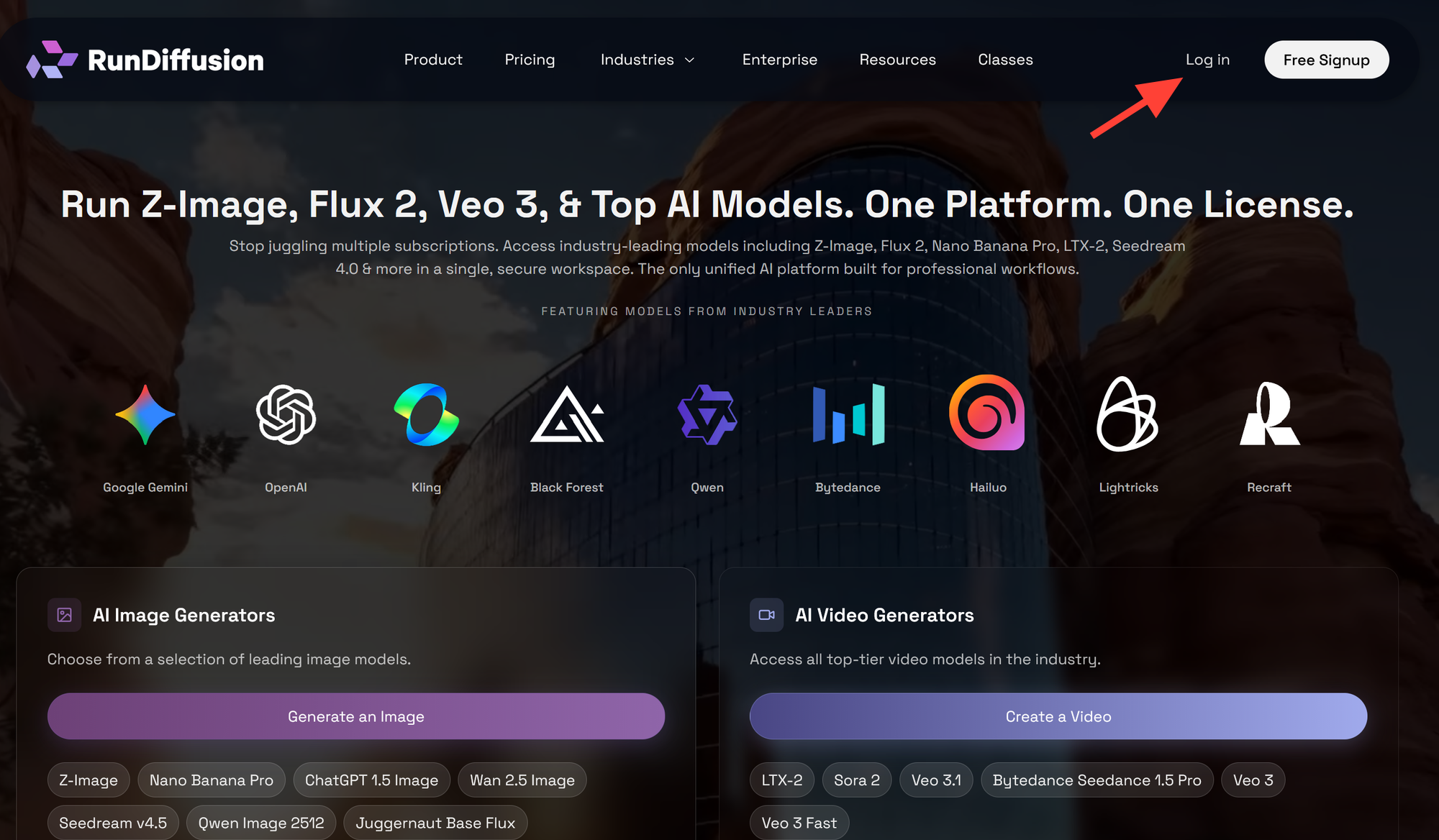
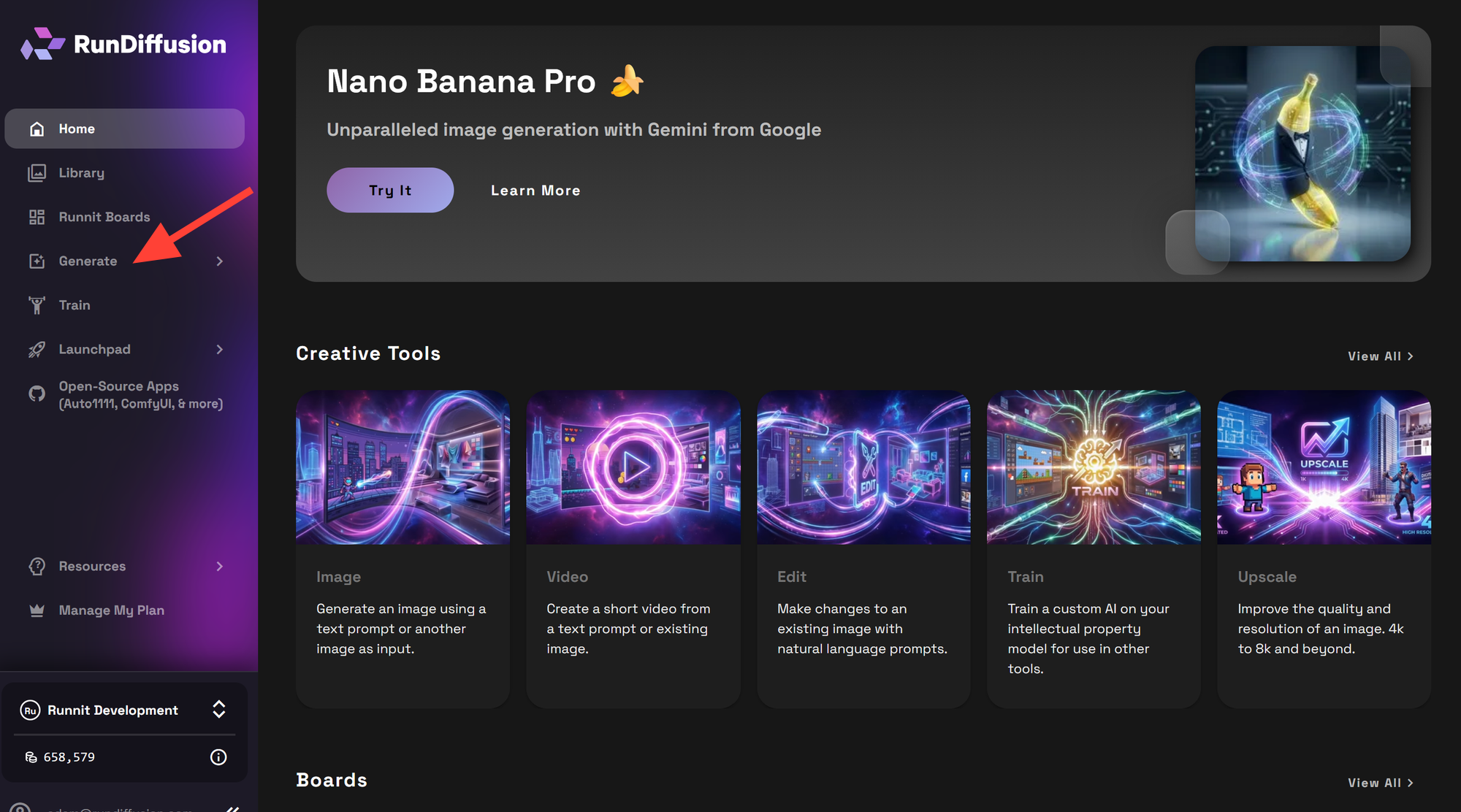
Step 2: Click Generate
Open Generate in the left sidebar and choose your image workflow.
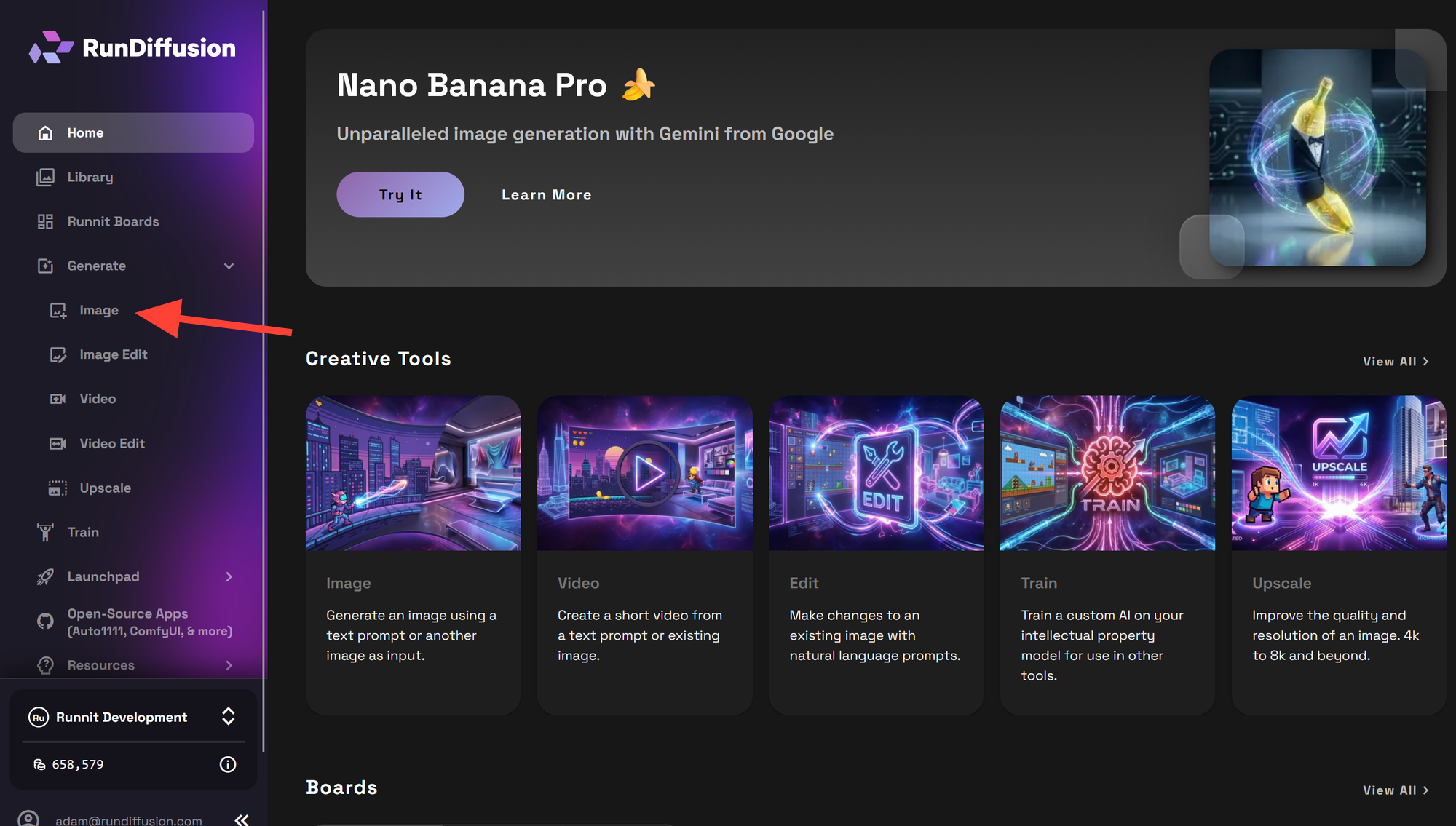
Step 3: Select Image
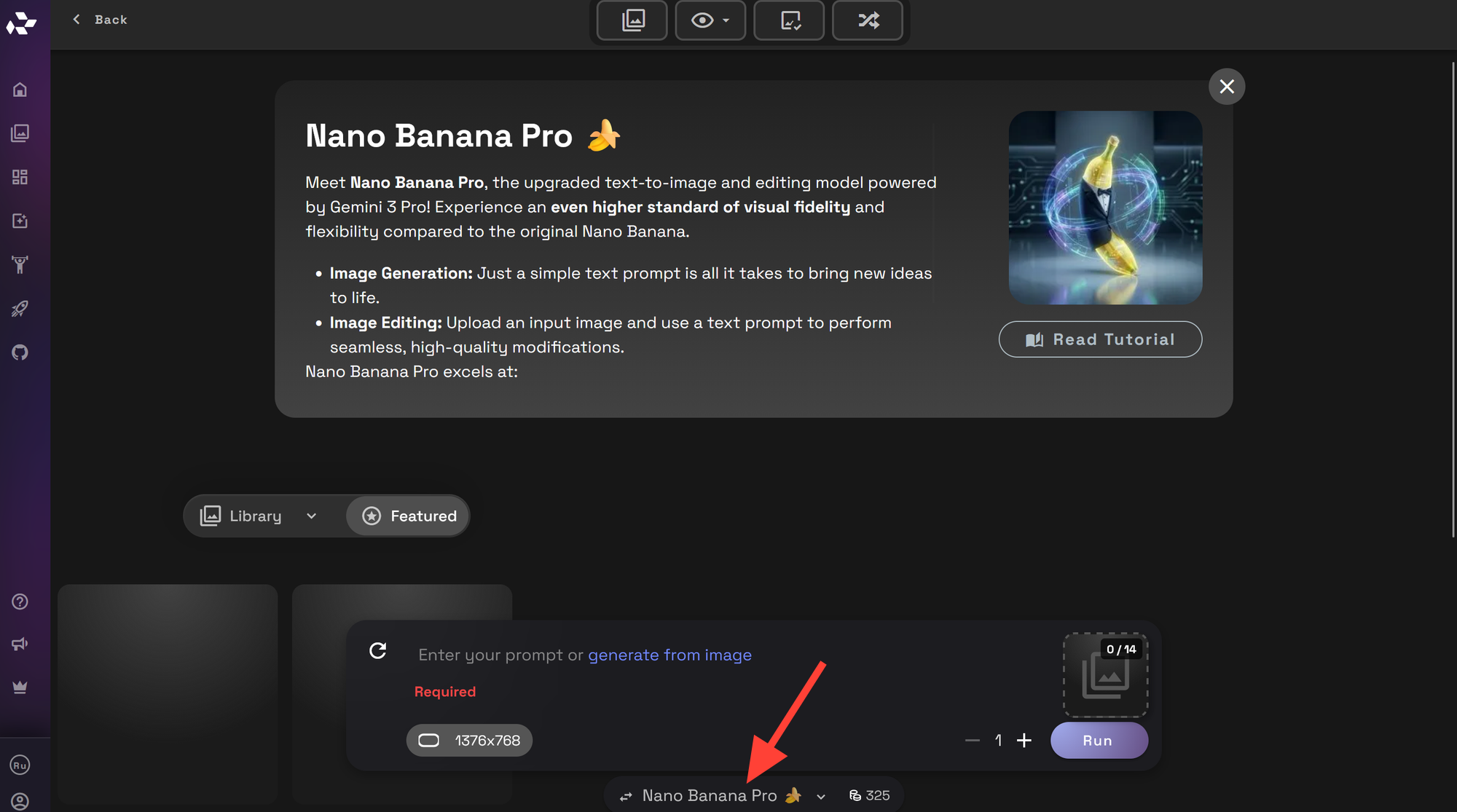
Step 4: Select the Appropriate Model
Click on the default model at the bottom to change to different models.
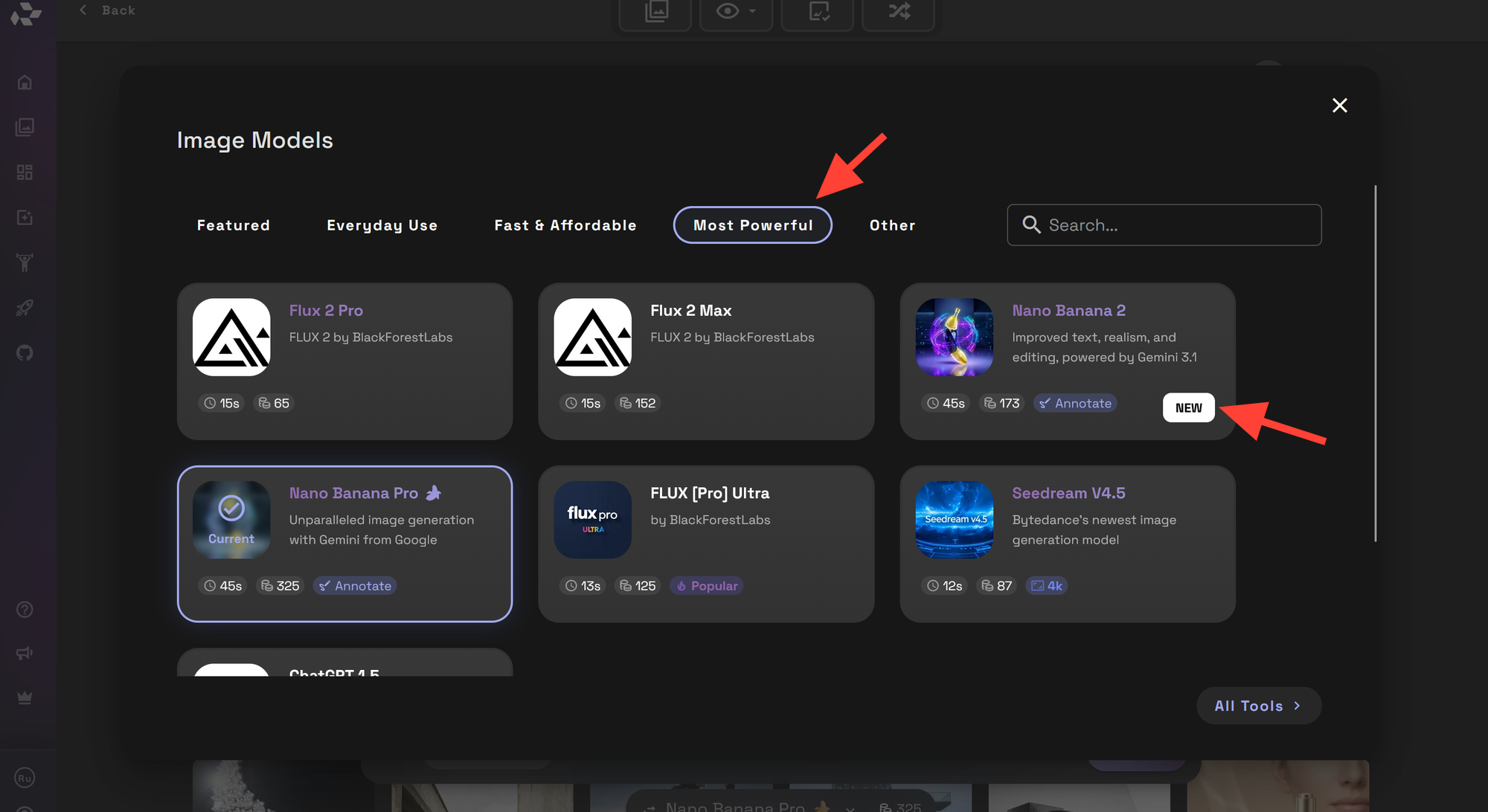
Step 5: Select Most Powerful, then Nano Banana 2
Click on the Most Powerful tab at the top then Select Nano Banana 2 as your model for identity-consistent generations.
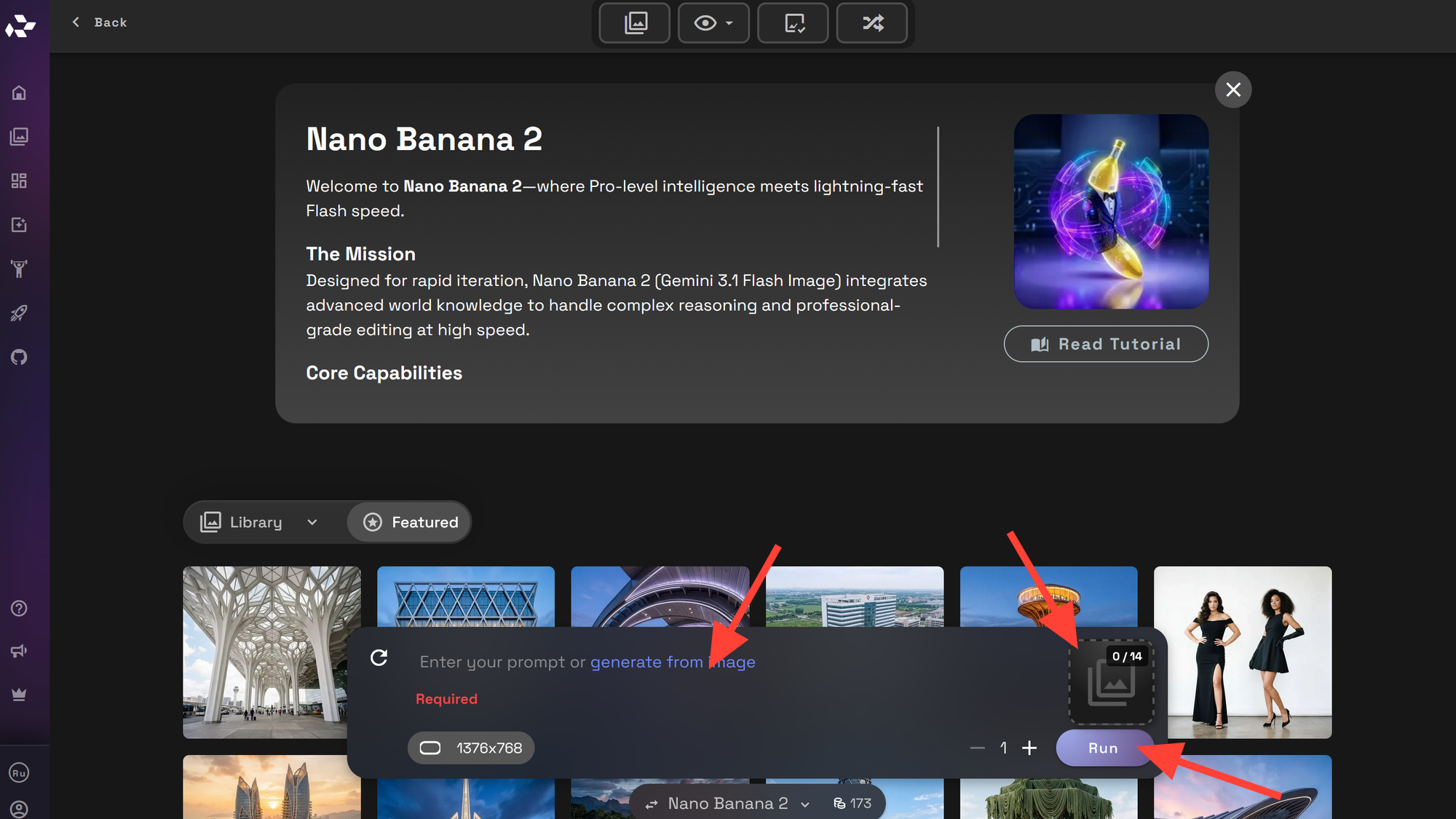
Step 6: Upload Reference Image and Prompt
Upload your reference image and write your prompt and click Run.
Further Reading
 RunDiffusion Team
 RunDiffusion Team
FAQ: Nano Banana 2 and LoRA Workflows
Is Nano Banana 2 a replacement for LoRA training?
Nano Banana 2 can replace LoRA training for many fast-turn production workflows where a single high-quality reference image is enough to anchor identity.
Instead of collecting a dataset and waiting for a training cycle, you can use one reference image plus prompt constraints to generate consistent outputs such as headshots, profile views, and campaign imagery within a single session.
However, LoRA training may still be preferable when you need large-scale variation or long-term reuse of a trained character or style model.
When should I use LoRA instead?
LoRA training is useful when you need:
- A reusable trained asset that works across many projects
- Strong stylistic consistency across a wide range of prompts
- Large variation sets generated without relying on a single reference image
- A model that performs reliably across many environments, poses, and lighting setups
For structured campaigns or quick identity-consistent outputs, a reference-based workflow with Nano Banana 2 is often faster and easier to manage.
If you want to explore LoRA training workflows, see: https://www.rundiffusion.com/kohya-training
Can I keep the same identity across outfits and scenes?
Yes. Identity consistency can be maintained by combining a stable reference image with consistent prompt constraints.
To improve reliability:
- Use phrases like “preserve facial identity” and “realistic skin texture.”
- Keep lighting direction and image quality similar across related generations.
- Generate images in structured batches:
- Profile views (front, side, back)
- Professional wardrobe variations
- Environmental or campaign scenes
This structured approach helps maintain facial structure, skin detail, and overall character recognition across multiple outputs.
Do I need multiple reference images for this workflow?
No. In many cases, one strong reference image is enough to create a full commercial image set.
A clean reference with:
- Clear facial visibility
- Neutral pose
- Good lighting
provides a strong identity anchor. From there, you can generate profile documentation, business portraits, and campaign images while keeping the same character consistent.
What makes Nano Banana 2 useful for campaign image production?
Nano Banana 2 works well for identity-consistent image-to-image workflows, which makes it practical for:
- AI headshot sets
- Corporate profile images
- Stock-style campaign imagery
- Advertising mockups and lifestyle scenes
Instead of training a custom model, teams can generate multiple production-ready assets from a single reference image while preserving facial identity and realistic skin texture.
