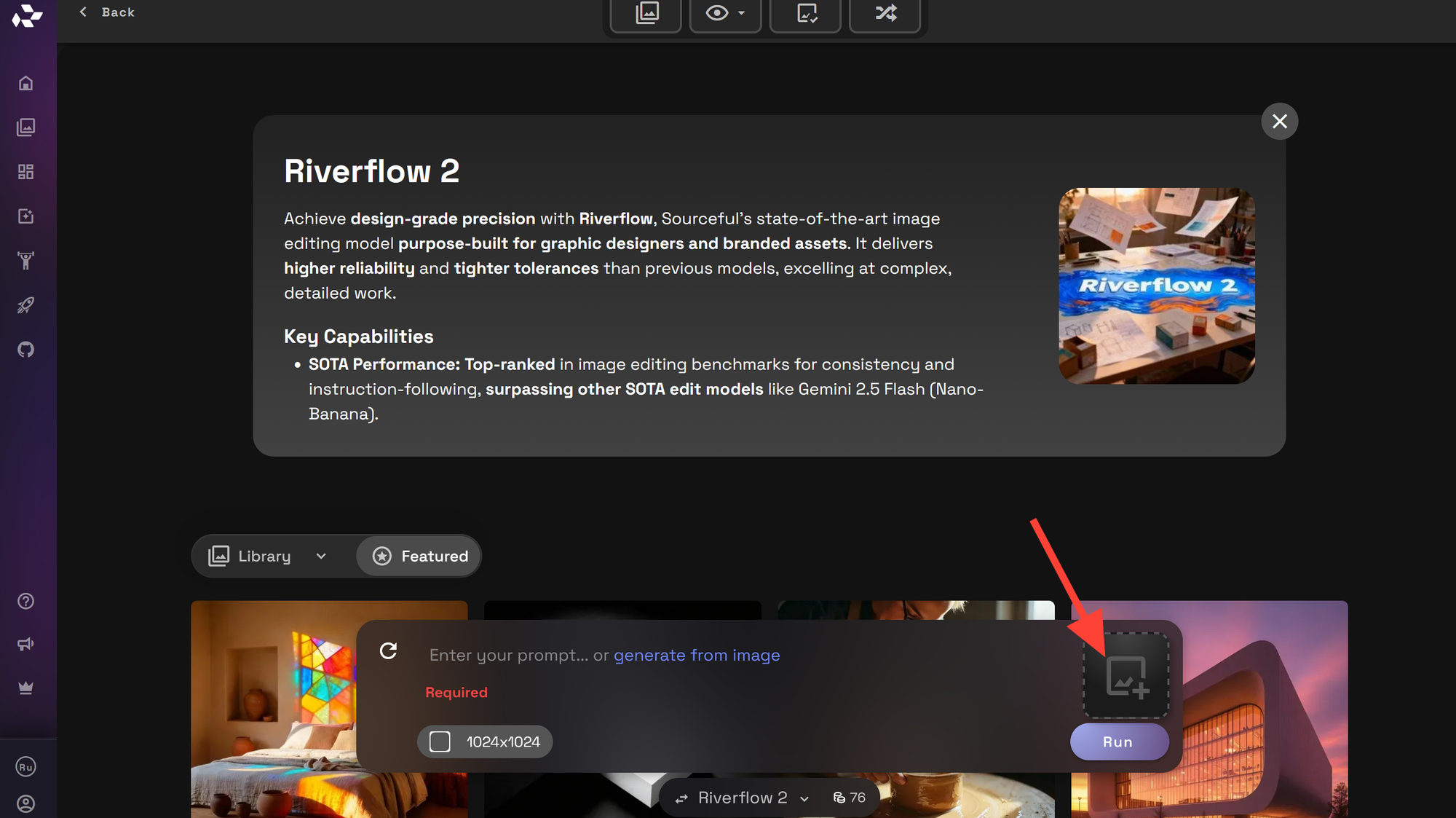
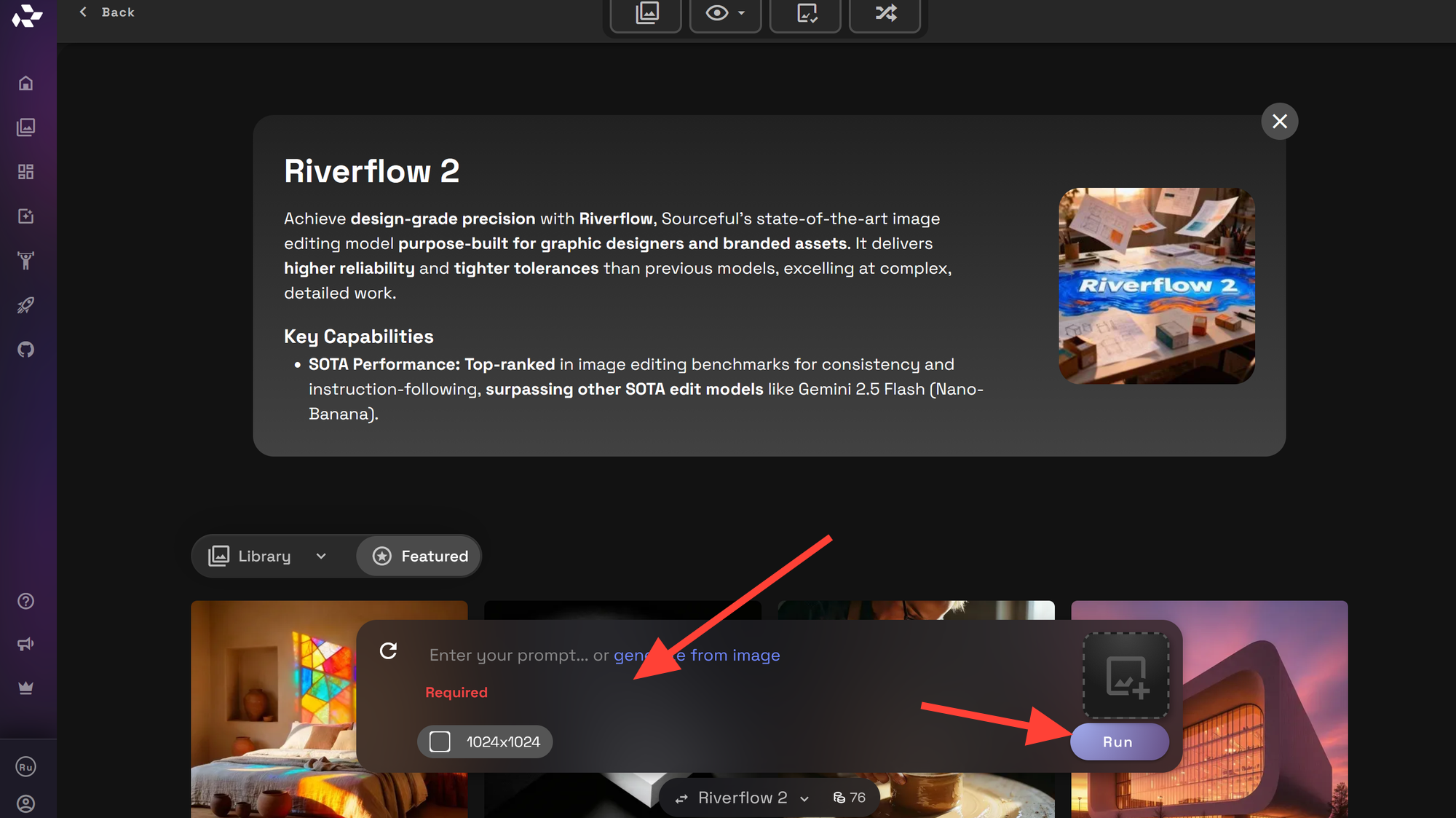
What is Riverflow v2 by Sourceful?

Discover how to get consistent, stylized results with Riverflow v2 by Sourceful on RunDiffusion using practical prompts, smart settings, and repeatable workflows.
Editorial cover-style riverscape at blue hour with a luminous winding river and central title text Riverflow v2 on RunDiffusion

Riverflow v2 by Sourceful is a community image model that many creators reach for when they want consistent, stylized results without micromanaging every tiny detail of a prompt. If you are exploring it on RunDiffusion, this guide will help you understand what to expect, how to prompt it effectively, and how to build reliable workflows around it.

Below, you will learn how to get started, how to structure your prompts, and how to iterate so you spend less time guessing and more time creating.

Riverflow v2 at a glance

  • Best for: Atmospheric riverscapes, moody outdoor scenes, and cinematic environments.
  • Strengths: Consistent style, strong sense of depth and lighting, and reliable color palettes.
  • Creator-driven: Tuned by Sourceful, so you get a recognizable aesthetic without hand-crafting ultra-long prompts.
  • Hosted advantage: On RunDiffusion, you skip local installs and jump straight into prompting and iterating. Try it by clicking the button above.
Moody AI-generated riverscape with a winding glowing river cutting through a misty mountain valley at blue hour
Riverflow v2 excels at atmospheric riverscapes and moody outdoor scenes like this stylized valley, matching the model’s signature depth and lighting.
Prompt: Scene: A visually rich depiction of an atmospheric riverscape. Details: winding river carving through a misty mountain valley at blue hour, soft fog hovering over the water, distant warm village lights, dramatic layered clouds, subtle glow tracing the river that hints at stylized AI creativity. Style: cohesive with the article’s tone. cinematic, futuristic and data-driven environmental concept art. Aesthetic: clean wide landscape composition with strong depth, rich teal and amber color palette, premium digital painting look, visually engaging. Quality: high resolution, sharp detail.
Highlight: Think of Riverflow v2 as a "style dial"—you describe the scene and mood, and the model fills in the visual language for you.

Tip for first-time sessions: Plan a short, focused test run: 10–20 images exploring one subject and a few lighting setups. This gives you a fast feel for how Riverflow v2 behaves on RunDiffusion.


What is Riverflow v2 by Sourceful?

Riverflow v2 is a custom model created by the artist and builder known as Sourceful. It is part of a broader ecosystem of community models that specialize in particular aesthetics and styles, offering an alternative to purely general-purpose base models.

While the exact training data and parameters are specific to the creator, you can think of Riverflow v2 as a focused visual "dial" you can turn when you want a repeatable look and feel. Instead of rewriting long prompts for every image, you lean on the model’s learned style and then guide it with clear, concise instructions.

Using Riverflow v2 inside a hosted environment like RunDiffusion means you do not need to manage GPUs, drivers, or local installations. You simply select the model (when it is available in your model list), craft your prompt, and iterate quickly from any machine with a browser.

Info: Community models like Riverflow v2 are ideal when you want a strong, recognizable aesthetic without building and maintaining a custom model yourself.

Getting Started with Riverflow v2 on RunDiffusion

You can approach Riverflow v2 on RunDiffusion as you would any other image model, but a few setup habits will make your first sessions smoother and more productive.

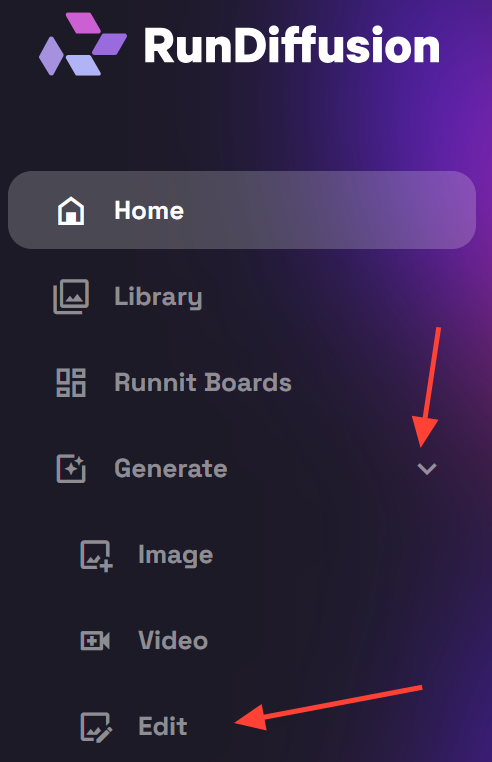
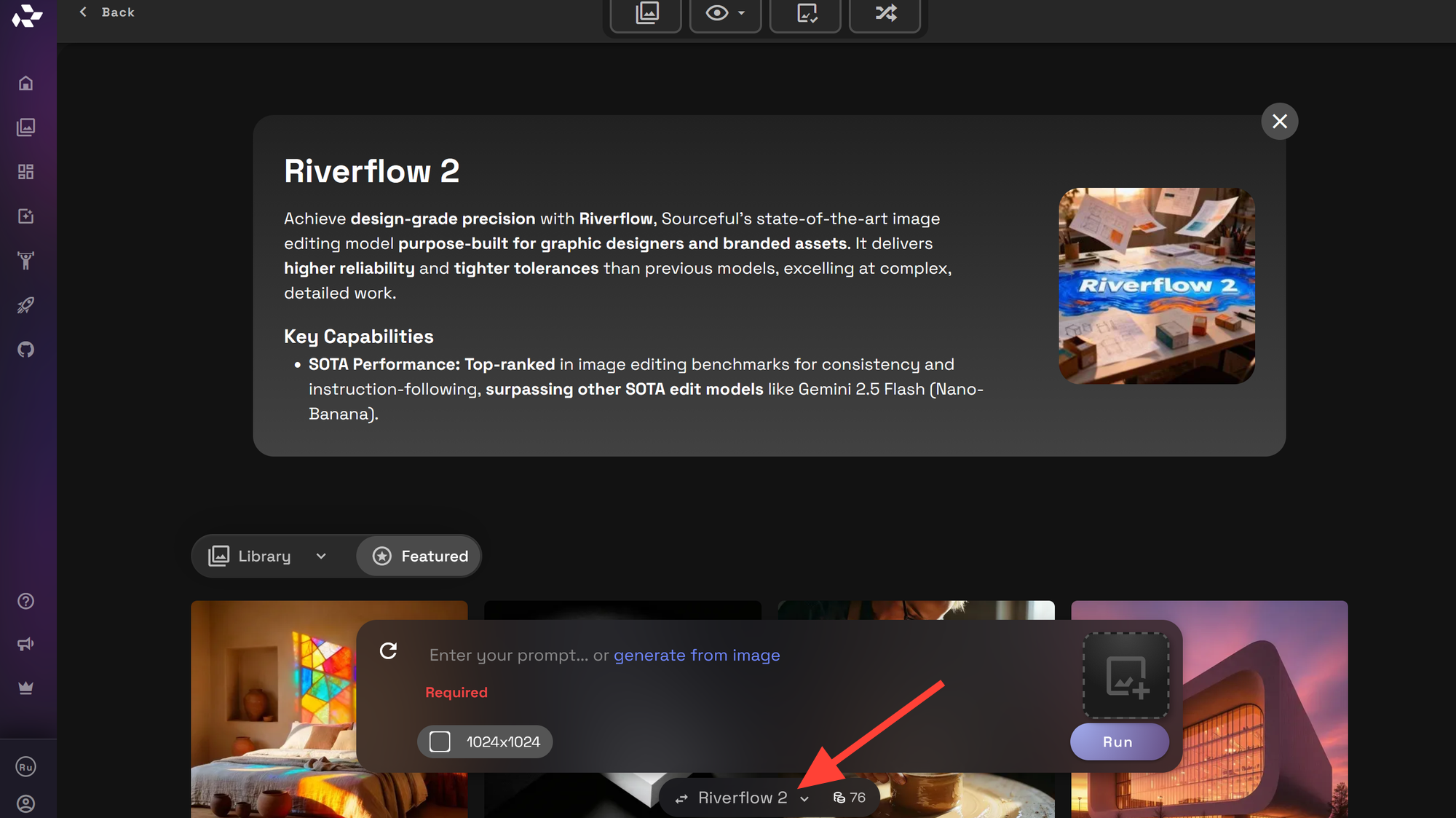
1. Select the model in your session

When open RunDiffusion, look for Riverflow v2 by Sourceful in the list of available models inside the model search UI (https://app.rundiffusion.com/runnit/all-tools).

Once it is active, all prompts you send in that session will use Riverflow v2’s learned behavior and style. If you switch models mid-session, keep in mind that results may change significantly even with the same prompt.

2. Start from simple prompts

With any specialized model, it is smart to begin with short, direct prompts so you can see how the model "wants" to behave. For example:

  • portrait of a person standing by a river at sunset
  • wide shot of a mountain valley with a winding river
  • city street at night after rain, reflections on the pavement

These kinds of prompts give you a feel for composition, color, and lighting tendencies without overwhelming the model with too many instructions.

3. Adjust your basic settings

Depending on what controls your RunDiffusion interface exposes for your session, you may be able to adjust options such as steps, guidance, resolution, and seed. When experimenting with Riverflow v2:

  • Keep resolution modest at first so you can iterate quickly.
  • Use moderate guidance or similar steering strength values so the model can lean into its style while still obeying your prompt.
  • Note the seed value for any result you like so you can reproduce or refine it later.

Suggested starting settings on RunDiffusion

Goal Suggested starting point
Fast idea exploration Start with short, loose prompts that describe the core subject and intent without over-specifying details.
Style & mood testing Expand the prompt with stylistic references, mood adjectives, lighting descriptions, and medium cues while keeping the subject constant.
Concept refinement Layer in environmental details, camera perspective, materials, color theory, and narrative context to guide more deliberate outputs.
Reproducible results Save the full prompt structure (including ordering and phrasing), along with any key modifiers, so the concept can be reliably iterated or reused.
🛠️
Tool: In your RunDiffusion workspace, start with modest idea and mid-range prompting. Change only a few words at a time so you can clearly see how Riverflow v2 responds.

Ready to test these settings? Open a new RunDiffusion session, select Riverflow v2 from the image models, and walk through three quick passes: low-res exploration, style tuning, then a higher-res final.

Prompting Strategies for Riverflow v2

Prompting Riverflow v2 effectively is less about memorizing magic phrases and more about giving clear creative direction that works with the model instead of fighting it. Here are some practical strategies.

Focus on subject, setting, and mood

Most strong prompts share three key parts:

  • Subject — What or who is the focus of the image?
  • Setting — Where is the scene taking place?
  • Mood — What emotional tone or atmosphere do you want?

Combine them into a single, well-structured sentence. For example:

  • solitary hiker (subject) on a narrow trail above a misty river gorge (setting), calm and contemplative mood (mood)
  • small cabin (subject) on the edge of a quiet forest river (setting), cozy and warm mood with soft light from the windows (mood)

Once you can consistently get strong results with this basic structure, you can layer in more detail about lighting, composition, and style labels.

Use concise style cues

Riverflow v2 brings its own stylistic tendencies, so you usually do not need to overload the prompt with a long list of adjectives. Instead, choose two or three high-impact cues, such as:

  • Lighting: golden hour light, soft overcast light, neon backlighting
  • Composition: wide landscape shot, intimate close-up, overhead view
  • Texture: smooth water, misty air, wet stone

Place them near the end of your prompt so they act as a gentle steering mechanism rather than the main subject.

Quick Riverflow v2 prompt recipes

Use these as starting points and swap in your own subjects, locations, and moods. Keep the structure, then iterate with small changes.

  • lone traveler crossing a narrow bridge over a glowing river, fog rolling through the valley, calm and reflective mood, wide landscape shot, soft overcast light
  • small riverside town at dusk, warm lights in windows, gentle rain on cobblestones, cozy and inviting mood, cinematic composition, wet stone and misty air
  • portrait of a person standing at the edge of a river gorge, wind in hair, determined expression, dramatic mood, intimate close-up, golden hour light
💡
Tip: Save a handful of Riverflow v2 "base prompts" like these in a snippet manager or notes app. On RunDiffusion, you can paste one in, tweak 3–5 words, and rapidly explore new looks without starting from zero.

Iterate with small, deliberate changes

Instead of rewriting your prompt from scratch each time, make small, controlled changes and compare results:

  • Change only the lighting and keep the same subject and setting.
  • Hold the seed constant if your session allows, so you can see the exact effect of a wording change.
  • Save the best prompts in a document or text file as you go; these become your personal Riverflow v2 recipe book.

Tip: When you find a prompt that works well with Riverflow v2, keep the first half (subject and setting) fixed and only tweak the last few words (lighting, mood, or style) to quickly explore variations.

Best Practices for Consistent Results

Consistency with any image model comes from repeatable settings and a disciplined iteration process. Riverflow v2 is no exception.

Lock in seeds for reproducibility

If your RunDiffusion session exposes a seed value, use it to your advantage:

  • When you see an image you like, note its seed.
  • Re-use that seed when you adjust the prompt to keep composition similar while changing details.
  • When collaborating, share both the prompt and the seed so others can reproduce your result more closely.

Work from low resolution to high

Higher resolutions take longer to generate and can make experimentation feel slow. A practical workflow is:

  1. Explore compositions and moods at a smaller resolution. Even with different models like Juggernaut Lightning.
  2. Pick the most promising images.
  3. Send those images to Riverflow (because Riverflow is capable of image to image workflows and image editing).
Creator arranging printed AI river thumbnails from low-res drafts to polished finals on a modern desk
Visualizing thumbnails from low resolution to high makes it easier to see how small prompt and seed changes lead to stronger Riverflow v2 finals.
Prompt: Scene: A visually rich depiction of a creator refining AI-generated river scenes through an iterative workflow. Details: modern desk seen from a slight top-down angle, rows of printed thumbnail images of riverscapes progressing from small low-res sketches to larger detailed finals, handwritten arrows and simple notes between them, a laptop pushed to the side, warm desk lamp light, the creator’s hands actively rearranging prints. Style: cohesive with the article’s tone — bright, modern, professional creative workspace. Aesthetic: clean composition, premium photography look, realistic paper and desk textures, visually engaging. Quality: high resolution, sharp detail.

Build reusable prompt templates

As you become more comfortable with Riverflow v2, you will notice a few prompt formats that work exceptionally well. Turn them into templates:

  • Landscape template for outdoor scenes.
  • Portrait template for characters or people.
  • Environmental storytelling template for wider scenes with lots of detail.

Store these templates somewhere you can quickly copy them into RunDiffusion and tweak them for each new idea, instead of starting from zero.


Next Steps: Explore Riverflow v2 on RunDiffusion

Riverflow v2 by Sourceful is at its best when you treat it as a creative partner: give it clear direction, pay attention to how it responds, and refine your prompts in small, thoughtful steps. By combining this model with RunDiffusion’s hosted environment, you can iterate quickly, collaborate more easily, and focus on your ideas instead of infrastructure.

The fastest way to get comfortable is to open a session, pick a simple subject, and start experimenting. Save your favorite prompts as you go, and you will quickly build a personal toolkit for Riverflow v2 that you can re-use across projects.


Riverflow v2 on RunDiffusion: FAQ

Is Riverflow v2 always available in my RunDiffusion model list?

Community models like Riverflow v2 can appear or disappear from your RunDiffusion list over time, depending on availability and updates. If you do not see it, check other similar community models, or revisit later as the catalog is refreshed. When it is available, you will find it under the image models list—select it before generating to ensure your prompts use Riverflow v2.

What image resolutions work best for Riverflow v2?

For exploration, smaller resolutions (for example around 512px on the short edge) help you iterate quickly and find strong compositions and moods. Once you are happy with the composition, increase resolution for finals while keeping the same core prompt and seed so the overall framing and mood remain consistent.

How do I keep characters or scenes consistent across multiple images?

Use a repeatable description for your subject (hair, clothing, props, pose) and lock the seed when your RunDiffusion session allows it. This keeps composition similar while you adjust mood, lighting, or minor details. Store your best-performing prompts as templates so you can reuse the same character or environment setup across different projects.

Can I use Riverflow v2 images commercially?

Commercial use depends on the creator's licensing terms and the policies of the platforms you use. Riverflow v2 is a community model by Sourceful, so you should review any license information provided by the creator and follow RunDiffusion's terms of service. If your project has strict legal or brand requirements, consider checking with your legal team or using models with clearly documented commercial licenses.

What should I do if my images feel too busy or noisy?

Simplify your prompt first: clearly state the subject, setting, and mood in one short sentence, and remove extra adjectives or conflicting style tags. On RunDiffusion, you can also slightly lower guidance or try a new seed to see if the composition settles into a cleaner, more readable image while keeping Riverflow v2's core style.

Ready to explore even further? Launch a RunDiffusion tool, choose Riverflow.

About the author

Great! You’ve successfully signed up.

Welcome back! You've successfully signed in.

You've successfully subscribed to RunDiffusion.

Success! Check your email for magic link to sign-in.

Success! Your billing info has been updated.

Your billing was not updated.