


AI architectural rendering is the process of generating realistic, stylized, or conceptual architectural visuals using artificial intelligence models. Instead of manually building 3D scenes, materials, lighting setups, and camera angles inside tools like Revit, Rhino, SketchUp, AutoCAD, V Ray, Enscape, or Lumion, AI enables architects to create compelling imagery from text prompts, reference images, or rough sketches. Traditional workflows require extensive modeling, texturing, lighting calibration, and re-rendering. AI dramatically accelerates these early-stage visualization tasks, making it possible to produce concept imagery for internal reviews, client presentations, and iterative design studies in a fraction of the time.
In this guide, you will learn what AI architectural rendering means, how it works, and how RunDiffusion supports professional grade architectural workflows. You will also discover how tools such as Sketch to Render for Architecture, texture generation pipelines, and AI driven image editing streamline the design process for both architectural and interior design teams.
What AI Architectural Rendering Means
AI architectural rendering uses diffusion based generative models to create architectural imagery quickly and at high fidelity. With AI, designers can produce exterior studies, interior compositions, landscape scenarios, façade articulations, and lighting or material variations without constructing full 3D scenes.
You can:
- Develop early stage schematic concepts
- Produce client ready visuals in minutes
- Convert sketches into detailed renderings
- Explore multiple stylistic and material directions
- Generate rapid alternatives for design reviews
AI does not replace BIM or CAD platforms such as Revit, Rhino, ArchiCAD, or AutoCAD. Instead, it enhances the conceptual and pre visualization phases by reducing the time required for modeling, texturing, and rendering during design exploration.
How AI Architectural Rendering Works
AI models learn architectural patterns by analyzing millions of examples studying materiality, structural logic, lighting behavior, spatial rhythm, façade language, and common design conventions. When you provide a prompt, reference image, or sketch, the model refines the image step by step until it reaches a complete render.
Text to Image Rendering
Describe the architectural style, program, materials, lighting conditions, or overall mood, and the model generates a full architectural image from scratch.
Sketch to Render
Upload a hand sketch, massing diagram, or plan concept, and AI transforms it into a polished visualization. This is ideal for architects who sketch quickly but do not want to commit to early 3D builds.
Reference Guided Rendering
Submit a base photo, drawing, or precedent. The AI preserves scale, composition, or massing while allowing you to explore new material palettes, lighting schemes, or façade treatments.
These workflows support rapid design iteration before teams transition into detailed modeling in tools like Rhino, Revit, SketchUp, or Blender.
Key Benefits for Designers and Creative Teams
Speed
Produce dozens of iterations rapidly, enabling deeper exploration during schematic design.
Creative Exploration
Test alternative massing strategies, façade systems, interior layouts, and material palettes without re-modeling.
Client Collaboration
Respond to feedback during meetings by generating real time alternatives.
Accessibility
You do not need advanced rendering software or workstation hardware. RunDiffusion's Cloud based tools handle all compute requirements.
Are you an architecture firm or design professional? The Architecture Industry page provides detailed workflows, tools, and examples tailored specifically for architectural teams.
Creating Architectural Renders on RunDiffusion
RunDiffusion provides simplified, high-speed tools for generating architectural imagery, converting sketches, and exploring design variations without the complexity of traditional rendering platforms. RunDiffusion also offers a suite of open-source tools for AI professionals who need ComfyUI and Automatic1111.
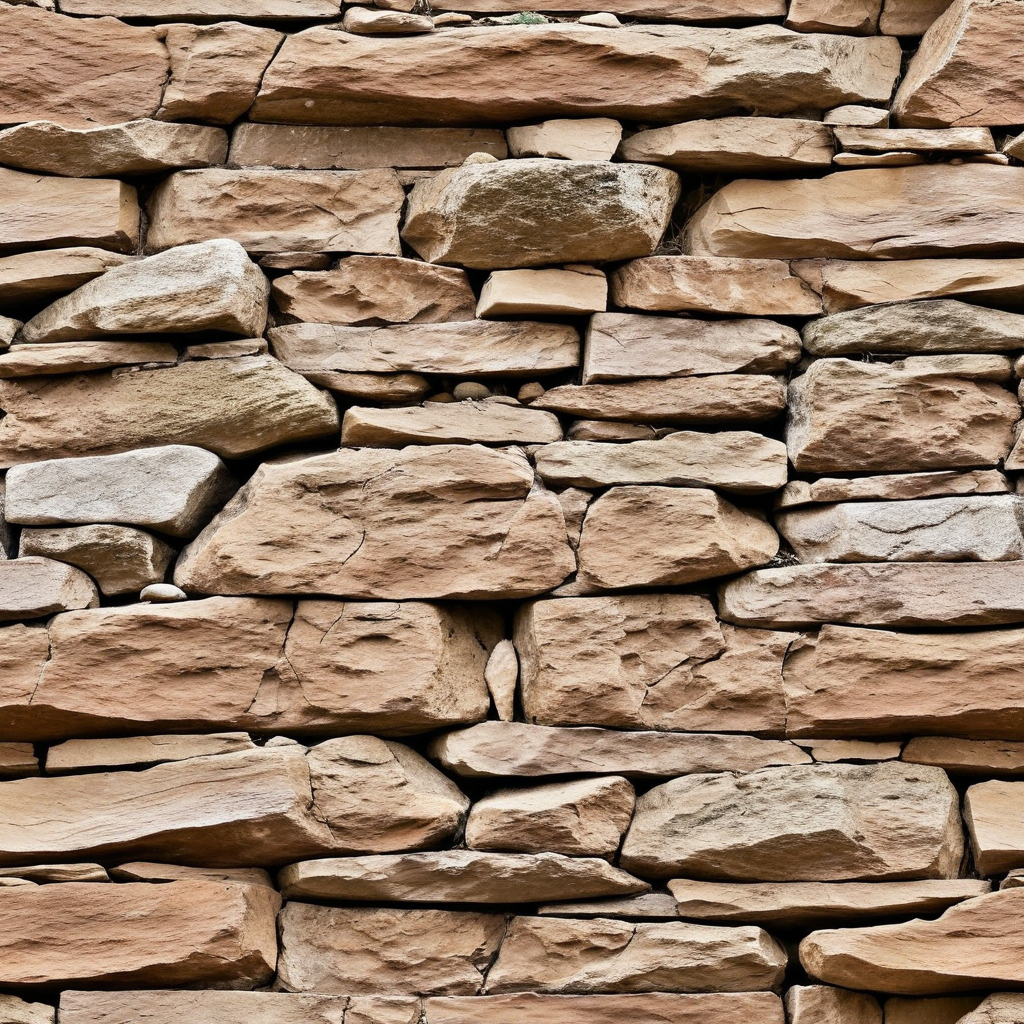
Texture Generation and Material Studies
Materiality is central to architectural representation. AI based texture generation provides custom materials—concrete, stone, timber, glass, metal, composites—without relying on external libraries.
You can:
- Create cohesive material palettes for design proposals
- Produce PBR like textures for conceptual studies
- Match finishes specified in mood boards or client references
- Experiment with alternative cladding, flooring, or façade materials
Texture generation enhances rendering depth and helps unify design language across multiple visualization outputs.
Sketch to Render Workflows for Architecture
Sketch to Render is especially valuable during conceptual design when architects rely on hand drawings, massing studies, or diagrammatic layouts.
This workflow allows you to:
- Convert sketches into high fidelity renderings
- Produce stylistic variations early in the process
- Maintain design intent without committing to 3D modeling
- Accelerate early phase approvals and internal reviews
It removes the need for extensive modeling during the earliest stages of design development.
Sketch to Render is available for both Hobby and Professional plans.
Sketch to Render Pro and Bldg. is available for Enterprise teams.
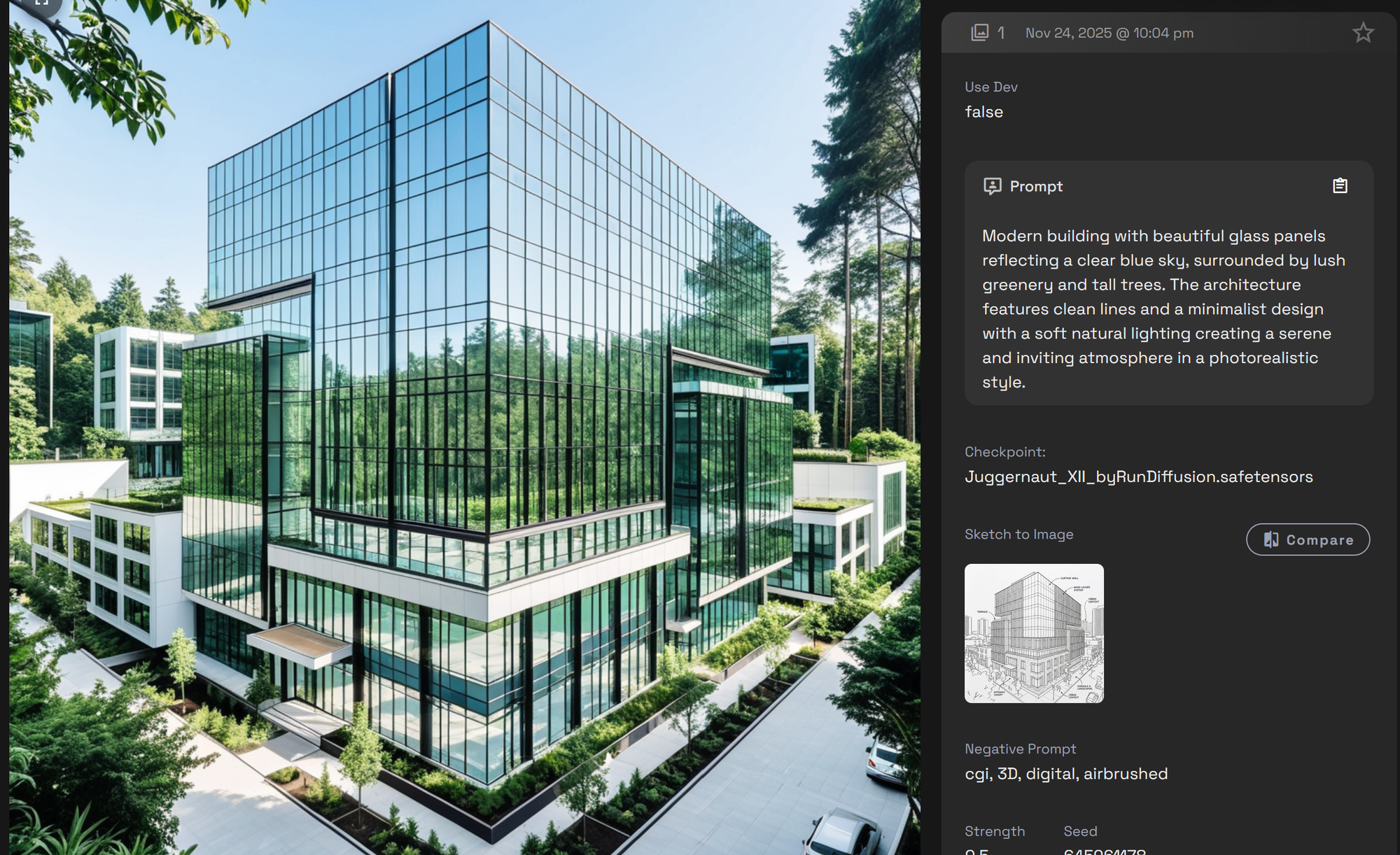
Image Generation, Rendering, and Image Editing for Architecture
Advanced image generation, rendering, and editing workflows enable architects to iterate without rebuilding geometry inside Revit, Rhino, or SketchUp. These tools support every stage of conceptual visualization, from massing exploration to façade articulation and interior spatial composition.
Image Generation and Rendering
AI based image generation accelerates:
- Schematic design studies
- Massing and volumetric concepts
- Façade articulation and shading strategies
- Interior spatial compositions and lighting scenarios
- Atmospheric mood and environmental explorations
- Material palette testing across multiple design variants
This supports broader conceptual divergence and deeper design inquiry before transitioning into detailed BIM development.
Image Editing and Refinement
Image editing workflows help designers refine visuals efficiently:
You can:
- Modify façade elements, fenestration, and shading devices
- Adjust interior materiality and lighting conditions
- Replace entourage, vegetation, or contextual elements
- Correct perspective or spatial alignment
- Improve narrative clarity for presentations and proposals
Image editing enables precise iteration and polished visual communication without the overhead of re-modeling or re-rendering.
Common Pitfalls and How to Avoid Them
Geometry Distortion
Use Sketch to Render or provide strong reference images to maintain accurate spatial logic.
Style Drift
Pair prompts with mood boards, precedents, or reference imagery.
Overly Dramatic Lighting
Specify neutral daylight, soft shadows, or overcast conditions for realistic architectural representation.
Final Thoughts
AI architectural rendering has become an essential part of contemporary design workflows. On RunDiffusion architectural teams can produce schematic visuals, material studies, façade concepts, and interior compositions significantly faster than traditional modeling and rendering pipelines. When combined with texture generation, Sketch to Render workflows, and AI driven image editing, these platforms offer a complete ecosystem for accelerated architectural visualization and early stage design exploration.
Have more questions about Architecture on RunDiffusion?
 RunDiffusion Team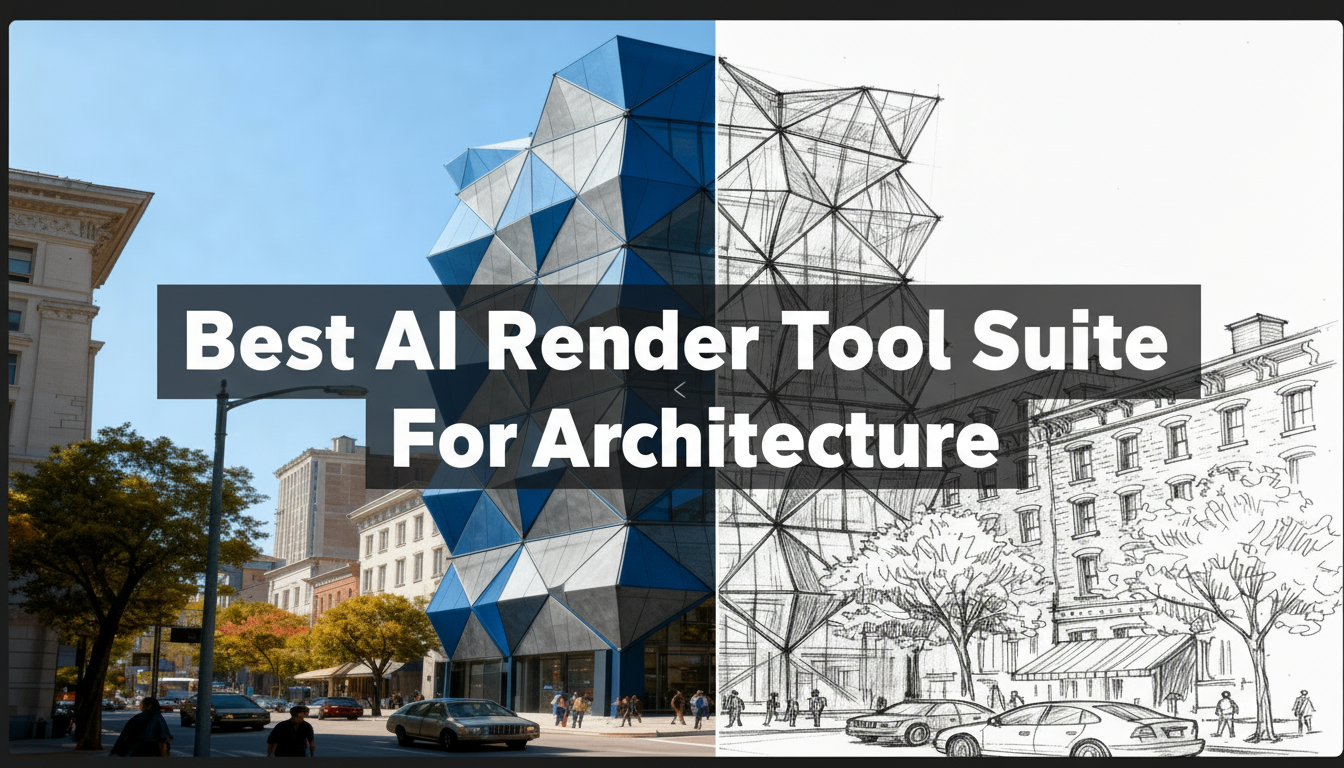
 RunDiffusion Team
 RunDiffusion Team
Frequently Asked Questions (FAQ)
What is the difference between AI rendering and traditional 3D rendering?
Traditional rendering requires building full 3D geometry, assigning materials, configuring lighting, and using engines like V Ray, Enscape, or Lumion. AI rendering generates imagery directly from text prompts, reference images, or sketches, enabling rapid concept generation without detailed modeling. AI excels at early phase ideation, while traditional rendering remains essential for documentation level accuracy.
Does AI replace tools like Revit, Rhino, or SketchUp?
No. AI enhances conceptual design and visualization but does not replace CAD or BIM workflows. Architects still rely on Revit and Rhino for technical documentation, coordination, and construction logic. AI simply accelerates pre visualization, schematic studies, and client facing concept imagery.
Are AI architectural images accurate enough for client presentations?
Yes, AI generated architectural visuals are suitable for early phase presentations, mood studies, and design exploration. For documentation or construction sets, firms should still rely on traditional CAD/BIM outputs. AI is best used for communicating design intent quickly and visually.
Can AI help maintain design intent when iterating?
Yes. With reference guided rendering, mood boards, and sketch to render workflows, AI preserves massing, proportion, and composition while exploring new materials, lighting, or stylistic treatments. This reduces drift and keeps concepts aligned with the architect’s narrative.
How does AI fit into an architect’s existing workflow?
AI works alongside existing software. It can:
- Generate early stage visual alternatives
- Produce façade and massing options before modeling
- Convert hand sketches into refined visuals
- Create material and texture studies
- Enhance presentation imagery
It shortens the path from concept to stakeholder review.
Are AI tools suitable for interior design workflows as well?
Absolutely. AI is highly effective for interior spatial studies, furniture layout ideation, lighting variations, material palette exploration, and atmosphere driven concepts. Designers can iterate through dozens of interior design directions without rebuilding full spaces in 3D.
Can AI generate accurate materials and textures?
Yes. AI based texture generation can produce concrete, stone, wood, metal, and glass textures that align with mood boards or client references. These textures are particularly useful for conceptual studies, visual development, and early material palette exploration.
Does AI introduce risk of unrealistic geometry?
It can, especially when prompts lack structural cues. This is why architects often use:
- Sketch to Render
- Reference images
- Massing diagrams
- Precedent studies
These guide the AI, reinforcing scale, structure, and spatial coherence.
What types of architectural images are best suited for AI generation?
AI excels at:
- Conceptual exteriors
- Schematic massing studies
- Façade articulation tests
- Interior atmosphere studies
- Landscape and site context imagery
- Lighting variations
- Diagrammatic visualizations
These support early stage design exploration and client alignment.
How can firms ensure style consistency across multiple AI images?
Use:
- Consistent style prompts
- Mood boards
- Reference guided workflows
- Saved presets and architectural vocabulary
This ensures visual coherence across a project or presentation set.
Is AI rendering cost effective for architectural teams?
Yes. AI reduces the time required for concept generation, early visualization, and iterative design study, which decreases labor hours and accelerates approvals. It enables teams to present more options without proportional increases in effort.
