

Available on RunDiffusion
Squeezing top-tier, photorealistic image generation into a single consumer GPU used to mean painful compromises: slow sampling, blurry details, or shutting half your tools down just to fit in VRAM. Z-Image, a new state-of-the-art model from Alibaba, blows that tradeoff open.
With just 6B parameters, Z-Image delivers shockingly realistic images, expressive characters, strong prompt adherence, and bilingual text rendering – all while fitting comfortably in 16GB of VRAM and hitting sub-second inference on high-end datacenter GPUs.
Think of Z-Image as a photography-first generator that rewards clear, visual direction more than long, flowery prompts.
Want to feel the speed? Launch a RunDiffusion workspace with a 16GB+ GPU and load Z-Image Turbo from Hugging Face to prototype looks, iterate on concepts, and stress-test it at higher resolutions.
Even better: it’s open source, designed to be trainable, and comes in three variants tuned for speed, flexibility, and image editing.
What is Z-Image?
Z-Image is a powerful, highly efficient diffusion-based image generation model built with a single-stream DiT (Diffusion Transformer) architecture. Instead of ballooning to 20B+ parameters like many commercial models, Z-Image stays lean at 6B parameters while still competing at the frontier of realism and expressiveness.
As of November 28th, 2025, Alibaba has announced three variants:
- Z-Image-Turbo – A distilled version of Z-Image focused on speed and efficiency.
- Z-Image-Base – The full, non-distilled foundation model aimed at customization and fine-tuning.
- Z-Image-Edit – An editing-focused variant for image-to-image and precise, prompt-driven edits.
Right now, the only model that has been released and open sourced is Z-Image-Turbo. The Base and Edit checkpoints are planned for release soon – watch this space for updates.
You can explore the official Turbo release on Hugging Face here: https://huggingface.co/Tongyi-MAI/Z-Image-Turbo.
Prompts that show what Z-Image can do
Z-Image shines when you lean into detailed, cinematic, photography-style prompts. Here are some real examples that capture its range of looks and eras, from retro film vibes to modern editorial and punk shows.
Patterns you’ll notice:
- Each prompt clearly specifies time period (1980s, early-2000s, 1950s, cyberpunk future).
- They describe lighting and camera style (on-camera flash, golden hour, high-shutter, soft grain).
- They mention wardrobe and props (red cup, faux fur coat, sports gear) to ground the scene.
- They call out emotion and mood (introspective, high-energy, wholesome, quiet urban mood).
If you prompt Z-Image with this level of detail, it tends to respond with images that feel like real photographs pulled out of a specific memory (or universe).
Prompting checklist for punchy Z-Image shots
- Lock in a clear time period or setting (specific decade, genre, or location).
- Describe lighting and camera style (lens, depth of field, flash versus natural light).
- Specify wardrobe, props, and background elements that ground the scene.
- State emotion or mood in 3–6 words instead of a whole paragraph.
- Add aspect ratio or composition hints (wide establishing shot, intimate close-up, low angle).
Sample outputs from Z-Image Turbo
Here are some sample images that illustrate Z-Image’s range – from moody portraits to high-energy lifestyle and editorial shots.
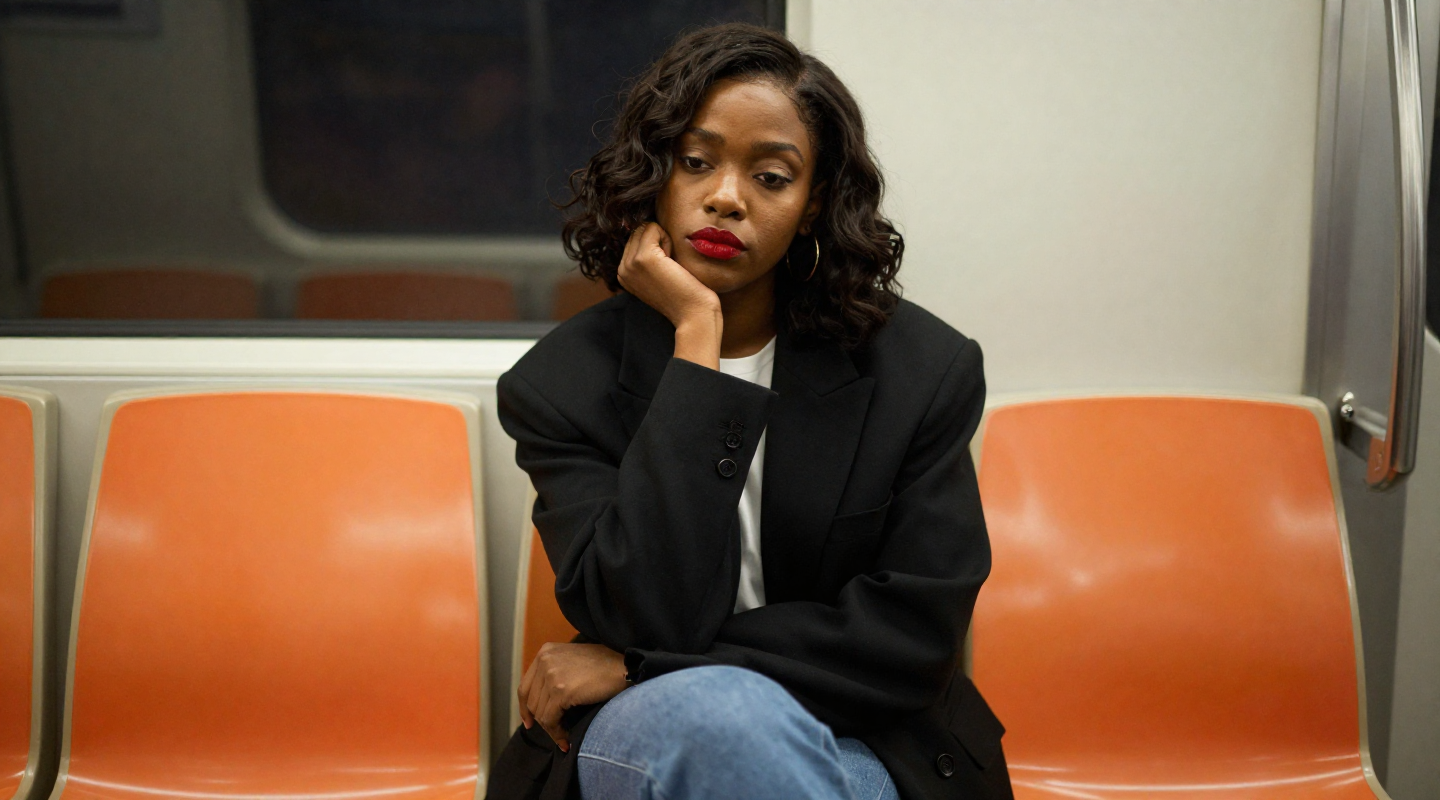
Prompt: “Stylish African American woman with short wavy dark hair in oversized black blazer and white shirt, red lipstick, sitting on orange plastic train seats, chin resting on hand, soft commuter lighting, shallow depth of field.”
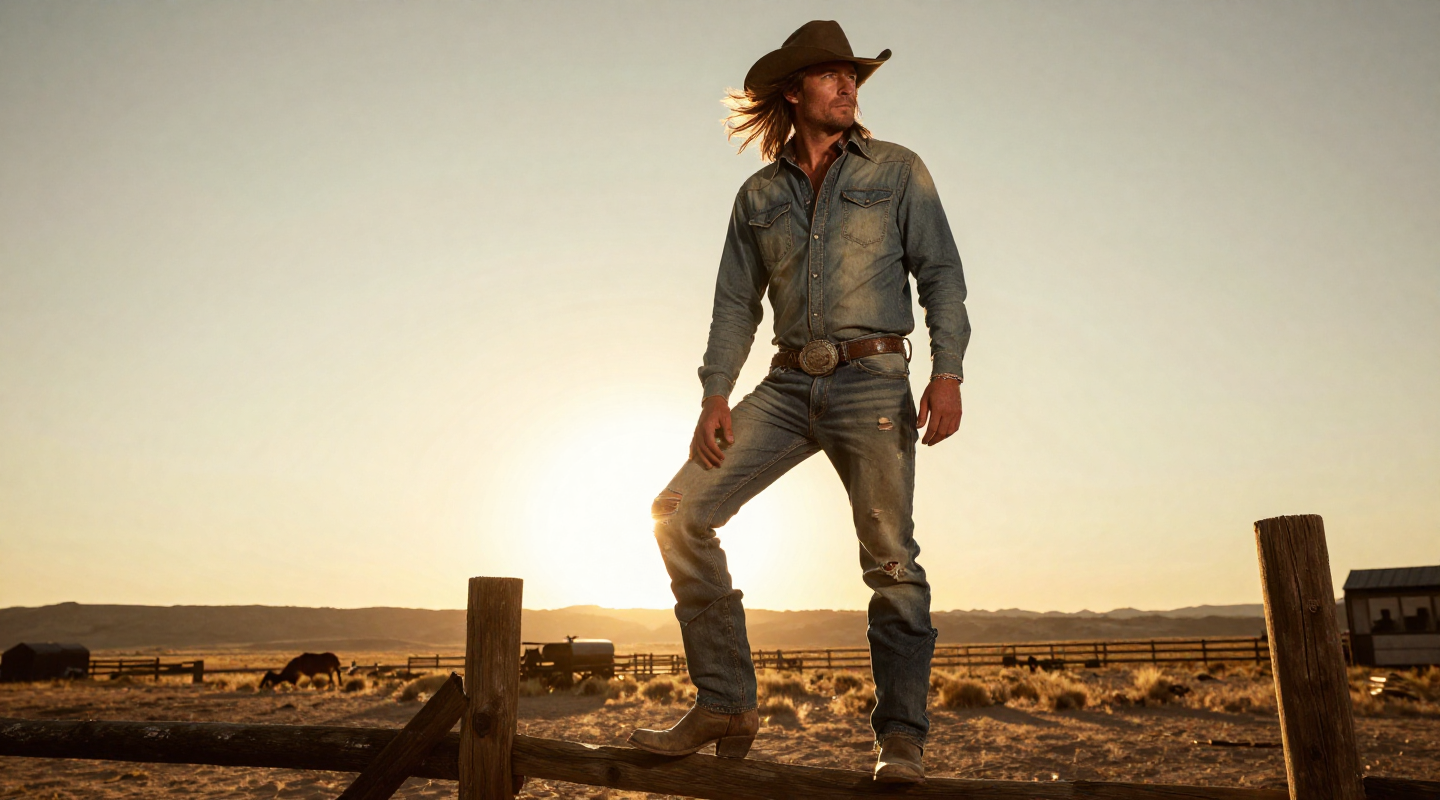
Prompt: “Cinematic golden-hour cowboy: long-haired rugged man in faded denim shirt and ripped jeans, cowboy boots, standing on a wooden fence in desert ranch landscape, windblown hair, sun low on horizon.”

Prompt: “Studio close-up: woman in black sweatshirt and gold chain, hands framing her eyes like a visor, narrow band of light across her face, warm brown backdrop, high-contrast shadow play.”
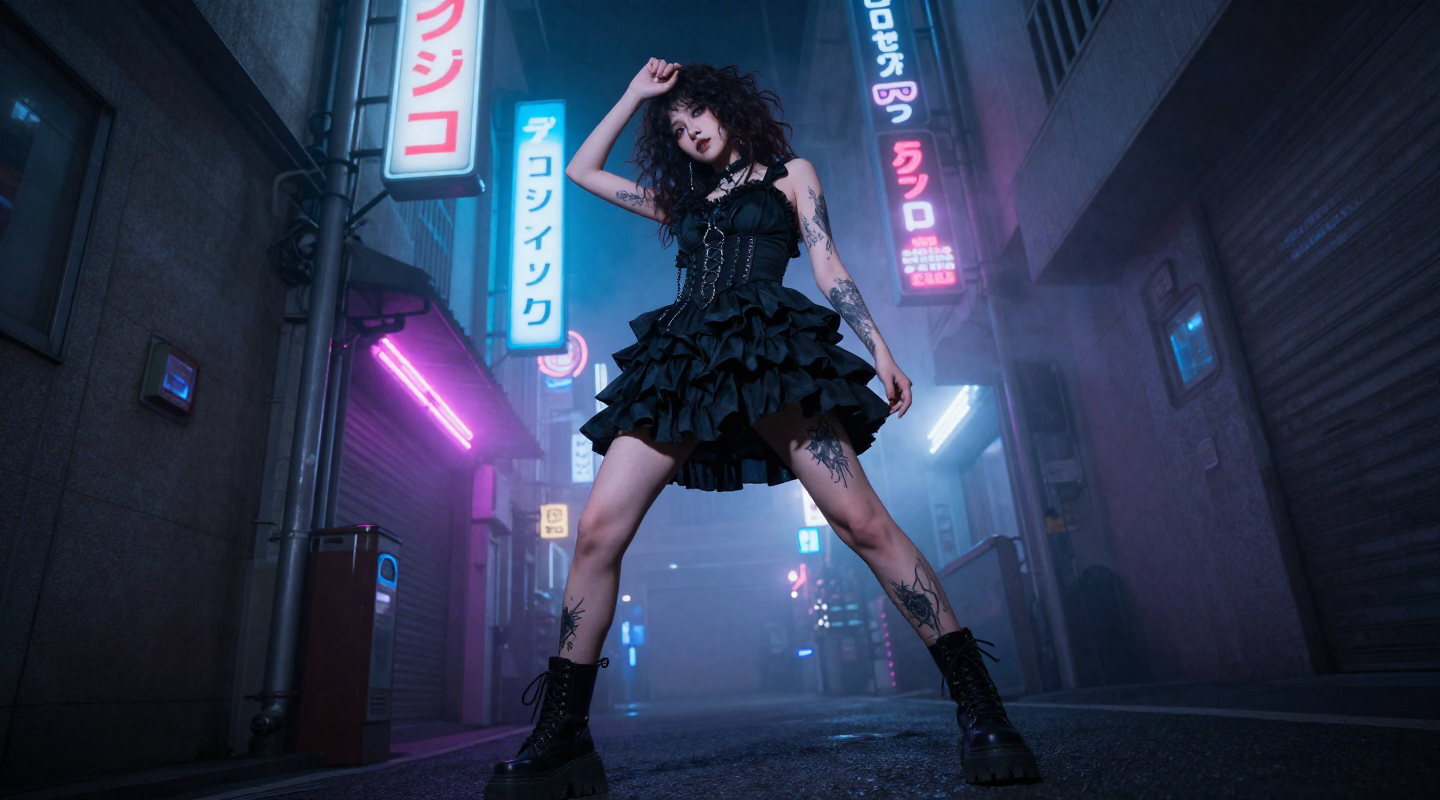
Prompt: “Low-angle cyberpunk street: edgy goth girl with curly hair in black ruffled dress and combat boots, tattoos visible, legs apart power stance, neon Japanese signs and foggy alley at night.”
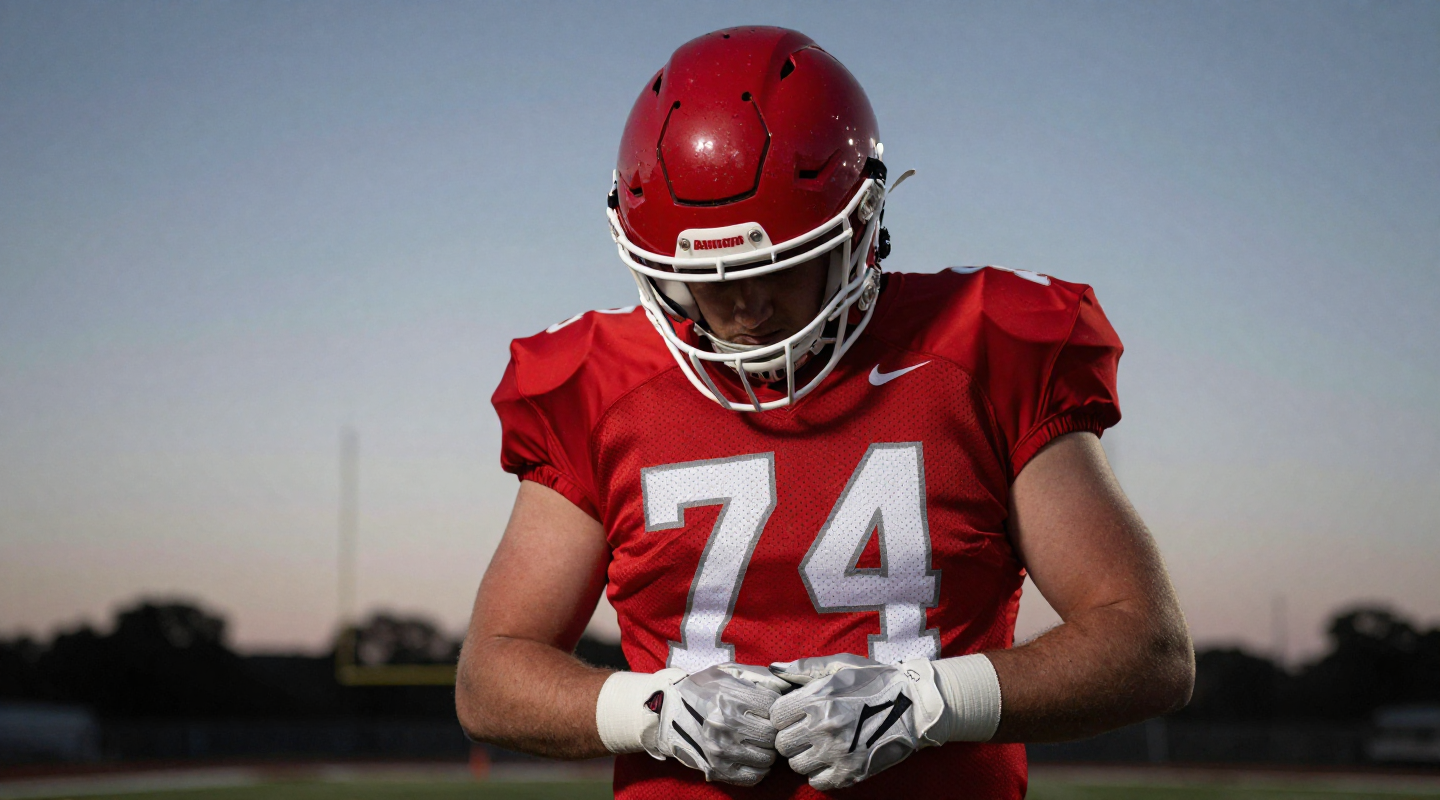
Prompt: “Moody sports portrait at dusk: American football player in red helmet and jersey number 74, head bowed, hands clasping white gloves, dramatic stadium lighting, shallow depth of field.”
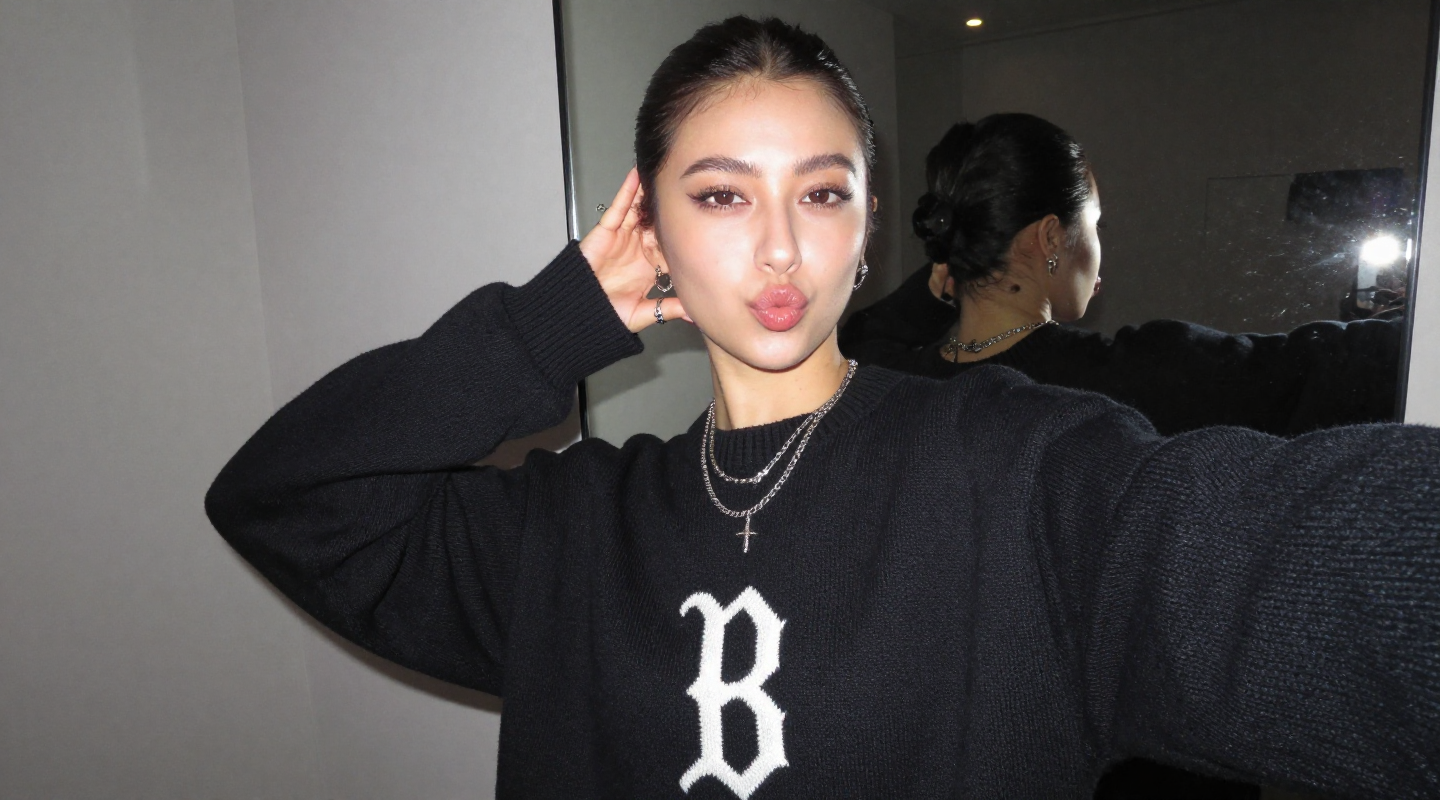
Prompt: “Flash selfie in a dim room: young woman with slicked-back hair making a playful kissy face, oversized black sweater with big ‘B’ logo, layered necklaces and rings, mirror behind, straight-on camera flash, casual street style.”
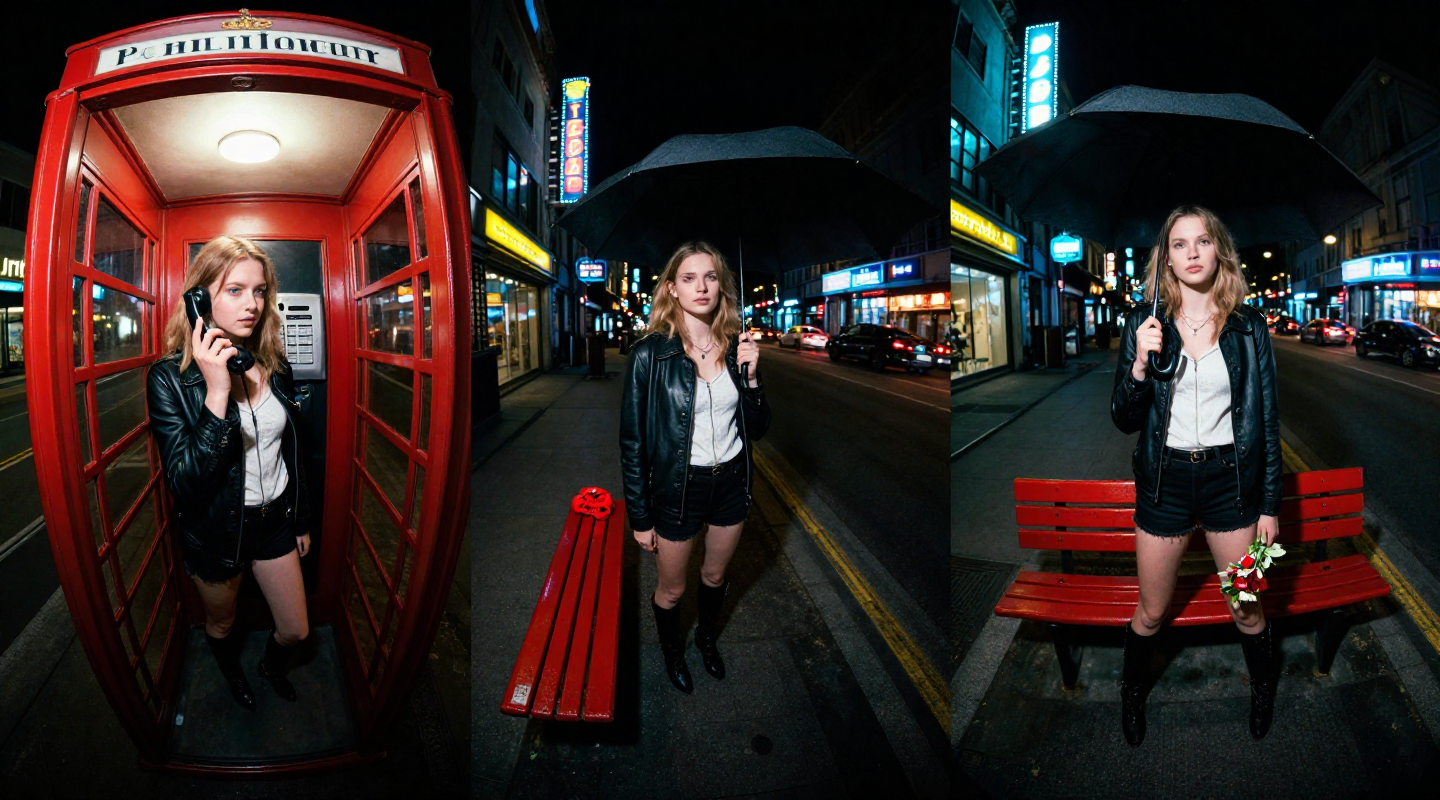
Prompt: “Night street triptych: girl in a phone booth holding receiver, same girl under umbrella on a red bench, same girl posing with a small bouquet, neon city signs, wide-angle/fisheye look, glossy cinematic night.”
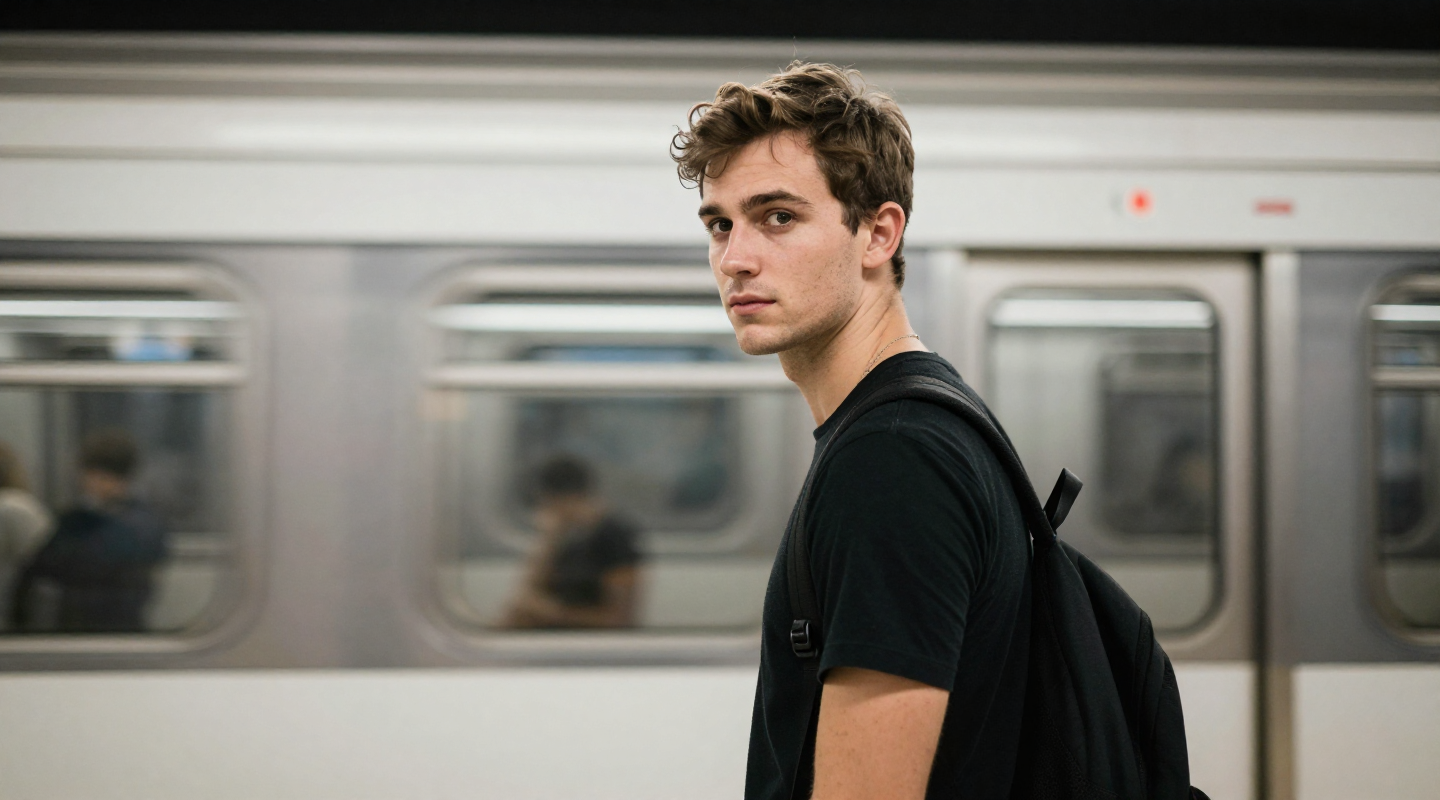
Prompt: “Modern subway platform portrait: young {ethnicity} man in black t-shirt looking over shoulder toward camera, train blurred behind him, soft natural light, shallow depth of field, quiet urban mood.”

Prompt: “1950s-style kitchen moment: mother in apron kneeling to bandage a little boy’s knee, vintage appliances, warm daylight, wholesome documentary feel, subtle film grain.”
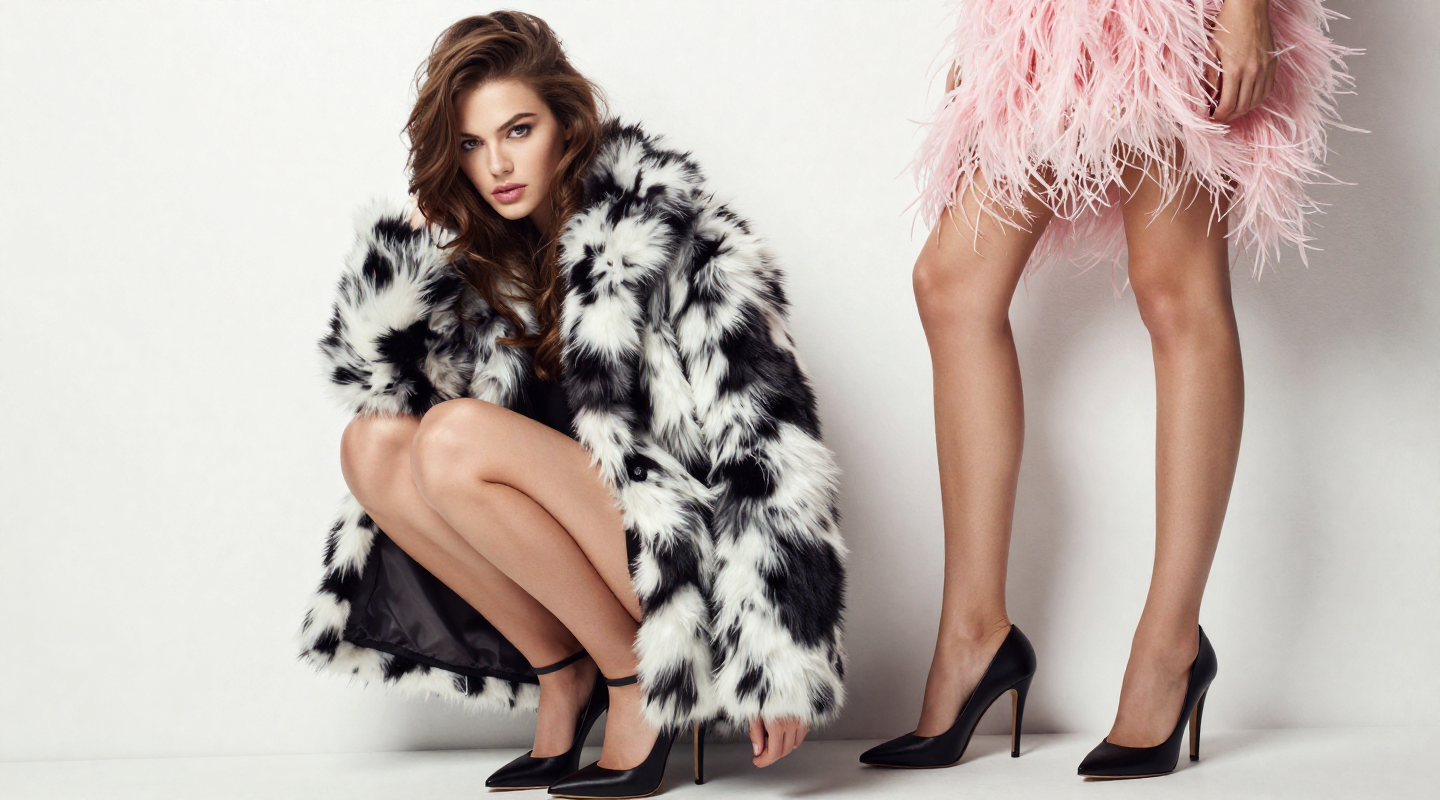
Prompt: “High-fashion studio scene: brunette model crouched in black-and-white faux fur coat and black heels, smoky stare, glossy white wall, another model’s legs in pink feathered skirt beside her, clean bright editorial lighting.”
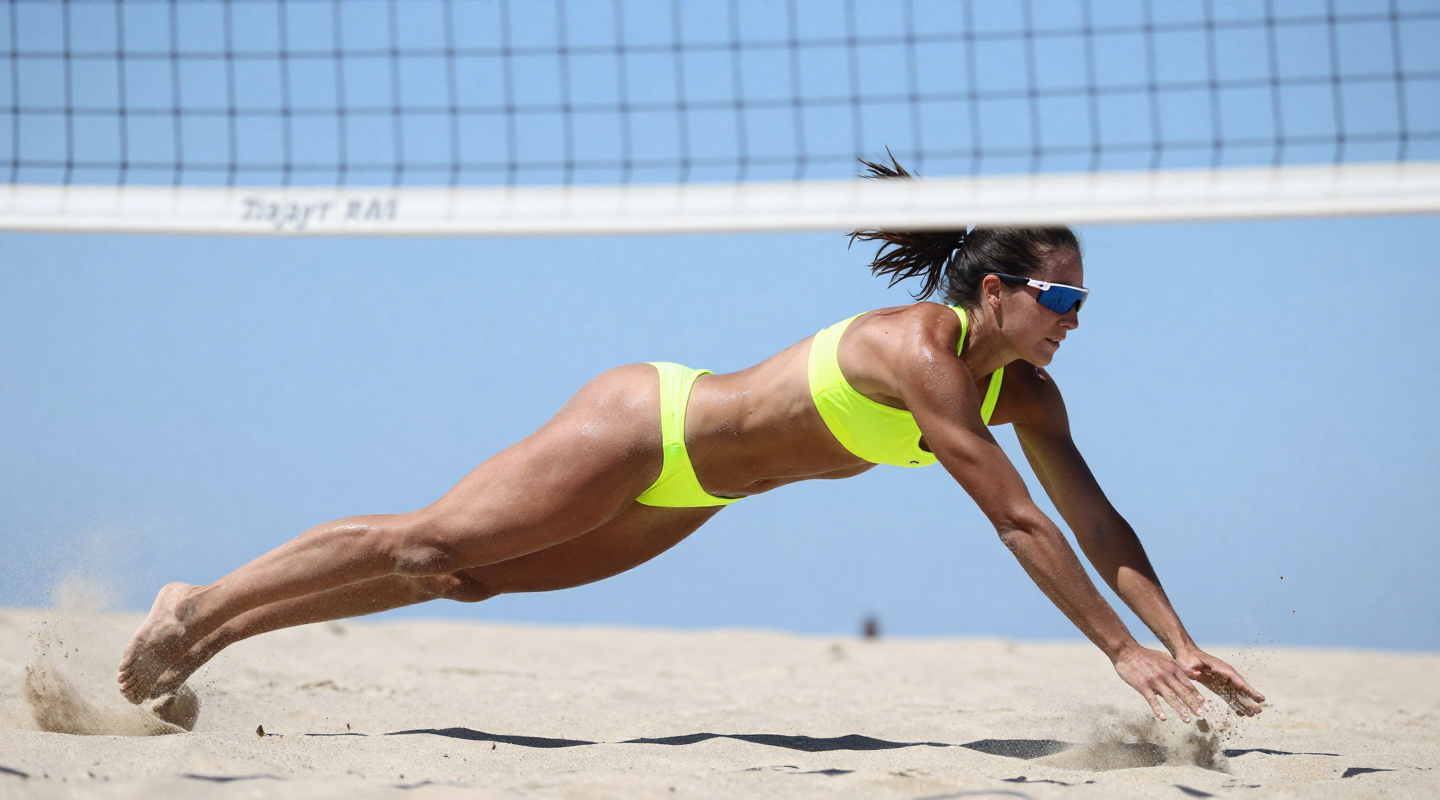
Prompt: “Action shot on sunny beach: female volleyball player diving full-stretch in sand, neon yellow bikini, sports sunglasses, strong mid-air motion, blue sky and net behind, crisp high-shutter photography.”
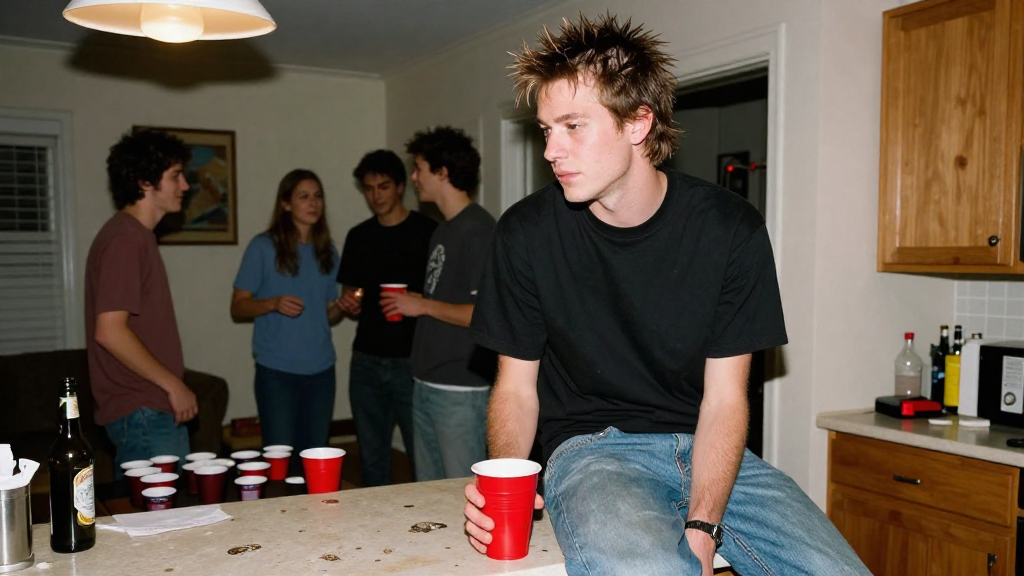
Prompt: “Early-2000s house party snapshot: spiky-haired guy in black tee and jeans sitting on kitchen counter holding a red cup, friends chatting and beer pong in background, on-camera flash, cozy messy apartment vibe.”
Why creators should care: amazing quality on everyday hardware
Z-Image directly targets a set of pain points that many artists, hobbyists, and small teams run into with today’s image models:
- “I don’t have a 48GB GPU.”
- “Sampling is too slow for rapid iteration.”
- “The model doesn’t follow my prompts reliably.”
- “I’d love to fine-tune, but the base models are locked down.”
Here’s how Z-Image tackles those problems:
- Only 6B parameters – Compared to ~20B-parameter competitors, Z-Image is dramatically lighter while staying extremely capable.
- Fast sampling: 8 NFEs – By decoupling DMD and DMDR, Z-Image can produce high-definition, realistic images in just 8 sampling steps.
- Low VRAM footprint – VRAM usage is kept under 16GB, so it can run smoothly on consumer GPUs like NVIDIA RTX 30-series cards.
- Sub-second latency on H800 – On enterprise-grade H800s, Z-Image-Turbo can reach sub-second inference, which is perfect for rapid iteration, interactive tools, and production workloads.
- Open source & trainable – The open release is specifically intended to unlock community fine-tuning, domain-specific models, and custom workflows.
Whether you’re experimenting on your home PC or scaling creative pipelines in the cloud with a service like RunDiffusion, Z-Image is built to be both practical and state-of-the-art.
Meet the Z-Image variants
Z-Image is not just a single checkpoint – it’s a small family of purpose-built models.
Z-Image-Turbo: distilled speed demon
Z-Image-Turbo is the star of the show right now. It’s a distilled version of the full model designed to:
- Match or exceed leading competitors in quality while using far fewer steps.
- Run at 8 NFEs with crisp detail and strong realism.
- Deliver sub-second latency on H800-class GPUs.
- Fit in 16GB VRAM for consumer-grade cards.
Despite being “Turbo,” it still excels at:
- Photorealistic humans with expressive faces and natural poses.
- Chinese-English bilingual text rendering directly in the image.
- Instruction-following – it tends to do what you ask, with relatively simple prompts.
Z-Image-Base: full-power foundation (coming soon)
Z-Image-Base is the non-distilled foundation model. The goal of releasing this checkpoint is to give researchers and advanced users a high-quality starting point for:
- Custom style or character fine-tunes.
- Domain-specific models (product shots, fashion, film stills, etc.).
- Experimenting with new training regimes and sampling strategies.
Once it’s publicly available, you’ll be able to plug the Base model into your existing diffusion workflows or run it on cloud GPUs via RunDiffusion without needing to wrangle infrastructure.
Z-Image-Edit: natural-language image editing (coming soon)
Z-Image-Edit is a variant fine-tuned specifically for image editing. Think of it as an image-to-image specialist designed to:
- Apply precise changes (“make it raining,” “change the outfit to a leather jacket,” “turn this into 1980s film still”).
- Respect the structure and identity of the original image.
- Follow rich, natural language instructions without overcooking the scene.
Together, Turbo + Base + Edit form an ecosystem: fast generation, deep customization, and powerful editing – all rooted in the same core architecture.
Strengths (and a few quirks) of Z-Image
Z-Image packs a lot into a relatively small footprint. Here are the standout strengths:
- Very prompt-adherent – You don’t need elaborate, paragraph-long prompts to get what you want. Simple, clear descriptions go a long way.
- Fast – Low NFEs and an efficient architecture make it feel snappy even on mid-range hardware.
- Open source & cheap to run – No per-image licensing; you control how and where it runs.
- Multi-frame and multi-image capable – Generate sequences or batches that stay consistent in style and mood.
- High resolution – 2K output is very comfortable, and 4K is often achievable with the right settings and hardware.
- Good text rendering – Especially notable is its Chinese-English bilingual text support in images (though, like all current models, it’s not perfect).
- Runs on recent consumer GPUs – If you have a modern 16GB GPU, you’re in the game.
Tip: Treat Z-Image like a very capable photography assistant. Be specific about era, lighting, camera style, and subject mood, and it will usually reward you with exactly the vibe you’re after.
There are also a few quirks worth knowing:
- Demographic bias – Out of the box, Z-Image is biased toward Asian/Chinese appearances. If you need a specific ethnicity or region, you should explicitly prompt for it (for example, “young Black woman,” “middle-aged white man,” “Brazilian street scene”).
- Text is very good, not perfect – It’s strong at bilingual text but still prone to occasional misspellings or letter artifacts, especially in complex compositions.
Running Z-Image locally or in the cloud
Quick-start: run Z-Image Turbo on RunDiffusion
- Sign in to RunDiffusion and create a new workspace with a 16GB+ GPU.
- Choose your preferred UI (such as Automatic1111, ComfyUI, or a notebook template) in the workspace setup.
- Pull the Tongyi-MAI/Z-Image-Turbo checkpoint from Hugging Face into your workspace using your chosen UI.
- Start with around 8 sampling steps, 2K resolution, and small batches, then scale up once you are happy with quality and latency.
No local GPU? You still get full control over settings and checkpoints, but without juggling drivers, CUDA versions, or VRAM limits.
Because Z-Image is open source and designed for modest VRAM, you have options for how to run it:
- On your own GPU – If you have a 16GB+ consumer GPU (for example, a recent RTX 30-series card), you can download Z-Image-Turbo from Hugging Face and integrate it with your favorite diffusion tooling.
- In the cloud – If you don’t have a strong local GPU, or you want to scale up batch jobs, you can use a cloud GPU platform like RunDiffusion to spin up powerful instances on demand and run open-source models such as Z-Image without managing drivers or CUDA yourself.
As the Base and Edit variants are released, you’ll be able to slot them into the same workflows – using Turbo for fast ideation, Base for fine-tuned styles and characters, and Edit for targeted image manipulation.
Where Z-Image fits in your creative stack
If you’re already working with models like SDXL, Flux, or other modern diffusion systems, Z-Image doesn’t replace everything – but it does give you a new, high-impact tool in a different part of the tradeoff space:
Where Z-Image fits vs other popular models
| Model | Best for | Typical VRAM needs | License & flexibility |
|---|---|---|---|
| Z-Image Turbo | Fast, photography-style images and tight prompt following | Around 16GB for comfortable use | Open source, designed for training and fine-tuning |
| SDXL | General-purpose image generation with a large ecosystem | Often 16–24GB for higher resolutions and bigger batches | Open models and checkpoints, with broad community tooling |
| Flux-style models | Cutting-edge aesthetics and stylization | Typically favors strong GPUs for best performance | Licensing and training openness vary by release |
On RunDiffusion you can mix and match these models in separate workspaces, then standardize your favorite prompts, aspect ratios, and upscaling workflows across all of them.
- When you’re VRAM-limited, Z-Image’s 6B parameters and 16GB-friendly design make it ideal.
- When you care about speed, Turbo’s 8-step sampling and low latency shine.
- When you want open, trainable models, the planned release of the Base and Edit variants opens the door to serious experimentation.
Paired with RunDiffusion’s on-demand GPU workflows, Z-Image becomes a flexible building block for:
- Creative exploration and mood boards.
- Photography-style concept art and references.
- Production pipelines that need fast iteration loops.
- Research into efficient diffusion and editing techniques.
Z-Image Turbo FAQ
What kind of hardware do I need to use Z-Image Turbo?
Z-Image Turbo is tuned to run well on a single 16GB consumer GPU, which is enough for most 2K images and small batches. If you want bigger batches, higher resolutions, or multi-user workflows, cloud GPUs on RunDiffusion let you scale up temporarily without buying new hardware.
How do Turbo, Base, and Edit differ in practice?
Turbo is distilled for speed and low-latency sampling, making it great for ideation, interactive tools, and production systems that need fast responses. Base is the full foundation model that is best suited for training and fine-tuning custom styles, characters, or domains once it is released. Edit is focused on image-to-image workflows, where you keep the structure of an existing picture but change details using natural-language prompts.
Can I fine-tune Z-Image on my own dataset?
Yes. One of the main goals of the open release is to enable community fine-tuning, whether via full training runs or lighter-weight adapters such as LoRA. RunDiffusion is well suited for this kind of work: you can spin up larger GPUs only when you are training, store your checkpoints, and then drop back to smaller instances for day-to-day generation.
How good is Z-Image at rendering text in images?
Z-Image is notably strong at Chinese-English bilingual text, which makes it attractive for posters, covers, and UI mockups that mix languages. Like all current diffusion models, it can still misspell or distort characters, especially in dense layouts, so plan to generate a few options and pick the cleanest result.
Is Z-Image suitable for commercial projects?
Z-Image is released as an open-source model, which is promising for commercial use, but you should always review the specific license on Hugging Face and align it with your organization’s legal guidance. For client-facing work, pair Z-Image with a clear review process on RunDiffusion so art directors or stakeholders can approve outputs before they go live.
Try Z-Image on powerful GPUs with RunDiffusion
Z-Image proves that you don’t need a monster 20B-parameter model or a monster GPU to get stunning, highly realistic images. With its compact 6B architecture, fast Turbo variant, bilingual text support, and open-source license, it’s a compelling choice for everyday creators and advanced users alike.
If you want to push Z-Image hard – high resolutions, big batches, or future fine-tuned variants – running it on cloud GPUs is the easiest way to get started. RunDiffusion gives you on-demand access to serious hardware, so you can focus on prompts, not drivers.