Introduction
Adjusting the NSFW filter for Enterprise Teams in RunDiffusion ensures your organization’s AI image and video workflows stay aligned with internal policies and client standards. Enterprise admins can configure moderation levels per team, giving you precise control over how sensitive content is handled on our RunDiffusion Runnit Platform.
This guide walks you through the exact steps to update NSFW moderation settings and explains how to apply them correctly across multiple teams.
Important to note even though we allow adjusting the filter for Enterprise customers to help prevent false-positives, we still enforce our NSFW policy.
Why NSFW Moderation Settings Matter
For Enterprise accounts, content moderation is not optional. You may need to:
- Enforce company-wide content standards
- Comply with client-specific requirements
- Reduce risk when working with public-facing media
- Control how creative teams experiment with prompts
Because different teams may serve different clients or industries, NSFW settings are configured per team, not globally.
Step-by-Step: Adjust the NSFW Filter for a Team
Follow these steps as an Enterprise admin:
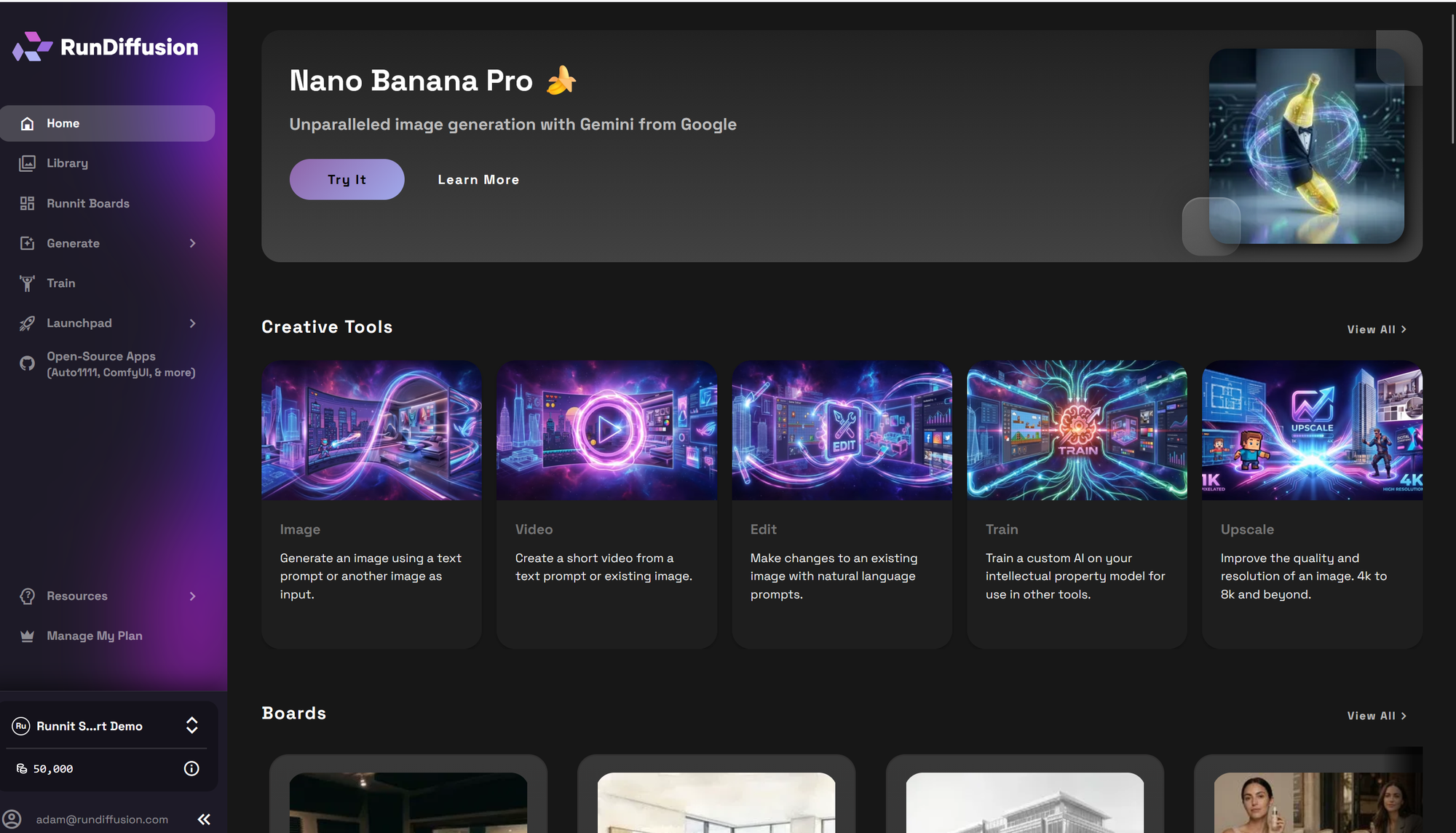
Login to your RunDiffusion account with Admin Role:
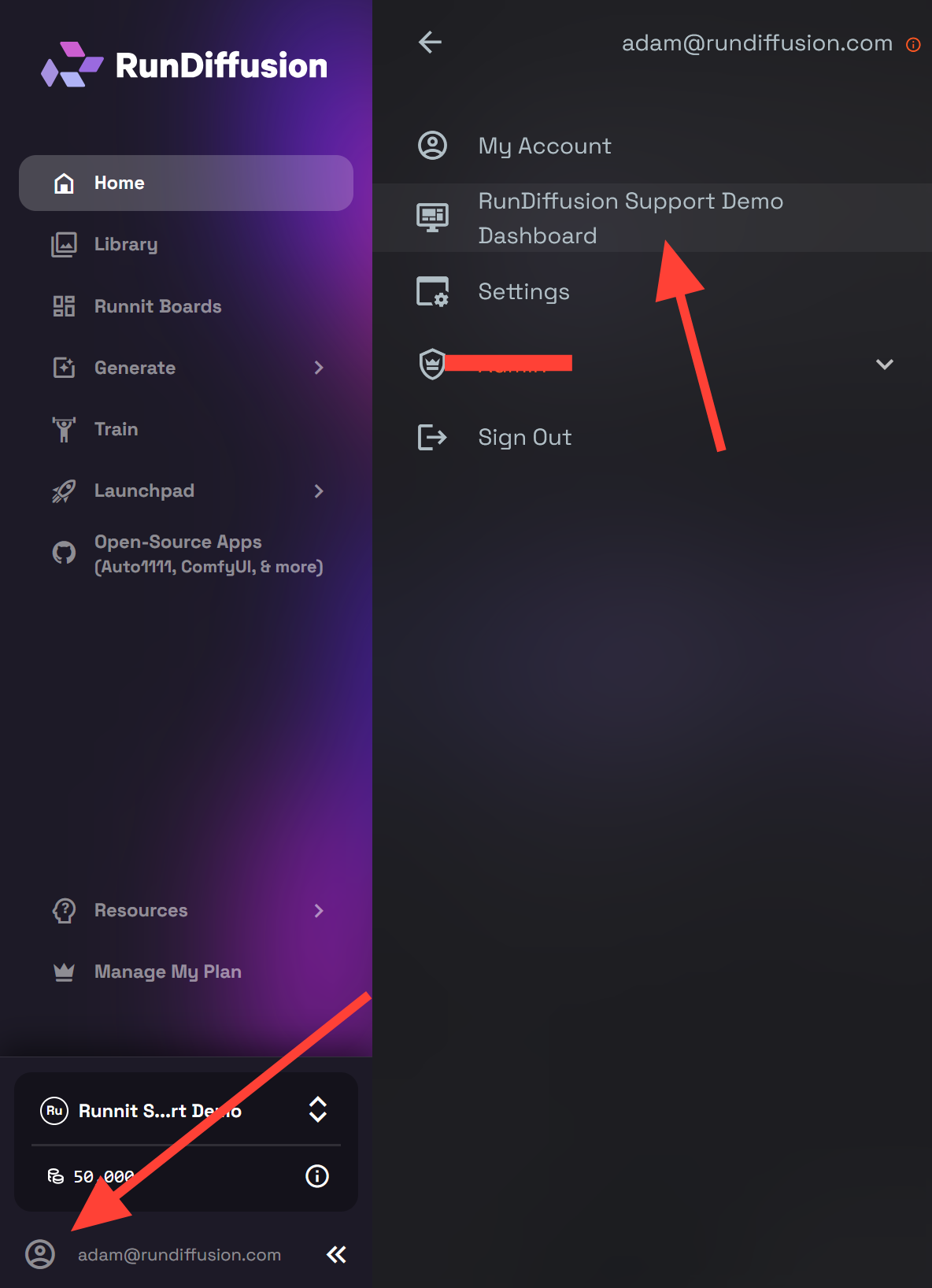
On the left sidebar, click your Account Icon. Then Click on your Company Dashboard.
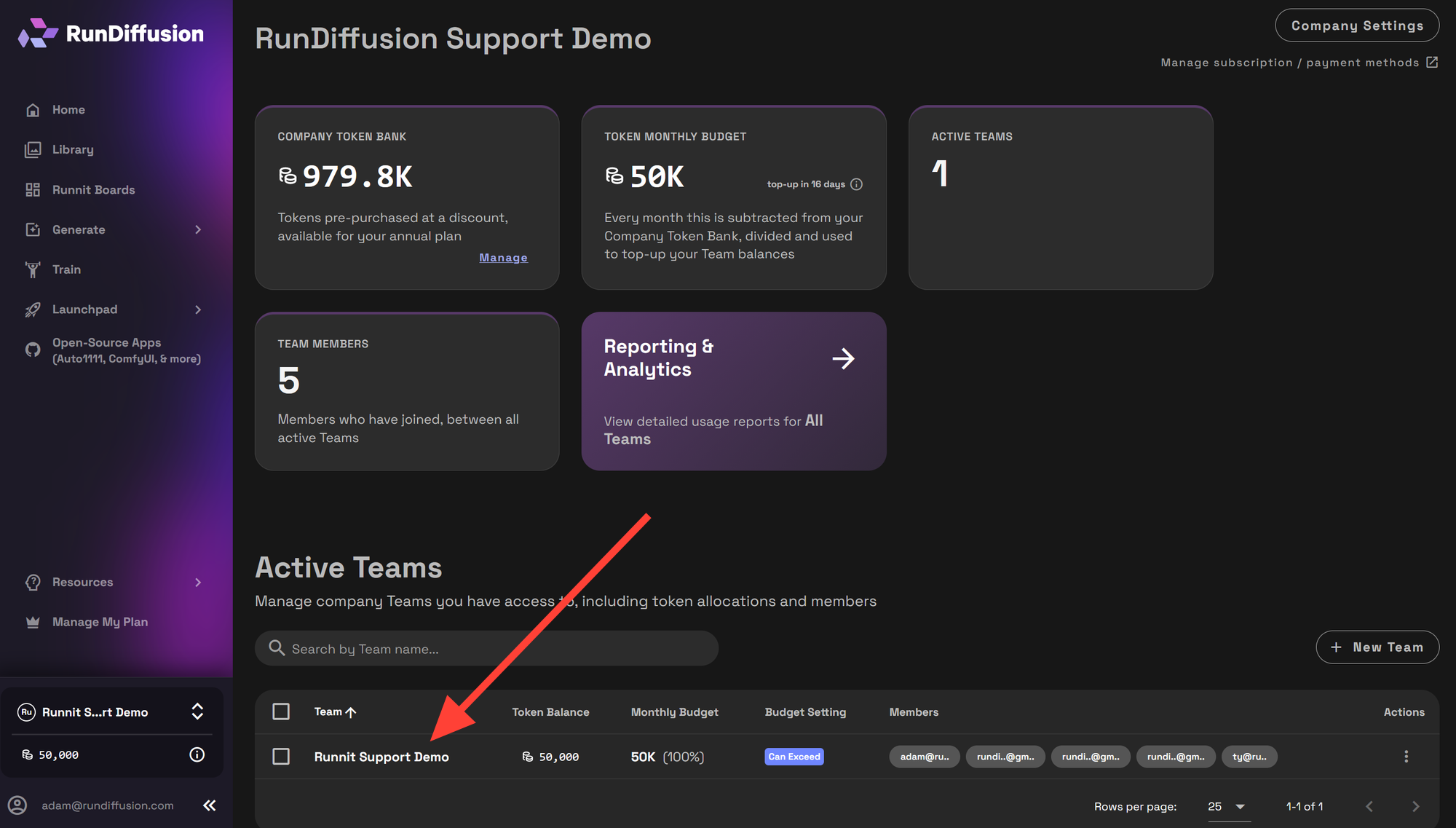
Click on the team Team you want to edit listed under Active Teams.
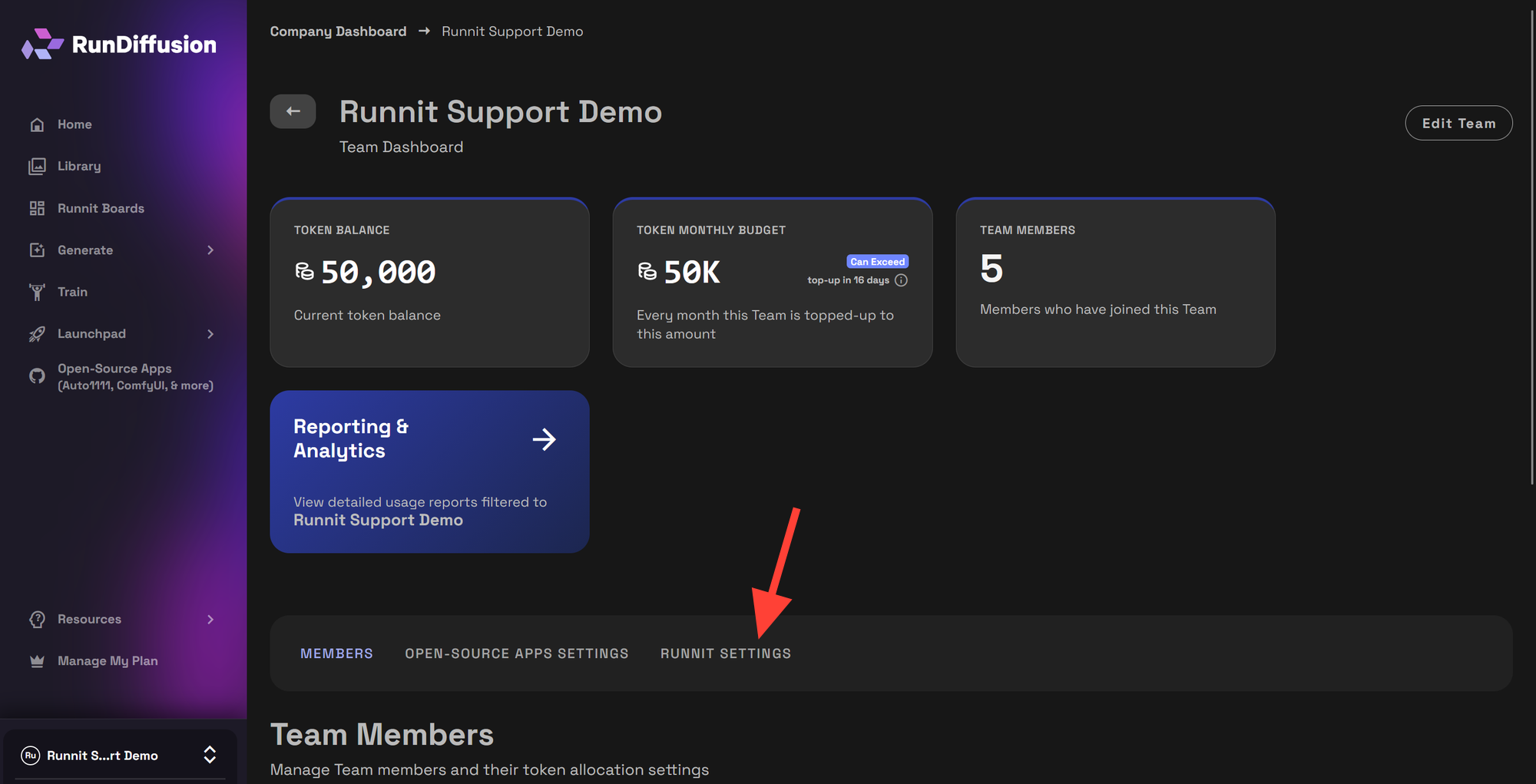
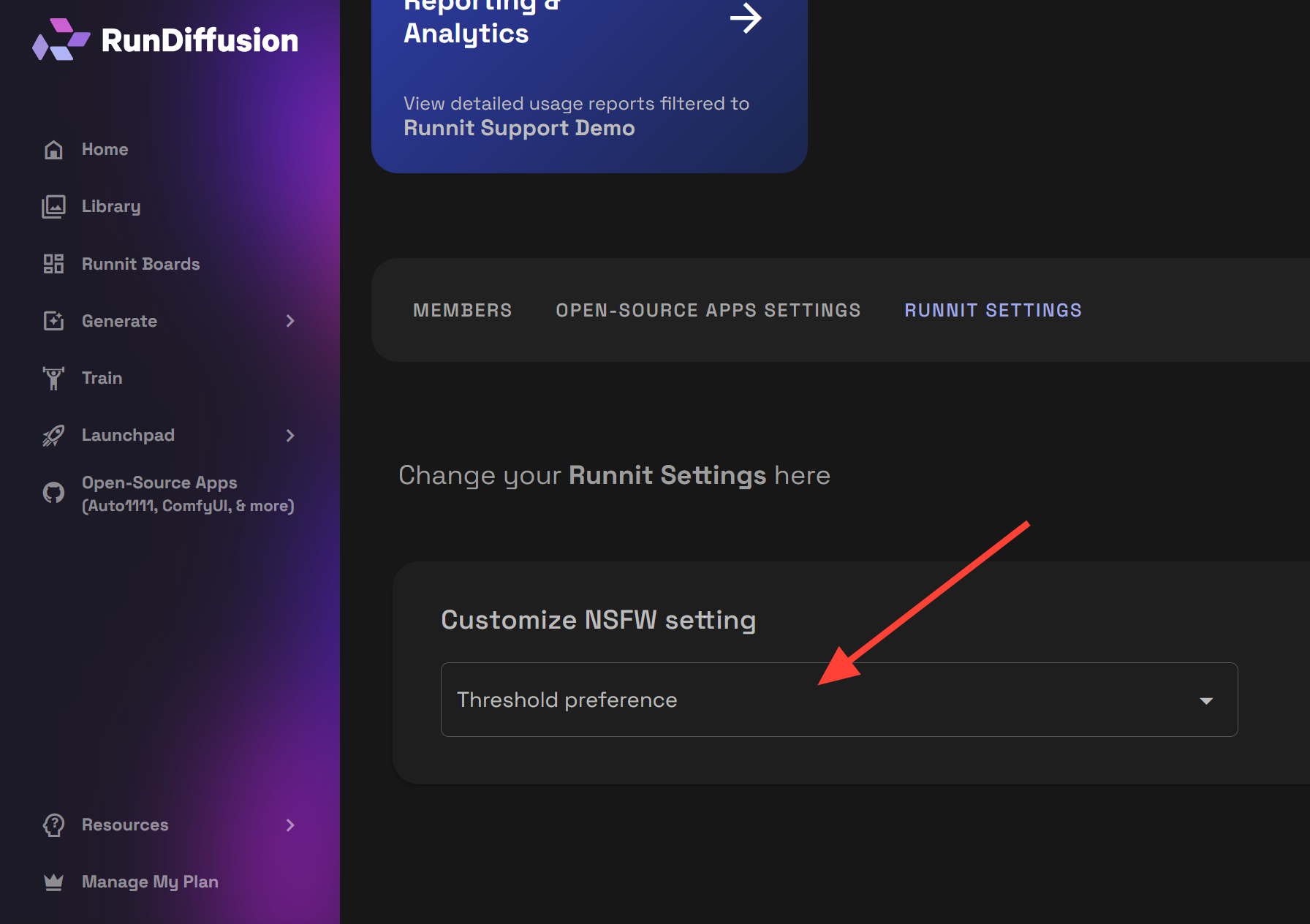
Click on Runnit Setting.
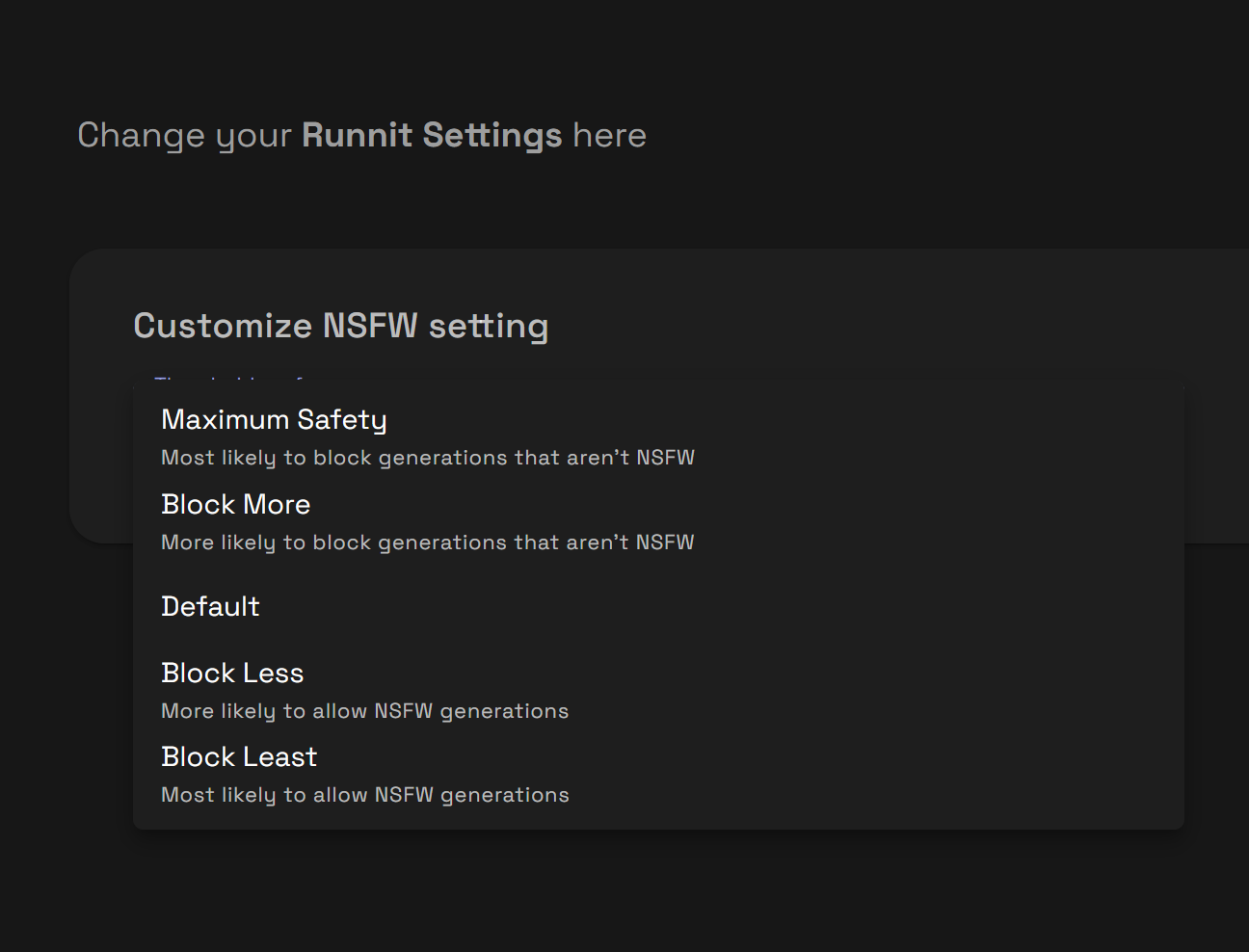
Click the drop down menu for Customize NSFW Setting and select the level of moderation you need for your team.
Important: Repeat for Each Team
NSFW moderation settings are configured individually per team.
If your Enterprise account includes multiple teams (for example, Architecture, Marketing, and R&D), you must repeat the above process for each one.
This structure allows you to:
- Apply stricter moderation for public-facing teams
- Allow more flexibility for internal concept exploration
- Maintain separation between client accounts
Final Thoughts
Adjusting the NSFW filter for Enterprise Teams in RunDiffusion gives you structured control over how sensitive content is handled inside Runnit. Because settings are applied per team, you can tailor moderation levels to match specific clients, industries, or creative goals.
By reviewing and configuring each team individually, you ensure your Enterprise account remains compliant, organized, and aligned with your organization’s standards.
 RunDiffusion Team
 RunDiffusion Team
 RunDiffusion Team