


Introduction
Cooldown Tokens on RunDiffusion give Team Admins a practical way to control token usage across teams without relying on daily or monthly resets. Instead of calendar-based limits, cooldowns are triggered by actual platform usage, making them easier to align with global teams.
This feature helps manage costs, prevent accidental overuse, and ensure fair access for every role on your team.
What Are Cooldown Tokens?
Cooldown Tokens allow you to define usage-based token limits per team role. When users assigned to a role begin using the platform, a cooldown timer starts. Once the role’s token allowance is consumed, usage is paused until the cooldown period completes.
Key points:
- Configured per team role
- Based on active usage, not calendar dates
- Automatically enforced by the platform
- No manual resets required
This makes Cooldown Tokens ideal for teams that work in bursts, shifts, or shared environments.
Why Usage-Based Cooldowns Matter
Calendar-based limits often reset whether or not work actually happened. Cooldown Tokens work differently and align limits with real usage.
With Cooldown Tokens:
- Timers start when usage starts
- Limits reflect real activity, not assumptions
- Teams avoid sudden resets that encourage token rushes
- Admins gain predictable, behavior-based control
This approach works especially well for production teams, training groups, and mixed-experience environments.
How to Configure Cooldown Tokens
Team Admins can configure Cooldown Tokens directly from the Company Dashboard using the existing role management system.
Click on your Account Profile Icon and then click on your Company Dashboard.
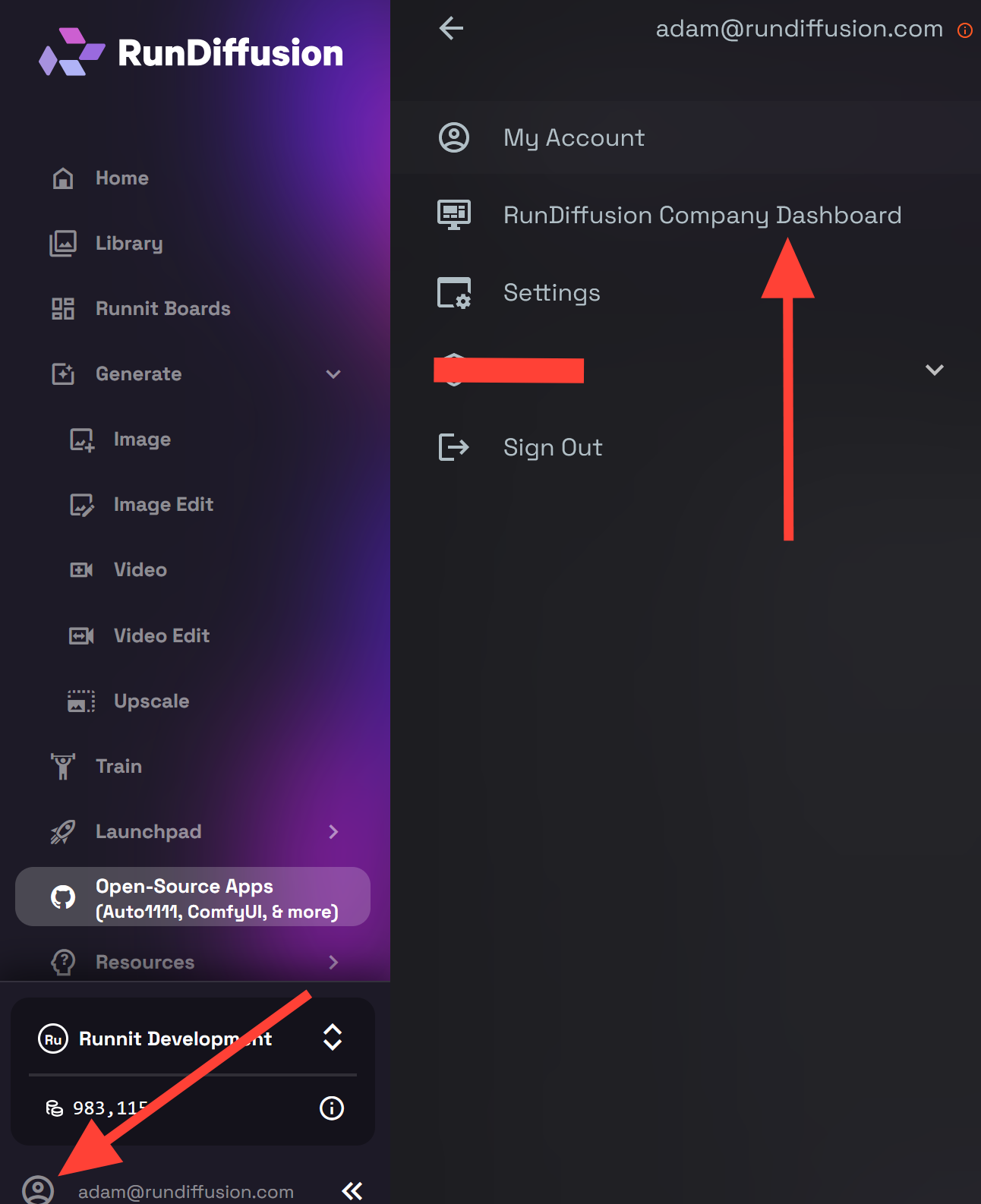
Click on Company Settings
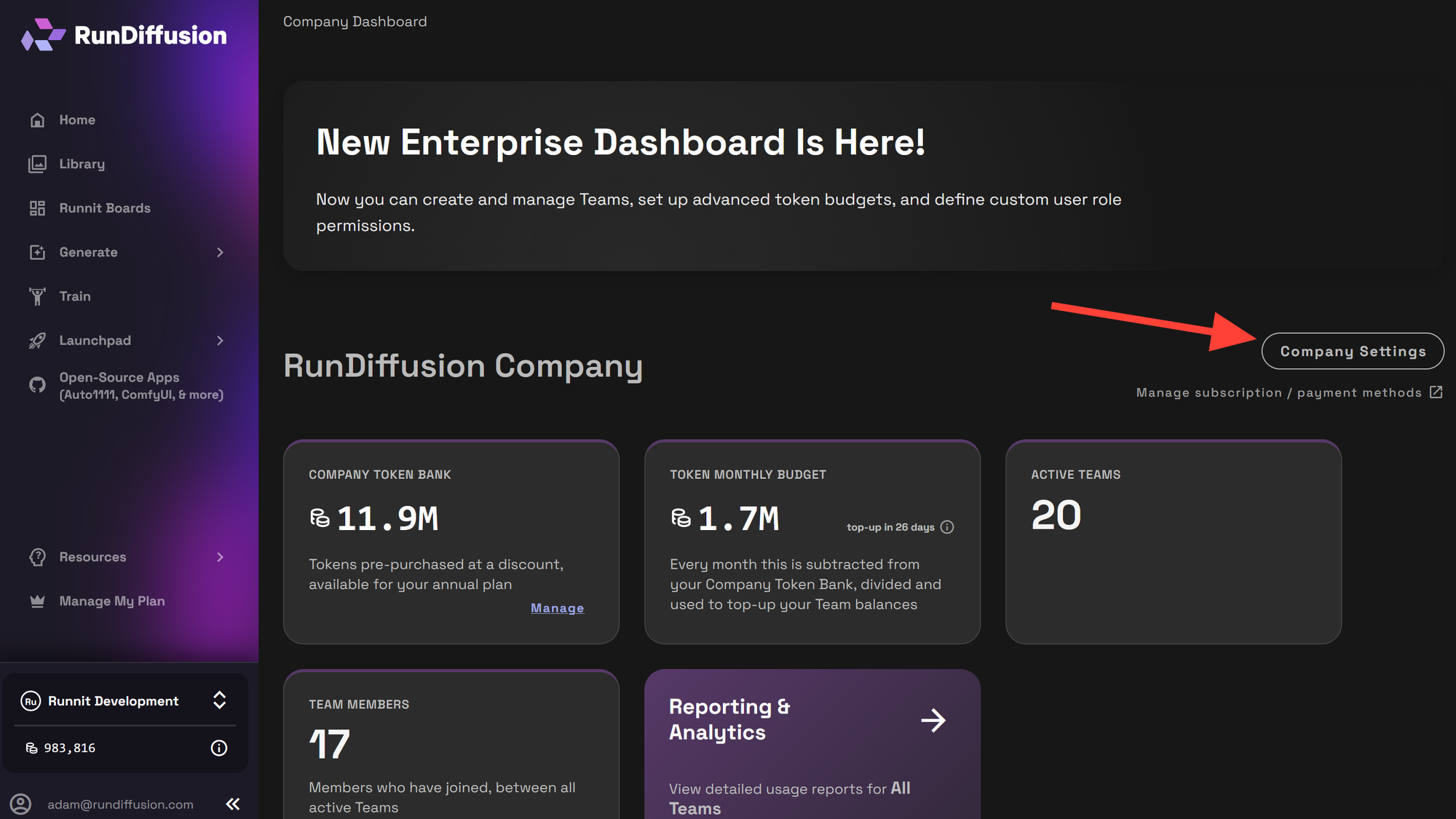
Click on Team Roles
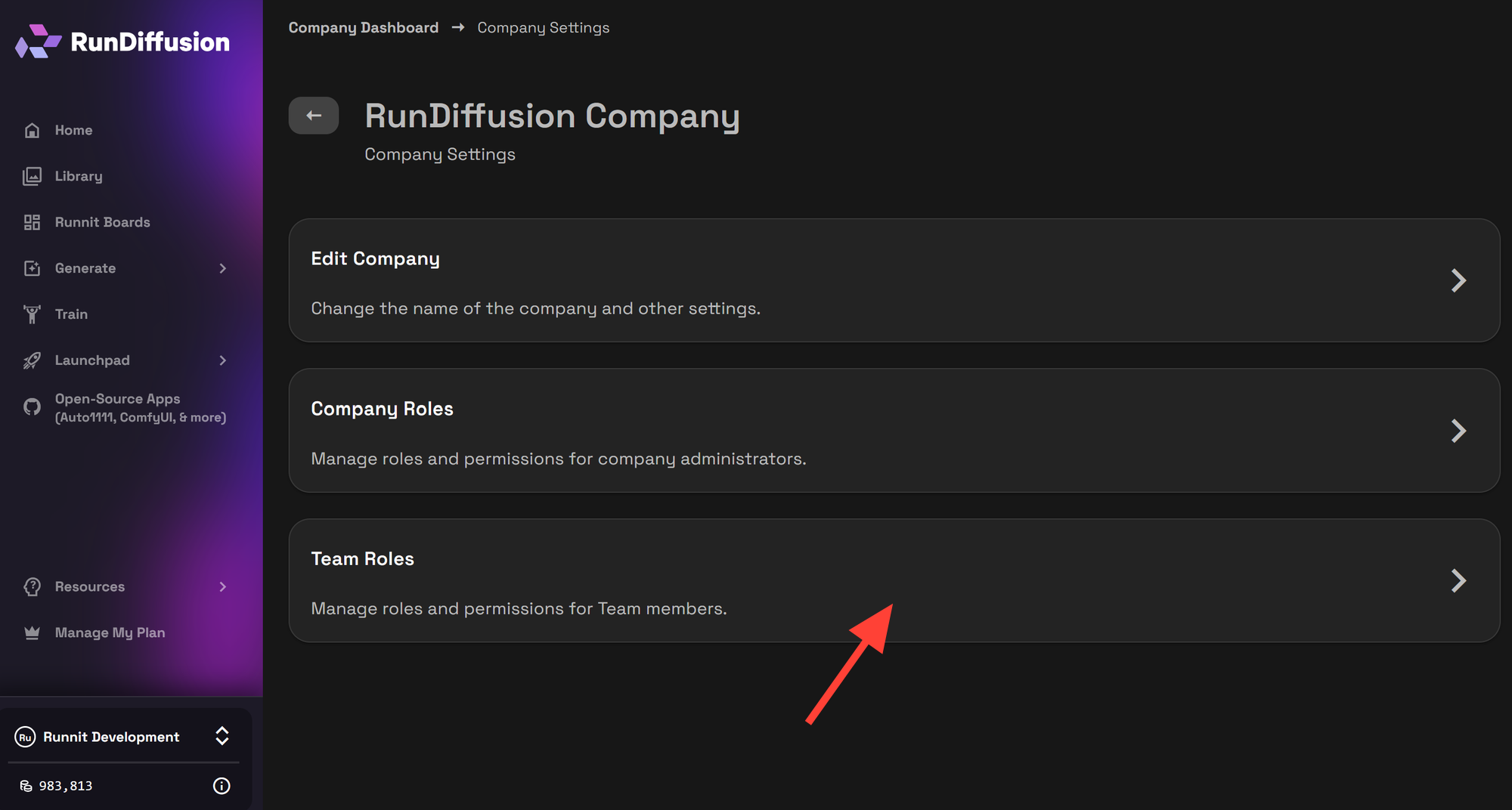
Select a role from the drop down menu.
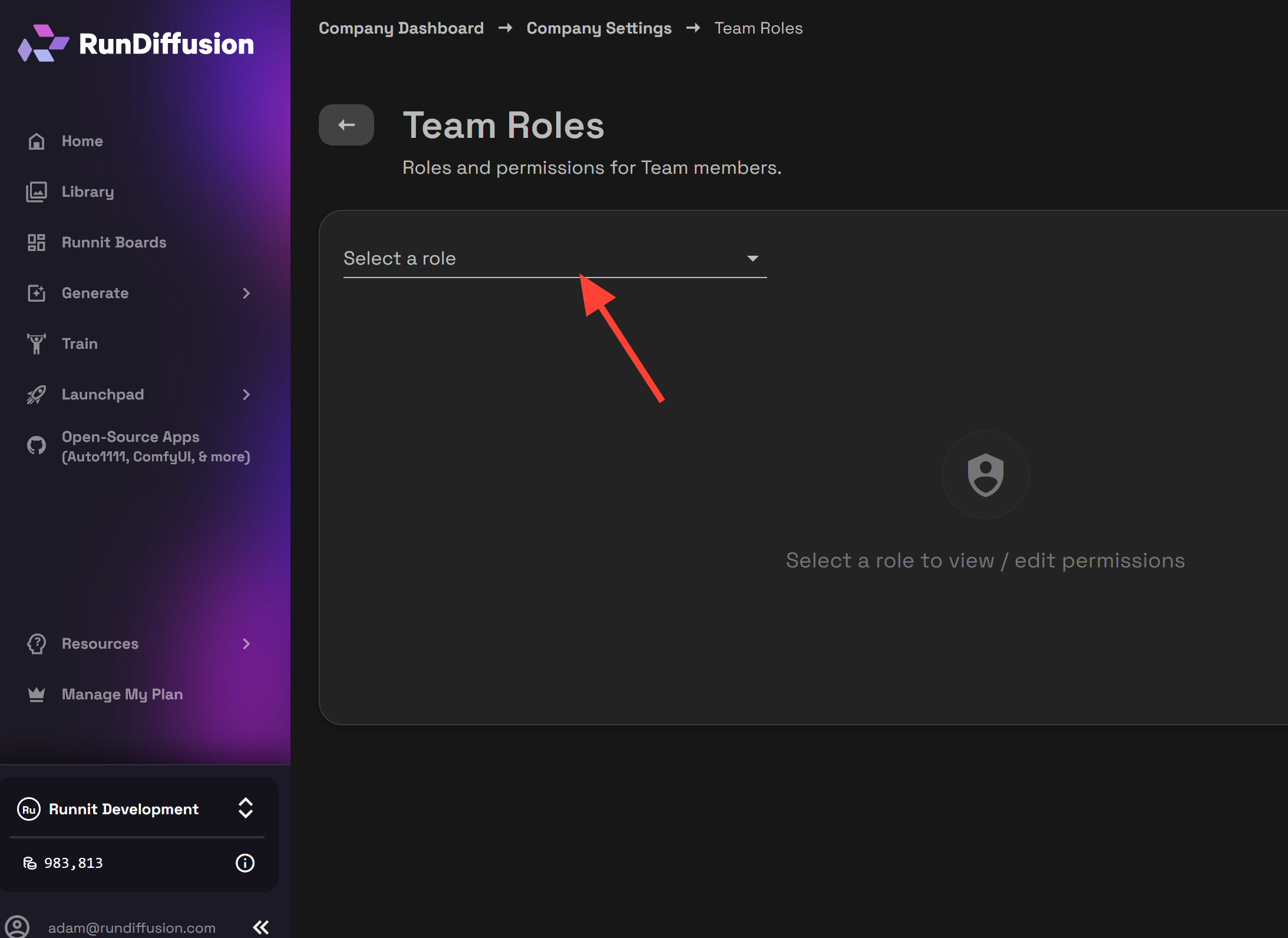
Click on Edit in the top right and make sure Implement a "Token Cooldown" is checked.
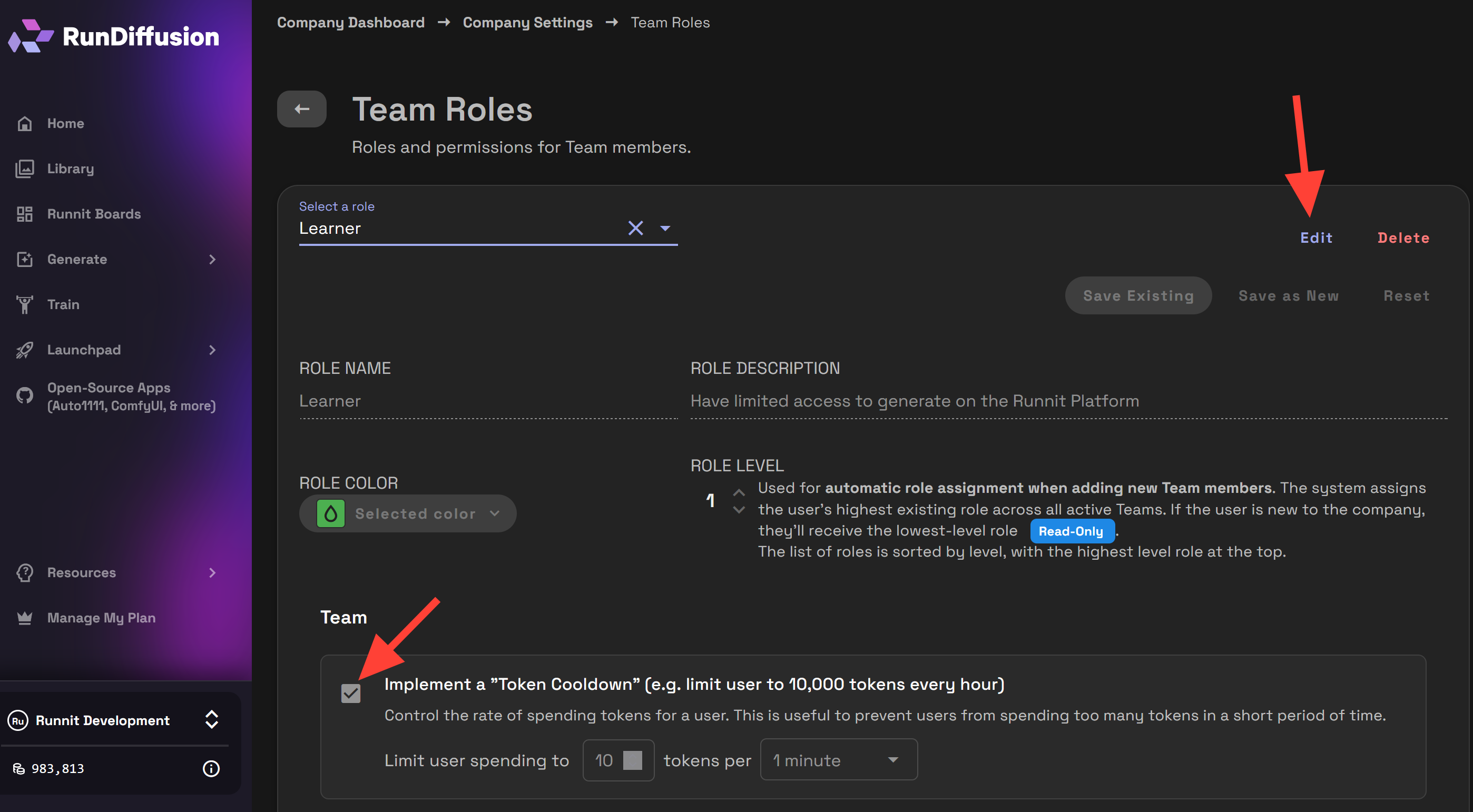
You can then adjust the Limit User spending to. In this example you can see the limit is set to 10.

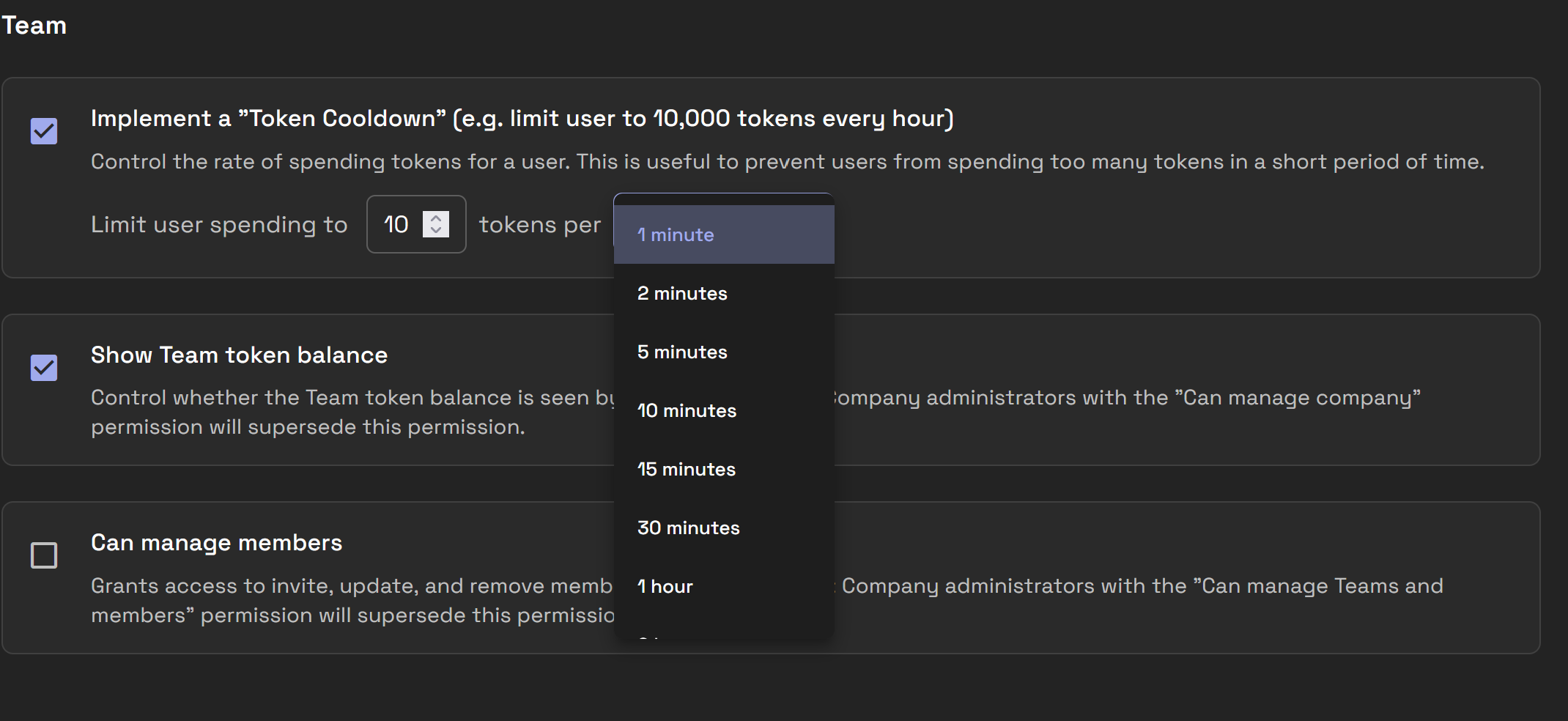
Then edit tokens per. You can select various time from the drop down menu from 2 minutes up to 12 hours.
Then you can click Save Existing.
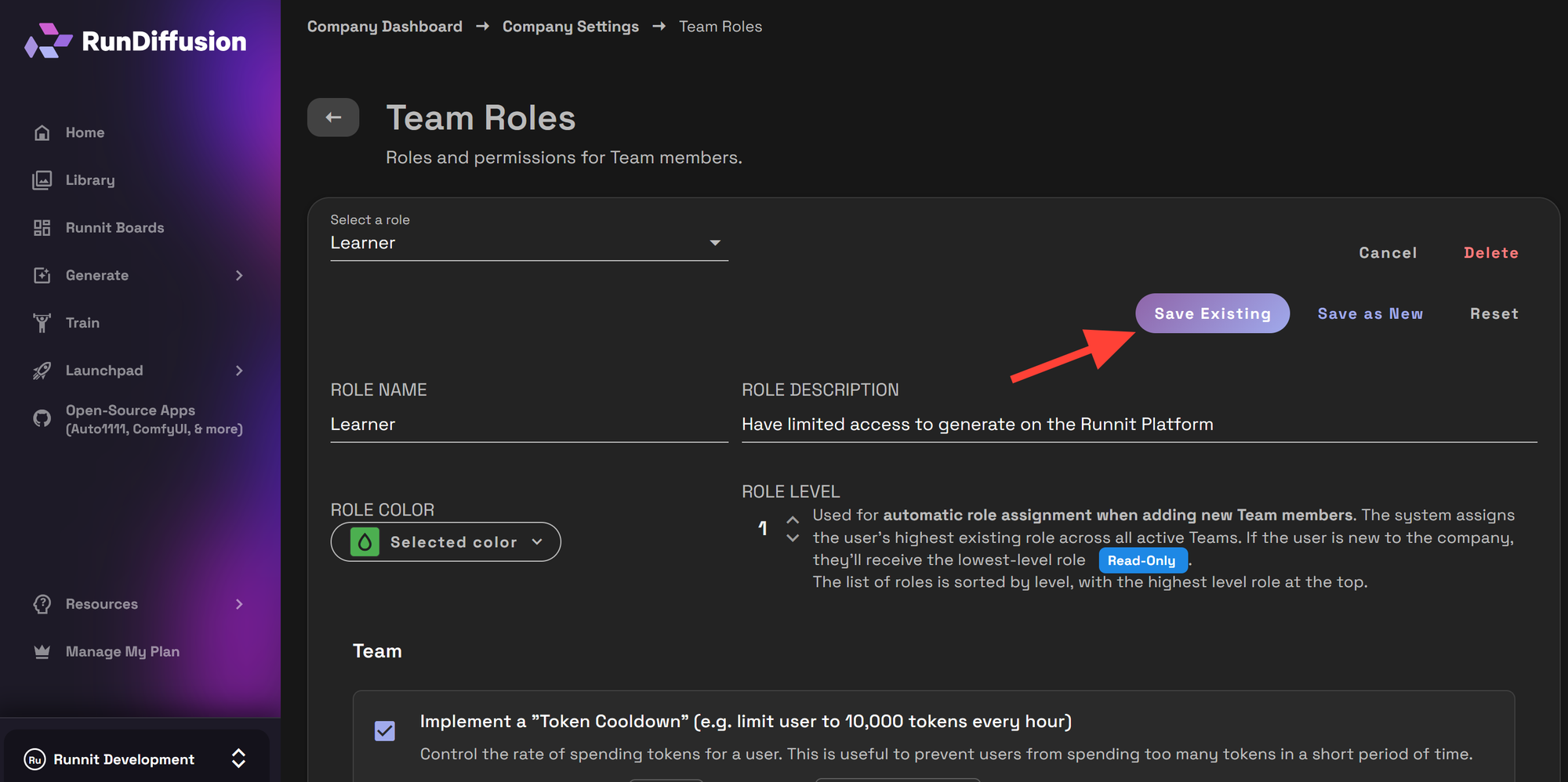
Once saved, the cooldown rules apply immediately to all users assigned to that role.
Examples
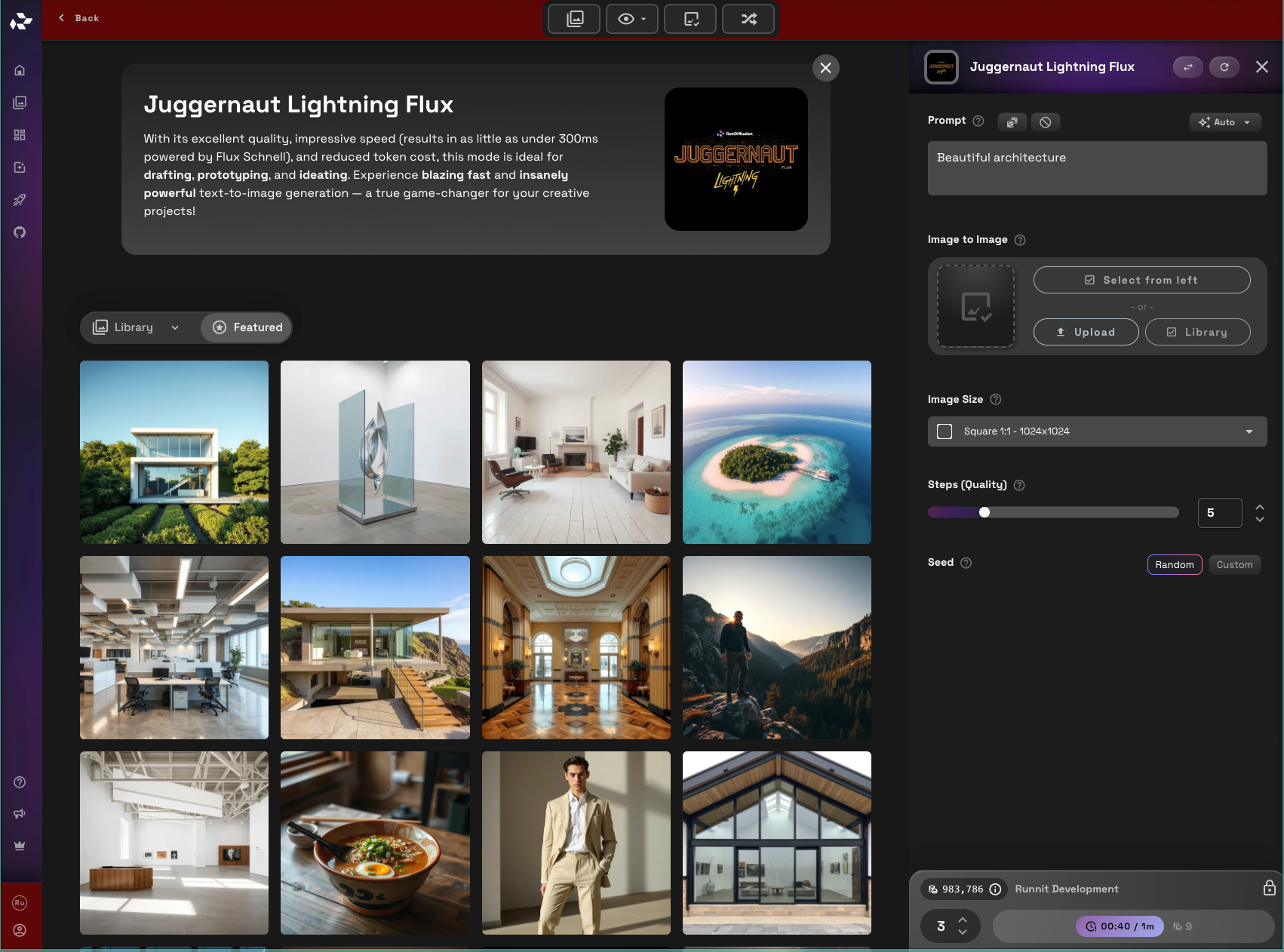
With the current token cooldown limit 3 generations on Juggernaut Lightning are allowed.
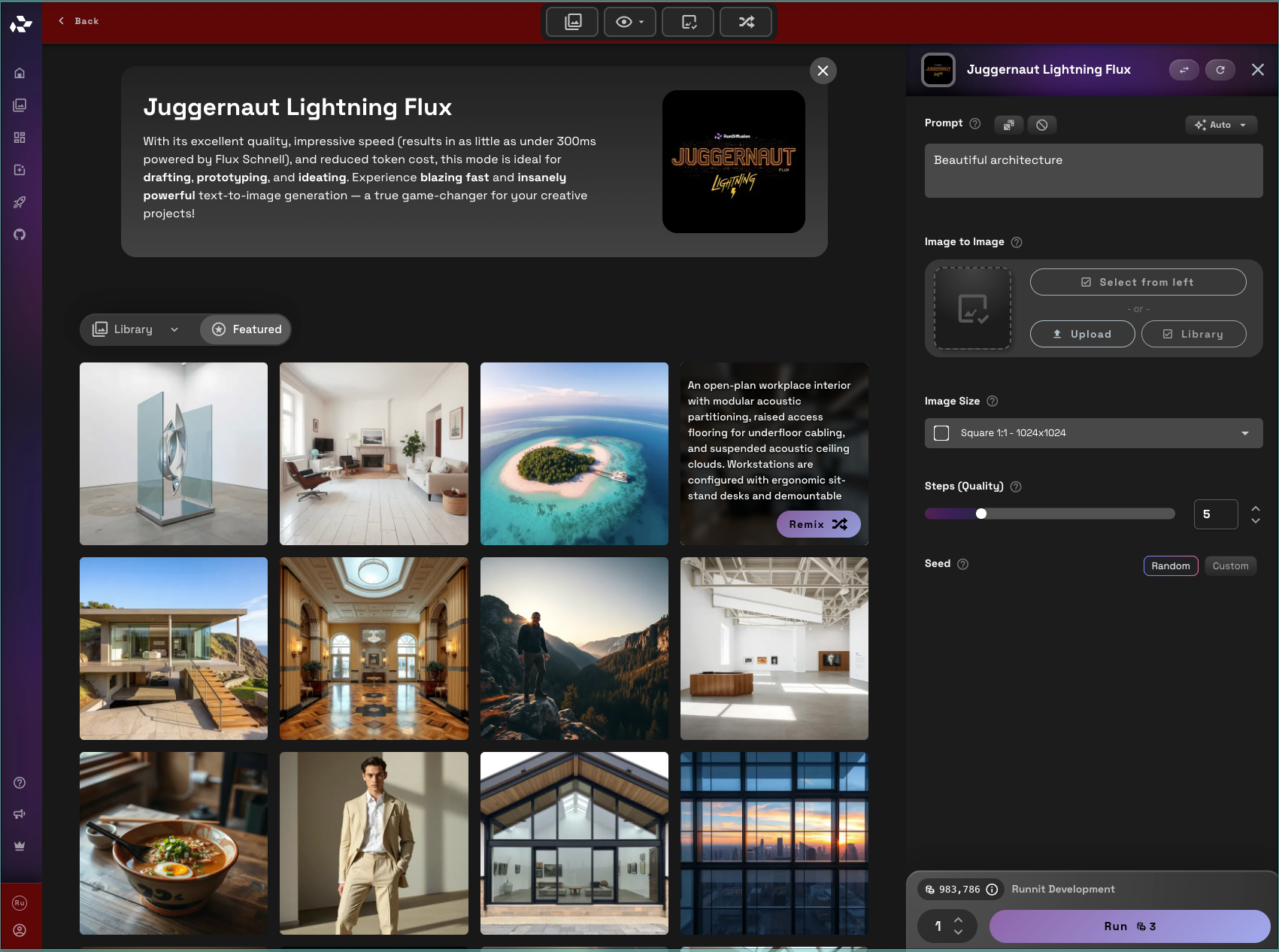
After generating you can see we have a timer that let's us know when our tokens are available again for use.
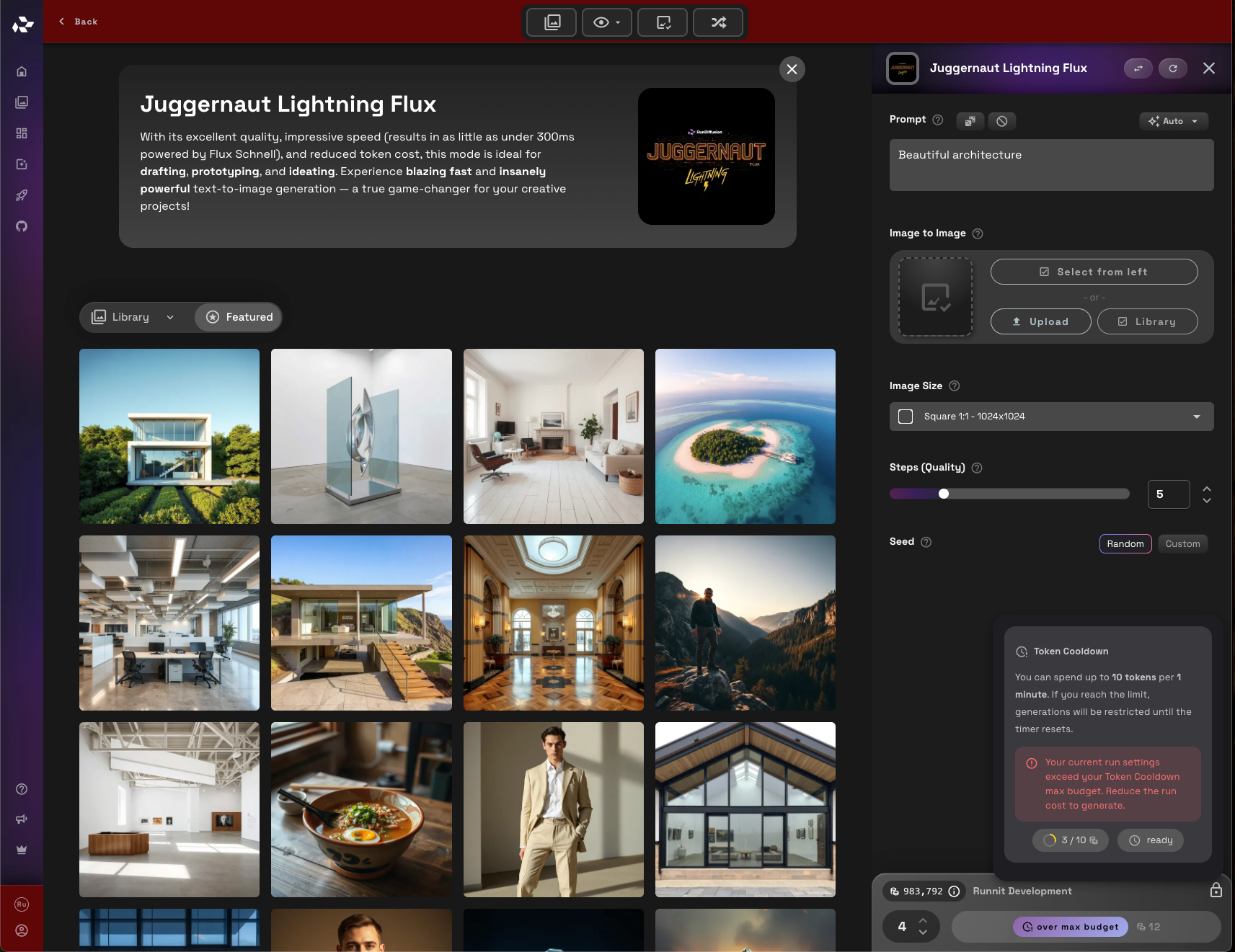
But this account can never generate 4 because it goes over the cooldown token limit.
Example Cooldown Flow
Here’s how Cooldown Tokens behave in practice:
- A user assigned to a role starts using RunDiffusion
- The cooldown timer begins
- Tokens are consumed during active work
- The role’s token limit is reached
- Token usage is temporarily blocked
- After the cooldown completes, access is restored
No calendar resets. No manual intervention.
Best Use Cases for Cooldown Tokens
Cooldown Tokens are especially useful for:
- Training roles that need controlled access
- Shared teams working across multiple time zones
- Cost-sensitive projects with defined usage windows
- Large organizations with tiered responsibility levels
By tailoring cooldowns per role, access matches responsibility without managing individual users.
Further Reading
If you manage teams or enterprise accounts on RunDiffusion, these guides provide additional context and tools that work well alongside Cooldown Tokens:
 RunDiffusion Team
 RunDiffusion Team
 RunDiffusion Team
Frequently Asked Questions (FAQ)
Are Cooldown Tokens based on calendar dates?
No. Cooldown Tokens are usage-based, not calendar-based. The cooldown timer starts when a user begins using the platform and only resets after the defined cooldown period completes.
Are Cooldown Tokens set per user or per role?
Cooldown Tokens are configured per team role, not per individual user. All users assigned to the same role share the same cooldown rules.
What happens when a user reaches the cooldown limit?
When the role’s token limit is reached:
- Token usage is temporarily blocked
- A visible timer shows when tokens will be available again
- Usage automatically resumes once the cooldown period ends
No admin action is required.
Can users exceed the cooldown limit?
No. Once the cooldown limit is reached, users cannot generate beyond the defined limit, even if they attempt additional generations.
Does the cooldown apply across different models?
Yes. The cooldown applies to overall token usage for the role, regardless of which supported model is being used, unless otherwise defined by role permissions.
What cooldown durations are available?
Admins can choose cooldown durations ranging from 2 minutes up to 12 hours, depending on how tightly usage needs to be controlled.
When do cooldown rules take effect after saving?
Cooldown rules apply immediately after you click Save Existing. All users assigned to that role are affected right away.
Can Cooldown Tokens be used for training or trial roles?
Yes. Cooldown Tokens are especially useful for:
- Training roles
- Trial or limited-access roles
- Onboarding new team members
They help prevent accidental overuse while still allowing hands-on learning.
Do Cooldown Tokens replace other token limits?
No. Cooldown Tokens work alongside existing plan limits and role permissions. They add an additional layer of control but do not override plan-level constraints.
Will users see when their cooldown is active?
Yes. When a cooldown is active, users see a timer indicating when tokens will be available again, helping reduce confusion and support requests.
Who can configure Cooldown Tokens?
Only Team Admins with access to Company Settings and Team Roles can enable or modify Cooldown Token permissions.
