


INTRODUCTION
Accessing ComfyUI workflows on RunDiffusion allows you to work with advanced node-based image and video pipelines without installing or maintaining local hardware. By running ComfyUI in the cloud, you can load workflows, experiment with complex node graphs, and scale your work reliably. This guide explains exactly how to access, load, and manage ComfyUI workflows on RunDiffusion.
WHAT ARE COMFYUI WORKFLOWS
ComfyUI workflows are visual graphs made of connected nodes that define how images or videos are generated. Each node performs a specific function, such as loading a model, applying prompts, controlling sampling, or saving outputs.
On RunDiffusion, these workflows run on cloud GPUs, which means:
- No local installation or updates
- Consistent performance across sessions
- Easy access to popular and custom workflows
If you need help understanding the basic comfyui environment try this article.
HOW TO LAUNCH COMFYUI ON RUNDIFFUSION
To access workflows, you must first launch a ComfyUI session.
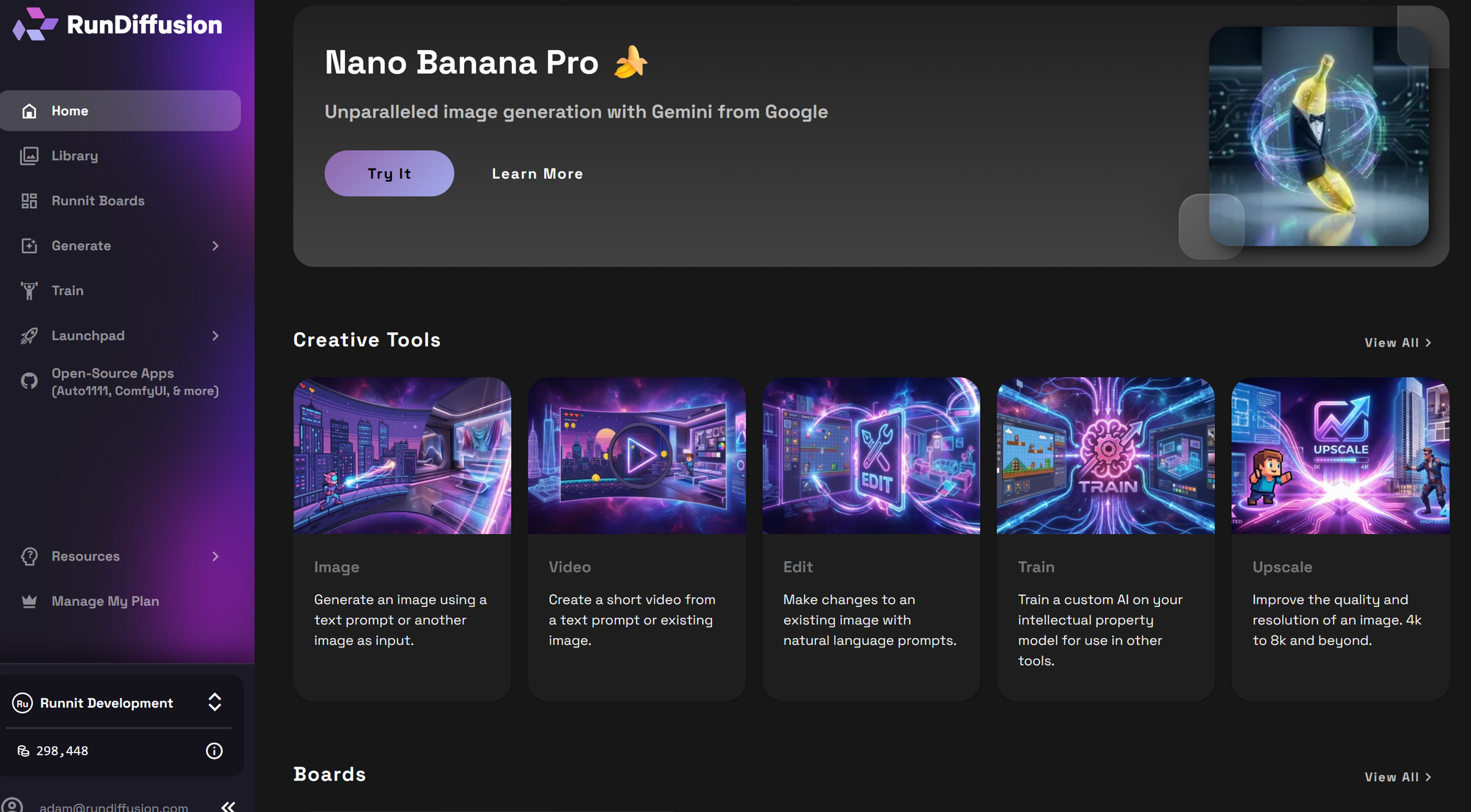
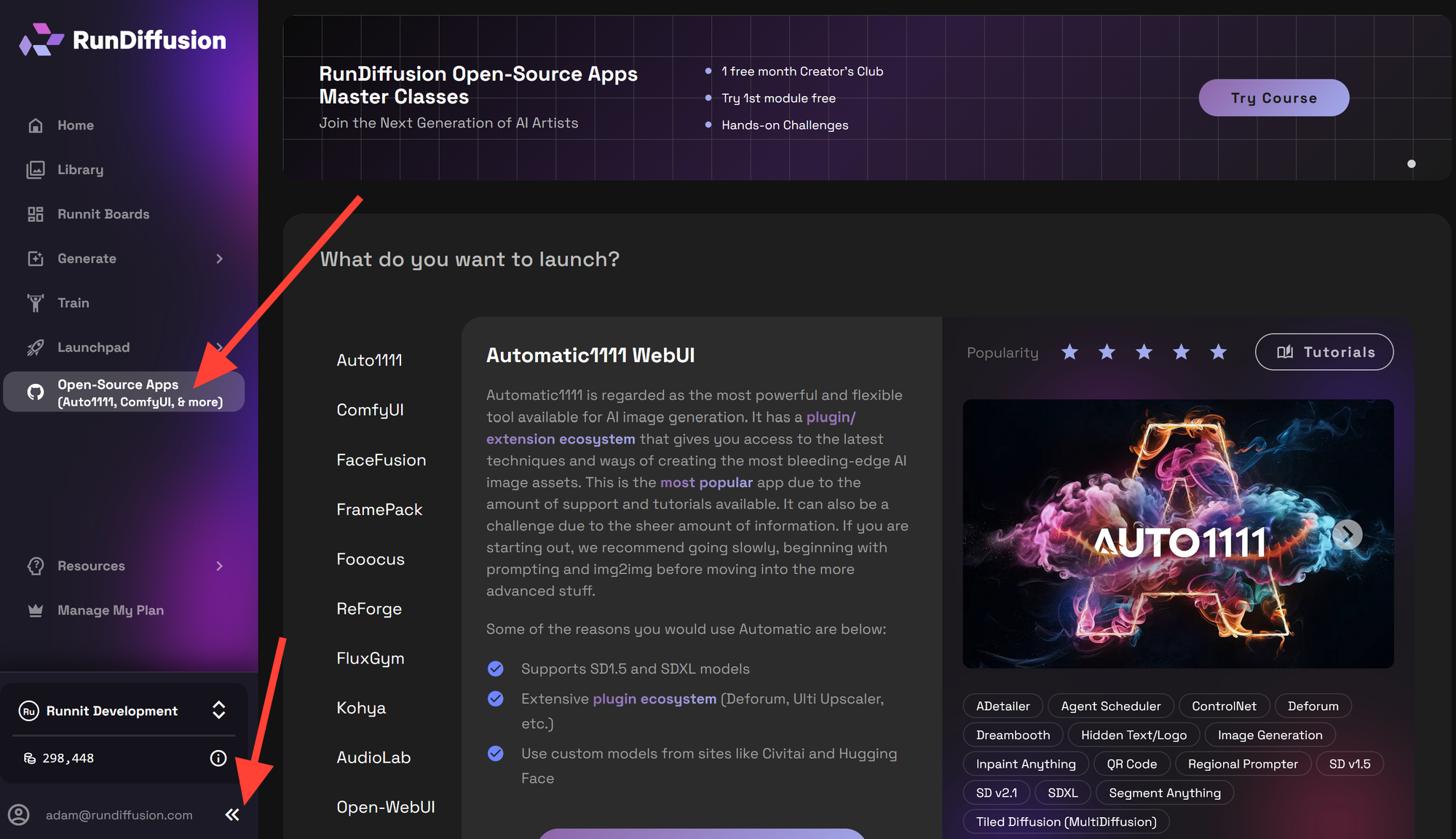
Click on the Opensource Apps on the left side bar. Then click on the << symbols to minimize the left sidebar.
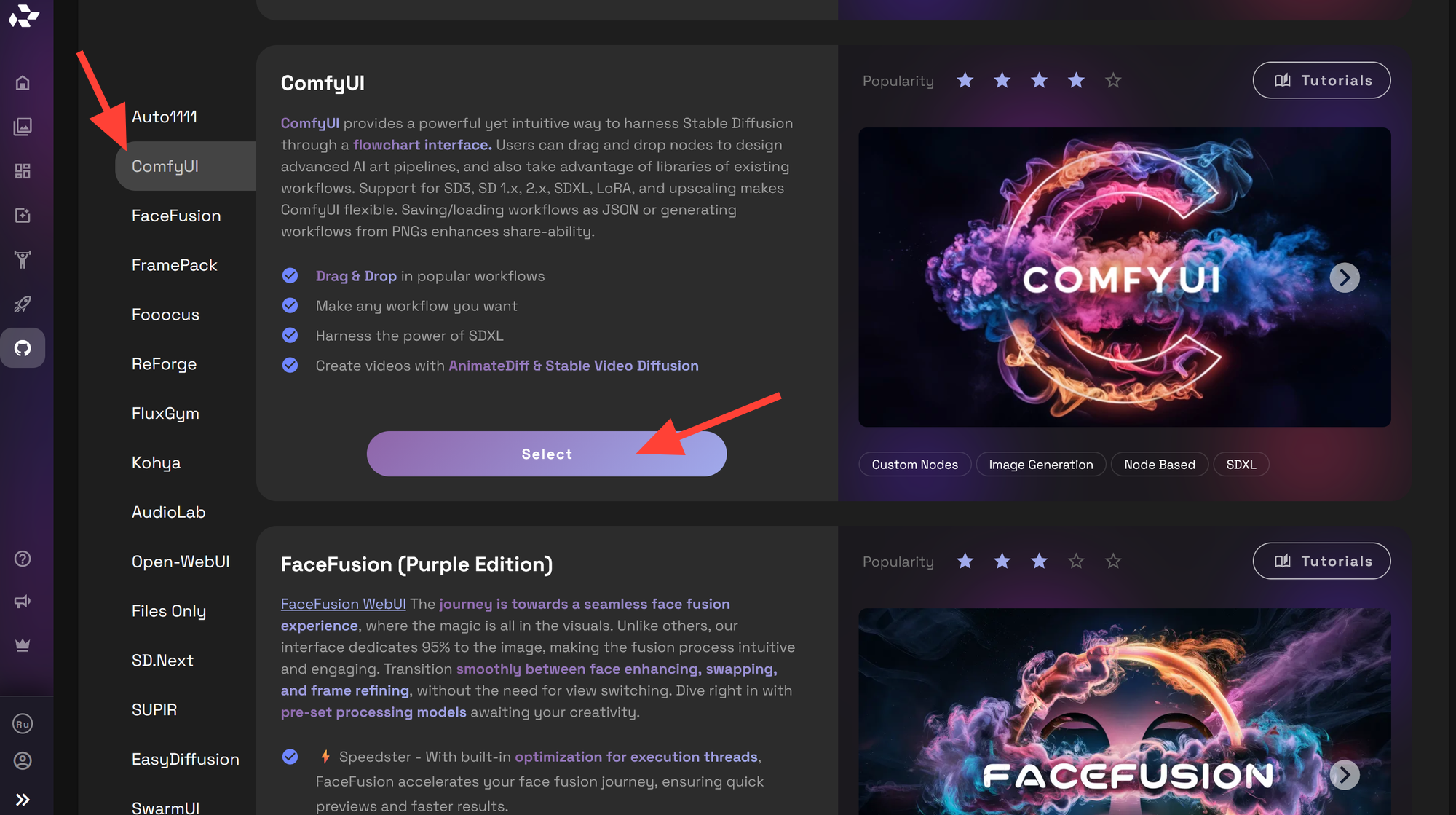
Click on ComfyUI then click Select.
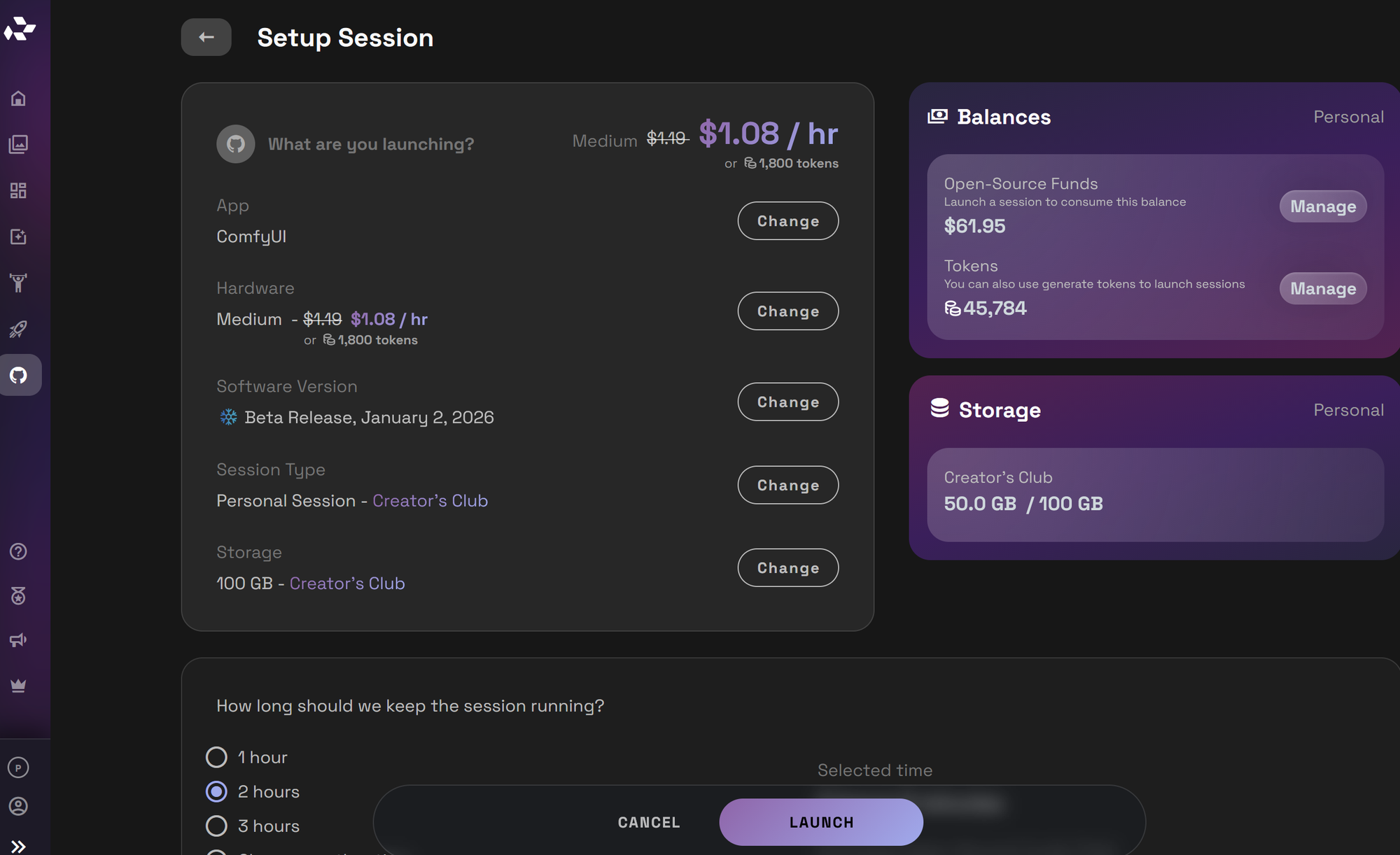
Launch ComfyUI. When first exploring you can use a small or medium server. If you want to do more GPU intensive workflows like video you'll want to use a large.
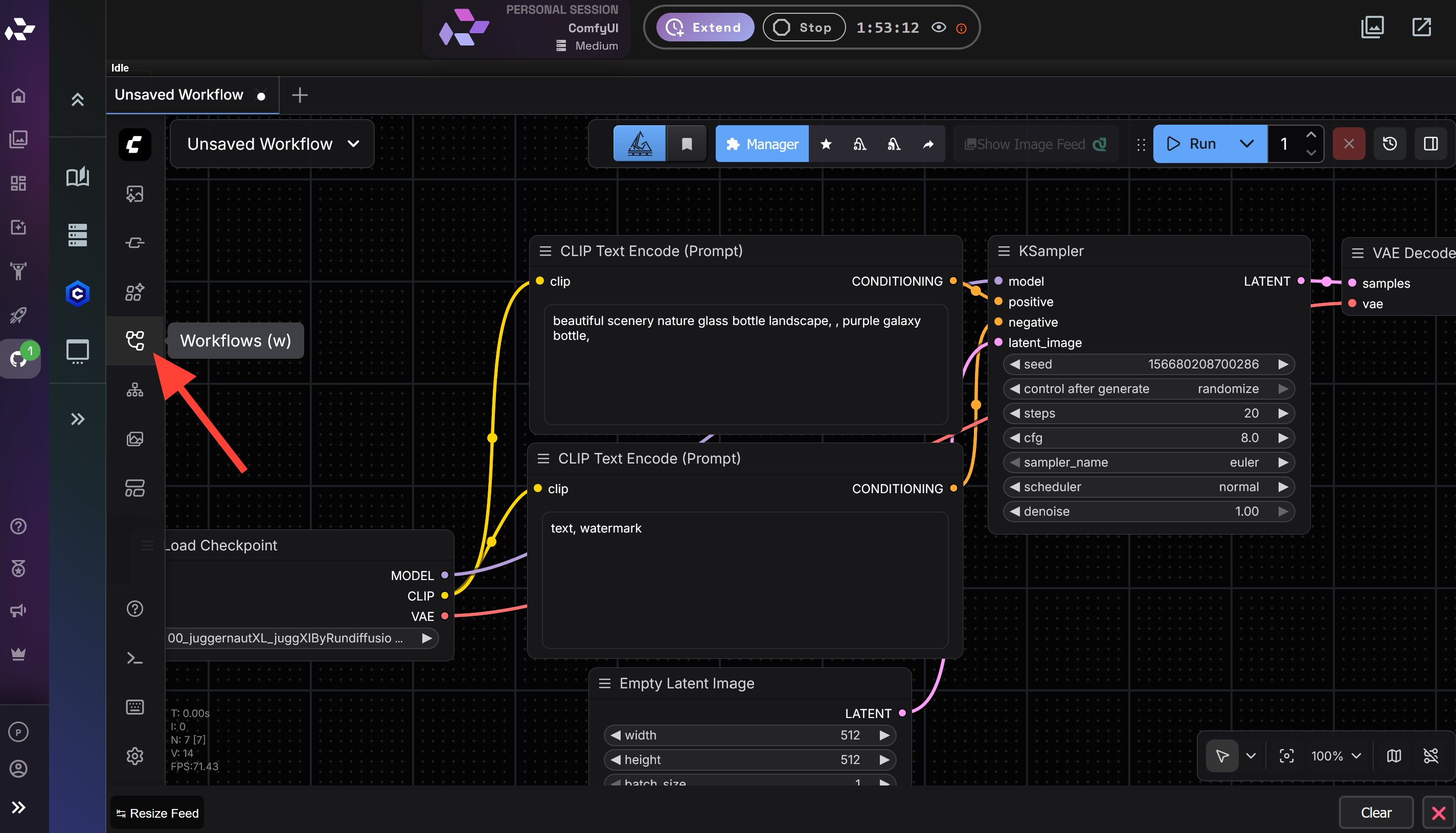
Click on the workflows button.
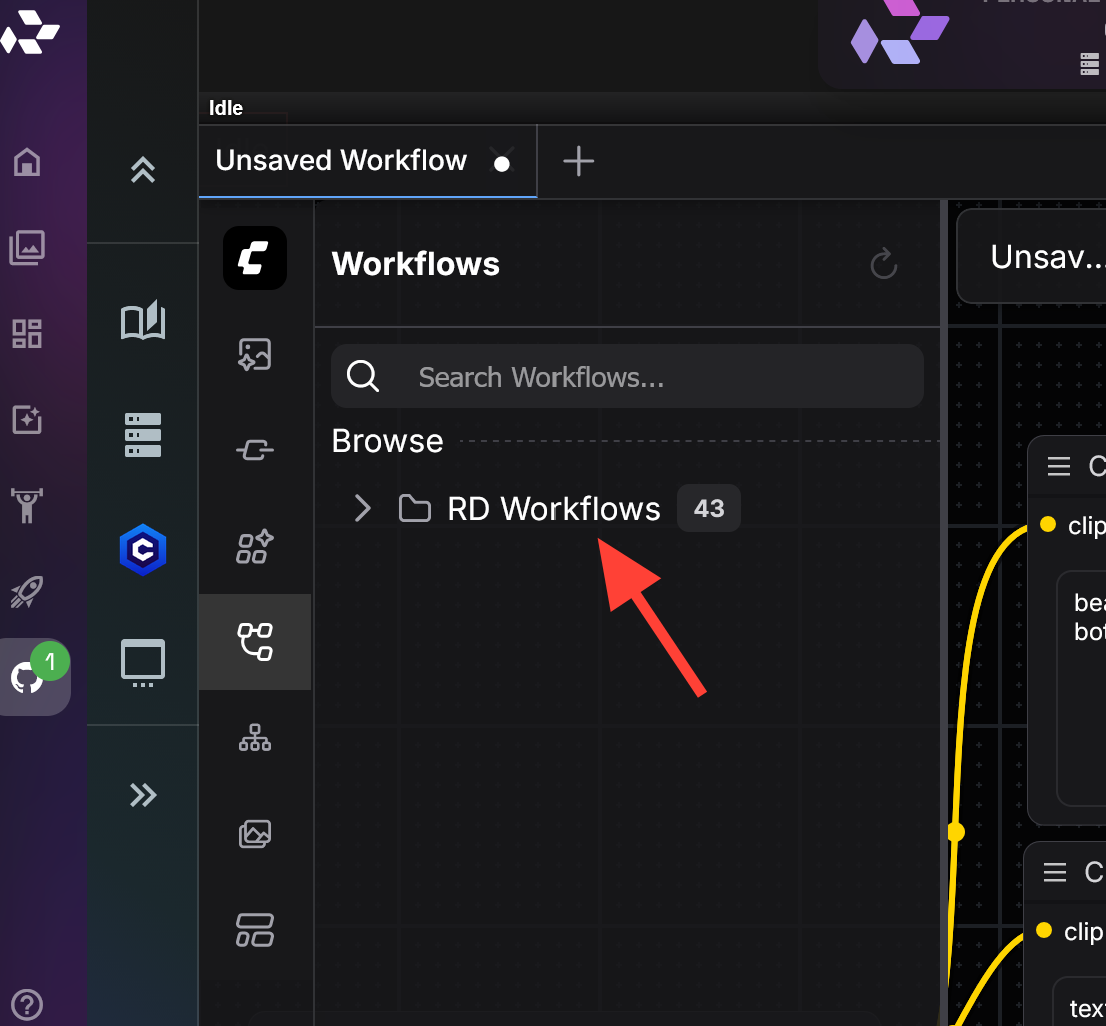
Click onthe RD Workflows folder.
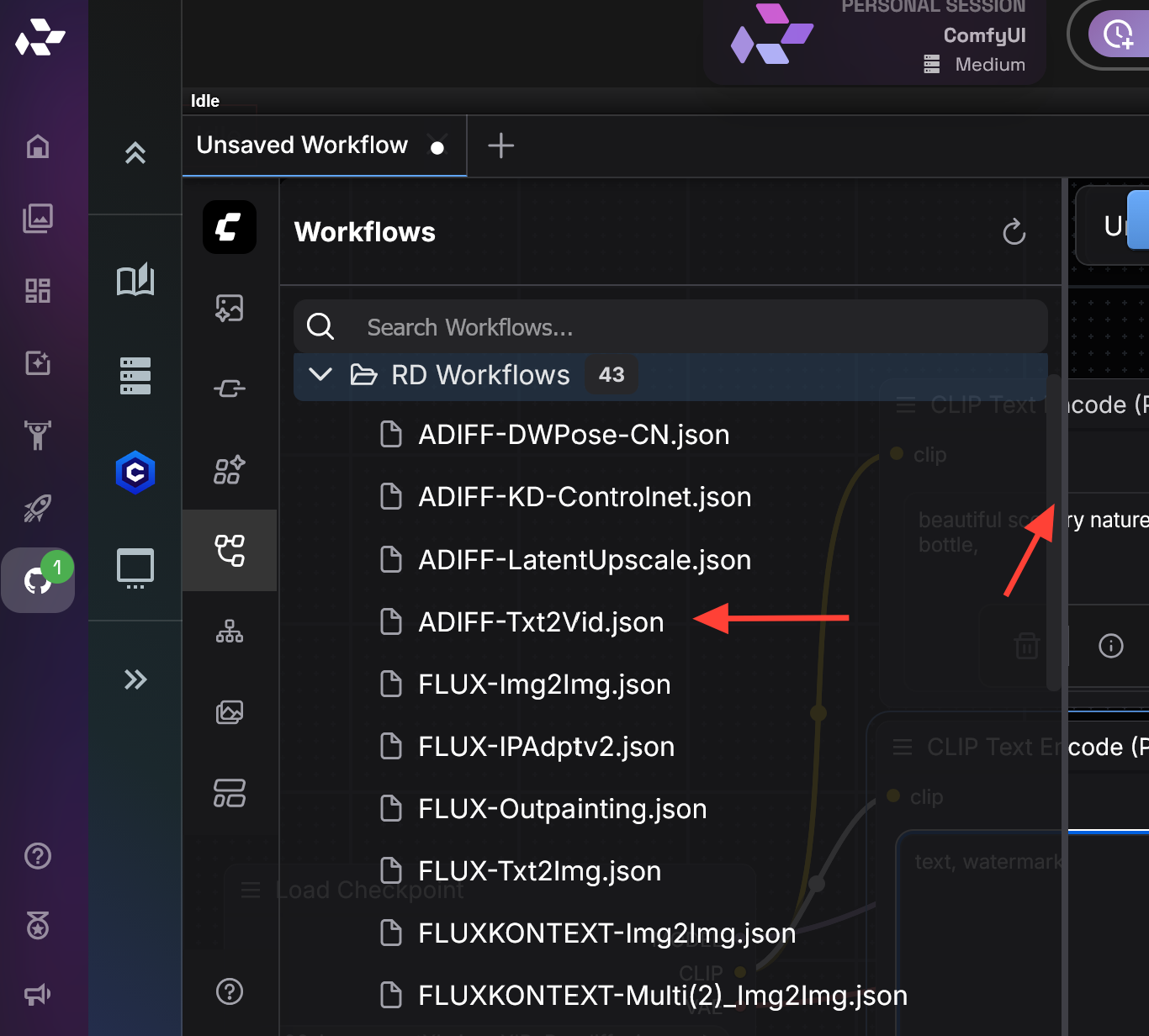
Pick which workflow you'd like to try. You can use the scroll bar to browse the various workflows. You are not limited to these workflows you can Load your own or create your own. These are curated to work on RunDiffusion.
How to Download ComfyUI Workflows on RunDiffusion
If you want to download a ComfyUI workflow, you can export it directly from your RunDiffusion session as a JSON file. This allows you to save, share, or reuse your workflow outside of the active session.
Steps to Download a ComfyUI Workflow
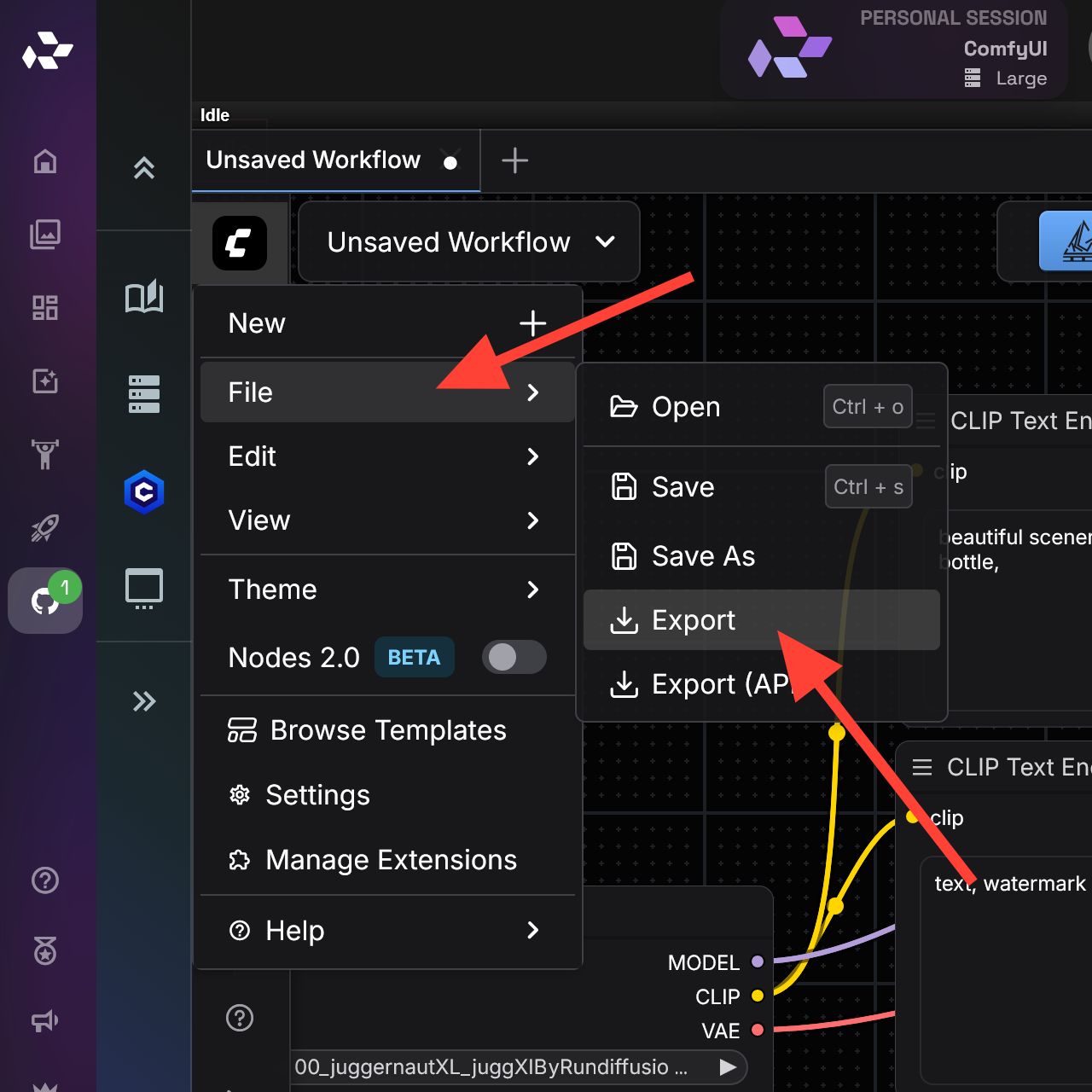
Click the ComfyUI logo in the top left corner of the interface.
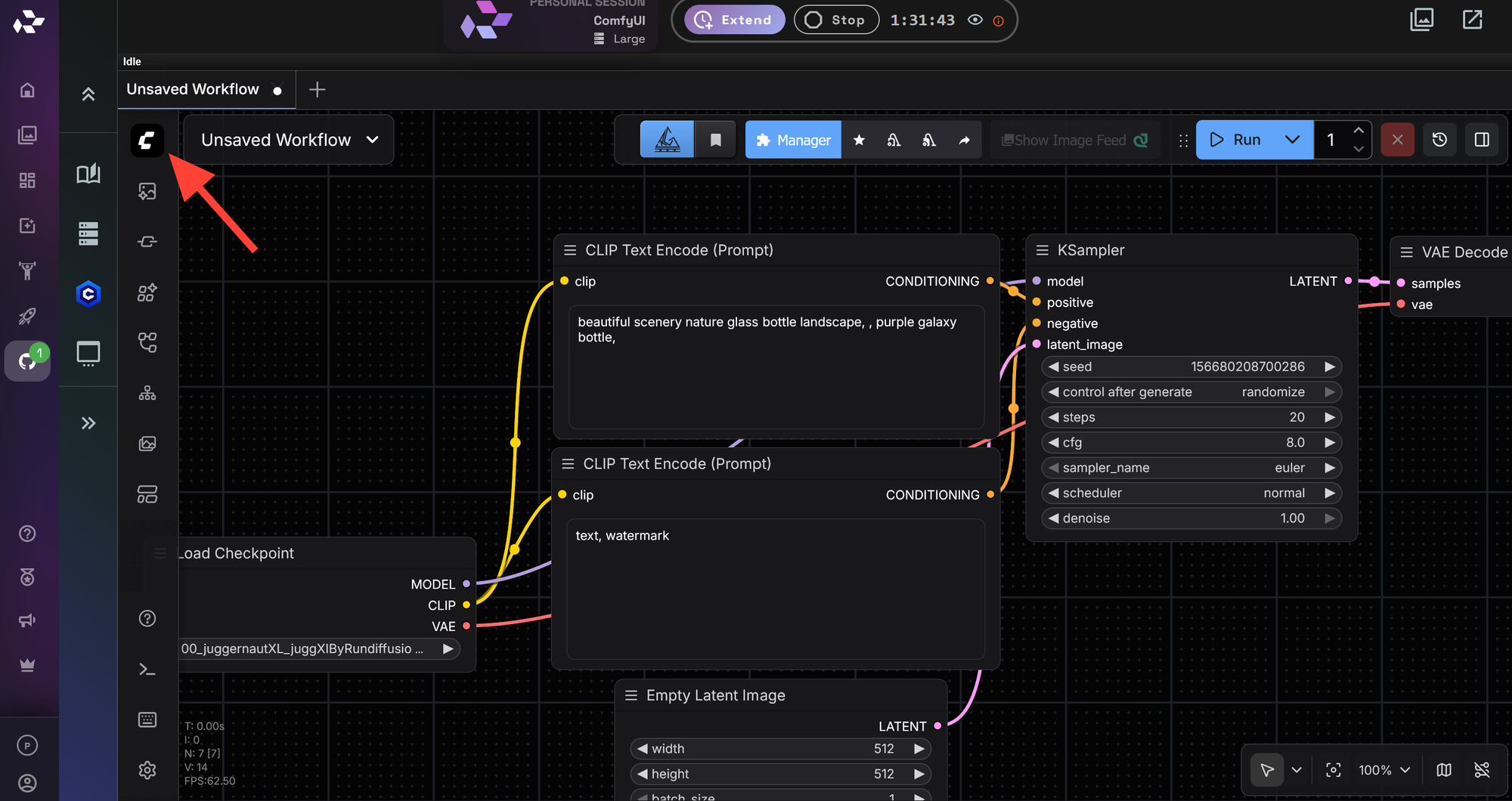
Select File from the dropdown menu. Click Export.
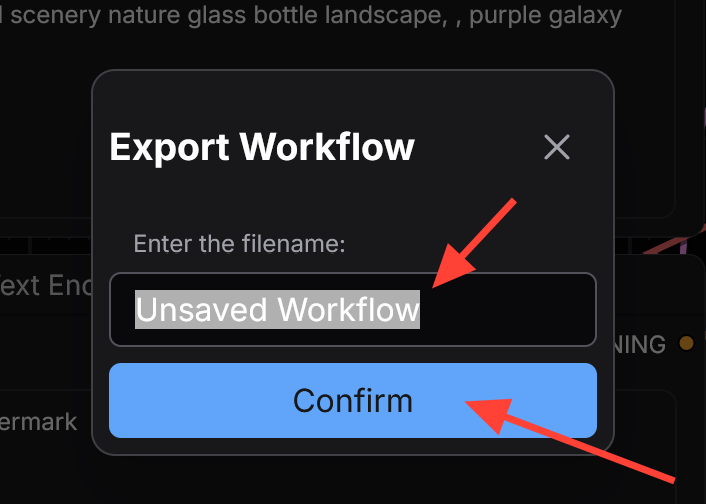
Then type a name for the workflow you are downloading. The workflow will download to your computer as a JSON file.
Why Exporting Workflows Matters
Downloading your ComfyUI workflows allows you to:
- Share workflow files with collaborators
- Create backups of complex node graphs
- Version and iterate on production pipelines
- Upload workflows into future RunDiffusion sessions
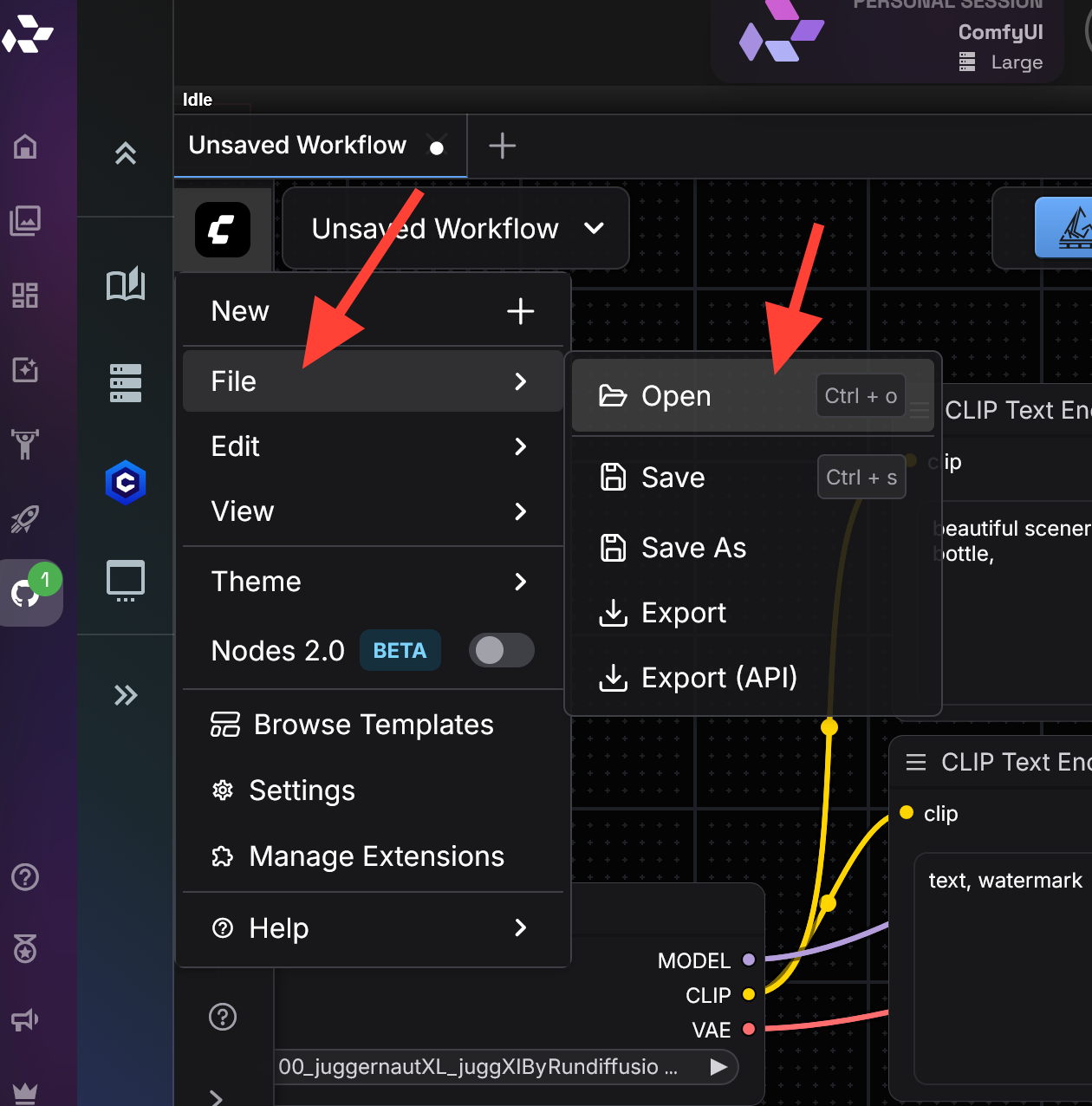
Instead of searching online for random ComfyUI workflow downloads, you can build and export workflows that are already tested in your cloud environment. You can also edit workflows you have found online to align with our cloud environment and save them for future use. Click on the Logo, File then Open to upload a Comfy UI workflow.
COMMON WORKFLOW ISSUES
Some common issues users encounter include:
- Missing nodes
- Model not found errors due to incorrect selections
- CLIP assertion errors from incompatible model and prompt combinations
- Out of memory errors caused by running out of GPU, the most common fix is switching to a Large server.
Most issues can be fixed by adjusting the workflow without restarting the session.
WHY USE COMFYUI WORKFLOWS ON RUNDIFFUSION
Using RunDiffusion for ComfyUI workflows provides:
- Cloud GPUs with no setup or maintenance
- Stable, preconfigured ComfyUI environments
- Faster iteration on complex node graphs
- Easy scaling for image and video generation
This makes RunDiffusion ideal for designers, creative teams, and AI professionals who want reliable workflows without local constraints.
Frequently Asked Questions (FAQ)
What is a ComfyUI workflow?
A ComfyUI workflow is a visual node-based graph that defines how images or videos are generated. Each node handles a specific task, such as loading a model, applying prompts, sampling, or saving outputs. Workflows make complex pipelines repeatable and easy to modify.
Do I need to install anything locally to use ComfyUI on RunDiffusion?
No. ComfyUI runs entirely on RunDiffusion’s cloud GPUs. You do not need to install software, manage dependencies, or maintain local hardware.
Where do the ComfyUI workflows on RunDiffusion come from?
RunDiffusion provides a curated set of workflows that are tested and known to work on the platform. You can also load your own workflows or create custom ones. You are not limited to the default workflow library. If there are issues you can use the comfy manager and install missing custom nodes.
Can I upload and use my own ComfyUI workflows?
Yes. You can load your own workflow JSON files into your session and run them alongside the provided RunDiffusion workflows.
What server size should I use for ComfyUI workflows?
For basic image generation and experimentation, a Small or Medium server is usually sufficient. For GPU-intensive workflows such as video generation or large batch jobs, switching to a Large server is recommended.
Why am I seeing missing nodes in a workflow?
Missing nodes usually mean the workflow relies on custom nodes that are not available in the environment. In most cases, using the curated RunDiffusion workflows or adjusting the workflow resolves the issue. If this happens on a RunDiffusion workflow use Comfy manager to install missing custom nodes.
What causes “Model not found” errors?
These errors typically occur when a workflow references a checkpoint or model that is not selected or available. Double-check the model and LoRA selections in the workflow nodes and select the correct model. If the model is not visible you need to upload the model. Click here to learn how.
What are CLIP assertion errors?
CLIP assertion errors usually happen when a model, prompt, or workflow configuration is incompatible. Adjusting the model, prompt length, or workflow structure often resolves the issue.
What should I do if I run out of GPU memory?
Out-of-memory errors are most commonly fixed by switching to a Large server or lowering image resolution, batch size, or workflow complexity.
Do I need to restart my session to fix workflow issues?
In most cases, no. Common workflow issues can usually be fixed by adjusting nodes, models. If you have installed custom nodes you need to restart with the server manager on the left side.
Who is ComfyUI on RunDiffusion best suited for?
ComfyUI on RunDiffusion is ideal for designers, creative teams, and AI professionals who want reliable, scalable workflows without the complexity of local setups.
