


Interior designers and interior architects increasingly incorporate AI-enhanced visualization into early design development. By pairing Krita a powerful open-source digital painting tool with the RunDiffusion ComfyUI API, designers can rapidly explore spatial mood, material palettes, lighting conditions, and FF&E directions directly over sketches, CAD exports, or interior photographs.
If you have not yet configured Krita with the AI Diffusion plugin, please refer to the Krita Plugin Guide before continuing. Once the plugin and RunDiffusion API are connected, Krita becomes a flexible environment for interior architectural concept exploration.
Why Krita With RunDiffusion Is Ideal for Interior Architectural Visualization
Interior architectural design often moves fluidly between:
- plan and elevation studies
- material selection & material board development
- lighting and atmospheric tests
- FF&E direction
- schematic spatial massing
- refinement of rendered CAD or BIM views
Krita delivers a natural environment for paint-overs and iterative markups, while RunDiffusion provides fast, cloud-powered AI generation for:
- material transformation (microcement, terrazzo, natural oak, limewashed plaster)
- lighting mood shifts (daylight, warm ambient, high-key editorial, hospitality ambience)
- FF&E restyling (furniture typology swaps, upholstery changes, fixture upgrades)
- spatial aesthetic changes (Japandi, Scandinavian, industrial, contemporary luxe)
Together, they create a hybrid workflow: hand-driven design + AI-driven visualization.

Load Your Interior Image or Design Sketch Into Krita
Krita is ideal for editing:
- site photographs
- schematic imagery
- 3D model exports (SketchUp, Revit, Rhino, Enscape, etc.)
- hand-drafted perspective sketches
- elevations and vignette captures
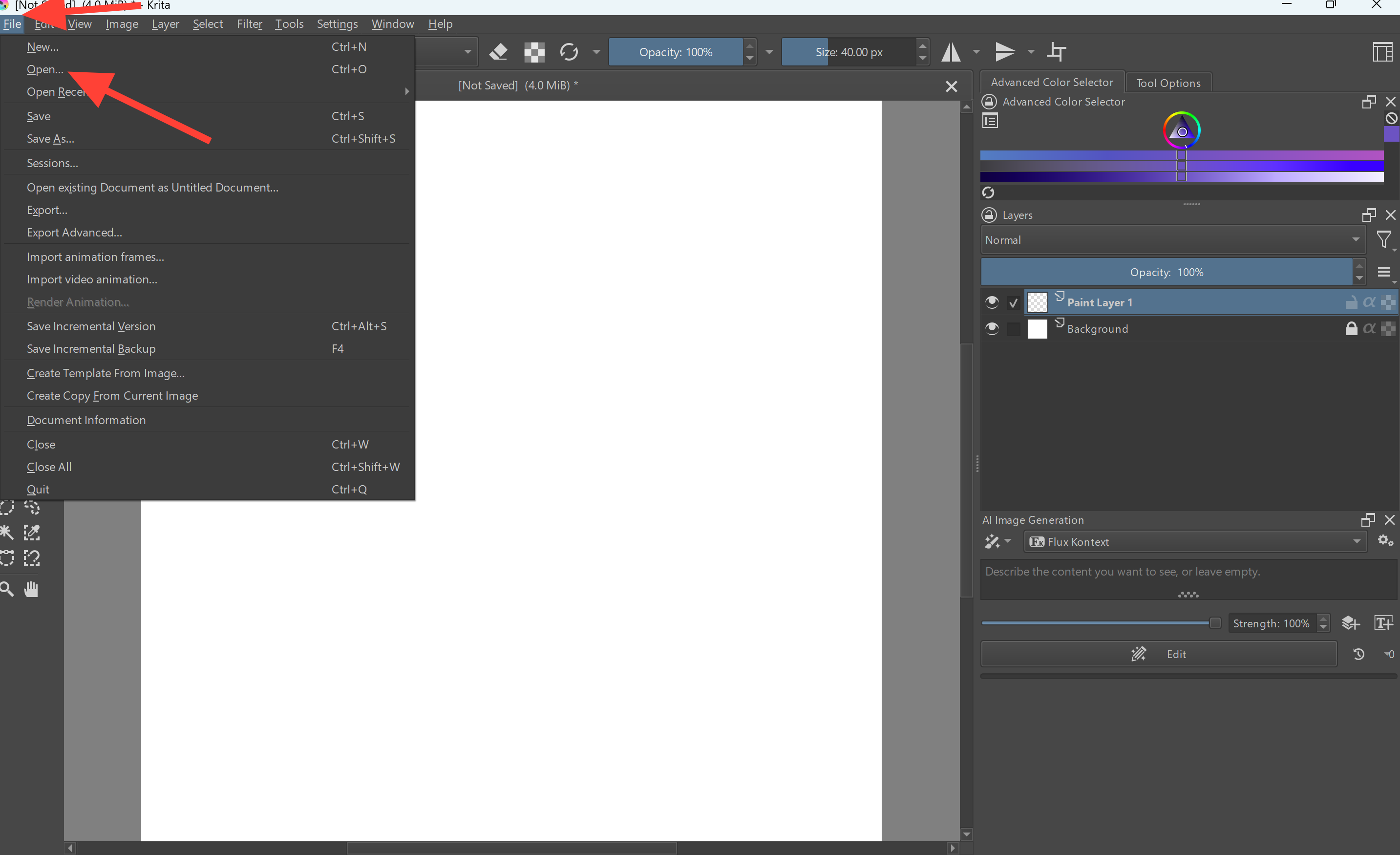
Working in layers helps maintain control and reversibility during AI-assisted iterations. To load an image go to FILE then Open or CTRL-O.
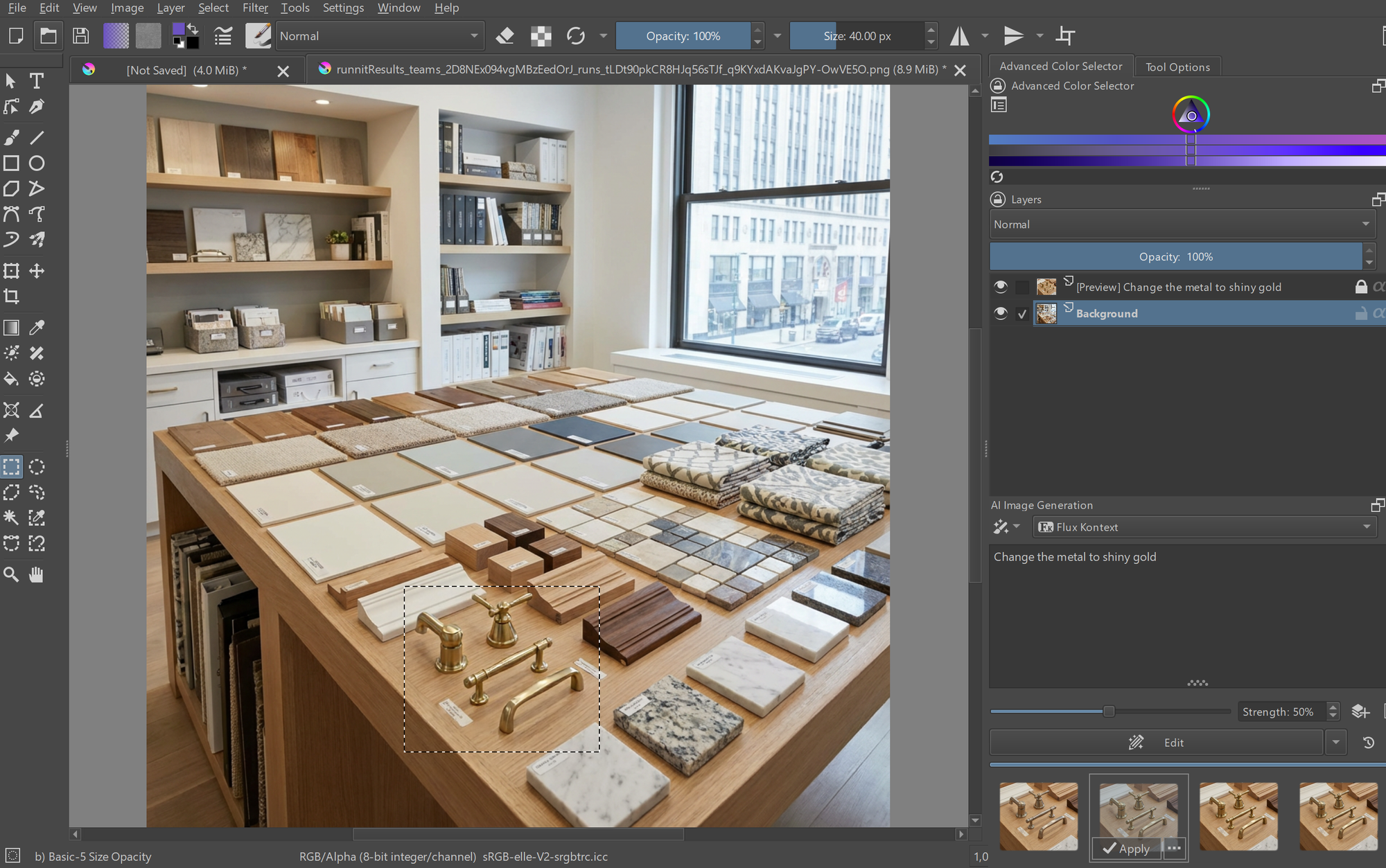
Material Restyling & Finish Replacement
Interior designers can rapidly test materials using Krita’s:
- selection masks
- brush-based masking
- adjustment layers
- low-strength prompt blending

Lighting & Environmental Recomposition
Use prompts to instantly shift lighting quality:
- Soft morning light filtering through sheers
- Warm hospitality ambience with localized glows
- High-key editorial lighting for a clean, airy aesthetic
- Evening mood lighting with indirect architectural washes
Strength is key:
- Lower strength = maintains structure and composition
- Higher strength = full reinterpretation of the scene
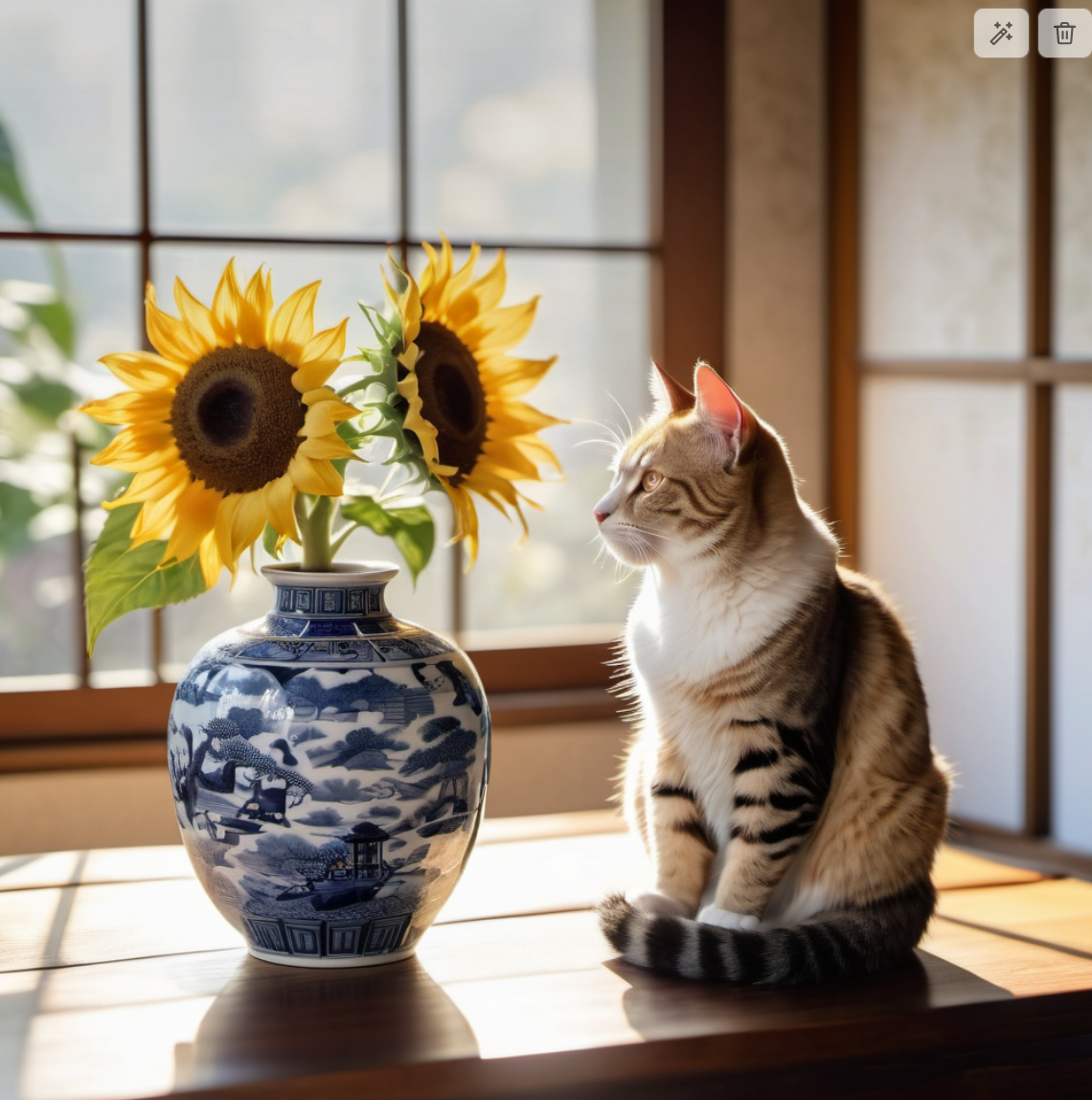
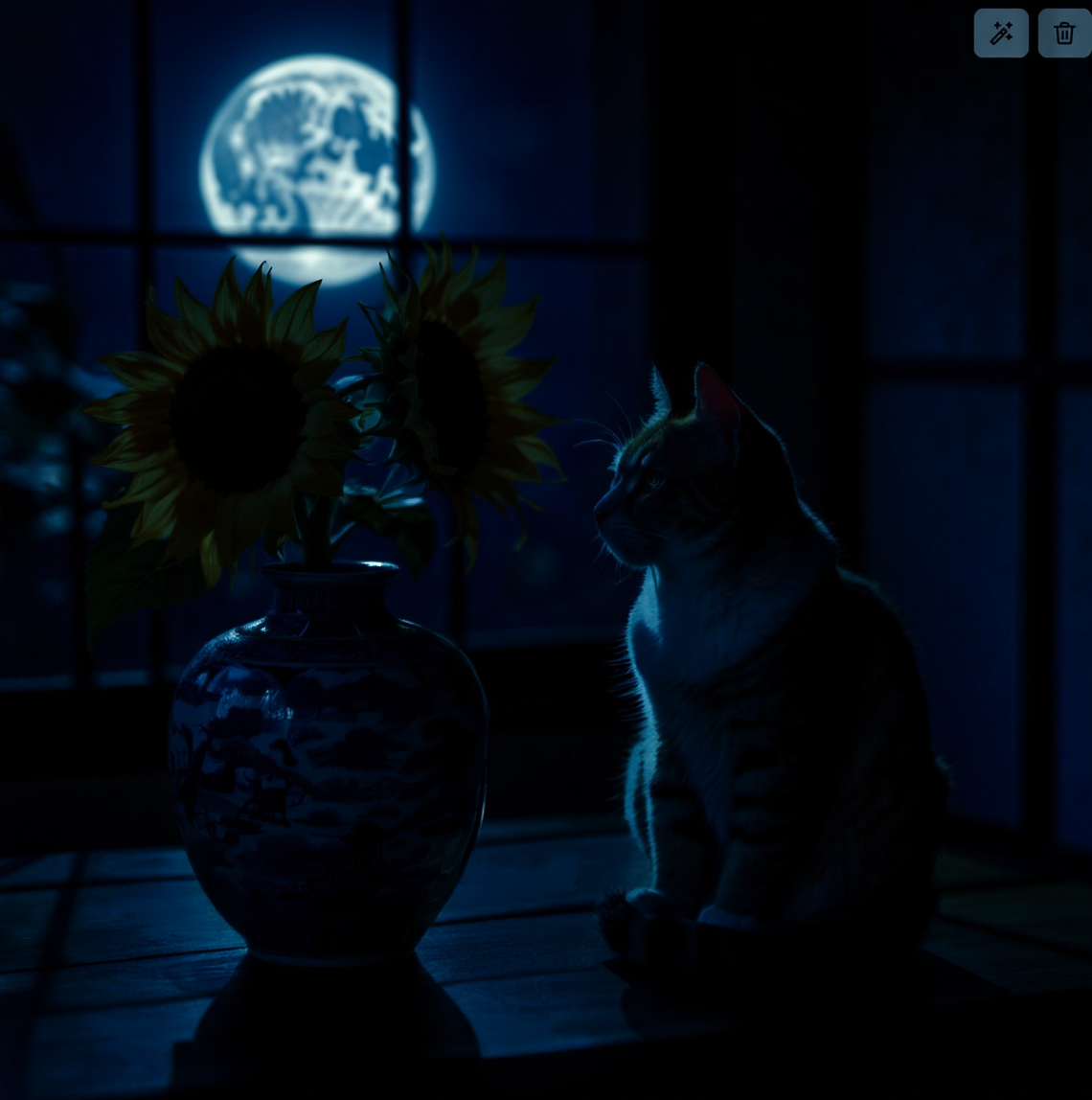
A before and after image of using Flux Kontext to change lighting
FF&E Restyling (Furniture, Fixtures & Equipment)
Interior designers often need to test multiple FF&E directions.
Mask the target object and use prompts such as:
- Replace sofa with a structured contemporary sectional in ivory boucle
- Introduce sculptural pendant lighting with brushed brass finish
- Swap dining table for a minimalist natural oak slab with chamfered edges

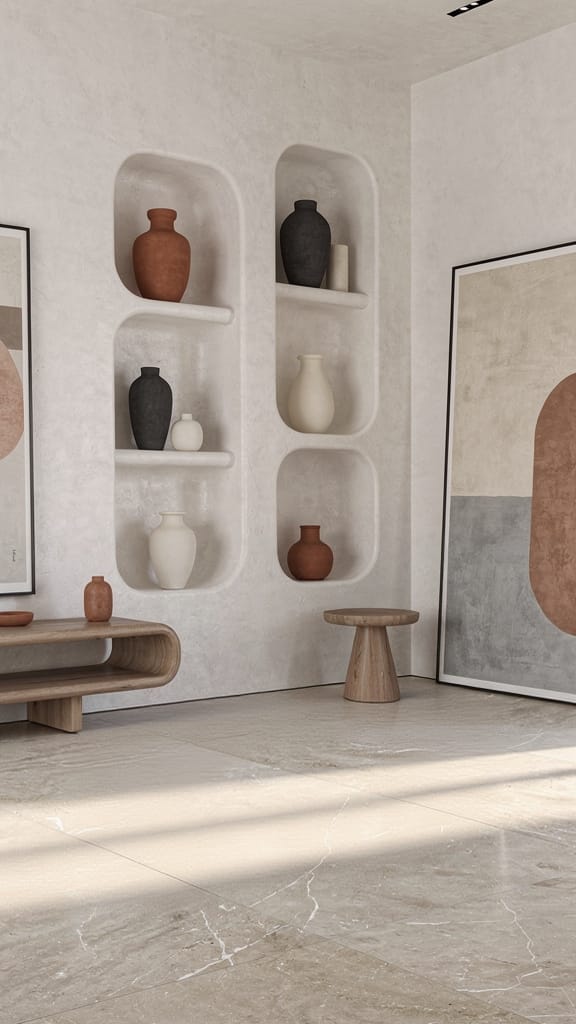
A before and after image of a Bench being removed from a scene
Style & Aesthetic Transformation
Interior designers frequently test stylistic variations for client presentations.
Try prompts like:
- Soft Scandinavian minimalism, pale woods, monochrome accents
- Japandi with natural textures, microcement, warm tonal palette
- Industrial loft with exposed structure, darker palette, metal accents
- Contemporary luxe, brushed brass, marble, diffused perimeter lighting
For detailed style fusion workflows, refer to:
While written for architectural exteriors, the workflow applies seamlessly to interior design.
Sketch-to-Render Concept Development
If you prefer drawing spatial ideas directly:
- perspective lines
- soffits, beams, datum lines
- furniture massing
- lighting paths
- spatial hierarchy markers
Then let RunDiffusion generate a complete interior concept based on your sketch.
If you prefer to try this on RunDiffusion instead of Krita:
Useful for interior elevations, ideation studies, and early-phase conceptualization.
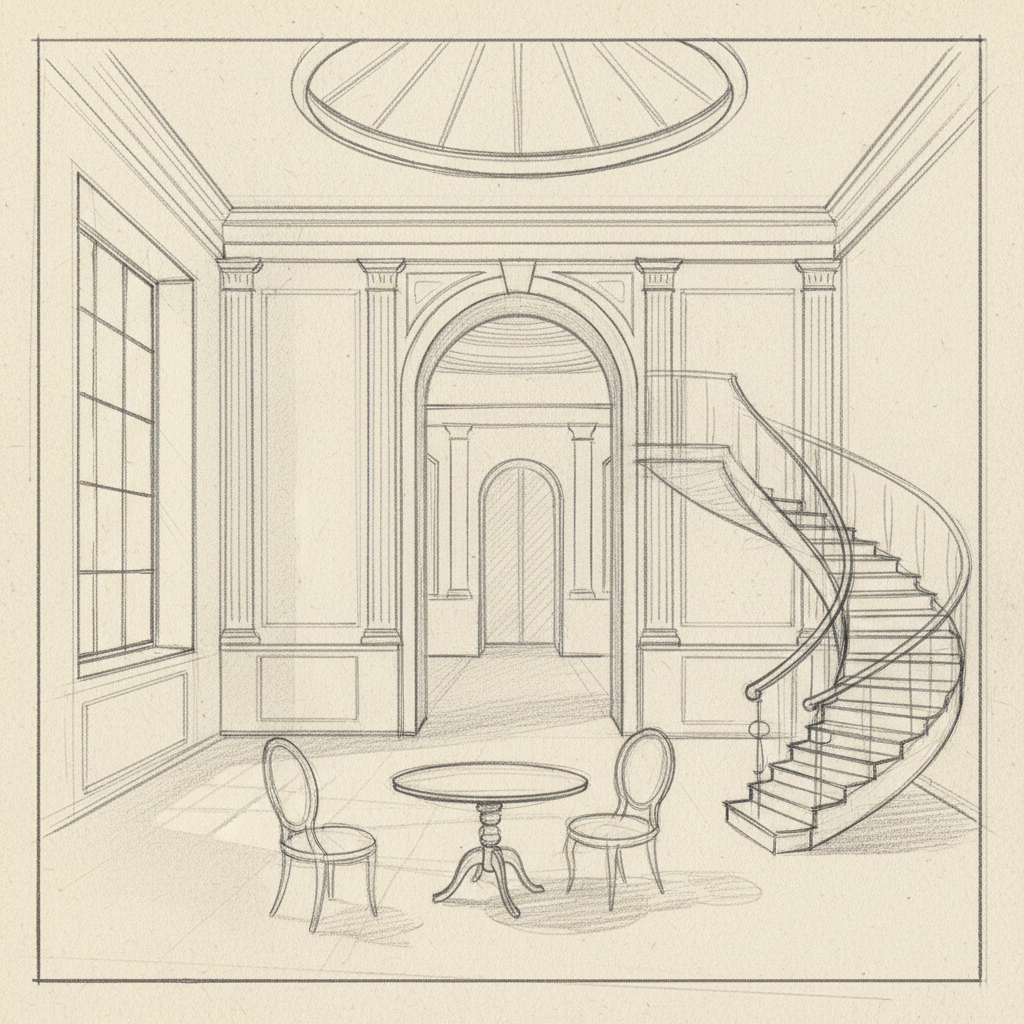
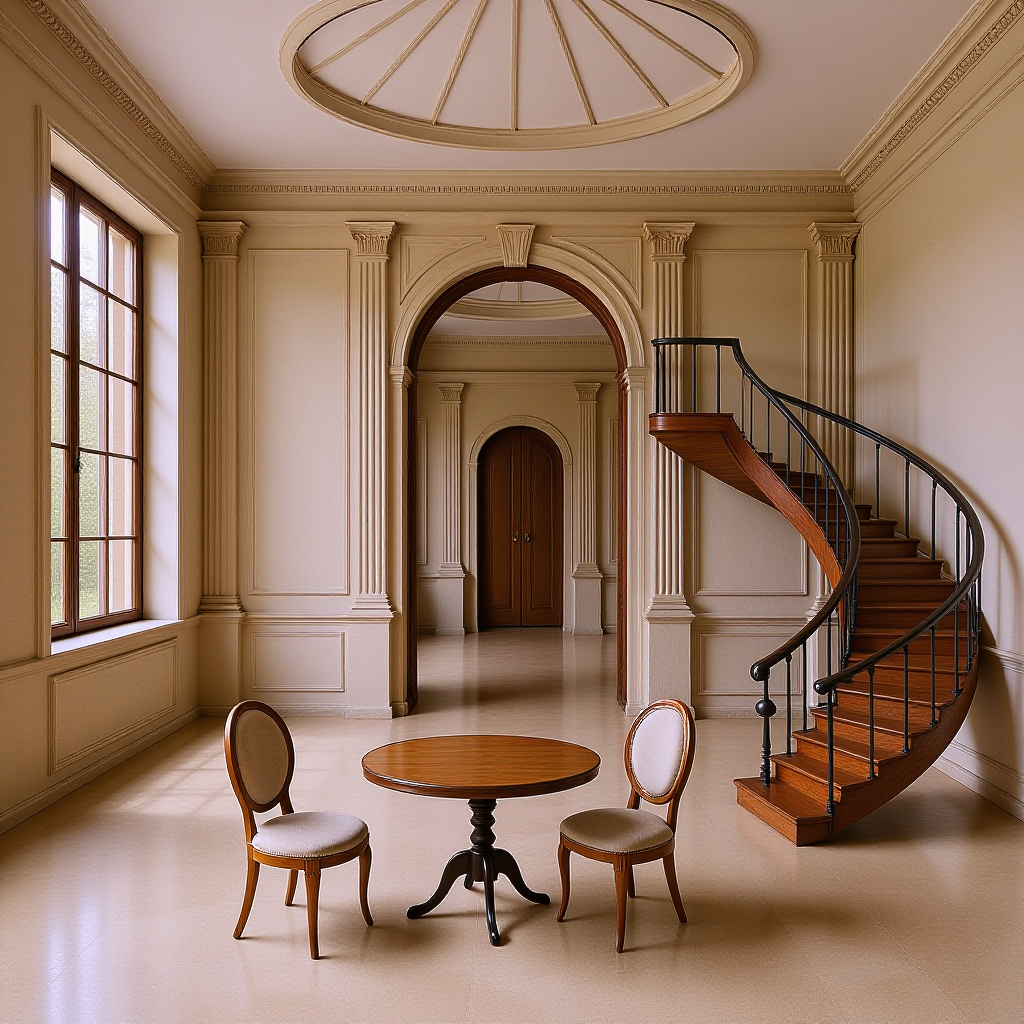
A before and after image of a Sketch to Render
Export for Client Presentations, Schematic Packages & Visual Narratives
Krita supports layered, non-destructive editing workflows ideal for:
- annotated design directions
- schematic design (SD) documentation
- FF&E option comparisons
- spatial character studies
- render overlays and refinements
Combine AI-enhanced visuals with linework, notes, and color annotations for compelling presentations.
Bringing It All Together
Krita paired with the RunDiffusion ComfyUI API gives interior designers a flexible way to restyle materials, explore lighting moods, and refine FF&E concepts directly on top of sketches or interior photos. This workflow boosts speed and creativity without relying on heavy 3D rendering or complex post-production.
For Enterprise teams visit our interior design page:
 RunDiffusion Team
Interior Design for Enterprise
For more articles on how RunDiffusion can help with Interior design visit:
 RunDiffusion Team
Interior Design Articles
