RunDiffusion Pro users can now download models trained in the Model Trainer on the RunDiffusion Platform (Formerly Runnit Platform) and use them in RunDiffusion’s open-source apps like ComfyUI, ReForge, and Automatic1111. This feature gives you more control over your workflow by allowing seamless transitions between the RunDiffusion Platform and OpenSource Applications offered on RunDiffusion.
How to Download Your Model
Note: This feature is available only for RunDiffusion Pro users.
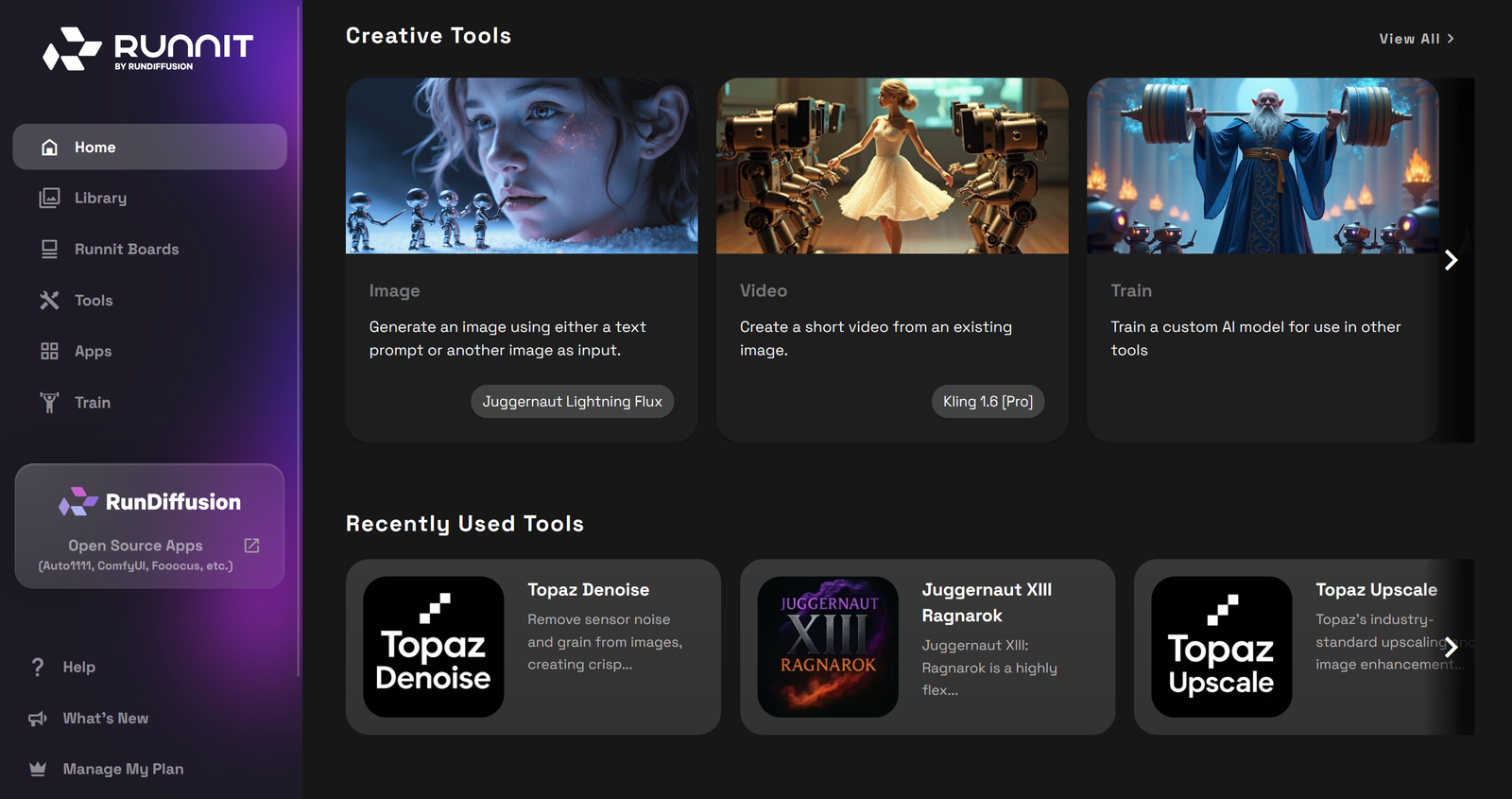
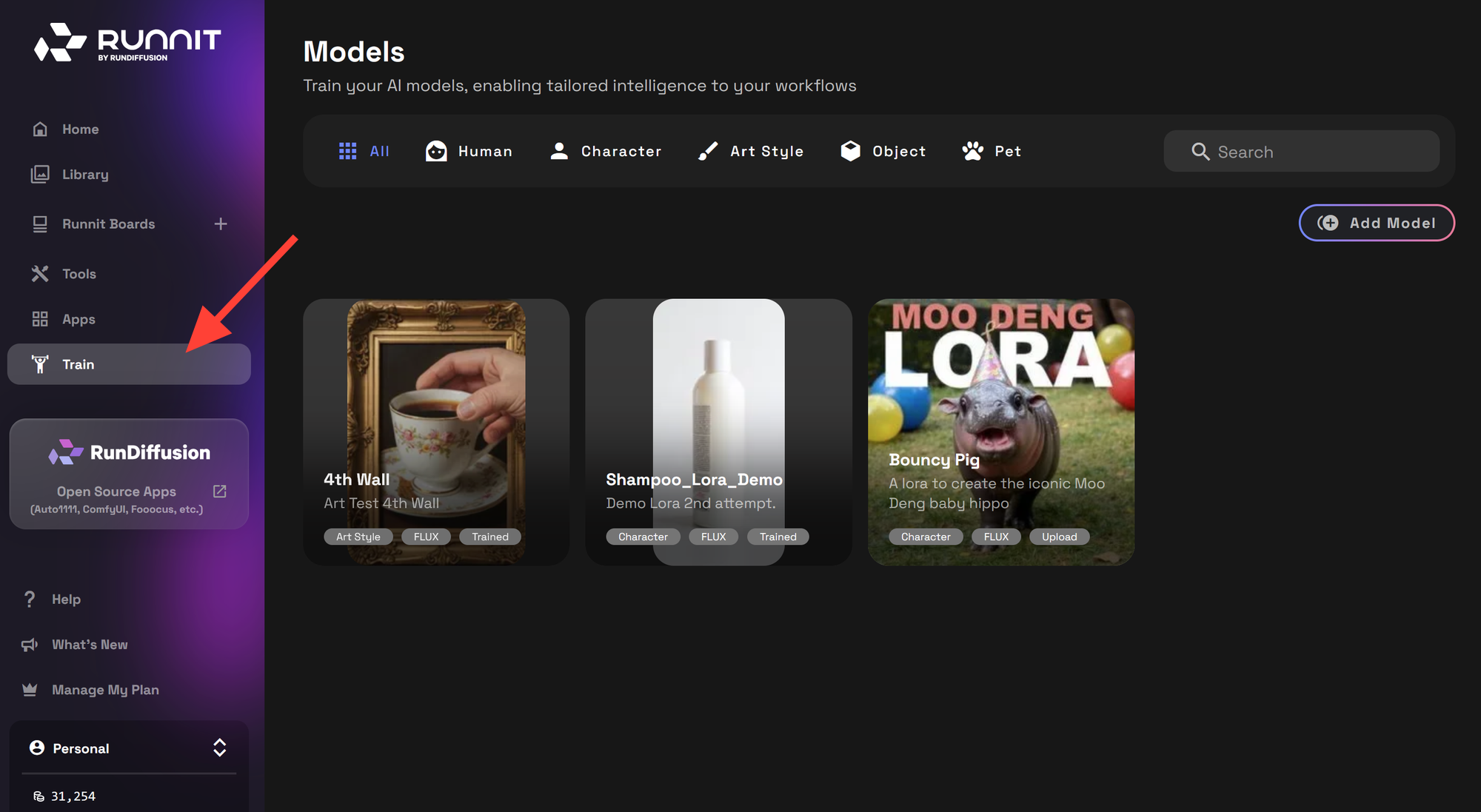
Click on Train in the left sidebar
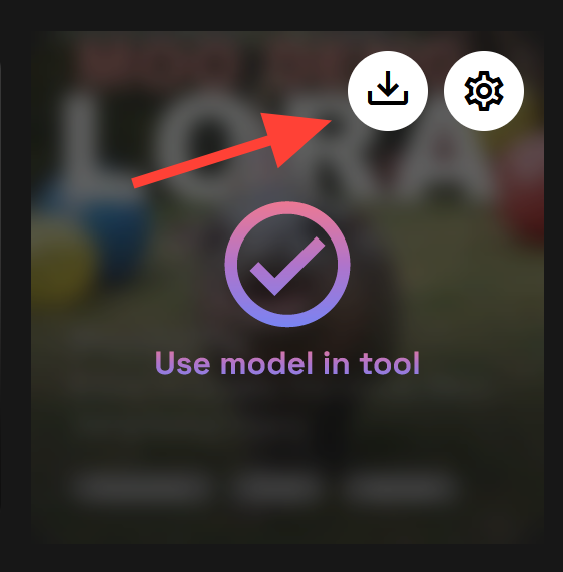
Hover over the model card that you want to download and click the download icon.
Where to Use Your Downloaded Model
After downloading, you can upload your trained model into any of these apps hosted on RunDiffusion:
- ComfyUI – for modular, node-based AI art workflows
- ReForge – for checkpoint merging and fine-tuning
- Automatic1111 – for prompt-driven LoRA use and testing
If you need help uploading your Lora to use on RunDiffusion.
Uploading Files to RunDiffusion Storage | RunDiffusion
How to Use Aria2c and Gdown to Upload Files, Checkpoints, and LoRAs for RunDiffusion When working with RunDiffusion, you may need to upload large files such as model checkpoints, LoRA models, or other resources directly into files. Aria2c and Gdown, commands can help streamline this process, especially when uploading from multiple sources or Google Drive. This guide will teach you how to use Aria2c and Gdown to upload files efficiently for RunDiffusion. We’ll walk you through launching a FILE
 RunDiffusion Team