


RunDiffusion has launched Mobius, a new high-performance server option designed to make supported open source applications feel faster, smoother, and more responsive.
Mobius is initially available for ComfyUI, Automatic1111, and FaceFusion. You can find supported applications by looking for the Mobius label or Mobius Supported badge in the RunDiffusion launcher.
For complete performance benchmarks, server information, build guidance, and launch instructions, explore the Mobius server overview.
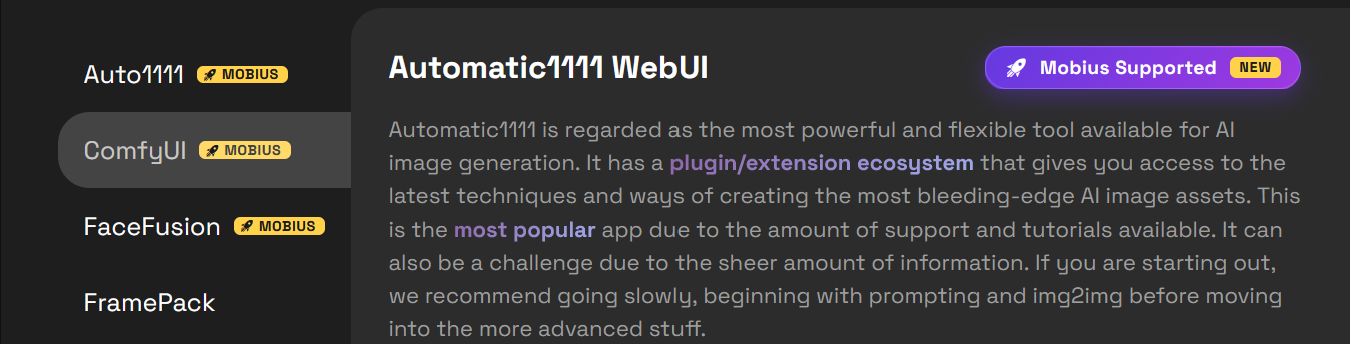
What’s New
Mobius gives creators another server option when launching supported applications on RunDiffusion.
It is designed for creative sessions where responsiveness matters, including building ComfyUI workflows, testing prompts in Automatic1111, processing FaceFusion projects, and working through larger or more demanding production tasks.
Mobius launches with server configurations developed specifically for the new environment. Supported applications also offer Preinstalled and Base Build options, allowing you to choose between a prepared starting point and a cleaner environment for your own configuration.

Mobius and Default
The existing Default environment remains available. You can continue using Default for established workflows, compatibility requirements, or projects that depend on files and settings already stored there.
Mobius operates as a separate environment, so files from Default sessions are not automatically synchronized. Review the storage guidance on the main Mobius page before moving an established workflow.

Available Now
Mobius is available now for ComfyUI, Automatic1111, and FaceFusion on RunDiffusion.
Support will expand over time. When launching an open source application, look for the Mobius badge to confirm current availability.
Visit the complete Mobius launch page to compare performance, understand the available builds, and learn how to start your first session.
