


RunDiffusion for Miro connects your RunDiffusion account to a Miro board. The plugin provides access to the selected account's image library and generation tools without leaving the board.
Use this guide to install the plugin, authorize your account, add library images to a board, generate new images, and send board images to RunDiffusion.
What RunDiffusion for Miro supports
- Library access. Browse images from the active RunDiffusion account.
- Board placement. Drag a library image directly onto the Miro canvas.
- Image generation. Run supported generation tools from the plugin panel.
- Uploads. Send a selected Miro image to the RunDiffusion Uploads library.
- Image-to-image input. Use a selected board image as the input for a new generation.
Requirements
- A RunDiffusion account.
- A Miro board.
- Permission to install or open apps in the Miro team or workspace.
Generation uses credits from the RunDiffusion personal or team account selected after authorization.
Install the RunDiffusion Miro plugin
Installation step 1: Log in to RunDiffusion
Open RunDiffusion and select Log in from the upper-right corner. Use the RunDiffusion account you intend to connect to Miro.

Installation step 2: Open Plugins & APIs
Select Plugins & APIs in the left sidebar of the RunDiffusion platform.
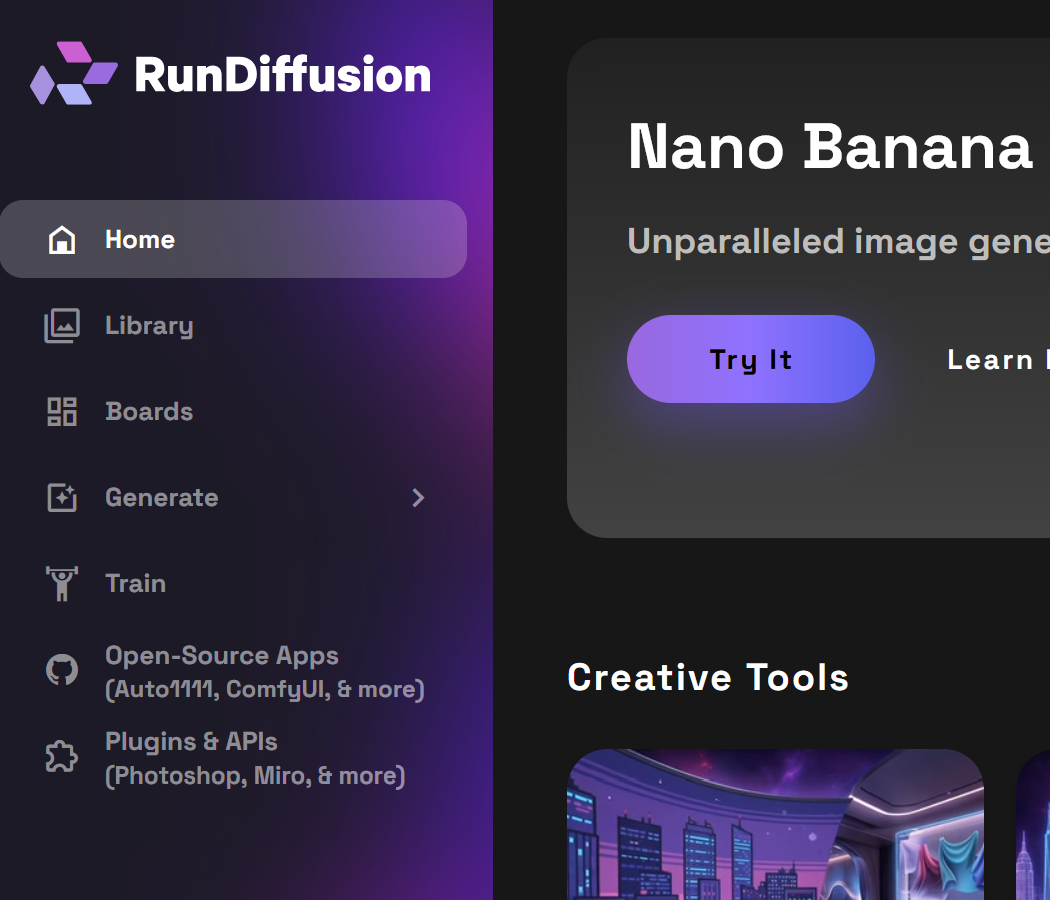
Installation step 3: Select Get Started for Miro
Locate the Miro integration and select Get Started.
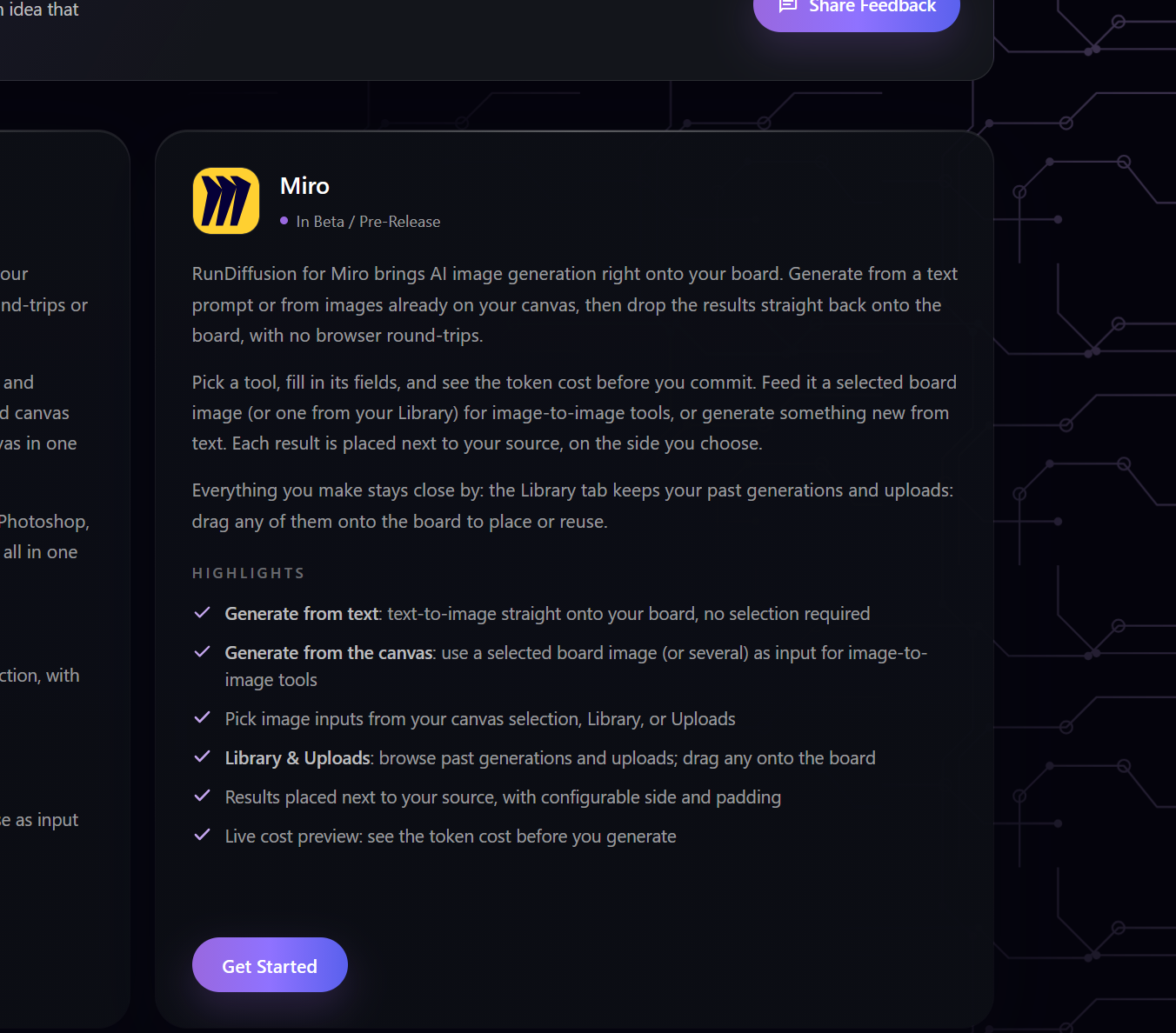
Installation step 4: Select Get it on Miro
Review the beta/pre-release notice and select Get it on Miro. Complete the Miro installation prompts for the team or workspace where the plugin will be used.

Connect RunDiffusion to Miro
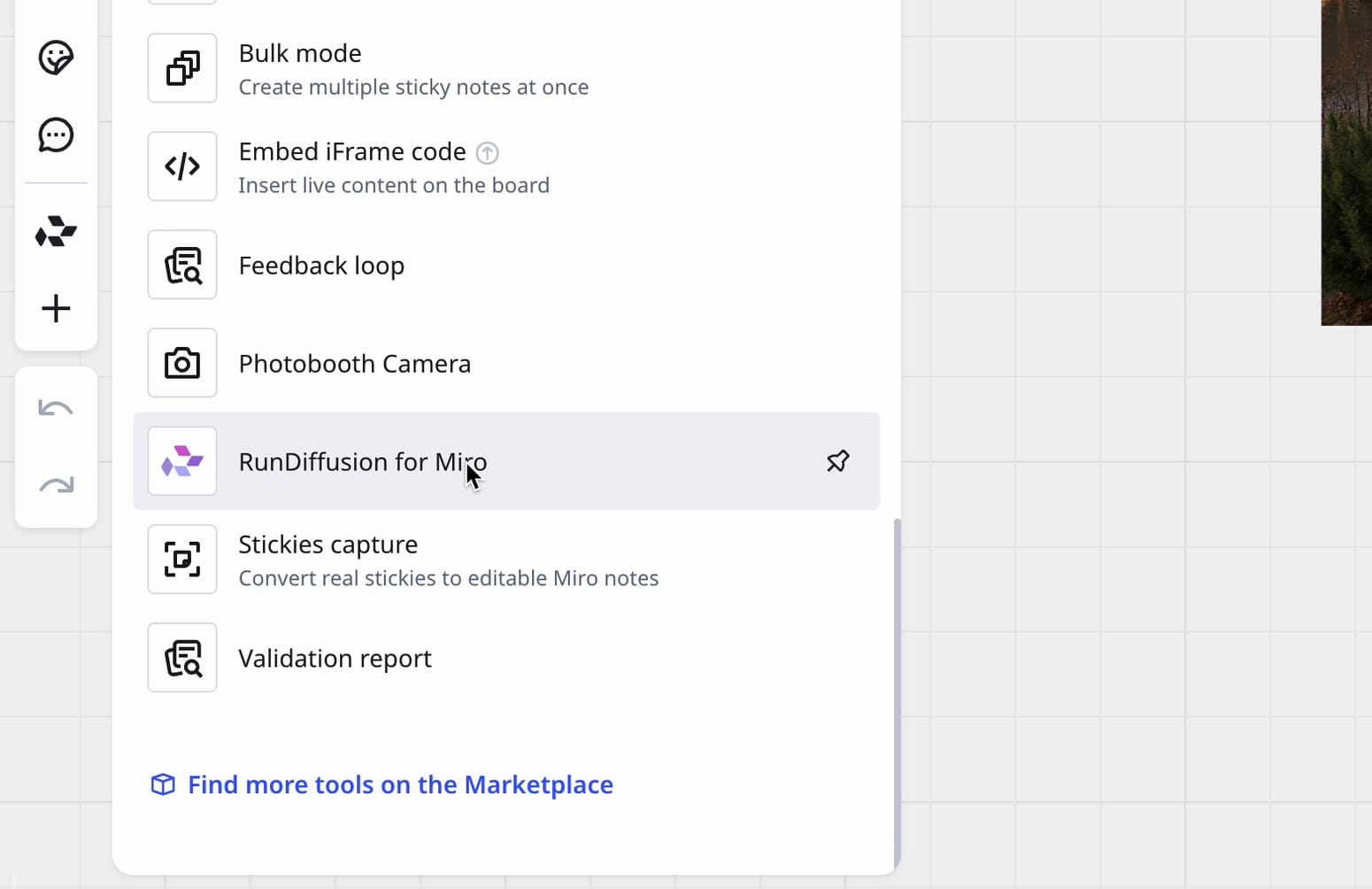
Step 1: Open RunDiffusion for Miro
Open the tools and apps panel on the left side of the Miro board. Search for RunDiffusion if necessary, then select RunDiffusion for Miro.
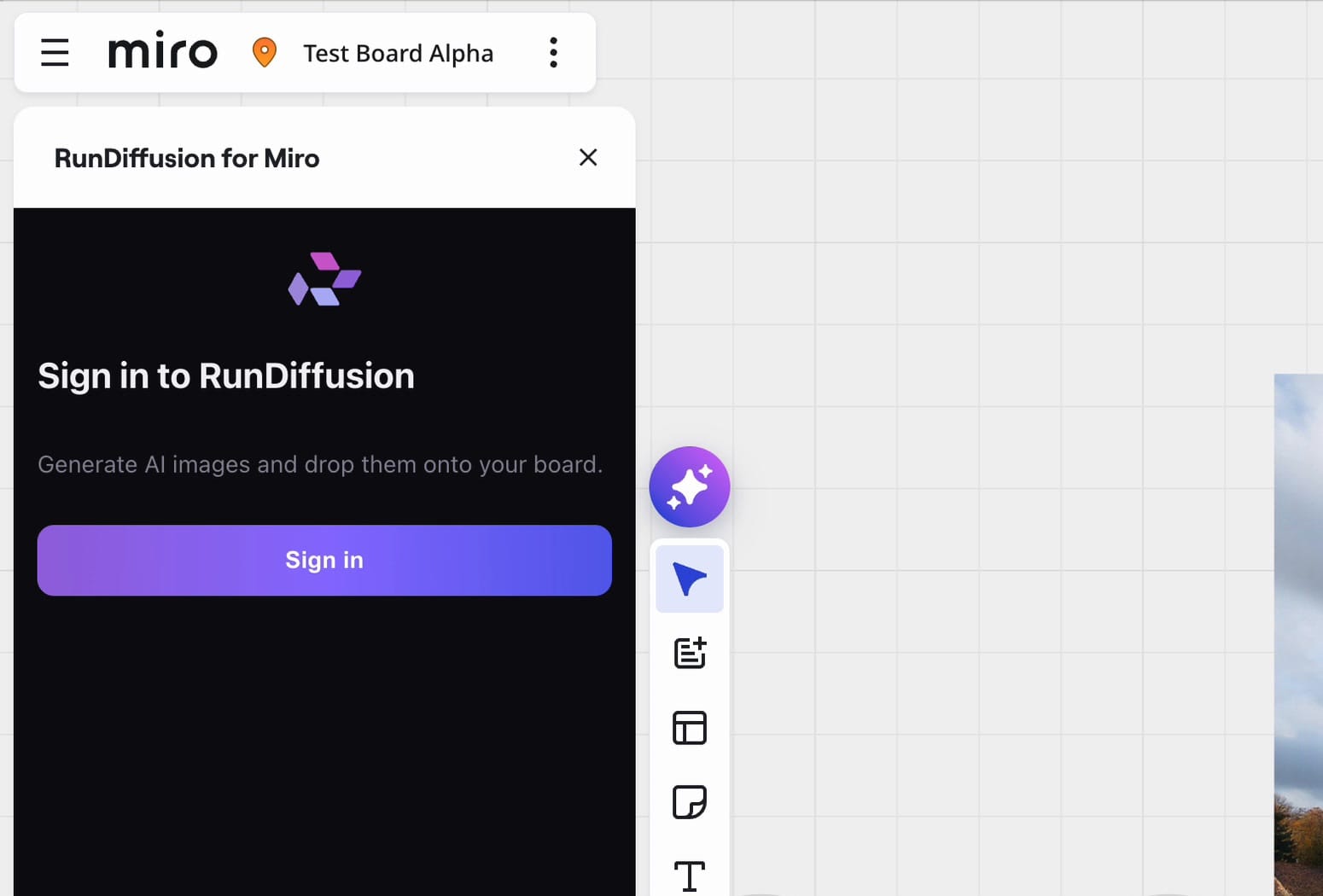
Step 2: Select Sign in
Select Sign in from the RunDiffusion panel. A browser authorization page opens and the plugin displays a temporary device code.
Step 3: Verify the device code
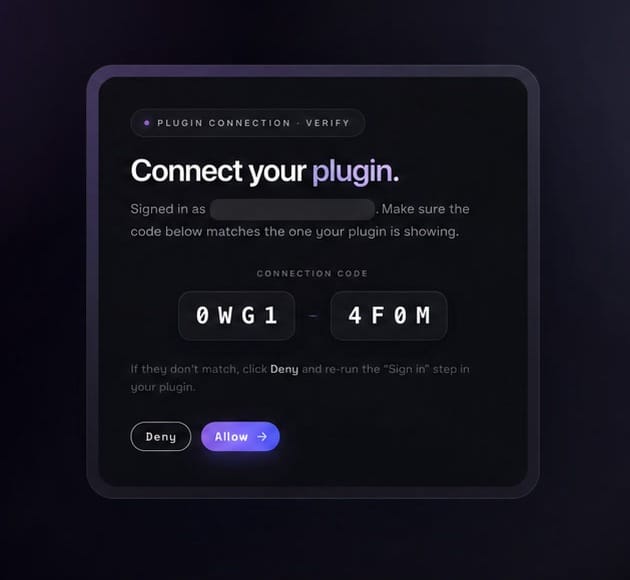
Confirm that the code in the Miro plugin matches the code on the RunDiffusion authorization page.
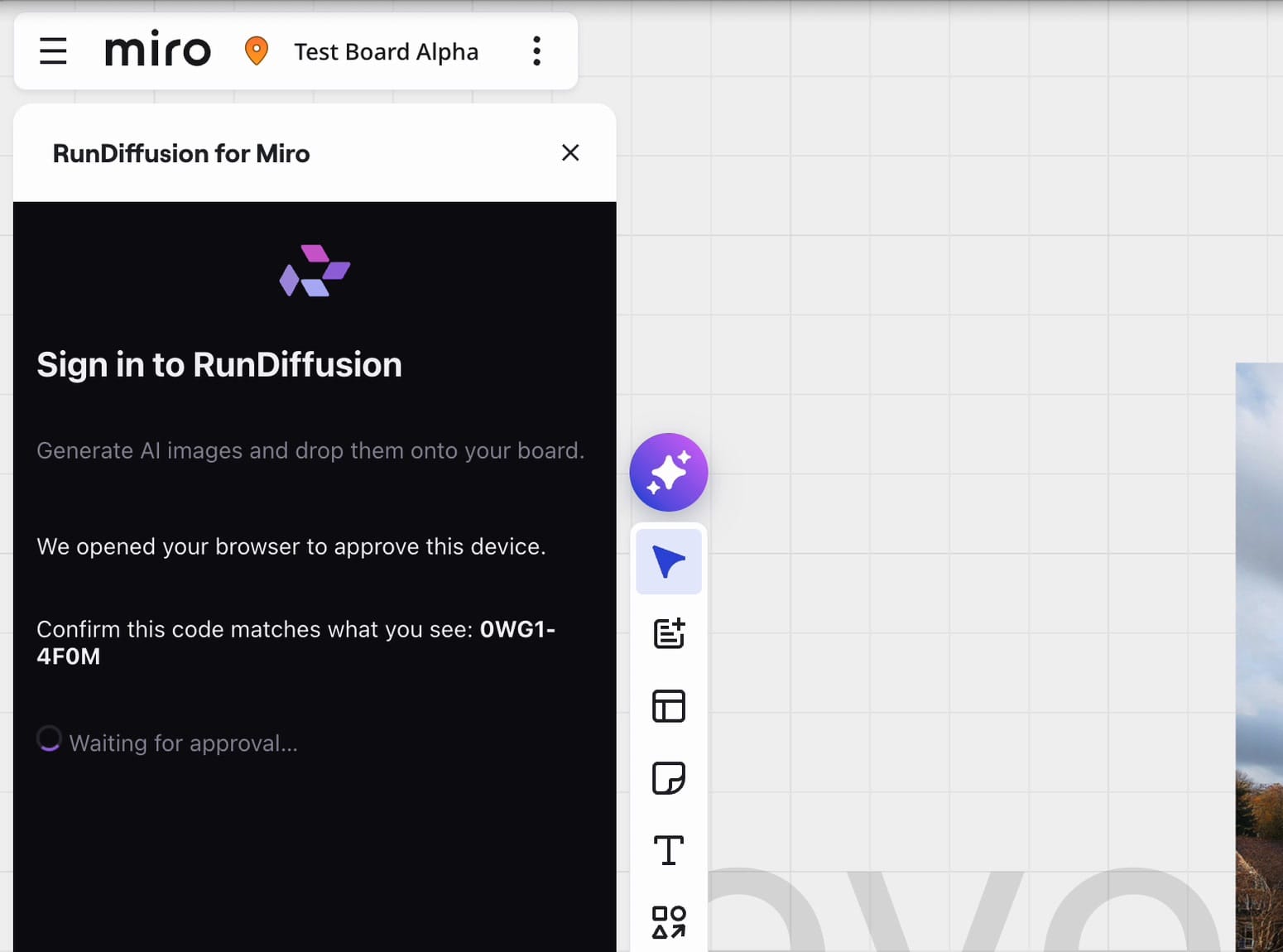
Step 4: Allow the connection
If the codes match, select Allow. If they do not match, cancel the request and restart sign-in from the Miro plugin.
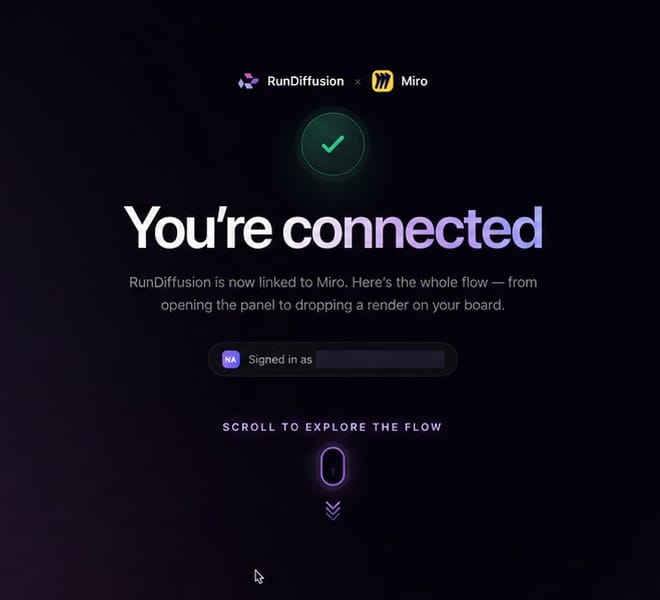
Step 5: Return to Miro
After RunDiffusion confirms the connection, return to the Miro board. The plugin will display the available RunDiffusion accounts.
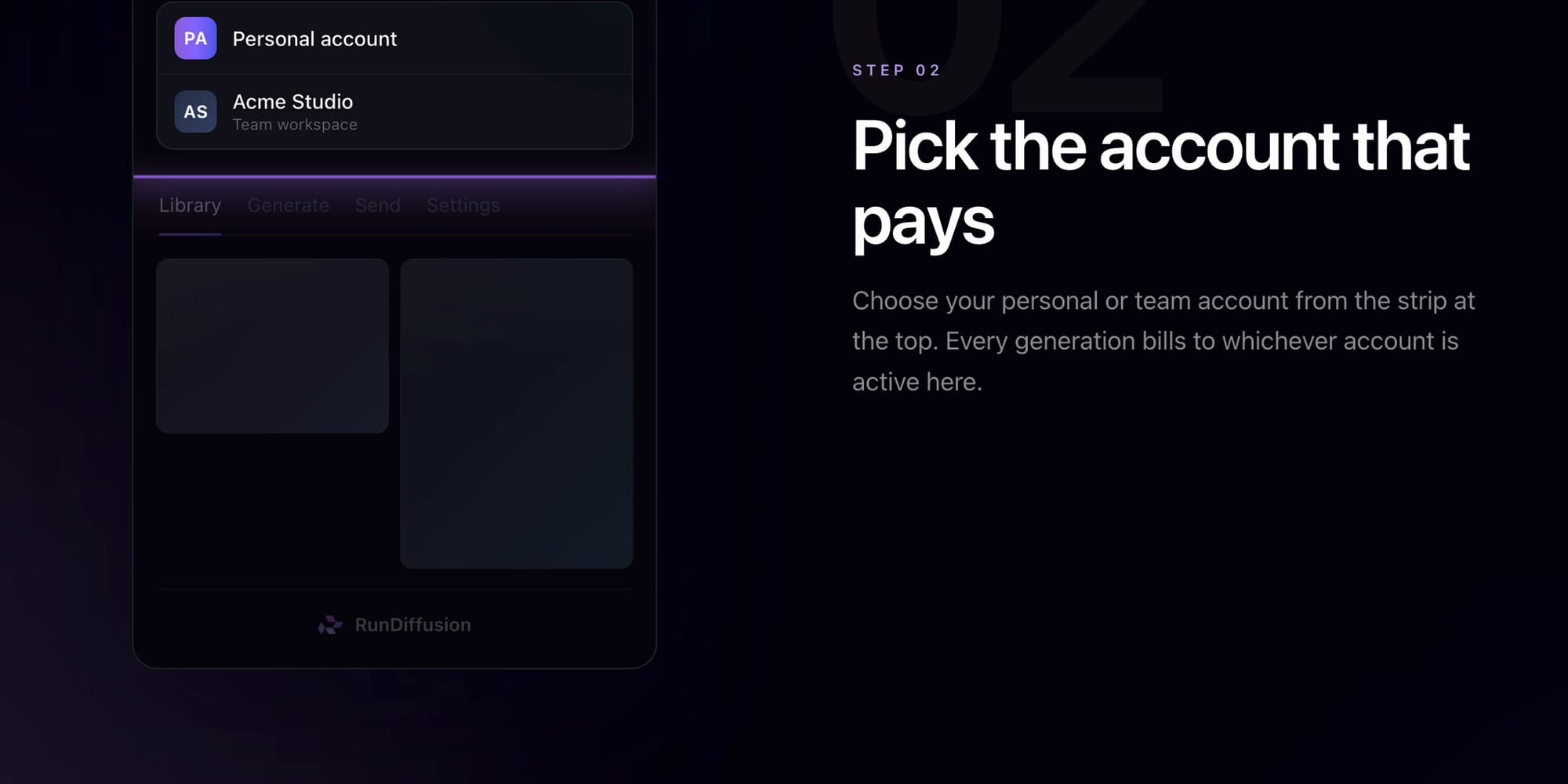
Step 6: Select the RunDiffusion account
Select the personal or team account to use. That account supplies generation credits and determines which library appears in the plugin. Select Switch at the top of the panel to change accounts.
Add a RunDiffusion library image to Miro
Step 7: Open Library
Open Library to view images from the active RunDiffusion account. Use the available filters or scroll through the results.
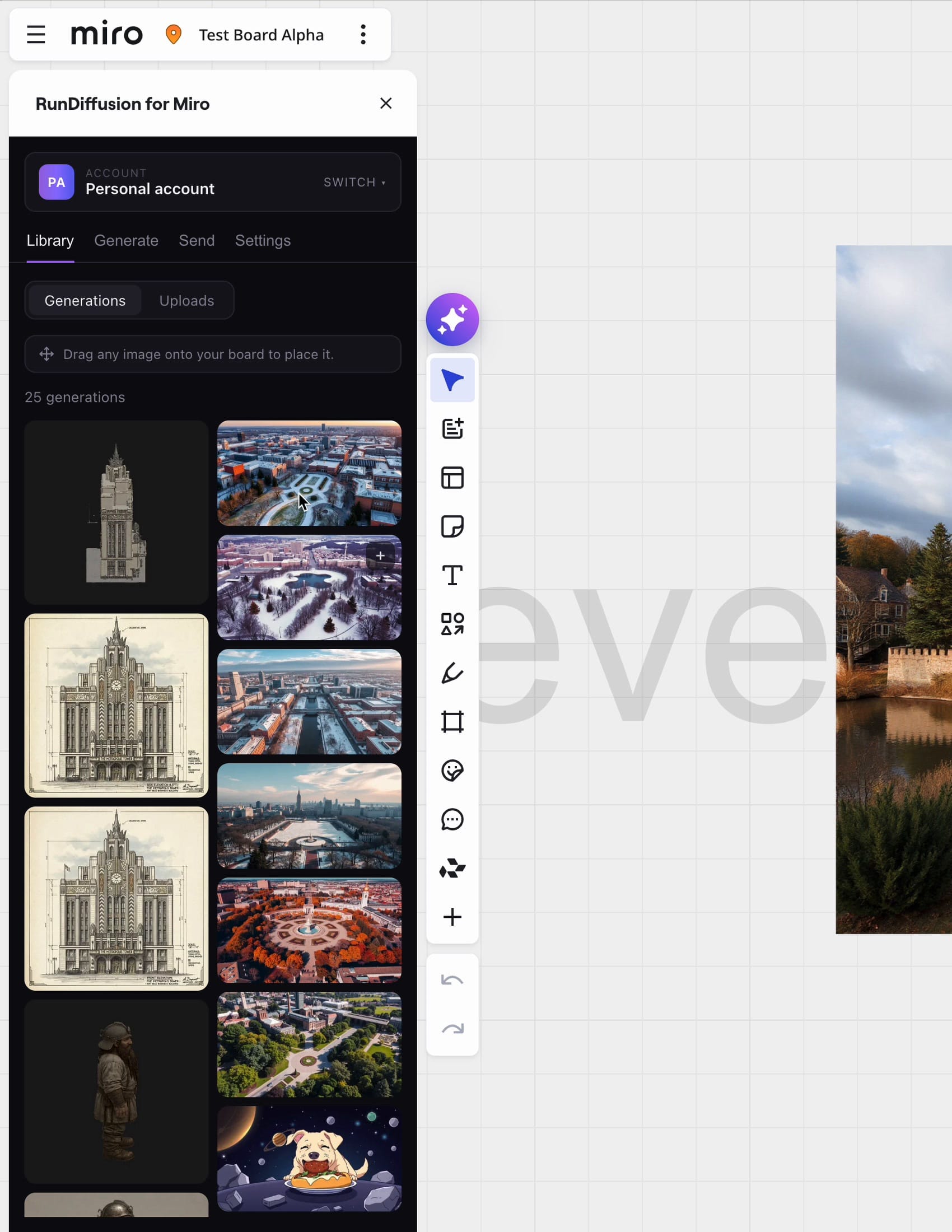
Step 8: Drag the image onto the board
Drag an image thumbnail from Library onto the Miro canvas. The image can then be moved, resized, or placed inside a Miro frame.
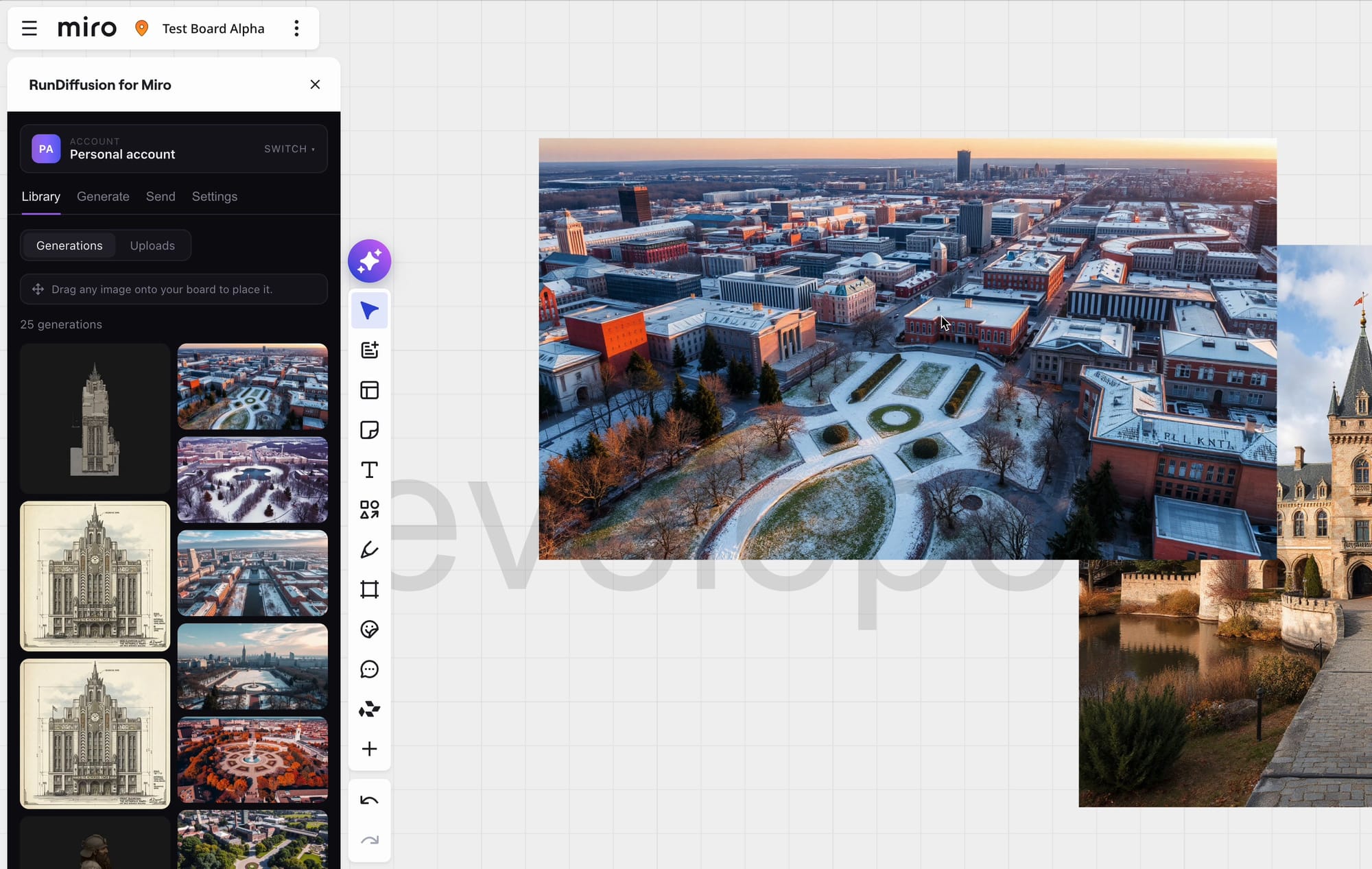
Generate an image in Miro
Step 9: Configure the generation
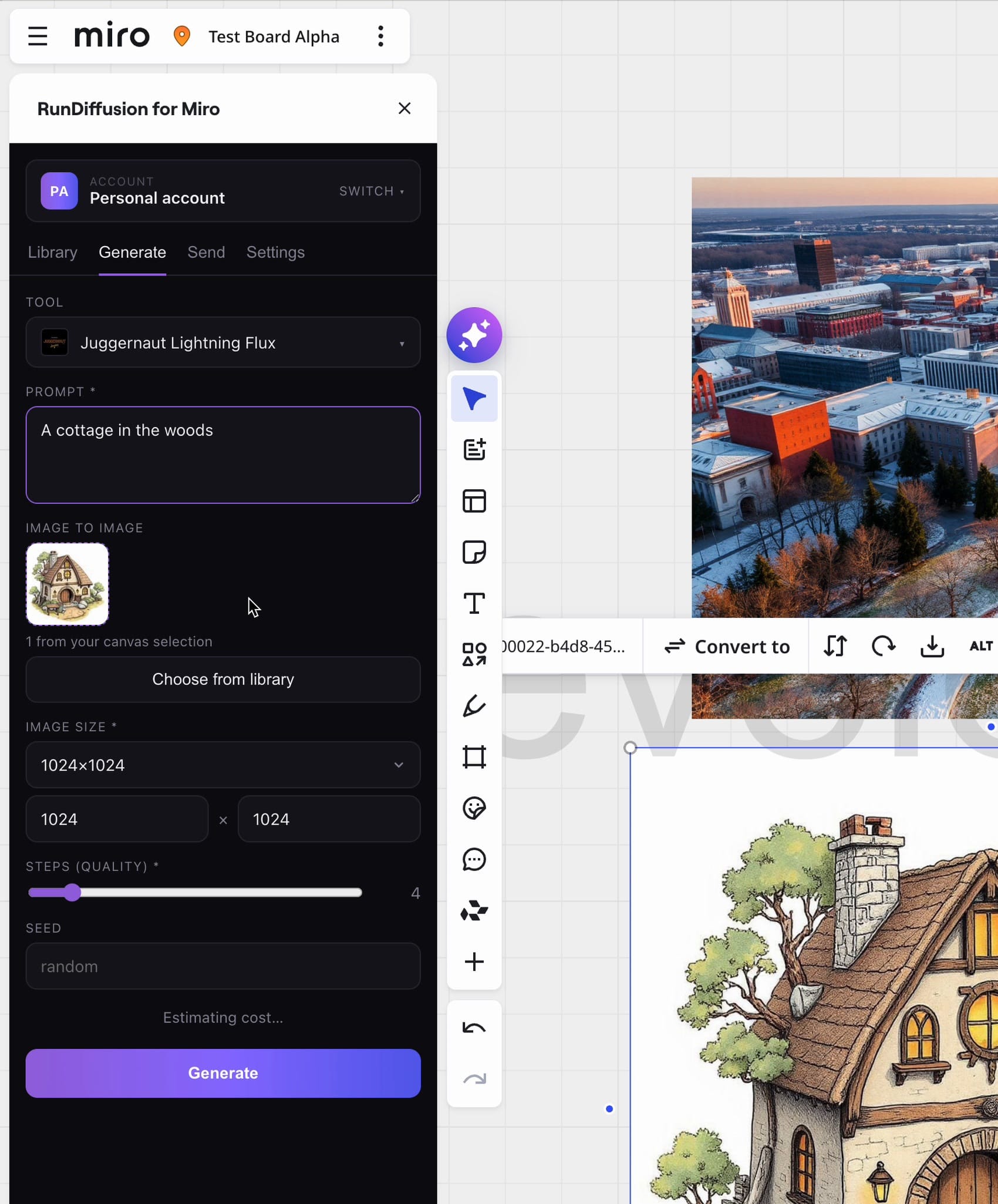
Open Generate, select a RunDiffusion tool, and enter the prompt. Complete the controls available for that tool, then select Generate.
For text-to-image generation, leave Image to Image empty. To use a reference, add an image from the board or the RunDiffusion library.
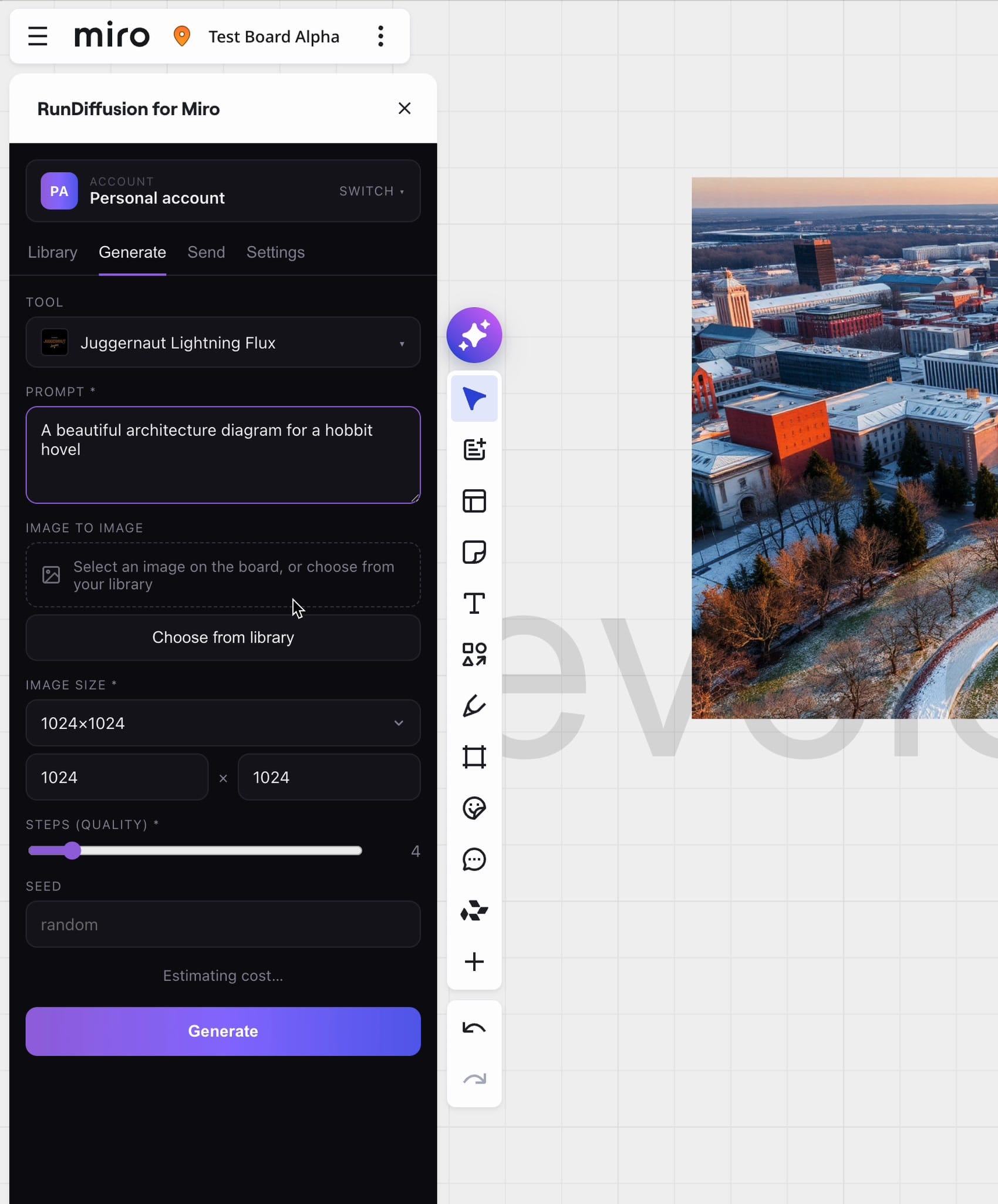
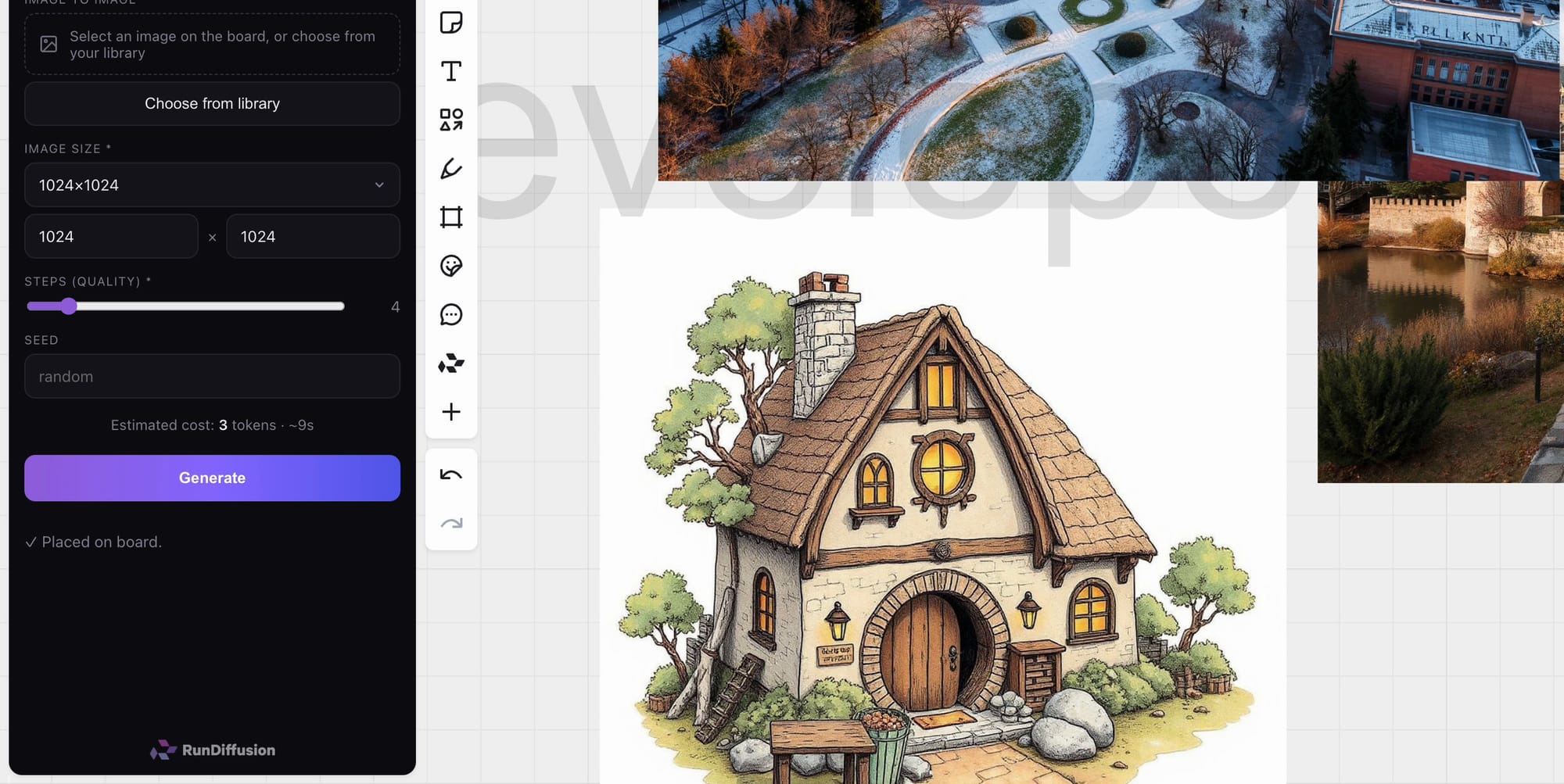
Step 10: Review the result
The completed image is placed on the Miro board and added to the RunDiffusion library. Move or resize it as required.
Send a Miro image to RunDiffusion
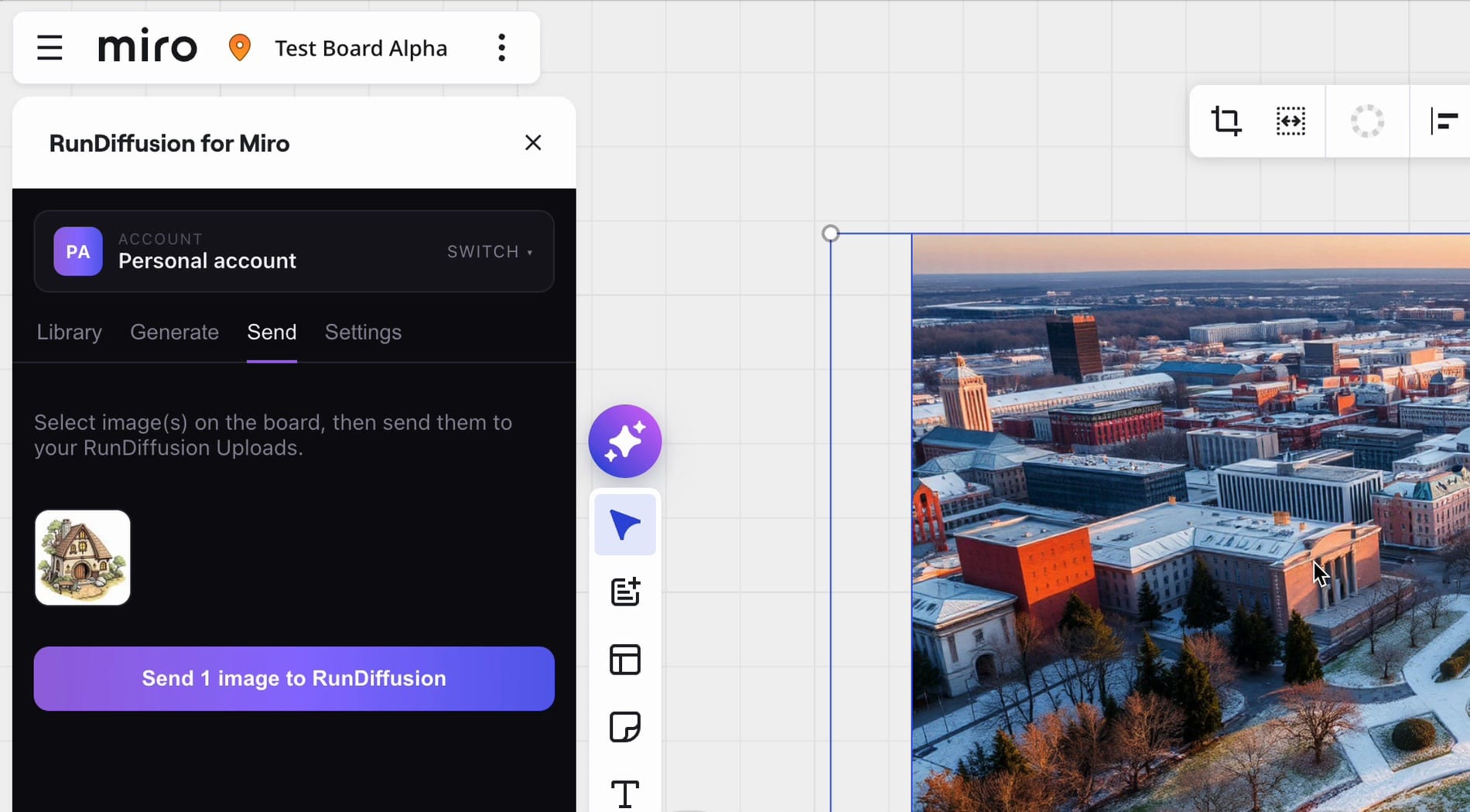
Step 11: Select the image and open Send
Select the image on the Miro canvas and open Send. Confirm the thumbnail in the plugin, then select Send 1 image to RunDiffusion.
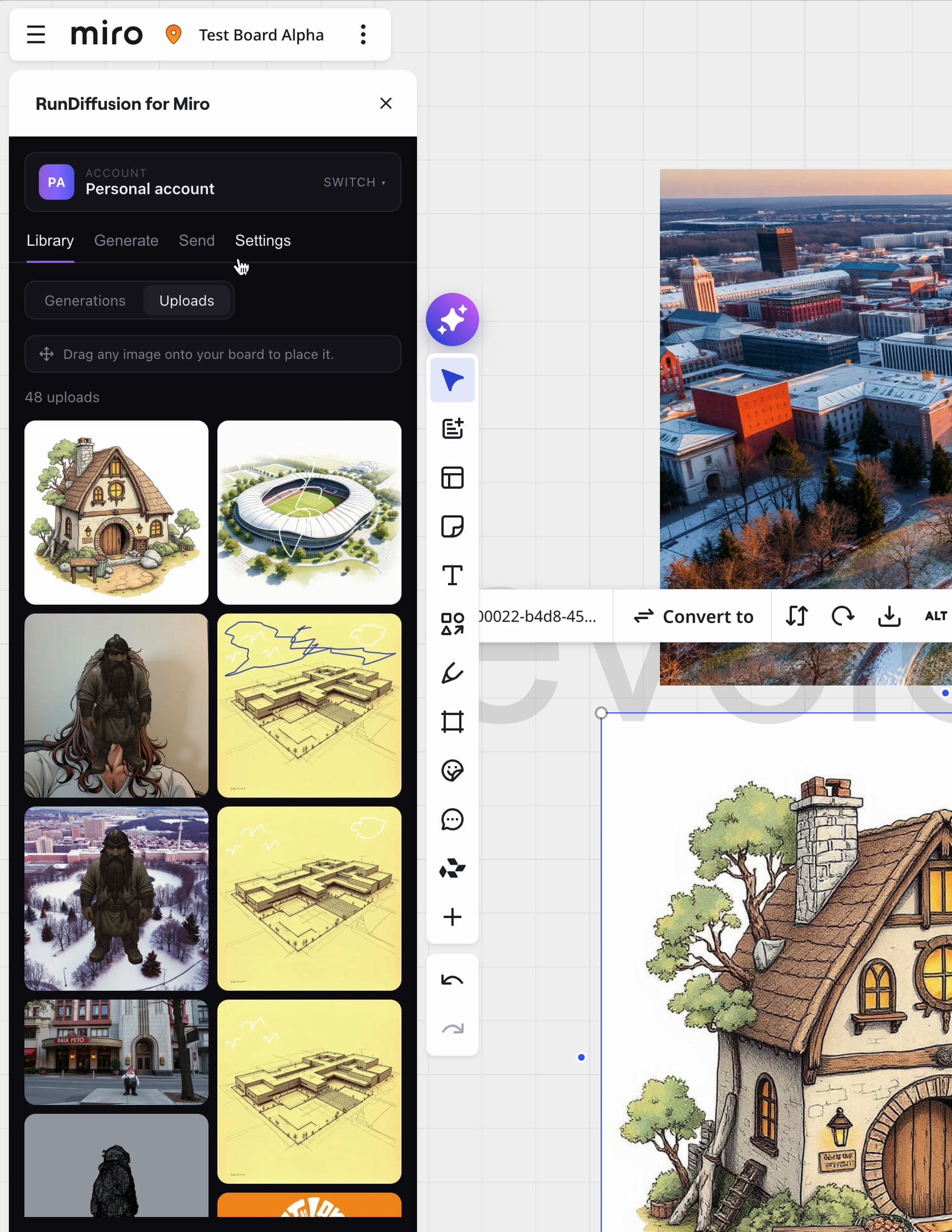
Step 12: Find the image in Uploads
Open Library, then select Uploads. The image sent from Miro appears in the Uploads library for the active RunDiffusion account.
Use a Miro image as generation input
Step 13: Add the selected image to Image to Image
Select an image on the board and open Generate. The selected image appears in the Image to Image area. You can also choose an existing reference from Library. Enter the prompt for the new result.
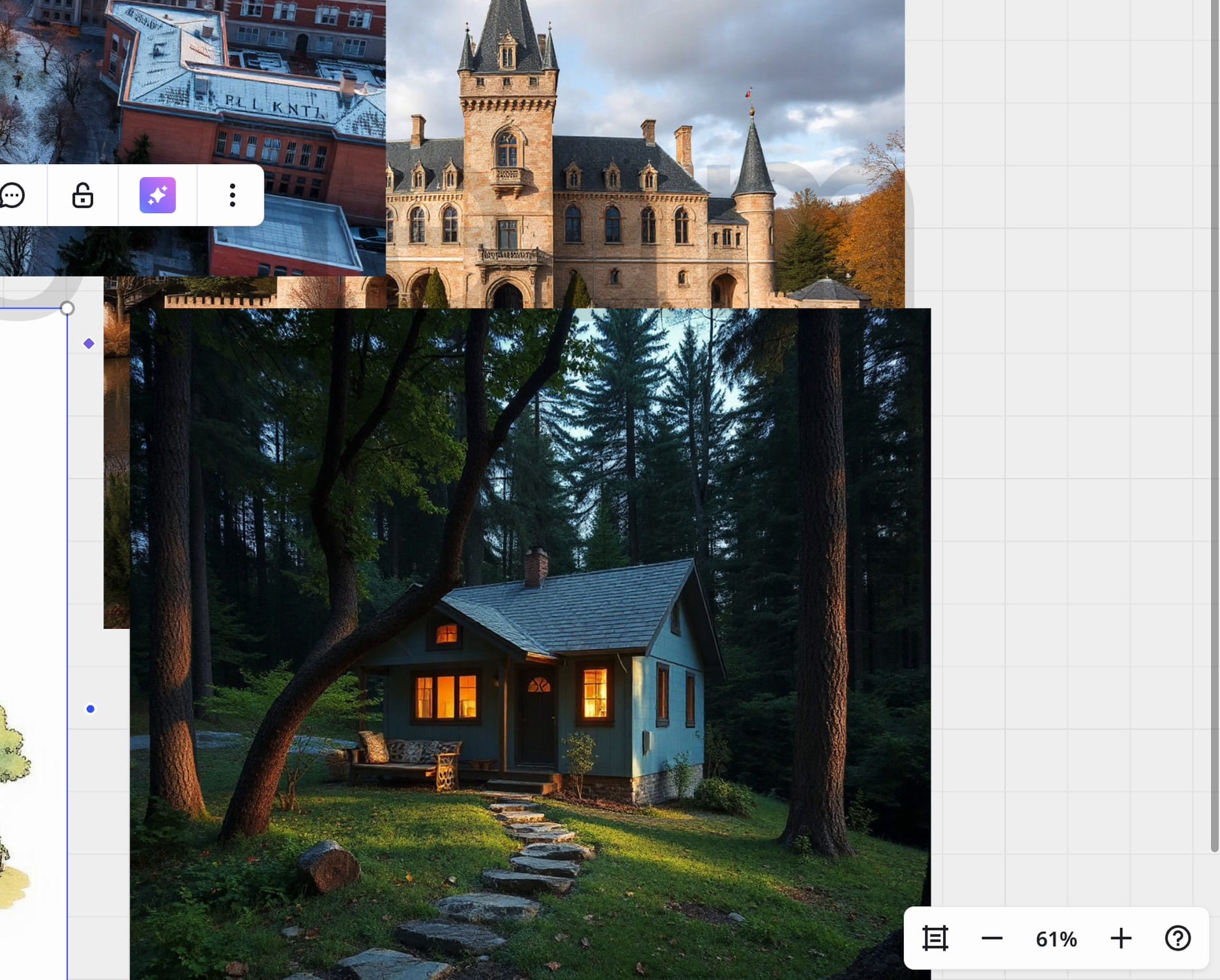
Step 14: Generate the new result
Select Generate. The new image appears on the board and in the RunDiffusion library.
Troubleshooting
RunDiffusion is not available in the Miro tools panel
Confirm that the app is installed in the current Miro team or workspace.
The device codes do not match
Do not approve the request. Cancel it, return to the Miro plugin, and start sign-in again to generate a new code.
The expected library is not displayed
Check the active account at the top of the plugin. Select Switch and choose the personal or team account that contains the required images.
The selected image does not appear in Send
Select the image element directly on the Miro canvas, reopen Send, and confirm its thumbnail before sending.
Install RunDiffusion for Miro
Install the plugin from the official Miro installation link, then complete the connection steps above.
