Wan2.1 Is Now Available Inside ComfyUI

Explore Wan2.1 inside ComfyUI on RunDiffusion for open-source text-to-video and image-to-video workflows.
Hero image for Wan2.1 Is Now Available Inside ComfyUI

Wan2.1 is now available inside ComfyUI, bringing powerful new features to your AI workflows on RunDiffusion. In this article, we'll explore what Wan2.1 adds, how to access it, and why it could significantly boost your ComfyUI experience. If you're working with AI models, style transfers, or image enhancement inside ComfyUI, this update is one you won't want to miss.


What Is Wan2.1?

Wan2.1 is a comprehensive, open suite of video foundation models designed to push the boundaries of generative AI. Key features of Wan2.1 include:

  • State-of-the-Art (SOTA) Performance: Outperforms many open-source and commercial video generation models across benchmarks.
  • Efficient on Consumer-Grade GPUs: With the T2V-1.3B variant needing only ~8.19GB VRAM, it can run on widely available hardware.
  • Multi-Task Excellence: Supports Text-to-Video, Image-to-Video, Video Editing, Text-to-Image, and Video-to-Audio workflows.
  • Visual Text Generation: Wan2.1 is the first video model capable of generating high-quality Chinese and English text within videos.
  • Powerful Video VAE: Wan-VAE enables efficient 1080P encoding/decoding while preserving critical temporal details.

These advancements make Wan2.1 one of the most versatile tools available for creators looking to push the envelope of AI video and image content.


How to Use Wan2.1 Inside ComfyUI

Using Wan2.1 is simple on RunDiffusion. Here's a quick guide:

Login to RunDiffusion Go to RunDiffusion Opensource Apps
Screenshot showing mage-60-1-2-2-1-1-1." class="kg-image" alt="Login to RunDiffusion Go to RunDiffusion Opensource Apps"...

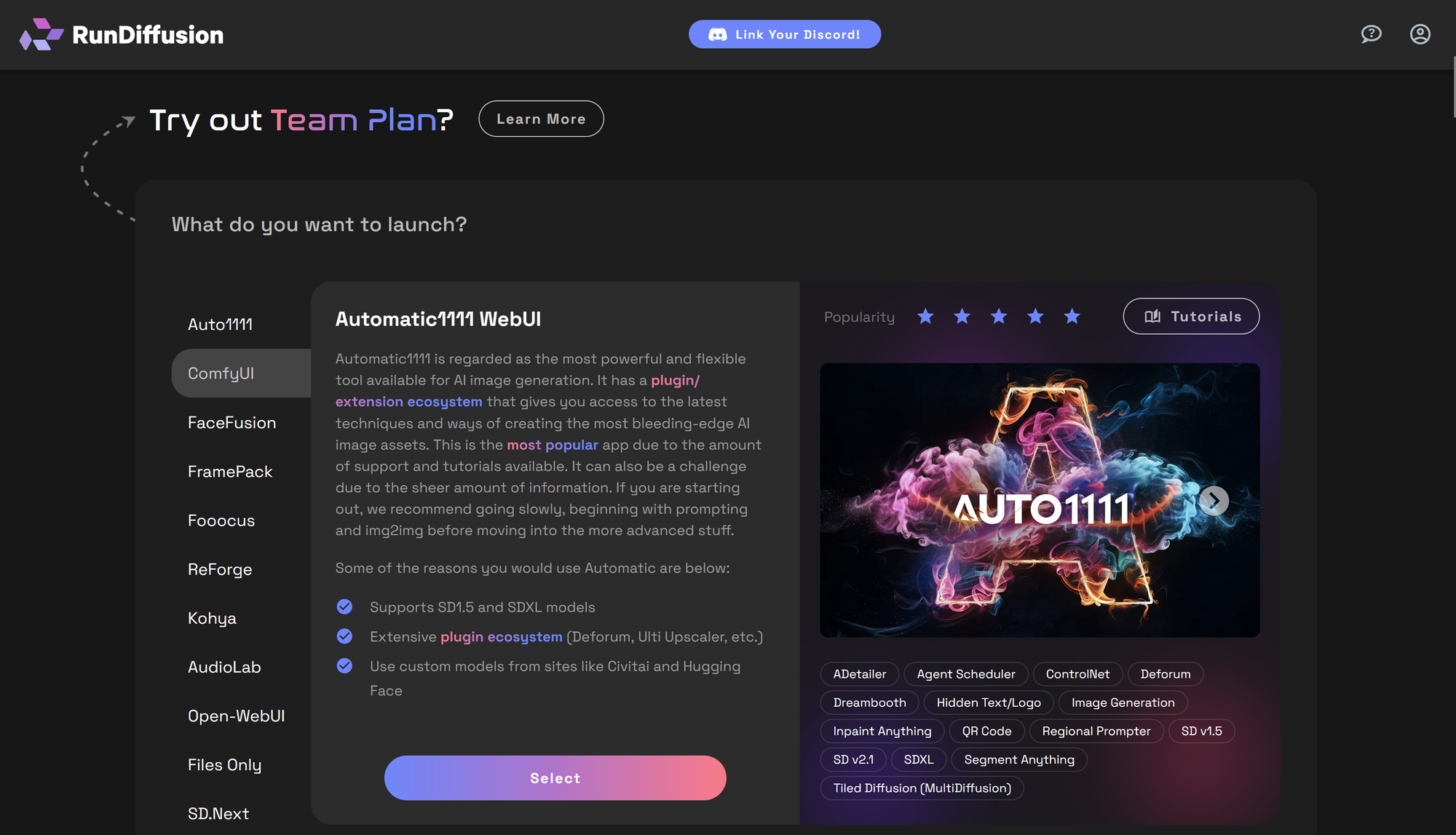
Click on ComfyUI on the left sidebar and click Select.
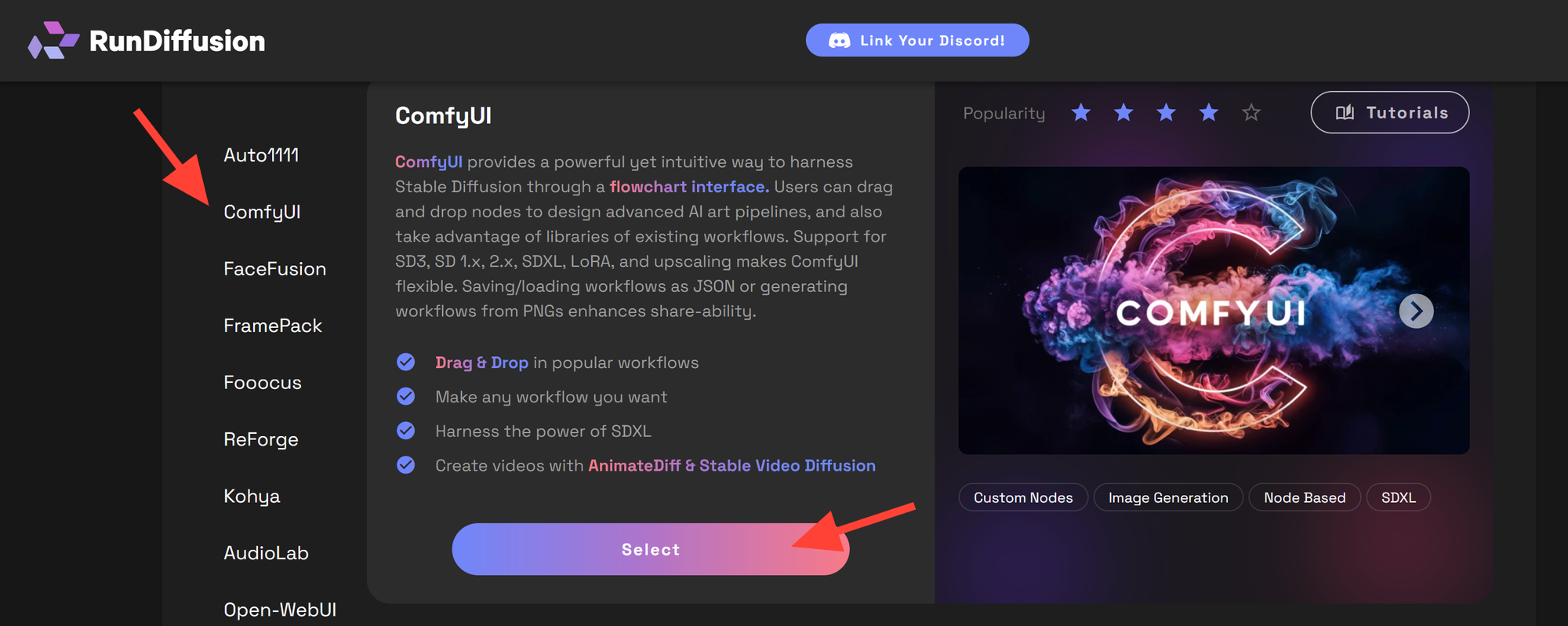
Screenshot showing st.io/c/79/65/7965787d-54cb-4211-8169-3d231a1bb6f8/content/images/2025/05/image

Select a Large or Max server. Launch a session.
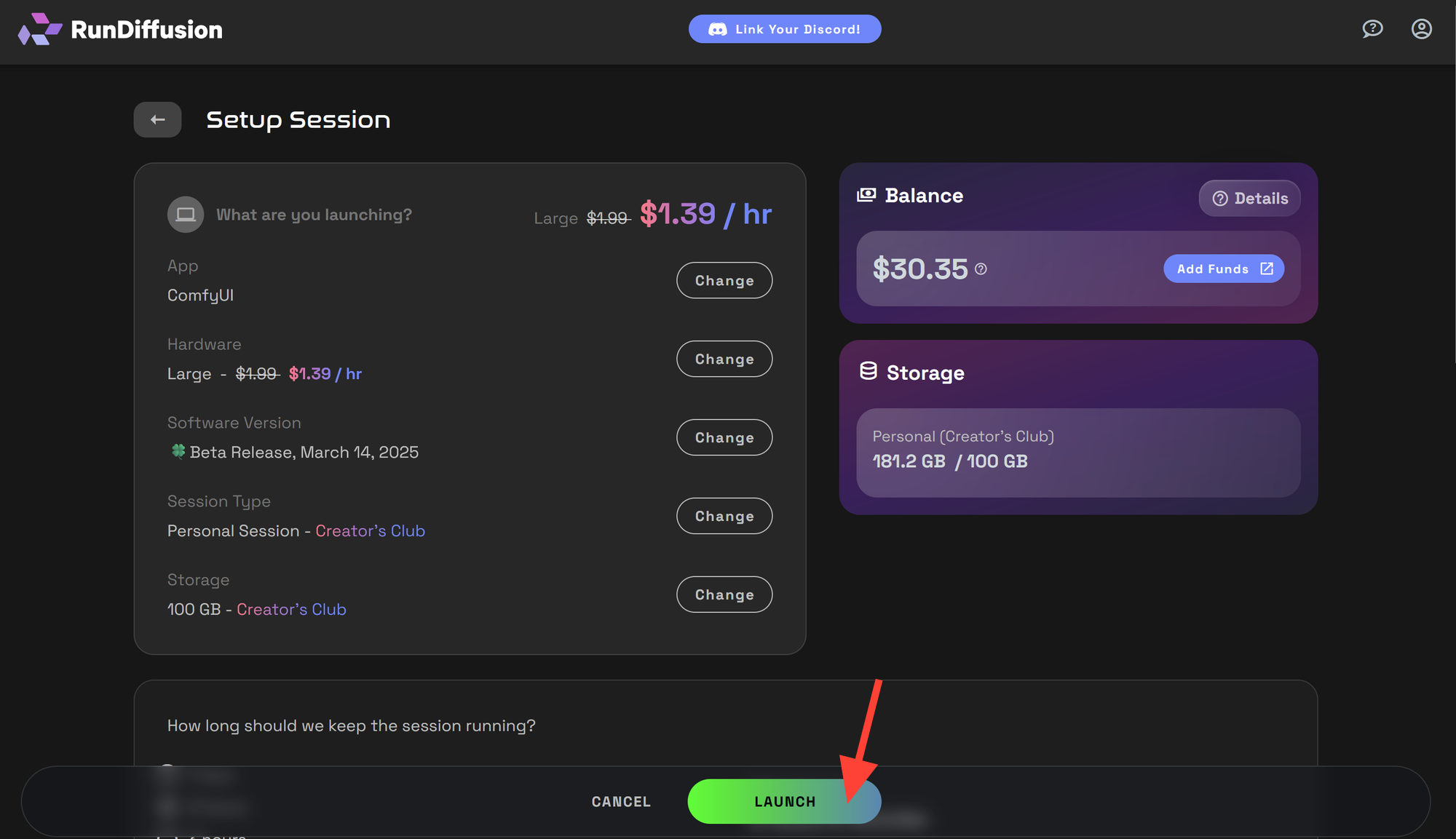
Screenshot showing host.io/c/79/65/7965787d-54cb-4211-8169-3d231a1bb6f8/content/images/2025/05/image-2-1-1

Open the provided Wan2.1 Workflow.

You can download the workflow we provided here and open it.
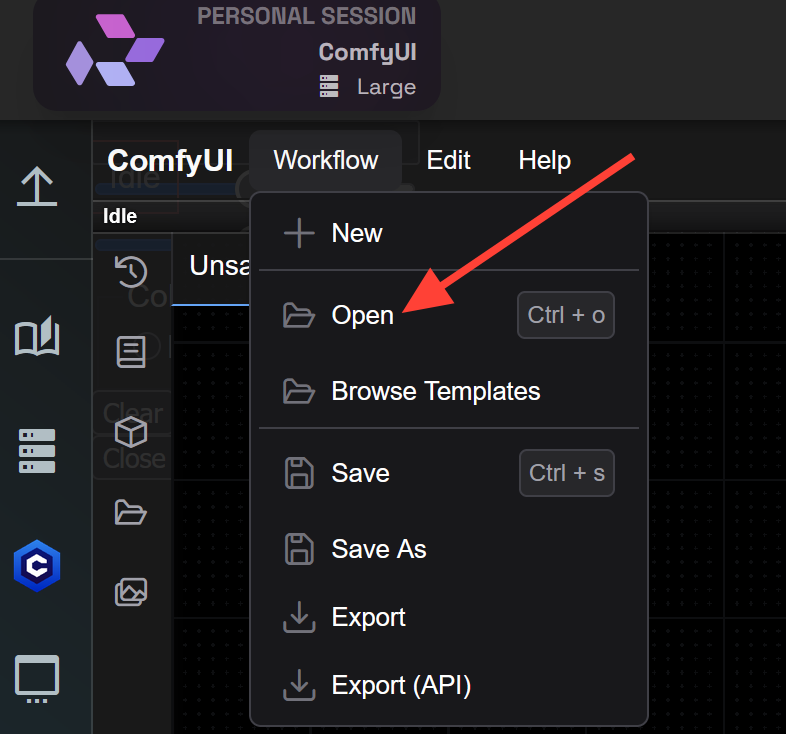
VID-WAN2_1-IMG2Video VID-WAN2_1-IMG2Video.json 41 KB download-circle You may also click on the workflow icon on the left side

You may also click on the workflow icon on the left side search wan and click on VID-WAN2_1-IMG2Video.json
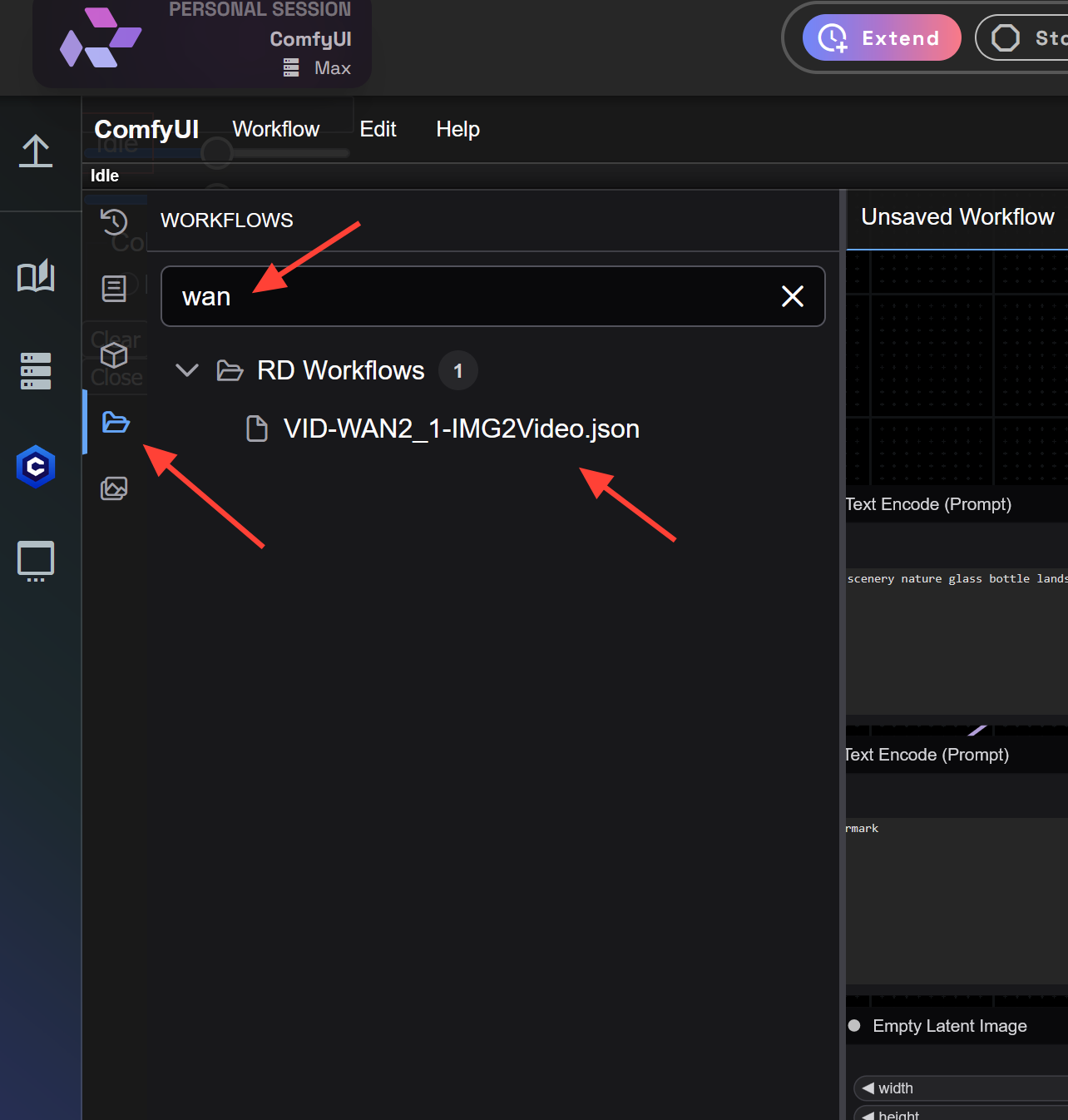
VID-WAN2_1-IMG2Video VID-WAN2_1-IMG2Video.json 41 KB download-circle You may also click on the workflow icon on the left side

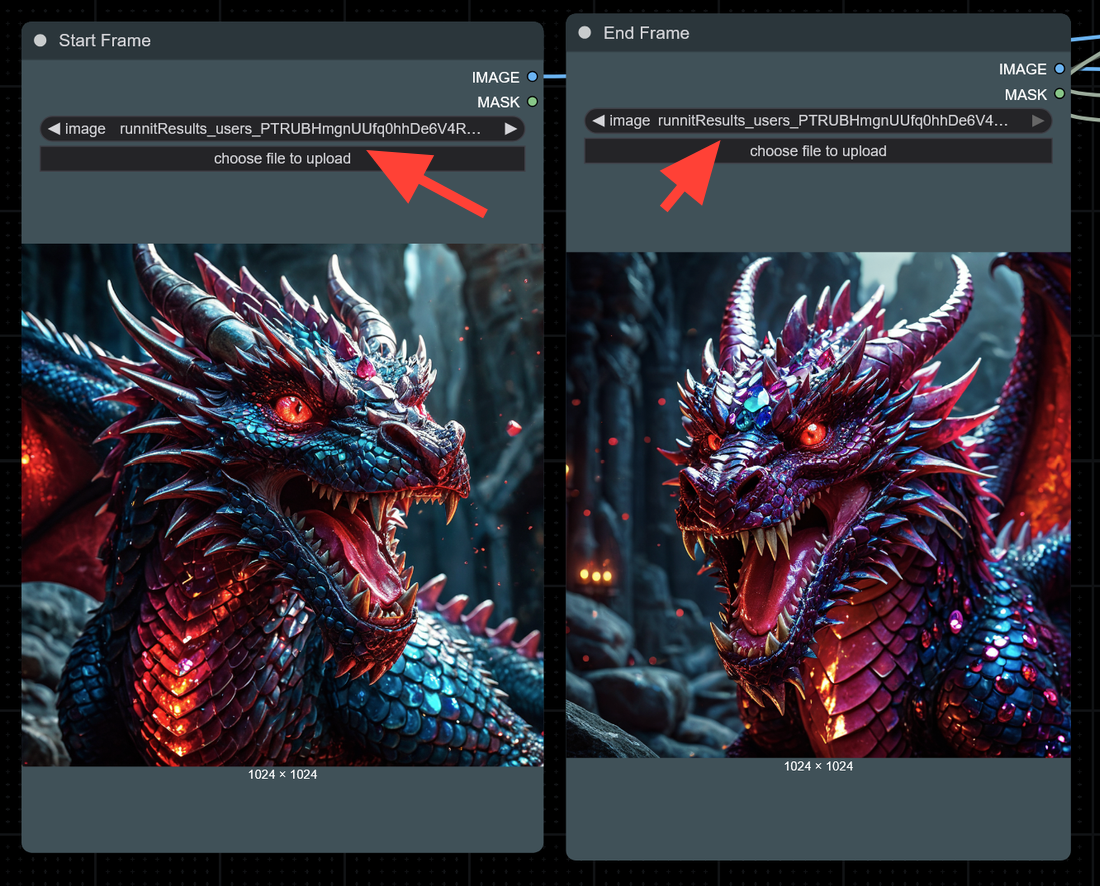
Load a Start and End Frame

VID-WAN2_1-IMG2Video VID-WAN2_1-IMG2Video.json 41 KB download-circle You may also click on the workflow icon on the left side

Enter a prompt in the Prompt Node box.
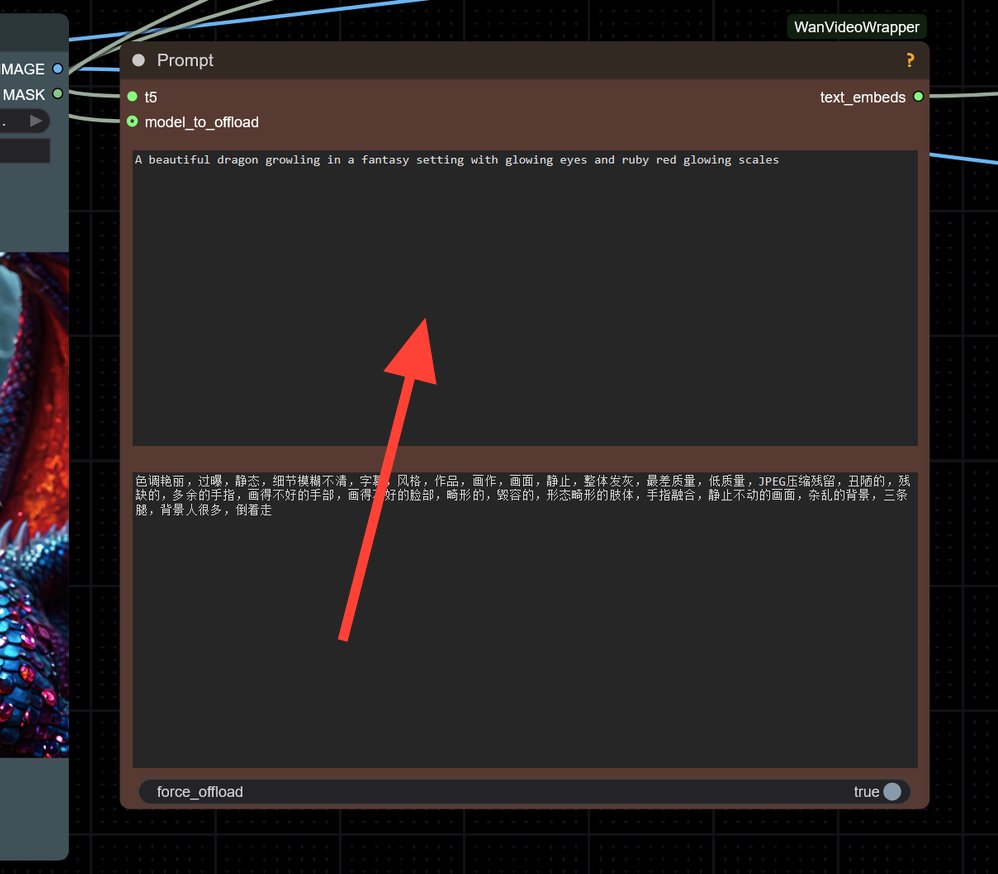
VID-WAN2_1-IMG2Video VID-WAN2_1-IMG2Video.json 41 KB download-circle You may also click on the workflow icon on the left side

Click Run! Be patient as Video Models take more time to load.
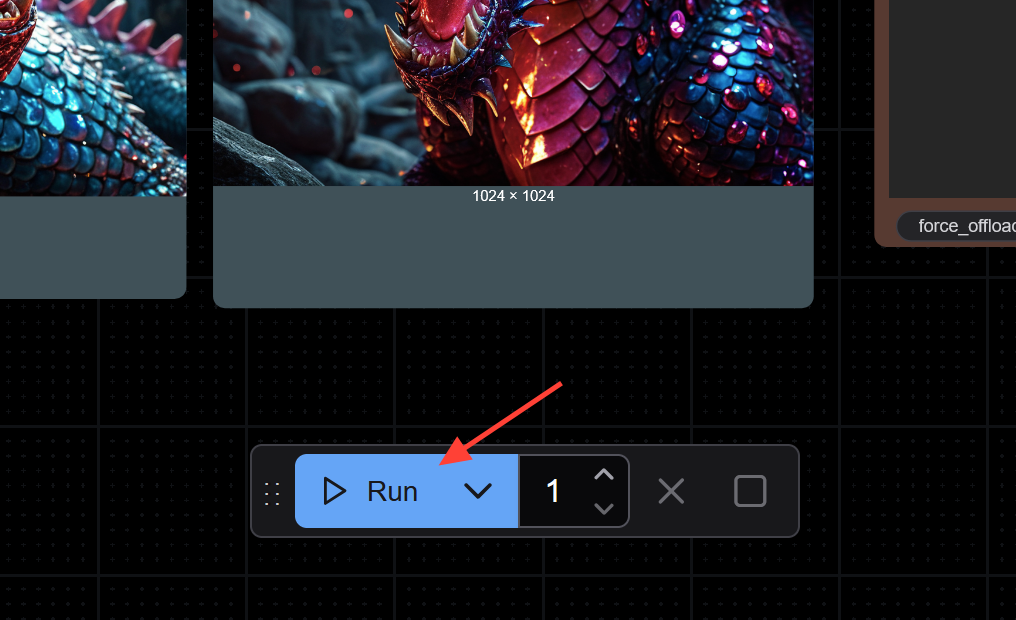
VID-WAN2_1-IMG2Video VID-WAN2_1-IMG2Video.json 41 KB download-circle You may also click on the workflow icon on the left side

Enjoy your creations.

0:00
/0:04

Another Example

0:00
/0:04

Pro Tips for Best Results with Wan2.1

  • Focus on Clear Prompts: Especially for Text-to-Video tasks — clarity improves final video coherence.
  • Leverage Image-to-Video: Start with strong base images and turn them into dynamic clips.

Troubleshooting workflows in ComfyUI | RunDiffusion
Now available an updated Tutorial for troubleshooting Comfyui workflows. So, you have a cool looking workflow and you want to load it on RunDiffusion? First off - this process is complicated and time consuming! Are you sure you need to load the longest workflow with 500 nodes first? Maybe try something easier like the pre-loaded workflows we have here... Okay, still convinced you need this specific workflow and you’re willing to troubleshoot it? There are three steps that need to be followed
Wan2.2 Animate Character Swap Now Available in ComfyUI | RunDiffusion
Wan2.2 Animate generates new video clips guided by an input video, a reference image, and a prompt. RunDiffusion now hosts a workflow using this model so you can produce character swapped or stylized videos directly in the cloud.
About the author
Adam Stewart

Great! You’ve successfully signed up.

Welcome back! You've successfully signed in.

You've successfully subscribed to RunDiffusion.

Success! Check your email for magic link to sign-in.

Success! Your billing info has been updated.

Your billing was not updated.