


Architects and design teams are increasingly using AI video to turn still images into more dynamic presentations. With Seedance 2.0 on RunDiffusion, you can take architectural reference images, guide camera movement, and generate cinematic videos with more control over motion and scene direction.
This is especially useful when you want to present a concept with more energy than a static render can provide. Instead of showing one hero image, you can animate an exterior, move through an interior, or add subtle environmental motion that helps clients understand the design intent more clearly.
Video: Expressionist architectural concept animated from a Nano Banana base image with Seedance 2.0.
Why Seedance 2.0 Works Well for Architecture
Seedance 2.0 is a strong fit for architecture workflows because it supports image input and is designed for director-level video control. That gives you a practical way to start from a reference image and push it toward a more cinematic architectural presentation.
For architecture, that matters because you usually do not want random motion. You want controlled movement that supports the design, such as:
- a slow push through a living room
- a smooth orbit around a building exterior
- a gentle tilt upward to reveal massing and facade detail
- environmental motion like trees, light, reflections, or people moving through space
Because Seedance 2.0 also supports native audio, it is also useful for more polished concept presentations when you want the final output to feel more immersive.
What You Need Before You Start
Before generating video, prepare:
- 1 to 3 architectural reference images to use as start and end frames
- a clear goal for the shot
- a short description of camera movement
- a style direction, such as minimalist luxury interior, modern concrete exterior, warm hospitality space, or conceptual competition render
The strongest architectural videos usually start with strong stills. If your input image already has good composition, lighting, and material definition, the resulting animation is much easier to control.
How to Use Seedance 2.0 for Architecture on RunDiffusion
To access Seedance 2.0:
Login to RunDiffusion.

You are automatically redirected to RunDiffusion's Platform sometimes called our Runnit Platform.
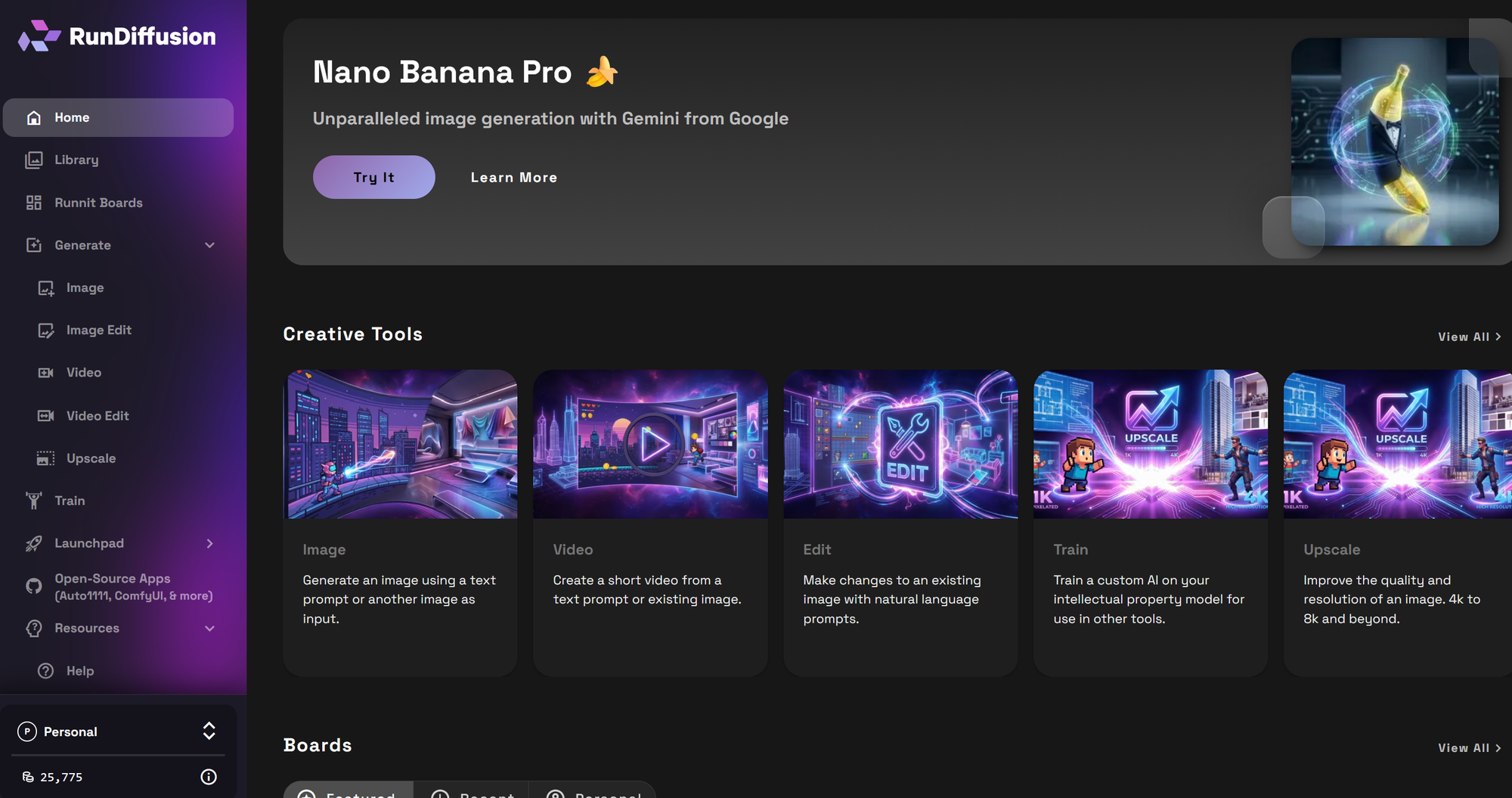
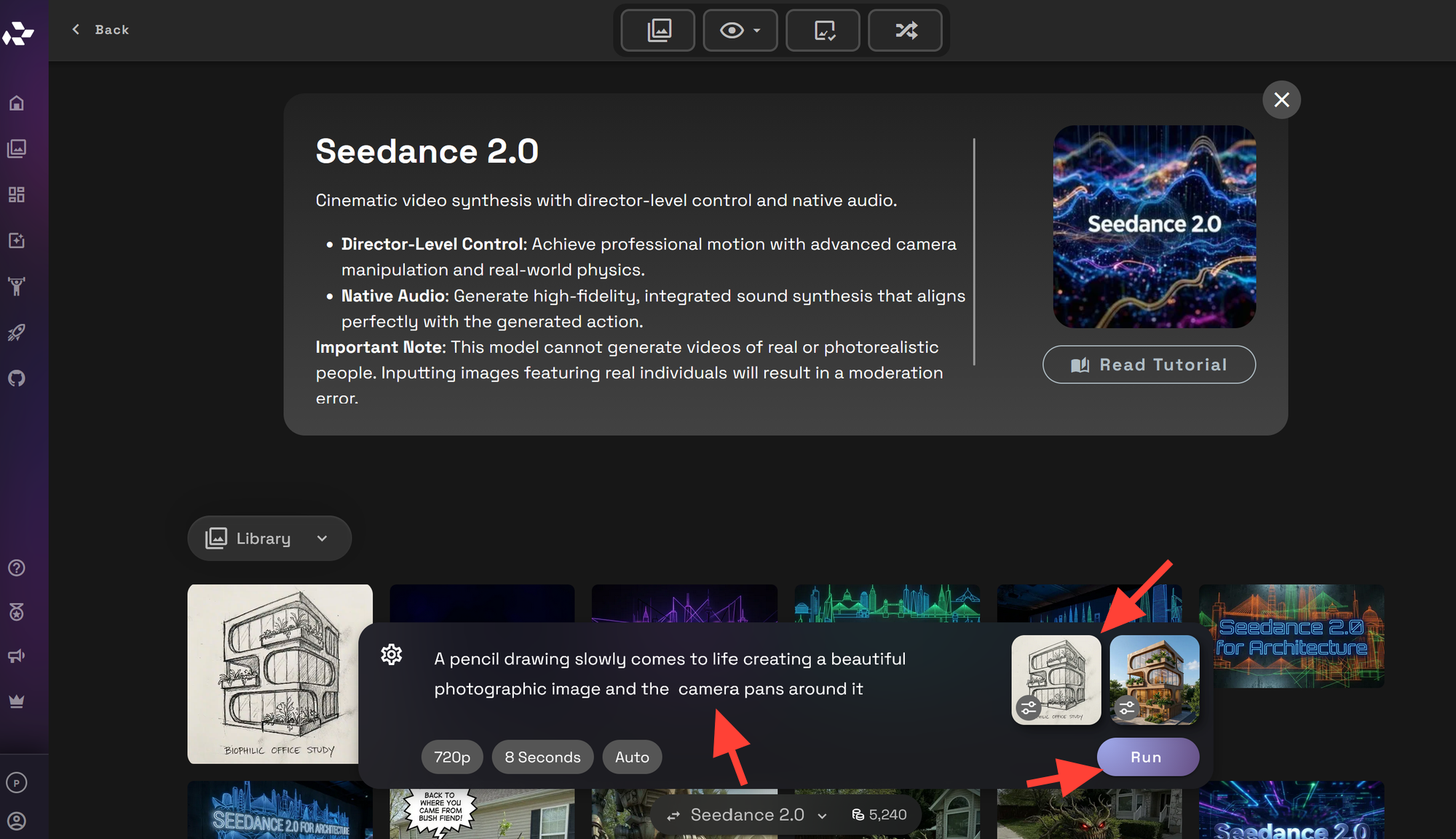
On the left sidebar, click Generate then Video.
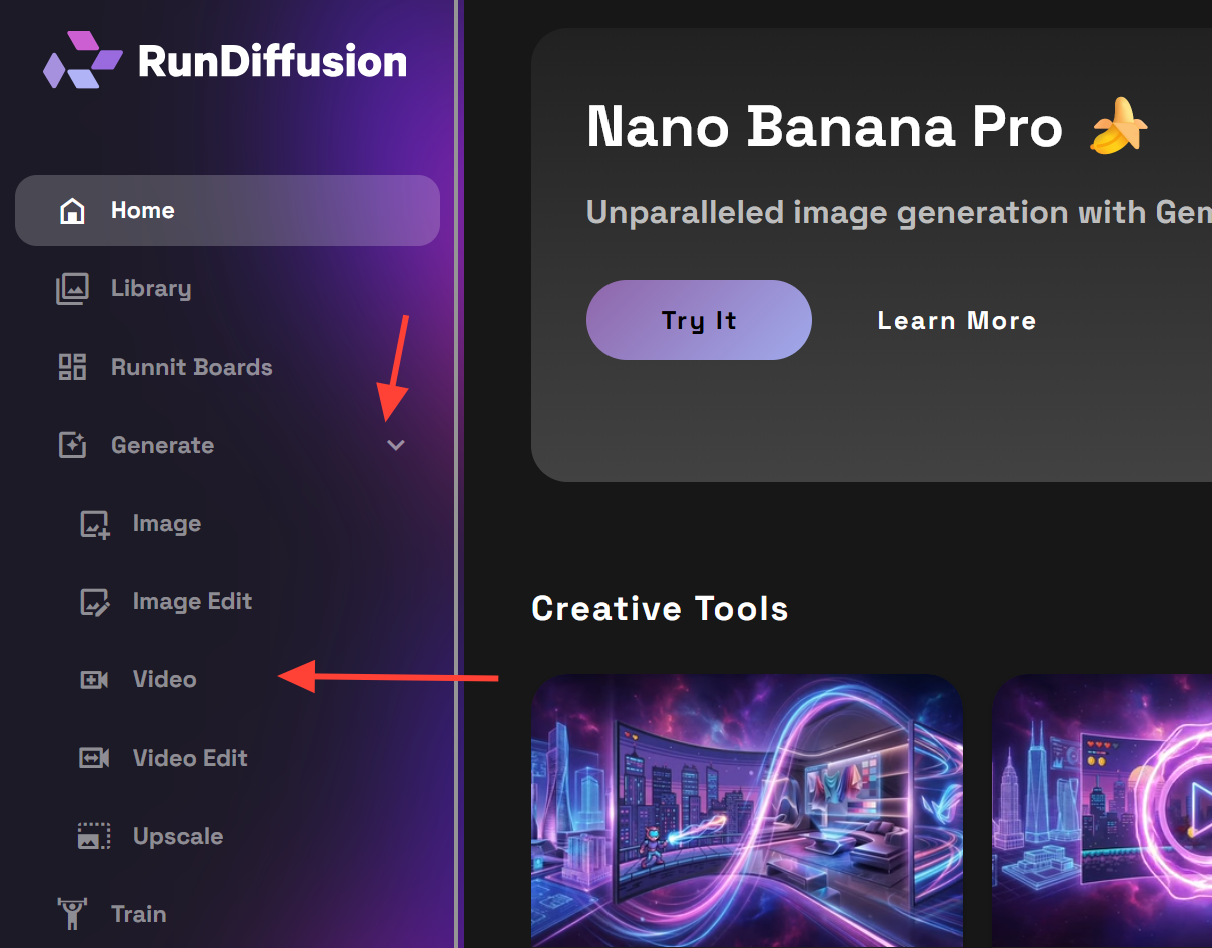
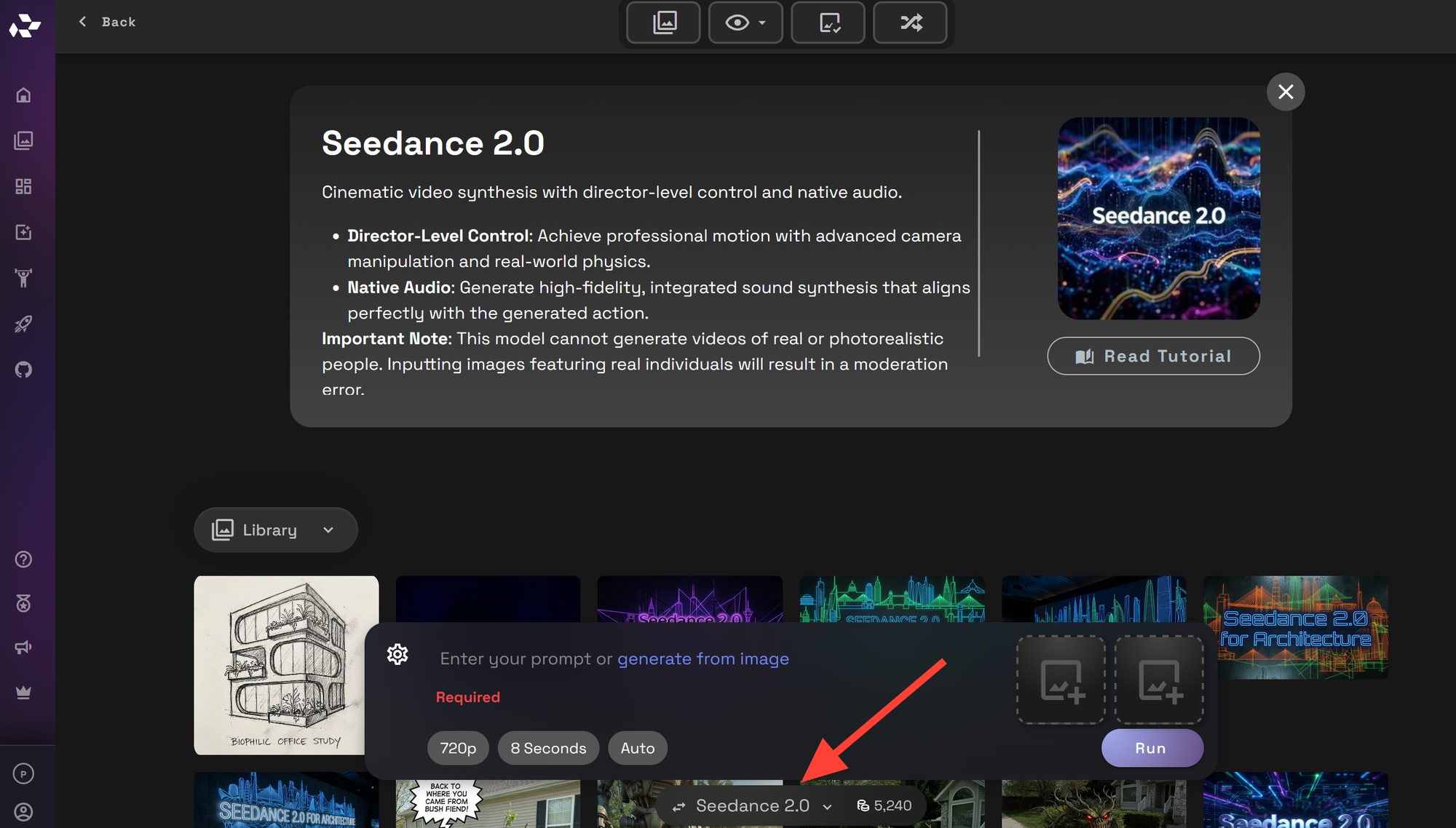
You can change models by clicking on the model name.
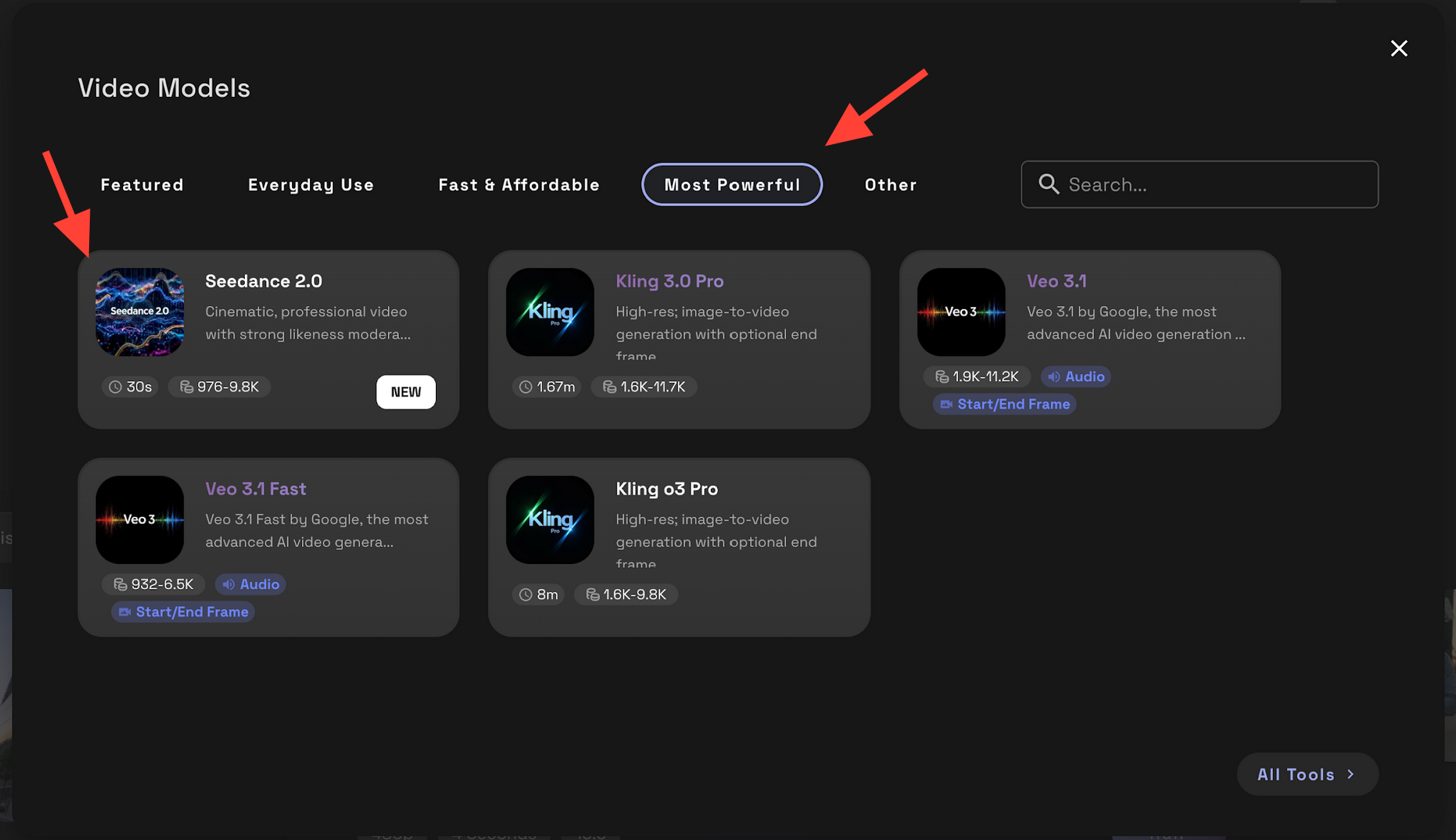
Click on most powerful then Seedance 2.0.
Write a prompt, upload start/end frames as needed and click Run to generate an video.
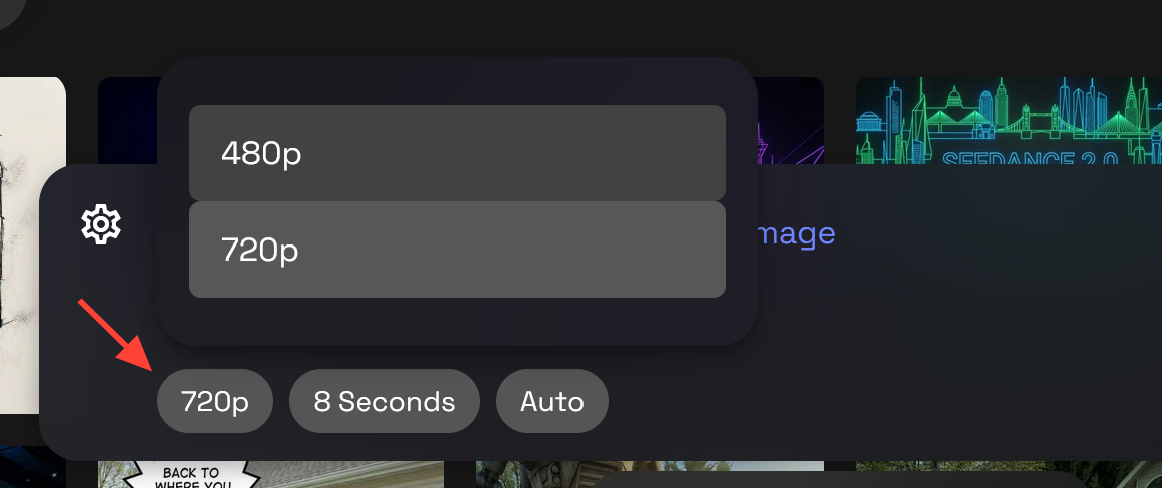
You can also change the resolution from 480p to 720p.
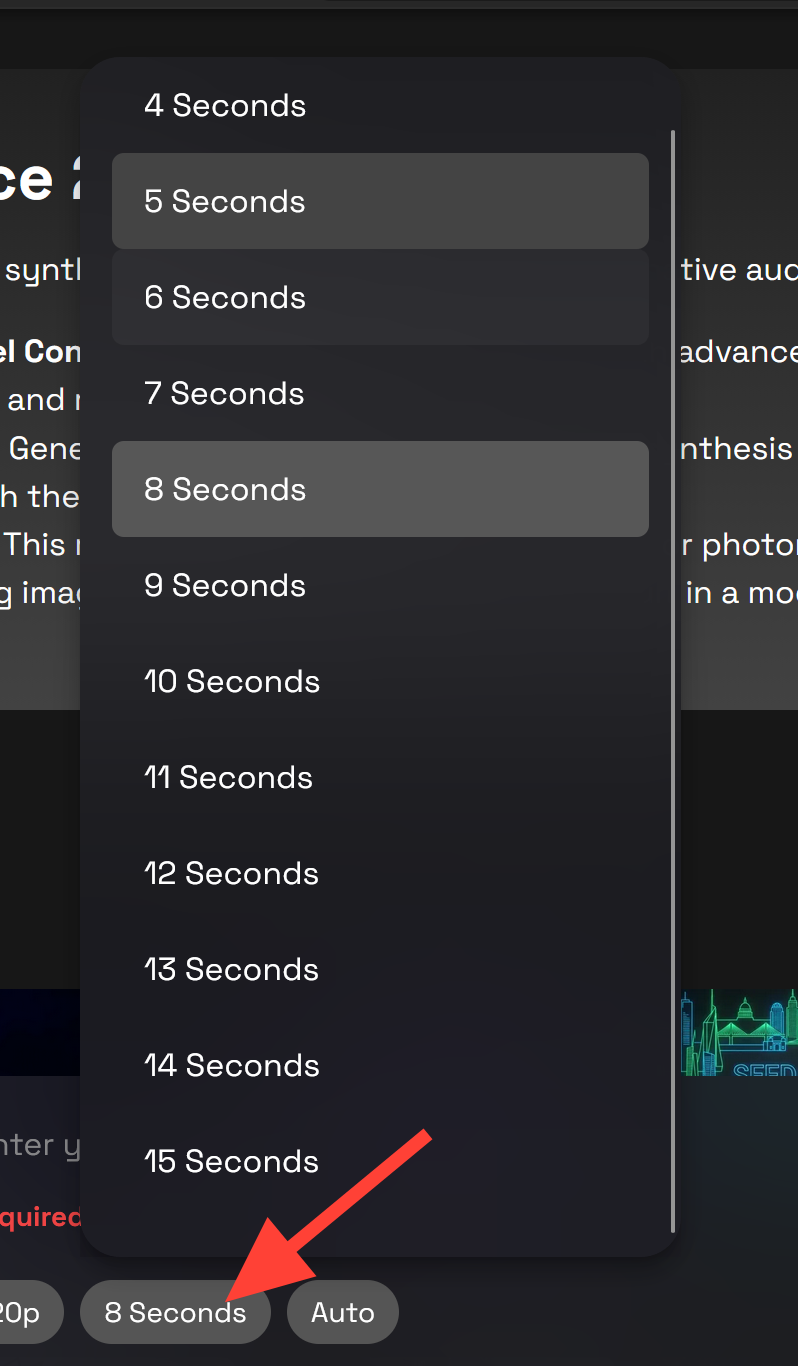
You can edit the length of your video up to 15 seconds.
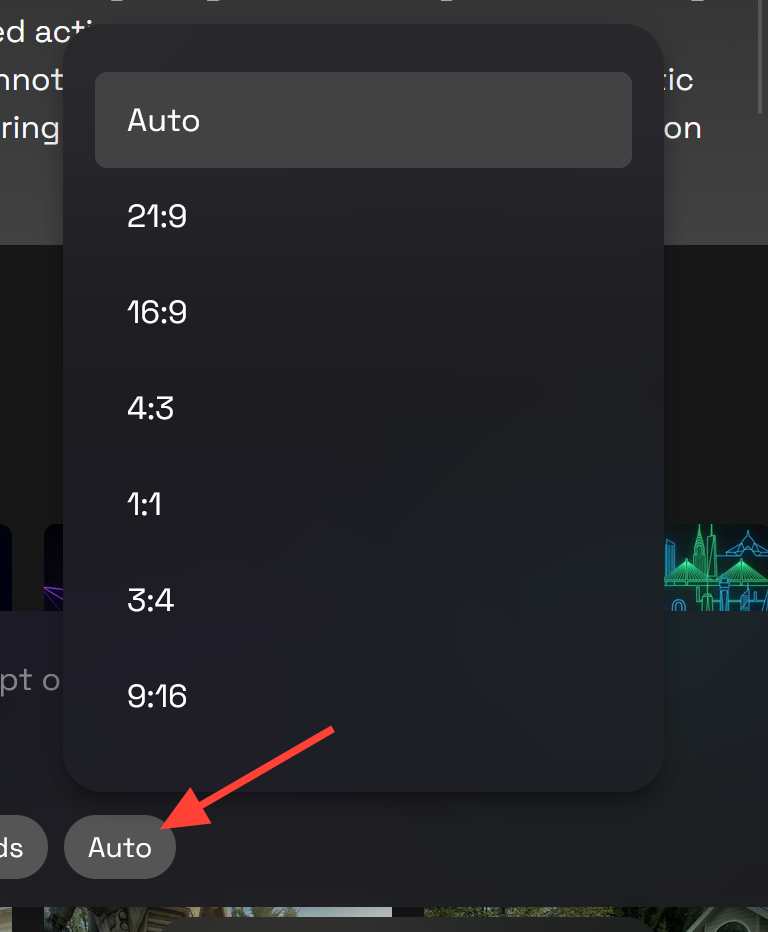
If you need to change the resolution click on Auto.
Step 1: Start with a Strong Architectural Reference Image
Upload an architectural still that already communicates the design clearly. This can be:
- a final render
- a concept render
- an interior visualization
- an exterior hero shot
- a mood-driven design image
For best results, choose an image with:
- clear perspective
- readable lighting
- strong focal points
- clean material separation
If the image feels flat, the animation often feels flat too.
Step 2: Define the Shot Like a Director
The biggest mistake in AI architecture video is prompting only for the design style and not the camera behavior. With Seedance 2.0, you will usually get better results when you describe the shot as if you are directing it.
Include details like:
- camera movement
- pacing
- atmosphere
- environmental motion
- what should stay consistent
Bad Prompt: modern luxury house
A better Prompt: Cinematic architectural video of a modern luxury house at golden hour, slow forward dolly toward the entry, subtle tree movement, soft reflections in the glass, realistic lighting, refined material detail, clean modern landscaping, stable composition.
That gives the model a clearer instruction set and helps preserve the architectural intent. You do not always need additional details you can instead focus on camera movements through the image.
Step 3: Animate Motion That Supports the Design
For architecture, subtle motion usually works better than aggressive motion. The goal is not to make the video feel flashy. The goal is to make the design feel spatial, immersive, and alive.
Useful camera directions include:
- slow forward dolly
- slow dolly out
- smooth lateral glide
- gentle orbit around the structure
- upward tilt to reveal the facade
- slow push through an interior
- controlled parallax movement
- aerial-style rise or descent
- locked camera with subtle environmental motion
This is often enough to turn a static presentation image into something that feels much more premium in a client deck, project pitch, or social post.
Video: Chicago School architectural concept animated with a simple pan in Seedance 2.0.
Step 4: Use Prompt Language That Matches Architectural Intent
Architectural prompts work best when they stay specific. Focus on:
- building type
- mood
- materials
- lighting
- camera move
- level of realism
Step 5: Iterate with Small Changes
If your first result is close but not quite right, make small adjustments instead of rewriting everything.
Good iteration changes include:
- slowing down the camera movement
- reducing motion intensity
- clarifying lighting conditions
- reinforcing architectural realism
- simplifying the scene description
- adding environmental details like breeze, reflections, or moving shadows
This is usually more effective than jumping to a completely different prompt.
Video: Streamline Modern architectural concept animated with Seedance 2.0.
Best Use Cases for Seedance 2.0 in Architecture
Seedance 2.0 is especially useful for:
- animating still renders for client presentations
- turning concept images into short cinematic previews
- showing design atmosphere before full animation production
- creating motion-rich portfolio content
- Creating finalized video shots for websites and ad campaigns
This makes it a practical option for architects, interior designers, visualization studios, and creative teams who want to communicate design ideas more clearly.
Tips for Better Architectural Results
To get stronger results:
- start with your best image, not your fastest image
- keep camera motion controlled and intentional
- use lighting language that matches the reference image
- describe environmental motion sparingly
- preserve realism by avoiding overly stylized prompt clutter
For architecture, restraint usually improves quality.
Final Thoughts
Seedance 2.0 gives you a practical way to turn architectural reference images into more cinematic video content on RunDiffusion. If you already have strong stills, you can use controlled prompting and image-based generation to create more engaging design presentations without building a full traditional animation pipeline.
For architecture teams, that means faster concept storytelling, stronger visual communication, and a more dynamic way to present still imagery.
 RunDiffusion Team
 RunDiffusion Team
FAQ
Can I use Seedance 2.0 with architectural reference images?
Yes. Seedance 2.0 works well with architectural reference images when you want to animate still renders, concept images, interiors, or exterior visuals into short cinematic videos.
What kinds of architectural images work best in Seedance 2.0?
The best results usually come from images with clear perspective, readable lighting, strong focal points, and clean material separation. Strong input images usually lead to stronger animation results.
What camera movements work best for architectural videos?
For architecture, subtle motion usually works best. Good options include a slow forward dolly, smooth lateral glide, gentle orbit, upward tilt, or locked framing with subtle environmental motion.
Should I use start and end frames for architecture videos?
Start and end frames can be useful when you want more control over the direction of motion or the progression of the shot. They can help guide a more intentional result, especially for architectural presentations.
How long should an architectural Seedance 2.0 video be?
Shorter clips are often the most effective for architecture. A brief, controlled shot is usually enough to communicate atmosphere, space, and design intent without overcomplicating the motion.
Is Seedance 2.0 good for client presentations?
Yes. It is especially useful for turning still architectural renders into more dynamic presentation assets for pitches, portfolio pieces, websites, and social content.
Is Seedance 2.0 good for adding people to scenes?
No. This may lead to moderation. If you want to add people to an architectural scene use Seedance 1.5 Pro or other video models.
